




Disclosure: The HiBy R1 was purchased by me, thanks to readers like you supporting this site. HiFi Oasis only uses affiliate links to generate revenue, no ads or sponsored content.
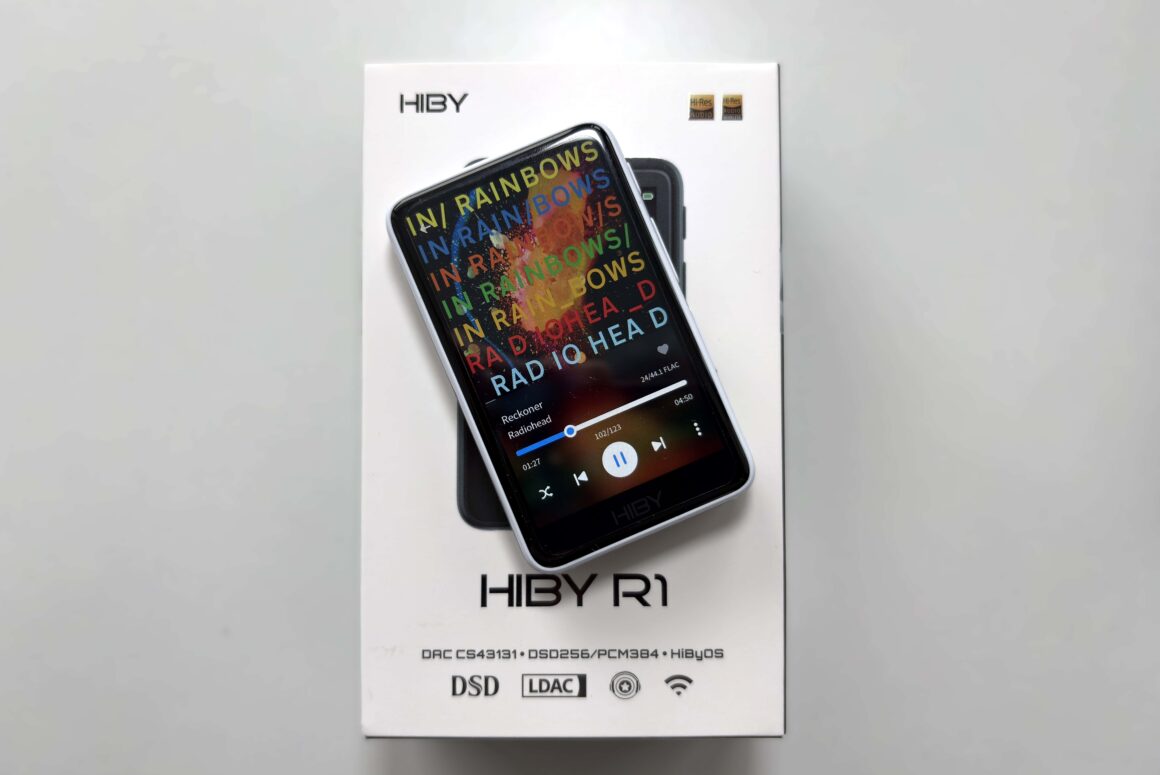
The HiBy R1 represents an intriguing proposition in the budget digital audio player market, typically priced at around $85 USD (HiBy has recently cut the price to $69 USD, but as this price cut hasn’t fully rolled out yet, I will review the R1 as an $85 USD DAP). In a world increasingly dominated by smartphones with USB-C DAC dongles and premium Android-based DAPs, the R1 carves out a distinct niche as a dedicated, compact music player that prioritizes simplicity and audio quality over feature bloat.
At its core, the R1 is built around the Cirrus Logic CS43131 DAC chip, capable of decoding up to DSD256 and PCM 32-bit/384kHz. This chip is known for its efficiency and clarity, making it a sensible choice for a budget DAP. The player runs HiBy’s Linux-based HiBy OS, offering a streamlined experience focused purely on music playback, streaming from Tidal and Qobuz, and wireless connectivity features.
Launched in late 2024, HiBy has rolled out a few firmware updates since then that have really polished the device experience (they even added a dark theme option via an update), making the R1 feel current and capable despite its modest specs.
In this review, I’ll share my personal experience with the HiBy R1, the good and the not-so-good. I’ll cover everything from its design and build to the user interface and Bluetooth/WiFi performance, to how it actually sounds. Many avid music listeners who want a dedicated digital audio player (to avoid smartphone distractions and enjoy better audio quality), the HiBy R1 is typically brought up as an affordable option. My goal in this review is to help you decide if it’s the right DAP for you, so let’s get into it.
Key Specifications
- Product Page: https://store.hiby.com/products/hiby-r1
- MSRP: $69 USD (was $85 USD)
- Core Processor: Ingenic X1600E
- Internal Components: CS43131 DAC
- RAM: 64MB
- Storage: MicroSD card slot (supports up to 2TB)
- OS: HiBy OS
- Display: 3 inch LCD touch screen, 800×480
- Connectivity:
- 3.5mm SE (101mW @ 32ohms)
- USB-C for charging and data (USB 2.0)
- Bluetooth 5.1 (SBC, AAC, aptX, LDAC)
- WiFi 2.4GHz
- Battery: 1150mAh, up to 15 hours of playback, 400 hours standby
- Supported Sample Rates and Formats:
- Up to 32-bit/384kHz PCM, DSD256
- mp3, wav, ape, flac, dsf, dff, iso, cue, wma, ogg, aac, opus, aiff, M3U playlists supported
- Notable Features:
- MSEB tuning
- Tidal and Qobuz streaming only support
- WiFi Music Transfer
- Airplay, DLNA, HiByLink
- Dimensions:
- 83.5mm x 51.1mm x 12.35mm
- Weight: 70g
In the Box and Unboxing
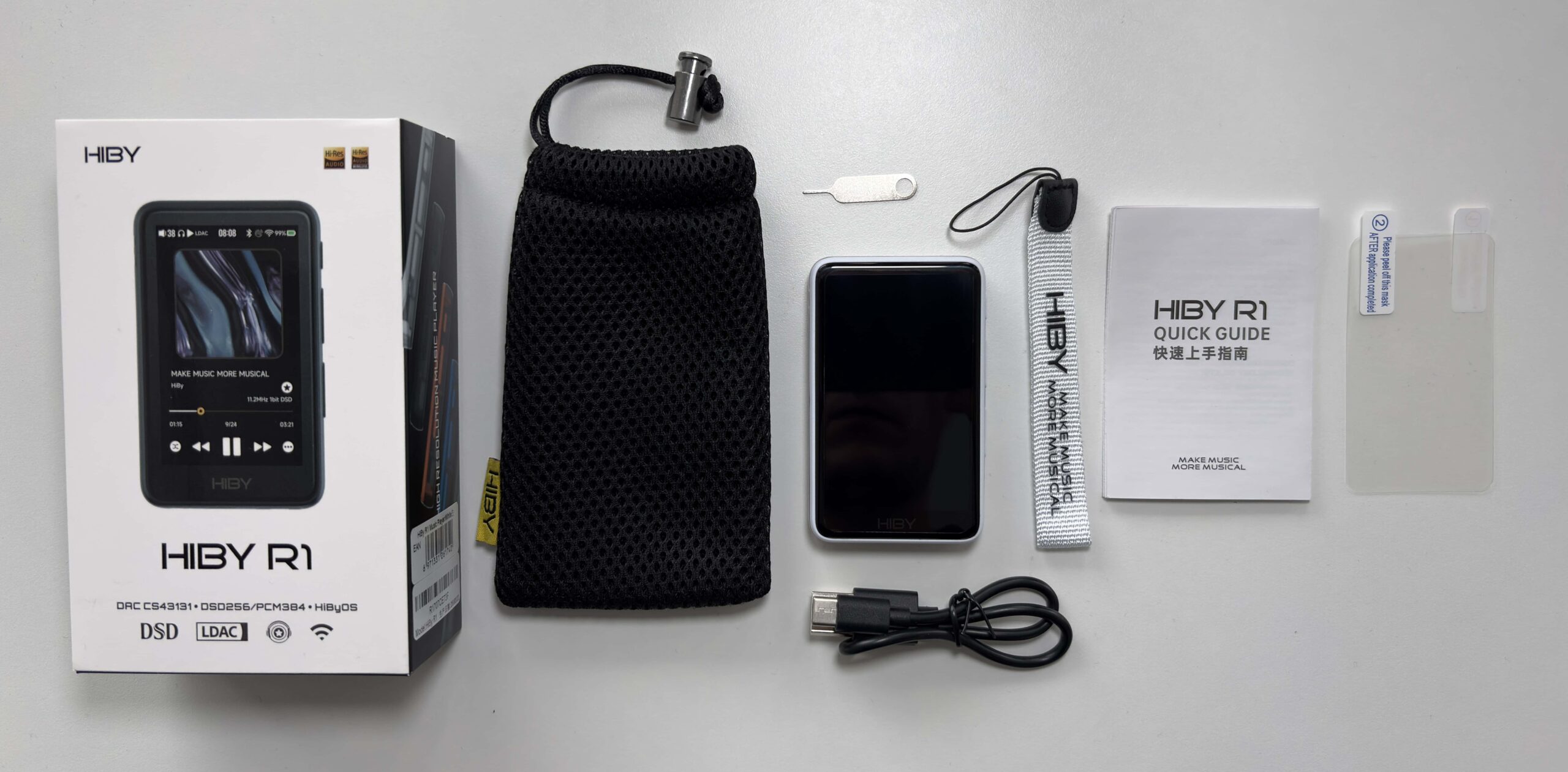
- HiBy R1 (with pre-installed plastic screen protectors on the front and back)
- USB-C to USB-A cable
- Spare plastic screen protector
- Lanyard
- Mesh fabric pouch
- MicroSD card pin tool
- Manual
Design & Build Quality
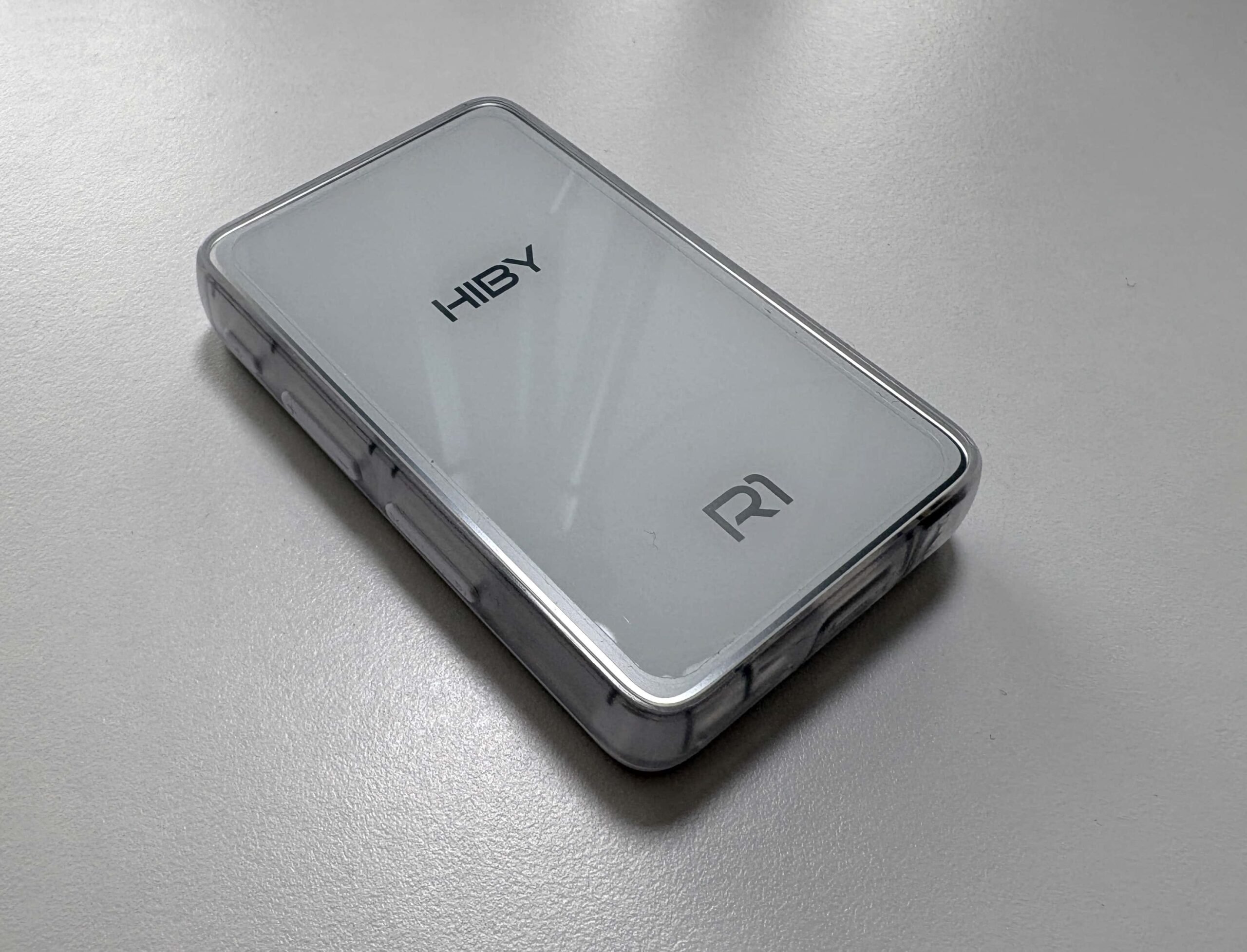
The HiBy R1 has a charming, pocket-sized design that immediately reminded me of late-90s devices with translucent casings. The R1 has a translucent polycarbonate chassis with a glass-like back (I chose the white color, though HiBy offers it in black, green, blue, and orange). You can sort of see some of the internals through the sides of the shell, which gives it a fun retro-tech vibe. Despite being made of plastic, the device feels solid in the hand. It’s lightweight (about 70g) but doesn’t come off as toy-like or flimsy. In fact, I was pleasantly surprised that the fit and finish are quite good for the price. The front and back are glass, and it shipped with protective films on both sides pre-applied (a spare screen protector was included, too). There’s even a lanyard hole on the top left side where you can attach the included lanyard.
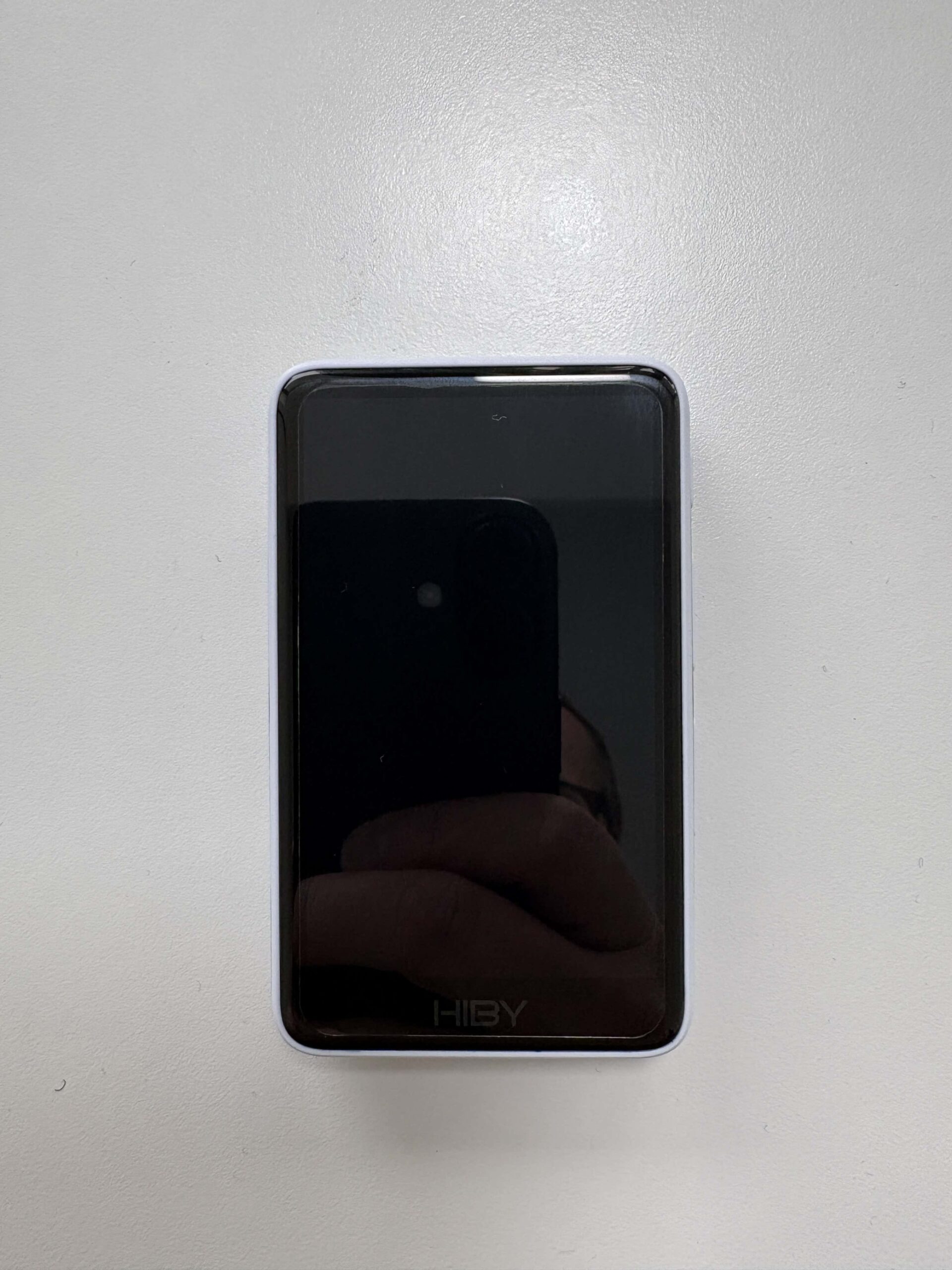

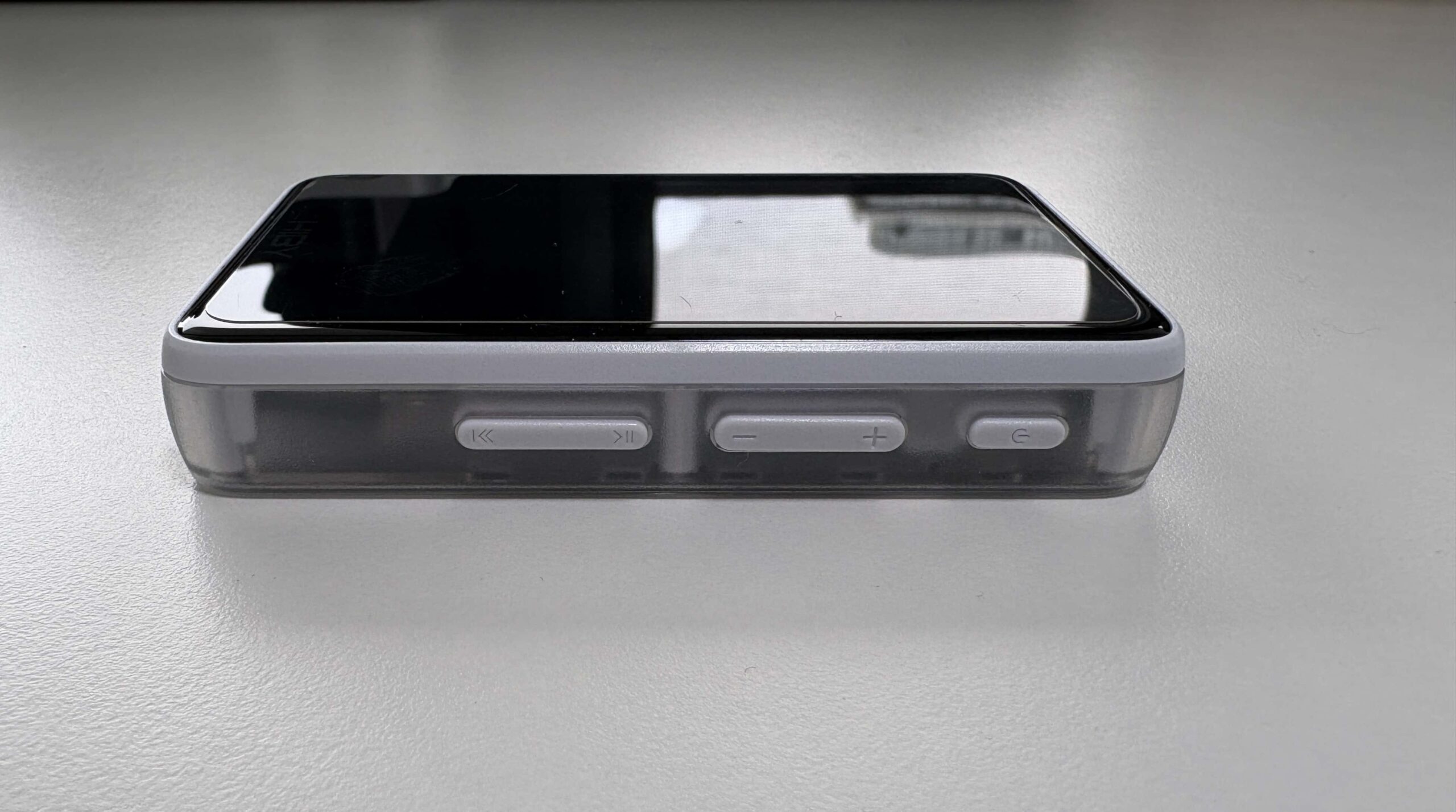
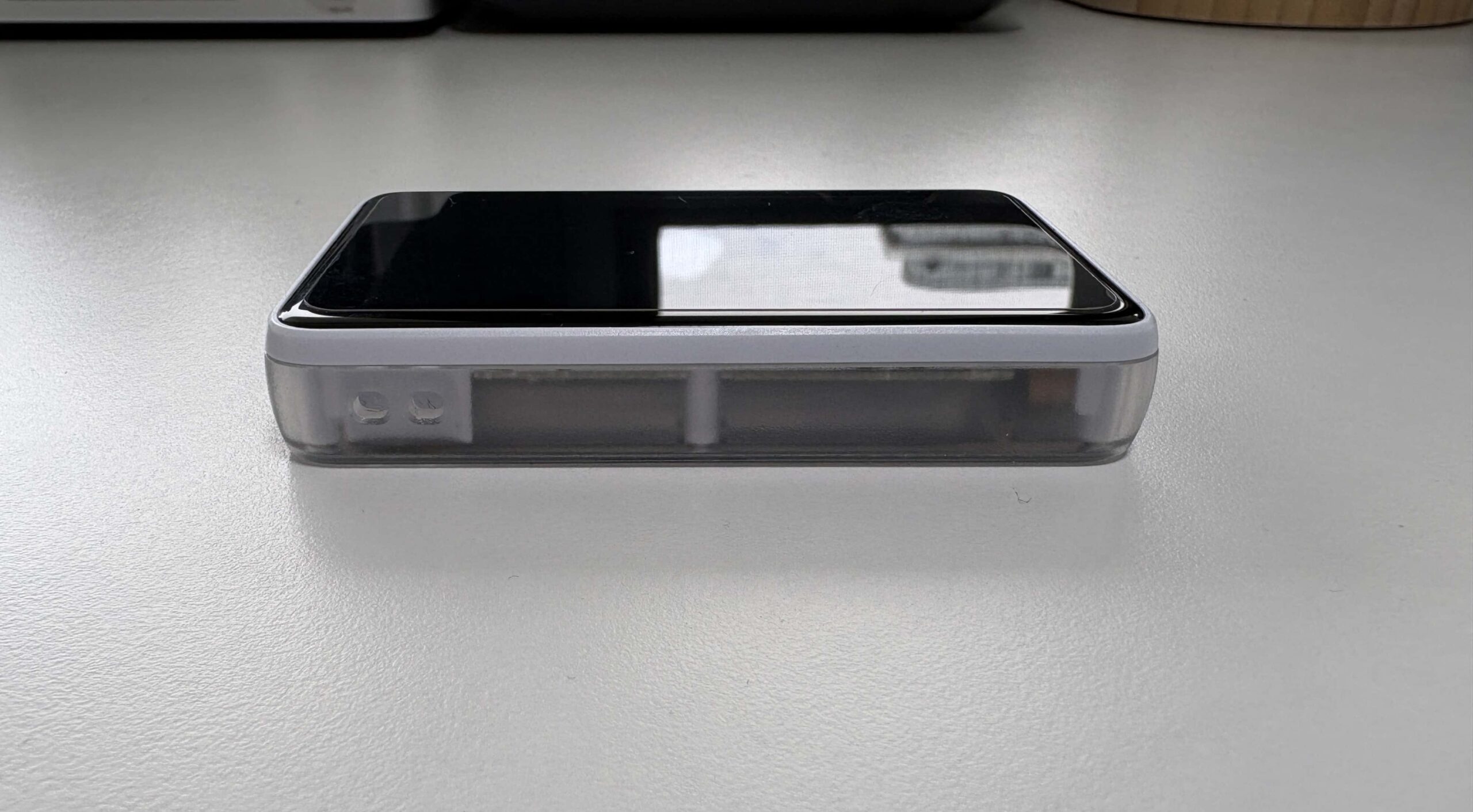
The button layout is all on the right side: a power button up top, a volume rocker below that, and another rocker for play/pause and next track (with the latest update, you can configure the play/pause button to also be for the previous track). They have a nice clicky feel and are spaced out enough to avoid accidental presses. On that same side, between the power and volume buttons, there’s a tiny LED indicator light that glows when the device is on or charging. I do find it helpful to know at a glance if I left the R1 powered on, though if the light bothers you (say, in a dark room), there’s an option to disable it in settings.
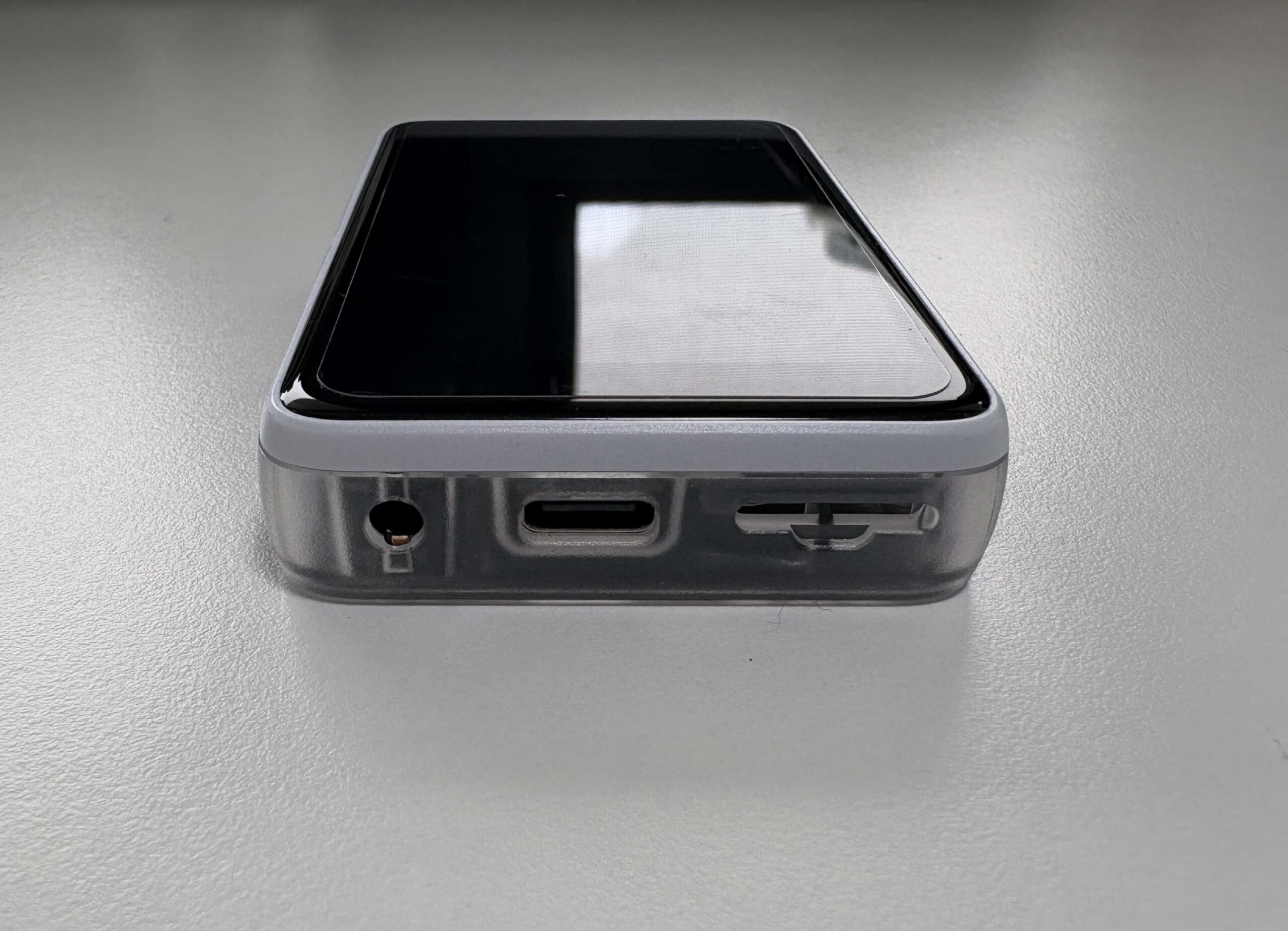
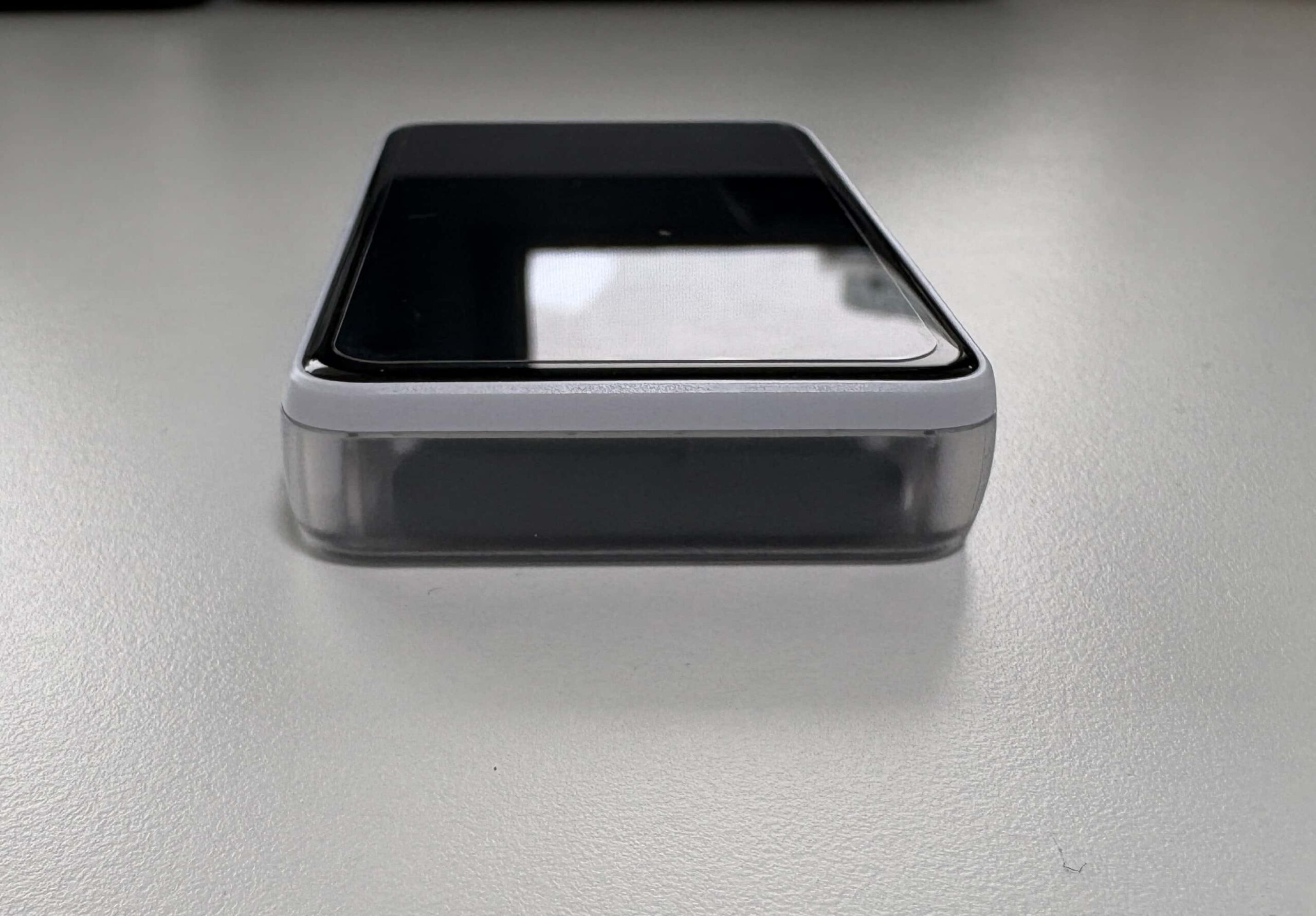
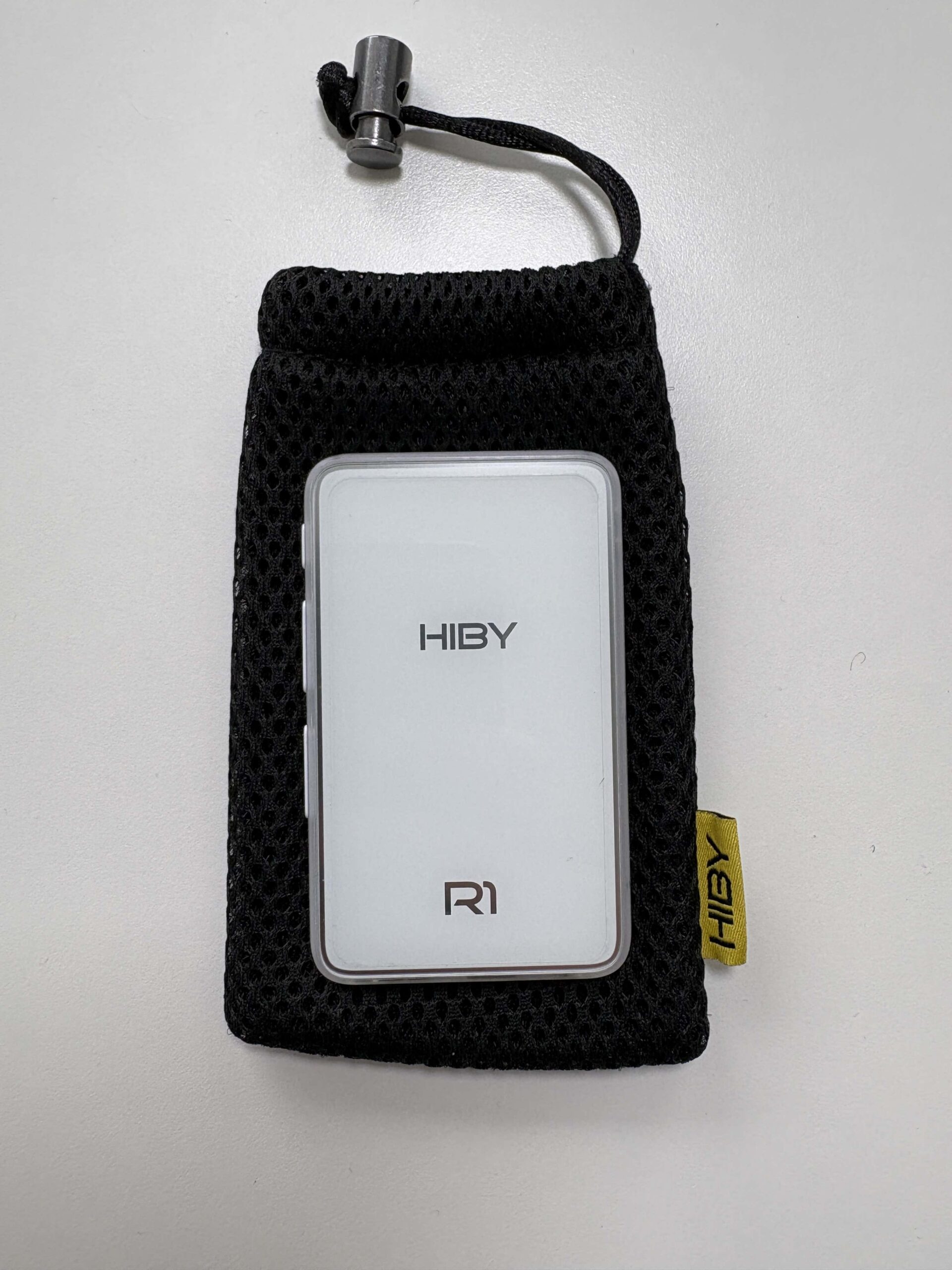
All the ports are on the bottom: a 3.5mm SE headphone jack, a USB-C port, and a microSD card slot. The R1 has no internal storage, so a microSD card is a must (it supports cards up to 2TB, which is plenty of space for huge libraries). The device comes with a soft mesh carrying pouch as well, which I appreciate, as the glossy glass back could scratch if I tossed this in a bag with keys, so I usually keep it in the pouch when not in use. Overall, I love the R1’s tiny, candy bar-like form factor. It’s refreshing to have a dedicated music player that I can easily slip into any pocket. While the plastic build obviously isn’t as premium as aluminum, it also means the R1 is extremely light and doesn’t get too cold or hot to the touch. For an ultra-portable DAP, HiBy nailed the design basics: it’s attractive, comfortable to hold, and feels durable enough for everyday use (I wouldn’t want to drop it on concrete, but short of that, it seems it can handle normal knocks and bumps just fine).
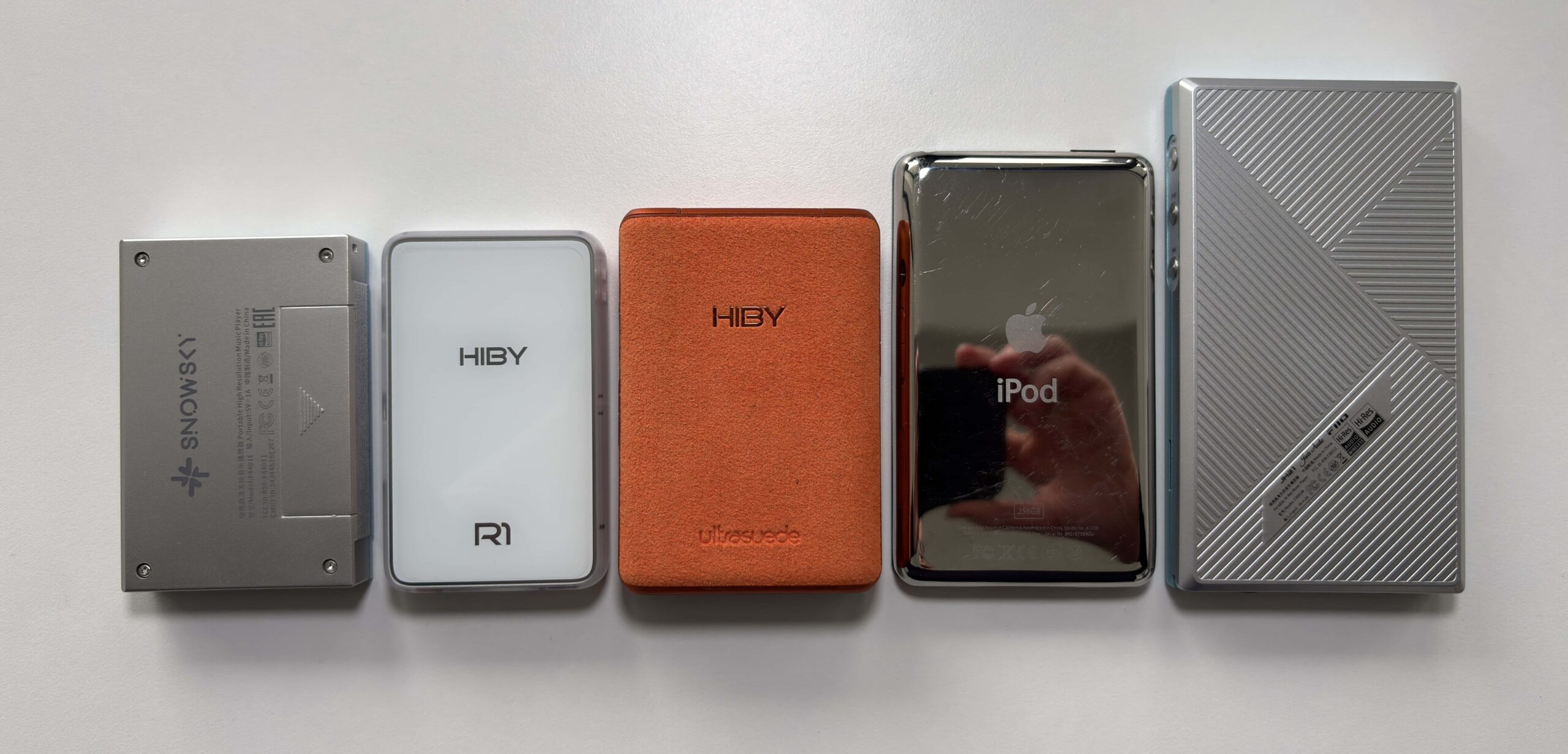
Here are a couple of pictures of the HiBy R1 lined up with the SnowSky Echo Mini, HiBy R3Pro II, iPod Classic 7th gen, and FiiO JM21:

HiBy OS and UI
One of the standout aspects of the R1 is that it runs HiBy OS, a lightweight Linux-based operating system tailored for music playback. This is not an Android device, which means no app installations, but HiBy OS comes with its own built-in music interface and features. I have to say, the UI is generally snappy and straightforward. From a cold boot, the R1 is ready to play music in about 10 seconds, which is way faster than many Android DAPs. I love that I can power it on and be listening to a track in virtually no time. In fact, there’s even a setting to have it remember where you left off: if I was in the middle of a song when I shut down, it resumes right at that spot upon reboot. This fast-boot convenience has made the R1 a grab-and-go device for me. One limitation to be aware of, like all other HiBy OS devices, there is a 50,000 track limit for music indexing, but essentially unlimited when using the File browser.


The home screen of the R1’s UI is simple and effective, and overall is almost exactly the same as every other HiBy OS device from HiBy. You get six main icons: Music, Stream Media, Wireless, Books, System, and About. Tapping the Music icon takes you into your library, where you can browse by all songs, Files (file browser), albums, artists, genres, and album artists. As you may know from reading my previous digital audio player reviews, I like to sort my music library by Album Artist. The problem with HiBy OS devices is that, when you select an Artist in the Album Artists view, it does not show the albums, but instead lists all of the tracks by album. In the Artists view, it does show the albums, so why HiBy made this choice I am not sure, but it drives me insane on these devices. My only workaround to this is to use MP3Tag to write the Album Artist tag to the Artist tag, which is not the end of the world.


The touch interface used for scrolling and selecting is mostly responsive on the small 3-inch screen. Swiping down from the top brings up a quick settings shortcut menu for things like playback mode, brightness, and other toggles. A swipe from the right side takes you to the “Now Playing” screen for the current track. The UI design is clean and a bit utilitarian – it’s not flashy, but it’s intuitive. If anything, the Now Playing screen is a little sparse: it shows album art, track and artist names, but oddly it omits the volume level, battery status, and clock. You can always swipe down to see battery, volume level, and current time in the shortcut panel, though.


There is a Developer Options menu, which is hidden as an Easter egg. If you go to About > Device Info and tap rapidly on the HiBy logo, it unlocks a developer menu in the settings. One crucial thing in there is the ability to remove the volume lock. Out of the box, the R1 has a volume cap (it ships set to a lower max volume for hearing protection), which limits the output power. For everyday use with sensitive earphones, the default volume ceiling was fine for me, but when I tried some harder-to-drive headphones, I needed more headroom. Disabling the volume lock via Developer Options was easy (tap the logo 5 times, then toggle “Volume Lock” off,) and it unleashes the full output capability of the device.




WiFi & Bluetooth Performance
Wireless connectivity was one of the big reasons I found the R1 so compelling at this price. It has both Wi-Fi (2.4 GHz only) and Bluetooth 5.1 built in. Setting up Wi-Fi on the R1 was straightforward: you go into the Wireless menu and it lists available networks. Typing a password on the tiny touchscreen keyboard was a little fiddly, but it only took a minute. Once connected, the R1 uses Wi-Fi for a few things: mainly music streaming via Tidal or Qobuz, OTA updates, as well as a handy wireless song transfer feature.


The R1 supports Tidal and Qobuz streaming out of the box (there is no offline download option). In the main menu, there’s a “Stream Media” icon, which essentially lets you log into Tidal or Qobuz and stream music directly to the device via Wi-Fi. As a Qobuz user, I was thrilled to have this function on such a tiny player. I logged into my Qobuz account and was able to play albums and playlists. The streaming interface is pretty bare-bones, but it gets the job done. But, for example, I noticed it doesn’t show album art when browsing or playing (just generic icons), and it sometimes requires you to select things multiple times. Streaming performance is stable, and the quality is good. With my 2.4GHz home network, I can stream FLAC quality from Qobuz and rarely encounter buffering.


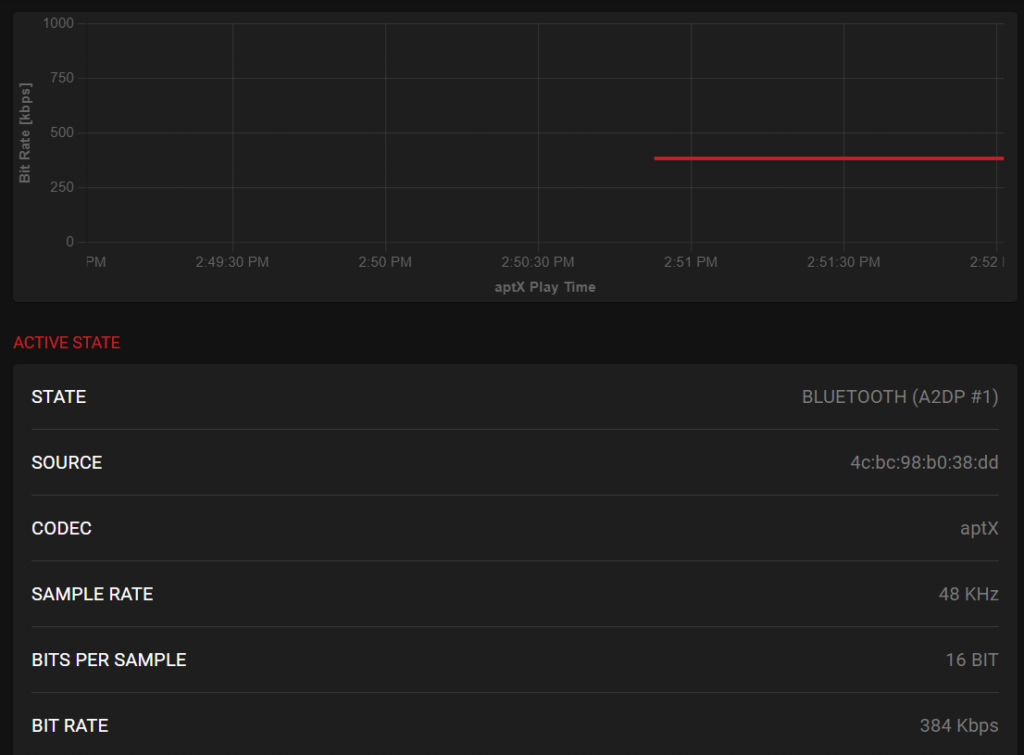
Bluetooth on the R1 has been excellent in my experience. It uses Bluetooth 5.1 and supports a wide range of codecs: LDAC, aptX, AAC, and SBC. I used the Qudelix 5K to test the LDAC and aptX performance and stability, with IEMs plugged into the 5K to detect any transmission issues.
The R1’s Bluetooth settings allow you to manually select codecs, as well as the different LDAC quality modes. For LDAC (audio quality), this forces the 990kbps mode, the highest quality LDAC mode. As you can see, the connection was stable, and the bitrate never faltered, but I did hear some stuttering and static every once in a while, especially if the R1 was not right beside the 5K. The experience was the same when listening with my Sony WH-1000XM5 Bluetooth headphones.
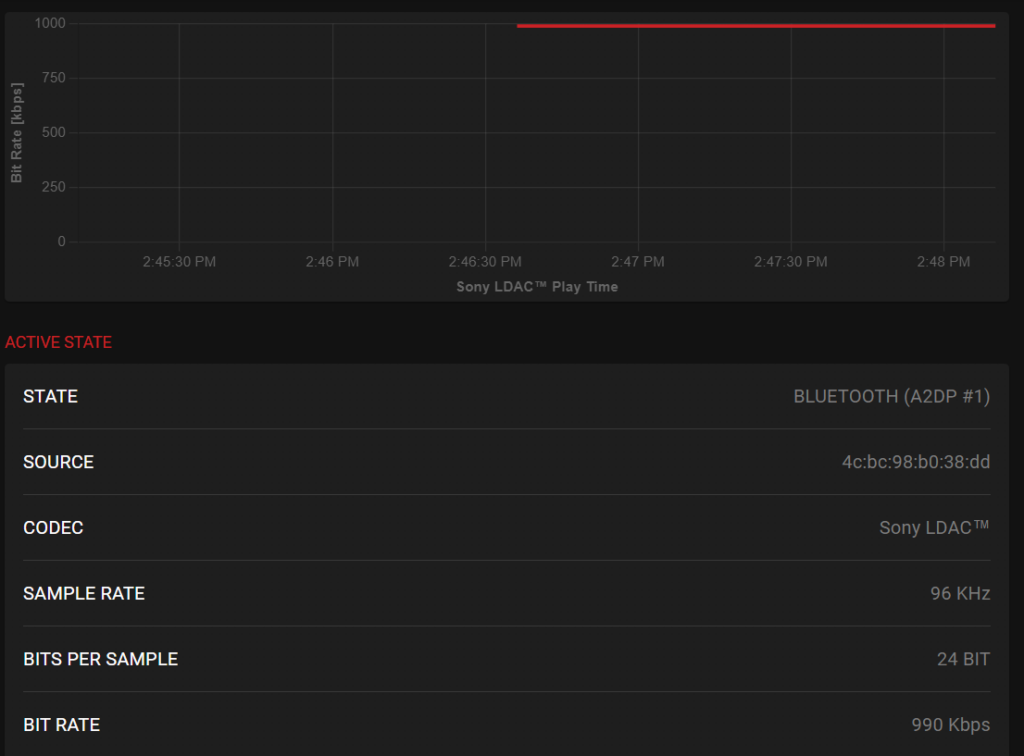
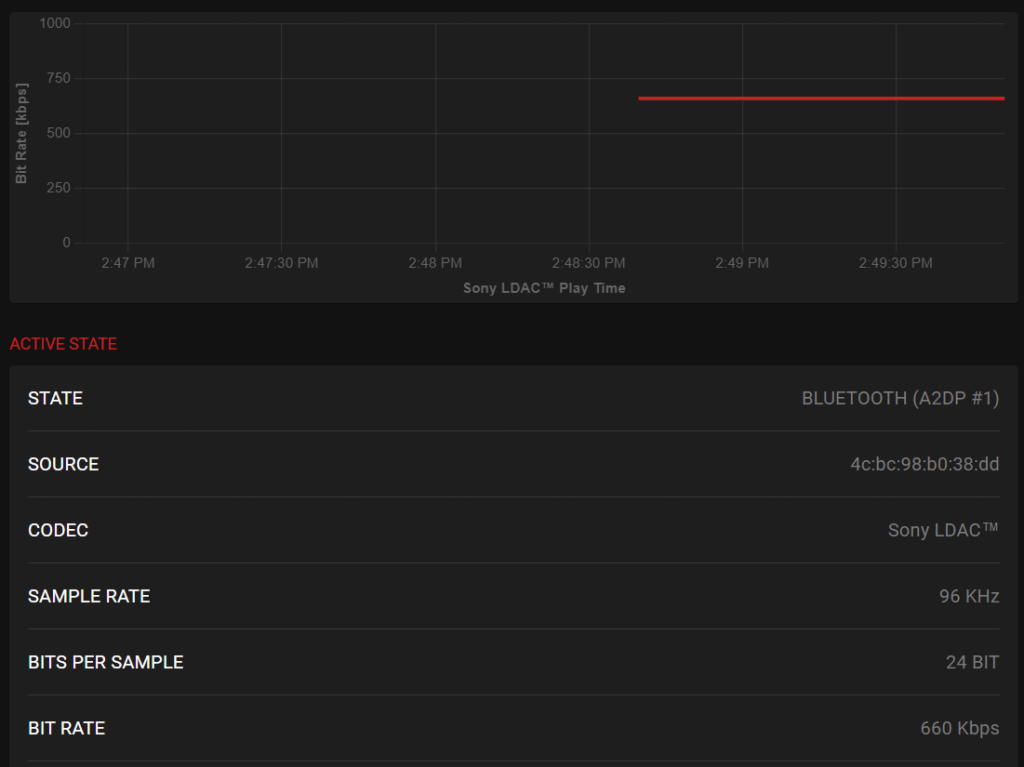
The LDAC Standard mode is the 660kbps mode, and was extremely stable and sounded great. I would recommend using this mode for LDAC to get the best experience. The “Prefer LDAC Connection (Auto)” is the 330kbps mode.
For aptX, the connection is rock solid and gives a stable 384kbps bitrate. I think most listeners will be using this mode, and I encountered no issues here.
The HiBy R1 supports AAC, which also means it supports Apple AirPods. I confirmed this with my AirPods 4 ANC, and they paired and worked perfectly. The only thing that does not work is most of the playback controls. No matter what you press on the earbuds, you only have the ability to play/pause, not skip tracks etc. Given how inconsistent AirPods support is on non-Android DAPs, this is still pretty decent.
The R1 also supports AirPlay and DLNA over Wi-Fi. I tested AirPlay quickly by streaming from my iPhone 16 to the R1, and sure enough, the R1 showed up as an AirPlay speaker target, and I could cast audio to it. It’s a cool way to, say, use the R1 as a wireless music source for a bigger sound system (plug the R1’s line-out into your stereo and AirPlay to it). I haven’t used that extensively, but it worked during my short tests. Additionally, HiBy added HiByLink support via firmware update. HiByLink lets you control the R1 from your smartphone using the HiBy Music app on Android and iOS, essentially remote-controlling the DAP. I tried this on my Android phone, and it’s pretty nice: I could browse the R1’s library and initiate playback all from the phone, while the R1 was across the room, hooked to speakers. It’s like having a mini streaming server. These kinds of wireless features (AirPlay, DLNA, HiByLink) make the R1 more versatile than I expected. For everyday use, though, my main wireless use is Bluetooth headphones, and in that department, the R1 scores pretty decently.
Battery Life
Battery life on the HiBy R1 has been impressively good for me. HiBy advertises about 15 hours of playback on a full charge, and in real-world use, I’ve been getting very close to that. The R1 has a 1150 mAh battery, and thanks to the efficient DAC and the minimalist OS, it’s very power-efficient. In my own test, I played mostly FLAC songs from the SD card at moderate volume (about volume level 20-30 out of 100, driving easy IEMs), and the R1 lasted me roughly around 14 hours before the battery indicator got low. If you listen at very low volume or with the screen mostly off, you might even exceed 15 hours. Conversely, if you crank it loud or use power-hungry headphones, battery life will taper a bit. For instance, after I unlocked the volume and drove with headphones at high volume, I noticed the battery drained faster and got closer to ~12 hours that day.
Charging is done via the USB-C port. It supports standard 5V/1A USB charging, and it takes me about 2 hours to fully charge from near empty to 100%. That’s reasonably quick (not smartphone fast-charging territory, but perfectly fine given the smaller battery). I usually just plug it into a phone charger or my laptop’s USB port.
Syncing Music and Playlists
I use MusicBee to manage my music library as it is able to see devices connected to my computer and sync to them. Typically, I like to use a microSD card reader as it’s faster than a USB connection to the DAP. Regardless of what method you use to sync music to the HiBy R1, you need to create a Music folder on the root of the microSD card and place your music files there. Then, put the microSD card back into the player, go to the Music section, press the gear icon on the top right, and select “Update database”.
For playlists, you need to create a folder on the root of the microSD card called “playlist_data”. The R1 can recognize M3U playlist files, but the file paths of the music files need to be relative, not absolute. So it should look like this:
..\Music\Led Zeppelin\IV (HD Remastered Deluxe Edition)\04. Stairway to Heaven.flacHiByOs devices also support this format:
a:\Music\Led Zeppelin\IV (HD Remastered Deluxe Edition)\04. Stairway to Heaven.flacIf you’ve already updated the music database with the M3U files present, the playlists should show up already. Access the playlists by going to the Music section and selecting the folder with the Star on the top right of the screen. Then Playlists. If they do not appear, select “Load playlist” from the same screen, and it will search for them.
Overall User Experience

Using the HiBy R1 daily reveals a device that understands its purpose. The compact size means it genuinely disappears into a pocket, unlike bulkier DAPs that demand dedicated carrying cases. The combination of physical buttons and touchscreen provides flexibility; you can control playback blindly via buttons while the screen remains off, preserving battery, then use the touch interface for library browsing.
The R1 pairs well with the majority of IEMs on the market and many portable headphones. Testing with various earphones from budget to mid-tier reveals that the player provides sufficient power and clean amplification for typical use cases. Only the most demanding high-impedance or planar headphones will challenge its limits.
The experience is refreshingly distraction-free. Unlike using a smartphone for music, there are no notifications, no app switching, no temptation to check social media. The R1 plays music, and it does so competently. For users who value this focused approach, the limited feature set becomes an asset.
Some friction points do exist. The on-screen keyboard is tedious for search operations. Playlist management requires planning. The lack of Android means no access to the full range of streaming services. As well, with larger libraries or tracks with very large album art, the R1 may struggle while navigating the library and start to lag a bit. These limitations may be deal-breakers for some users, while others will barely notice them. It really depends on your intended use case and workflow.
My recommendation for getting the best experience on the R1 is to make sure your track’s album art is no larger than 500×500 and smaller than 150KB. This recommendation applies to all HiBy OS devices.
Output Power
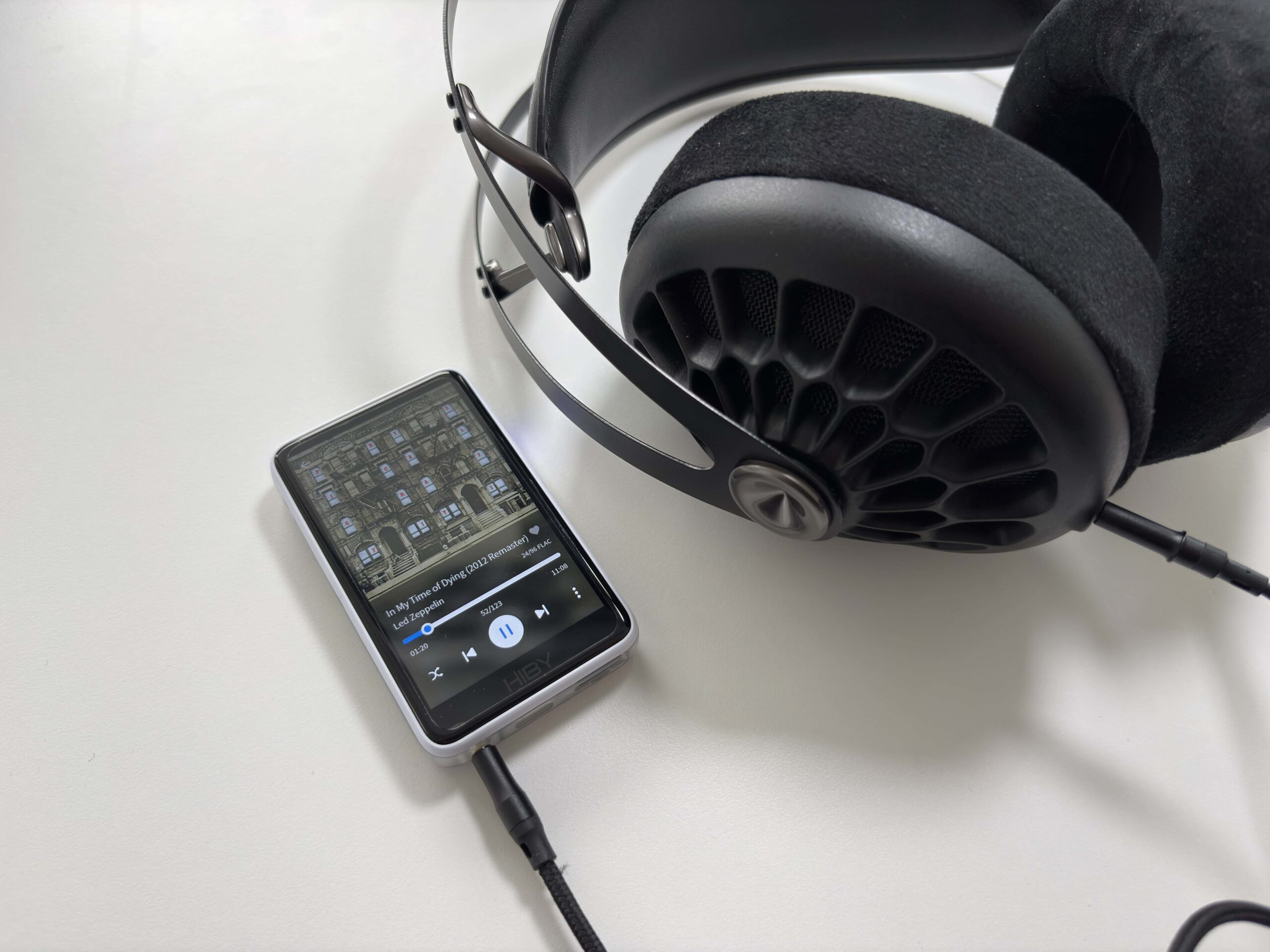
The HiBy R1, given its size and use of a single CS43131 DAC chip (which has an integrated headphone amp), delivers respectable output power for its class, but it’s not a powerhouse. On paper, with the volume lock removed (High Gain mode), the R1 can output up to about 1.8V RMS, yielding ~101 mW into a typical load. In its default (volume-capped or Low Gain) state, the nominal max is around 1.5V or ~70 mW. In simpler terms, for easy-to-drive IEMs and efficient headphones, the R1 has plenty of volume. But for high-impedance or low-sensitivity headphones, it may struggle to reach very loud levels or full dynamics.
The R1 drove all my in-ear monitors (IEMs) and portable headphones without any problems. With my daily IEMs, I had the volume at 20-30 (out of 100) for a comfortable level. That’s well within the R1’s capability, even with the volume lock on. I also tried some 12Ω – 150Ω over-ear headphones; those needed maybe volume 40-50 for a proper listening experience. Still fine. Where the R1 started to show its limits was with my 300Ω Sennheiser HD 660S2. Something like the Sennheiser HD 620S or HD 550 performed just fine (it’s not all about the impedance value after all), and even the HIFIMAN Edition XV, a planar headphone, was also just fine, though I did notice it did not have as engaging a sound compared to using more powerful DAPs. Still, the R1 will be plenty powerful for most users.
One other thing, it also has a low noise floor, as I did not hear any background hiss or noise when using IEMs like the 64 Audio Solo, ZiiGaat Horizon, or DUNU DN242, which are IEMs that I can typically hear such things with.
Sound Quality
Headphones and IEMs used for this review:
- Sennheiser HD 620S
- Meze 105 AER
- 64 Audio Solo
- Kefine Klean
- ZiiGaat Horizon
- Simgot EA1000
Bluetooth headphones and TWS earbuds used for this review:
- Apple AirPods 4 ANC (AAC)
- EarFun Air Pro 4+ (LDAC)
- Sennheiser HDB 630 (aptX)
- Sony WH-1000XM5 (LDAC)
Links to my music playlist used for the majority of testing:
Spotify: https://open.spotify.com/playlist/6QSIhuCBDAUyoWGcyxPeN8?si=c0a4eb6bd3e3421e
Apple Music: https://music.apple.com/ca/playlist/hifi-oasis-audio-testing/pl.u-lKWlcjy04xp
Tidal: https://tidal.com/playlist/503485c7-7f3d-43f0-b904-4b9a89c33875

Now onto the most important part (at least for me as an audio enthusiast), how does the HiBy R1 sound? Overall, excellent for its size and price. The R1 delivers a sound signature that I would describe as balanced with a hint of warmth. There isn’t any overwhelming coloration, and it’s actually quite pleasant, as it gives music a bit of richness without making it muddy. I think HiBy intentionally tuned the R1 to be a touch warm and forgiving, likely because a neutral-bright device at this low price could sound thin. The result is that the R1 pairs well with a wide range of headphones and IEMs. So the overall tuning is user-friendly and versatile. If you’re just getting into the audio world and don’t really know what any of that means, just know that the R1 sounds great and will most likely not be the weak link in your audio chain.
Considering the price and size, I’m thoroughly impressed with the sound quality of the HiBy R1. HiBy’s experience with audio tuning is evident as they’ve squeezed out performance that challenges devices costing much more. The fact that I can get this level of fidelity and enjoyment from an $85 DAP is almost mind-boggling.
While I did use some higher-priced IEMs for listening, like the 64 Audio Solo and DUNU DN242, you probably want to pair IEMs like these with something a bit more capable. So, if you’re looking for pairing recommendations with the R1, one of my favorite IEMs, the Simgot EA1000, sounds just lovely with it, as does my favorite budget IEM, the Kefine Klean. Something that is more in the middle of these two, the Juzear x Z Reviews Defiant, has a nice full sound with great dynamics.
Final Thoughts
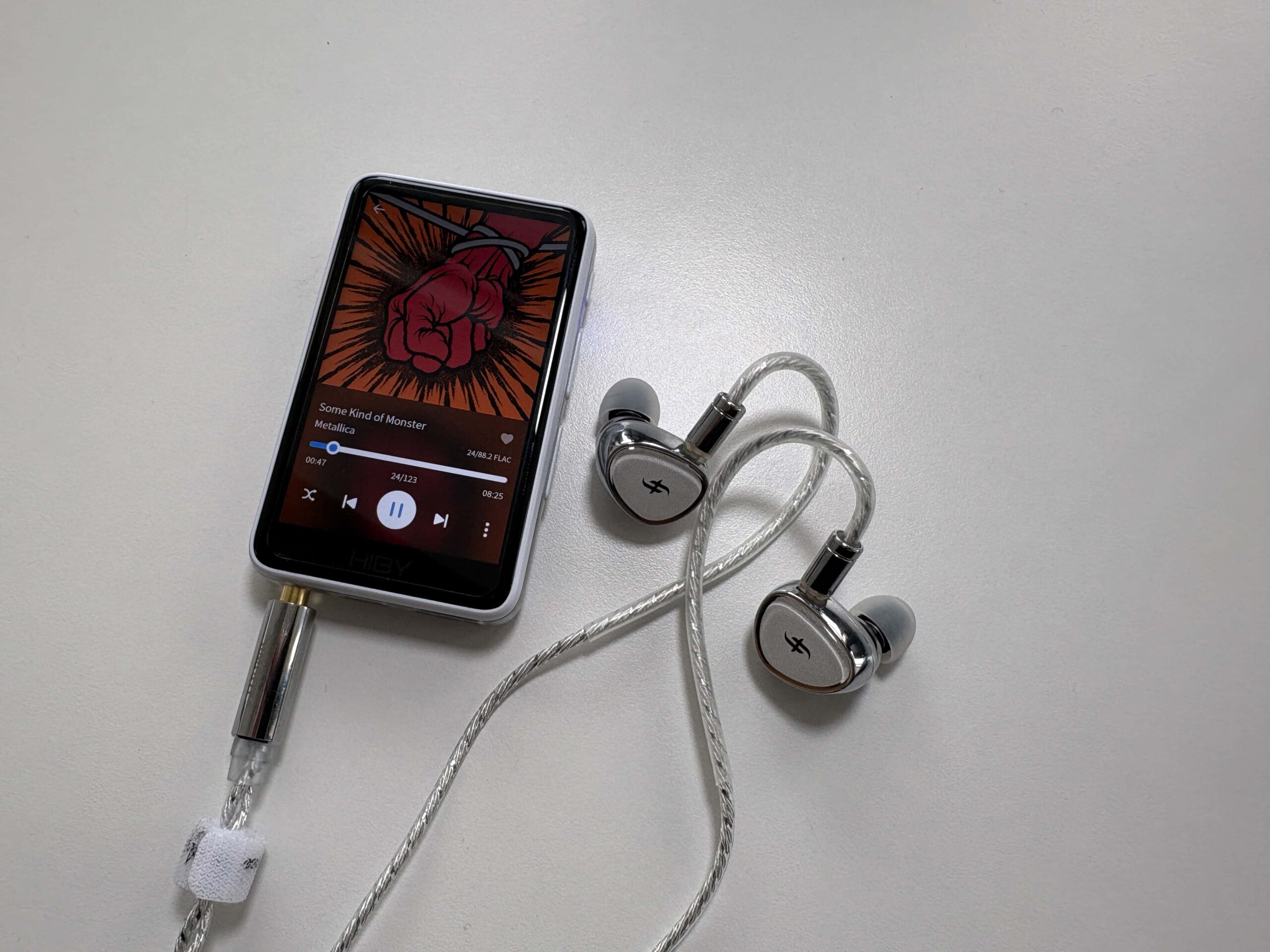
Reflecting on my time with the HiBy R1, I can confidently say it has been one of my most satisfying audio purchases in recent memory. This little DAP achieves exactly what it sets out to do: provide an affordable, ultra-portable hi-res music player with a rich feature set and great sound. It’s not perfect, and it’s not for everyone, but it hits a sweet spot.
I still have concerns with how HiBy chooses to sort the various music views, and the interface can lag at times, but at this price, it’s really hard to see these as deal-breakers, especially given that sub-$100 DAP market is not terribly competitive. As well, the positive aspects of the R1 greatly outweigh the negatives.
I would recommend the HiBy R1 to fellow music lovers who want a budget DAP with modern connectivity, especially if you mostly use IEMs or easy-to-drive headphones. It’s perfect for someone who wants to disconnect from their phone, or as a dedicated player for a large local music collection, or even as a beginner’s audio player to see what hi-res is all about. Personally, I’m very happy with it. Even as newer models come out, I suspect I’ll keep the R1 around because it’s so convenient and fun to use. It’s not often that a device makes you smile simply because it works so well for your needs, but the HiBy R1 has done that for me. Overall, a big recommendation from me.
If you’re interested in searching for other digital audio players, don’t forget to check out my DAP guide and other DAP reviews.


Buy from Amazon: https://amzn.to/4qeneBS
Buy from AliExpress: https://s.click.aliexpress.com/e/_c4Oow0qv
Buy from HiFiGo: https://bit.ly/44AiUos
Buy from Linsoul: https://www.linsoul.com/products/hiby-r1?sca_ref=5236667.OhF52MYHpZ
The above links may be affiliate links. All commission earned through them goes directly to maintaining this site and bringing you more audio reviews.
I’m not always able to cover all the details of a product, both hardware and software, in our reviews. If you have any specific questions about this product, please feel free to leave a comment or contact me directly.
Be sure to check out our excellent Buyer’s Guides, as well as our other Reviews.
HiFi Oasis Verdict
HiFi Oasis Verdict-
Design & Build Quality8/10 Very good
-
Sound8/10 Very good
-
Features/Accessories8/10 Very good
-
Value9/10 Amazing
Pros
- Excellent sound quality for the price with a balanced, slightly warm tuning
- Long battery life (14–15 hours in real-world use)
- Extremely compact and lightweight (70g), genuinely pocket-friendly
- Gapless playback is supported
- Very low noise floor, excellent for sensitive IEMs
- Physical playback buttons allow blind operation with the screen off
- Supports microSD cards up to 2TB
- Strong wireless feature set: Bluetooth 5.1 (LDAC, aptX, AAC), Wi-Fi, AirPlay, DLNA, HiByLink
- Great value, especially at the newer lower price point
- Supports hi-res formats up to PCM 32-bit/384kHz and DSD256
Cons
- Plastic build lacks the premium feel of metal DAPs
- Limited output power
- HiBy OS library sorting quirks
- UI can lag slightly with very large libraries or high-resolution album art


Men, you should see the Oilsky M308. It is an amazing Android DAP at just 50USD.
All metal and with a SE9018k2m DAC chip and support tô LDAC.
Amazing Value
It’s definitely on my radar to check out. I have just heard many comments from people about poor battery life and QC issues.
About playlist, is it possible to create them inside DAP itself?
Yes, it is possible.
Good morning, my friend. Excellent article. I recently bought a Hiby R1 and I use it with a low-cost in-ear headphone, the KZ EDX, and it’s great. Any tips for using this specific headphone with MSEB for a warm sound? Thanks again for the article.
João, Florianópolis, Brazil, thank you.
Thank you for the kind words. I don’t have any specific recommendations for you, as I don’t have the KZ EDX. For MSEB, you could play with the Overall Temperature and the Note Thickness settings. Those might help bring you some warmth to those IEMs.
Thank you for some of the best reviews.
I have one question about the problem with the limited database-power: Does it matter, whether the artwork is inside each track or just one file per album?
Appreciate the kind words!
I have not done any extensive testing comparing either method, but I have a suspicion that having one artwork file per folder/album is less CPU intensive than embedded artwork in each track, so that might help with UI responsiveness.
And one more thing: I share your opinion about the problem with the album artists in all HibyOS-DAPs. This is the reason, why I have not bought any of them yet.
But I have made the experience that Hiby does at least read and reply to our mails. I will write to them abour this. Even better if many people do it.
Agreed, I am sure the more people message them and post on social media, the more they will listen.