




Disclosure: I’d like to thank OneOdio for providing me with the Studio Max 2 for this review. All thoughts and opinions are my own, and OneOdio had no say or input on the contents of this review.
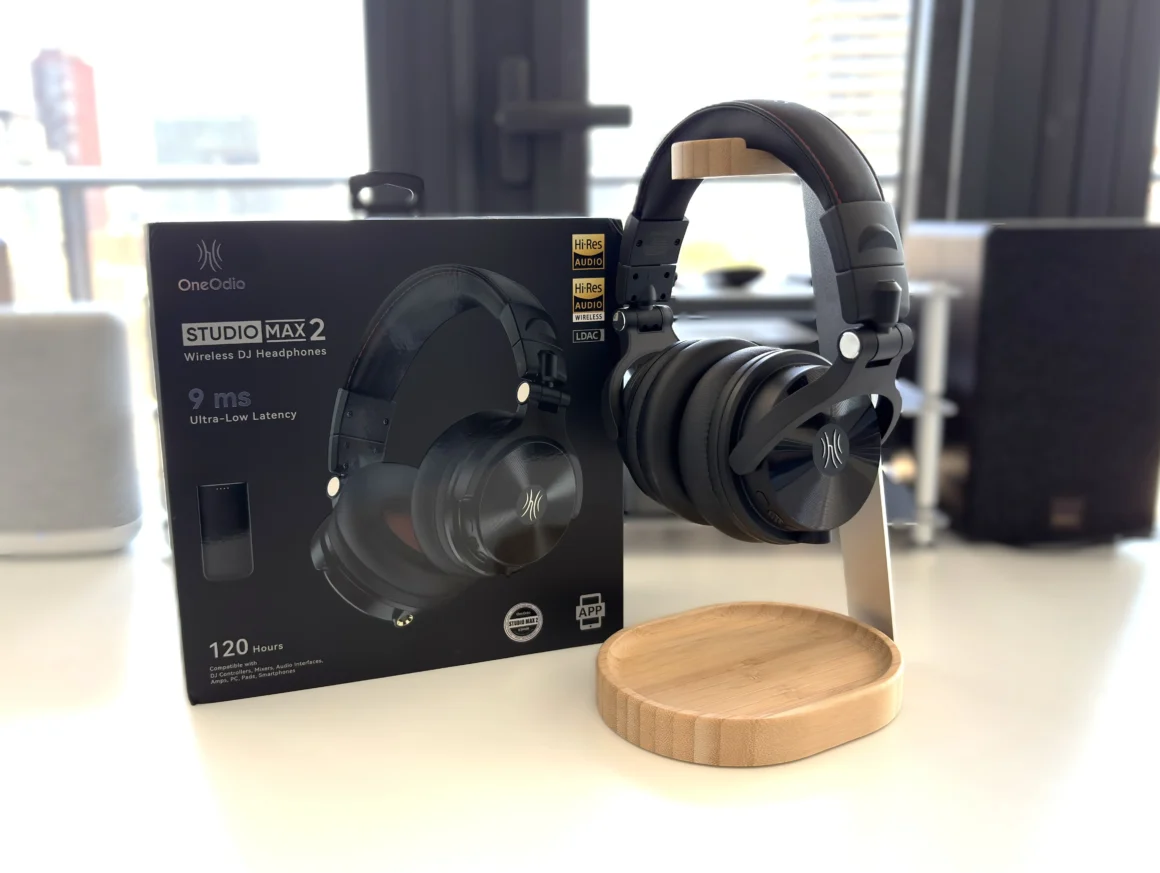
The OneOdio Studio Max 2 is not a typical Bluetooth headphone. It is not trying to be a Bluetooth ANC headphone alternative, it is not trying to compete with neutral-leaning audiophile headphones, and it is not designed primarily for commuting or travel. Instead, it is aimed at DJs, producers, musicians, gamers, music listeners, and creators who want wireless flexibility with the least amount of latency, but without sacrificing sound quality.
That is the key thing to understand about the Studio Max 2. This is a feature-heavy, creator-focused wireless headphone built around OneOdio’s RapidWill+ 3.0 ultra-low-latency connection technology, which promises 9ms of latency when used with the included 2.4 GHz transmitter. It also supports Bluetooth 6.0, LDAC up to 990 kbps, wired 3.5mm and 6.35mm connections, support for OneOdio’s companion app, 45mm drivers, and up to 120 hours of battery life in Bluetooth mode. OneOdio lists the Studio Max 2 at $189.99 USD for the Standard Edition and $199.99 USD for the Signed Edition.
For $189.99 USD, there is a lot going on here. The question is whether all of these features come together in a way that makes the Studio Max 2 a strong all-around headphone, or whether it is better viewed as a specific tool for a specific type of user. Ok, let’s get into the review.
Key Specifications
- Product Page: https://www.oneodio.com/products/oneodio-studio-max-2-9ms-ultra-low-latency-dj-headphones-tuned-by-kshmr?variant=48149595128022
- MSRP: $189.99 USD (Standard Edition), $199.99 USD (Signed Edition)
- Battery Life: Up to 120 hours Bluetooth mode, 50 hours in Low Latency (wireless) mode
- Battery Capacity: 1000mAh,
- Type: Closed-back over-ear
- Driver Type: 45mm Dynamic Driver
- Weight: 240g
- Connections: Wireless, Bluetooth 6.0, 3.5mm wired connection, 6.35mm wired connection
- Codec support: SBC, AAC, LDAC
- Microphone: Yes
- Active Noise Cancellation (ANC): No
- Charging Method: USB-C
- Weather/Dust Resistance: No
In the Box
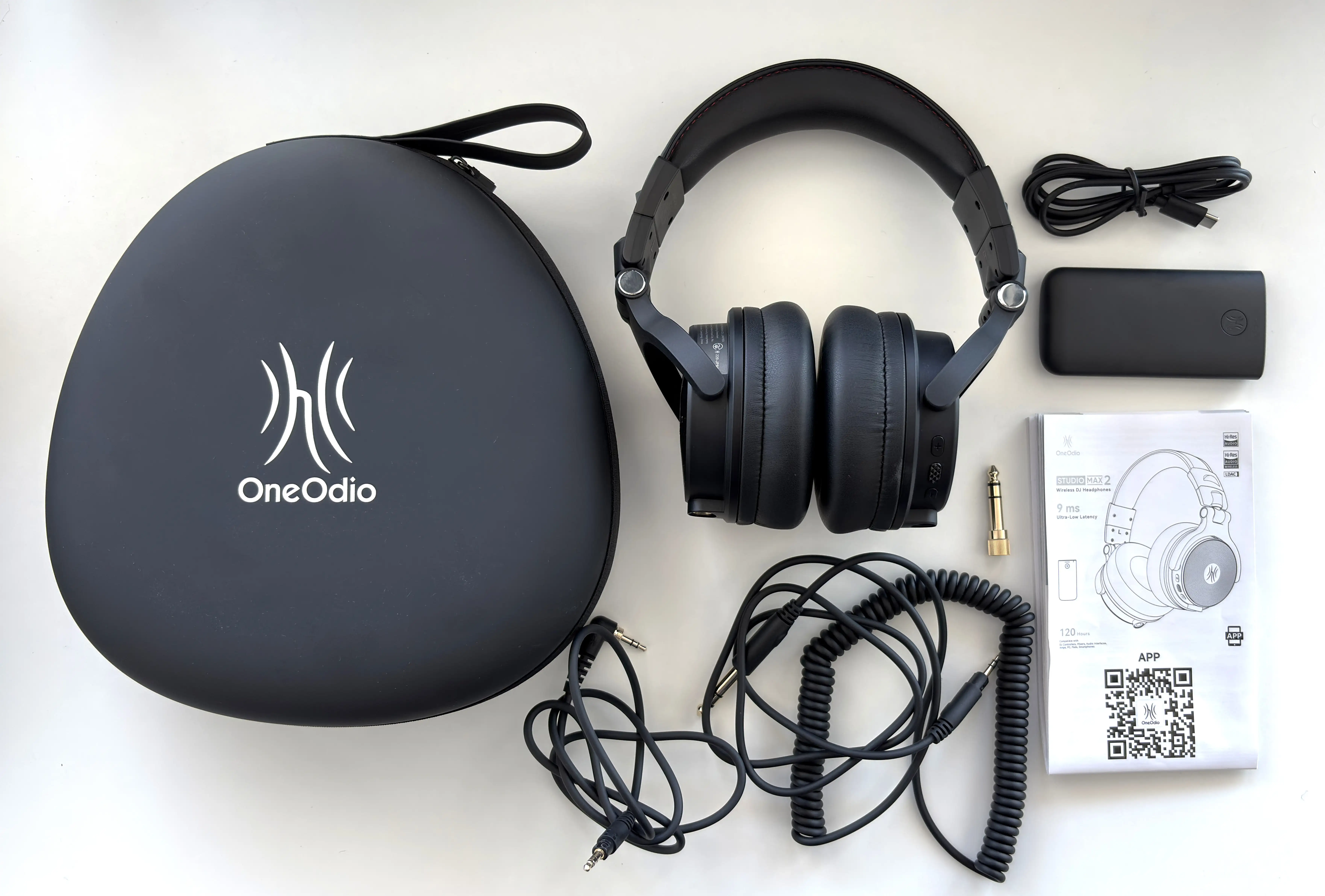
- OneOdio Studio Max 2 Wireless
- 6.35mm to 3.5mm coiled cable
- Very short 3.5mm to 3.5mm cable
- 3.5mm to 6.35mm adapter
- M2 Wireless transmitter
- USB-C to USB-C cable
- Travel pouch
- Manual
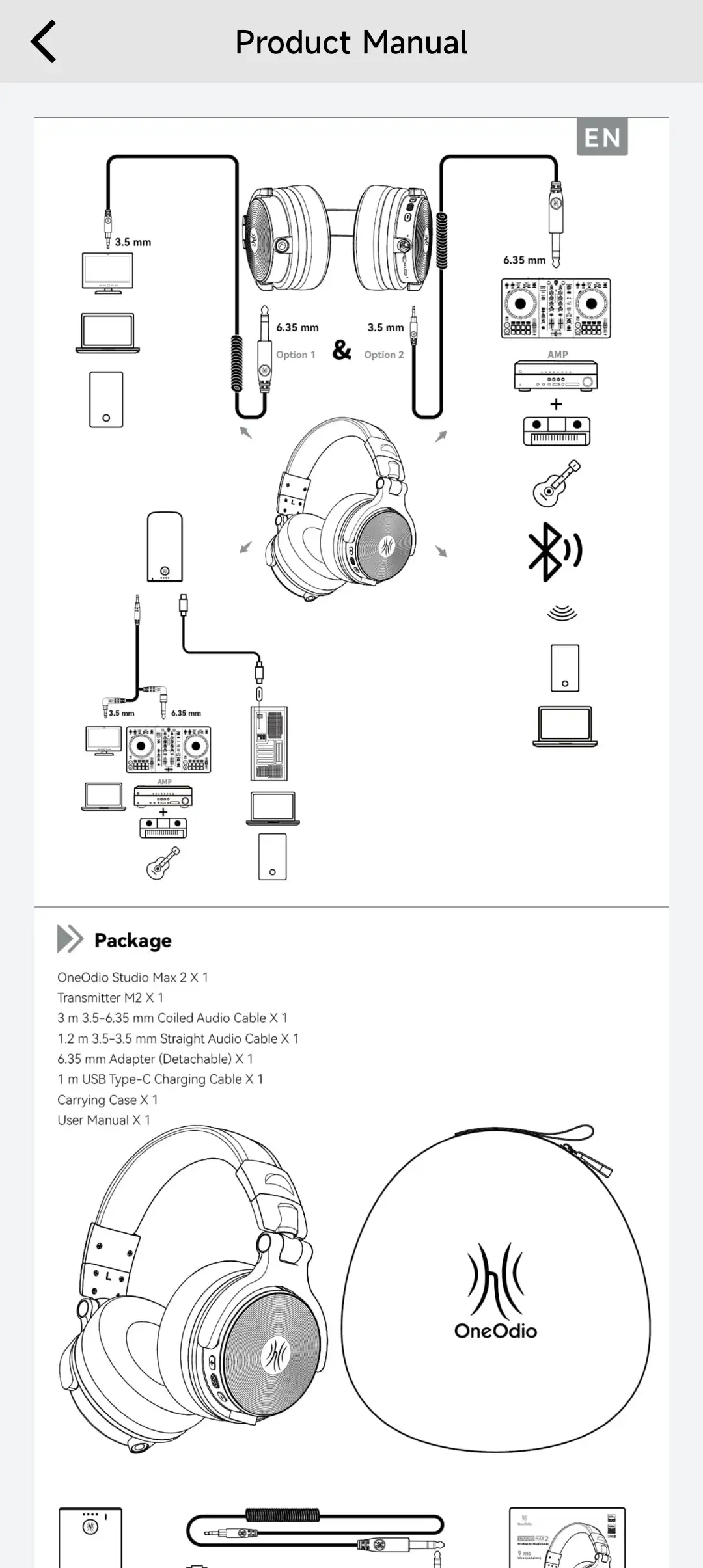
The Studio Max 2 comes across as more of a complete creator/DJ package rather than a simple pair of Bluetooth headphones. Why? Well, you get the headphones, a hard EVA carrying case, the low-latency wireless transmitter, USB-C charging cable, and the required cables for wired use. The inclusion of both 3.5mm and 6.35mm wired support is important because it means the Studio Max 2 can plug into laptops, interfaces, mixers, keyboards, DJ controllers, and more traditional audio sources without needing to rely on Bluetooth or cable adapters.
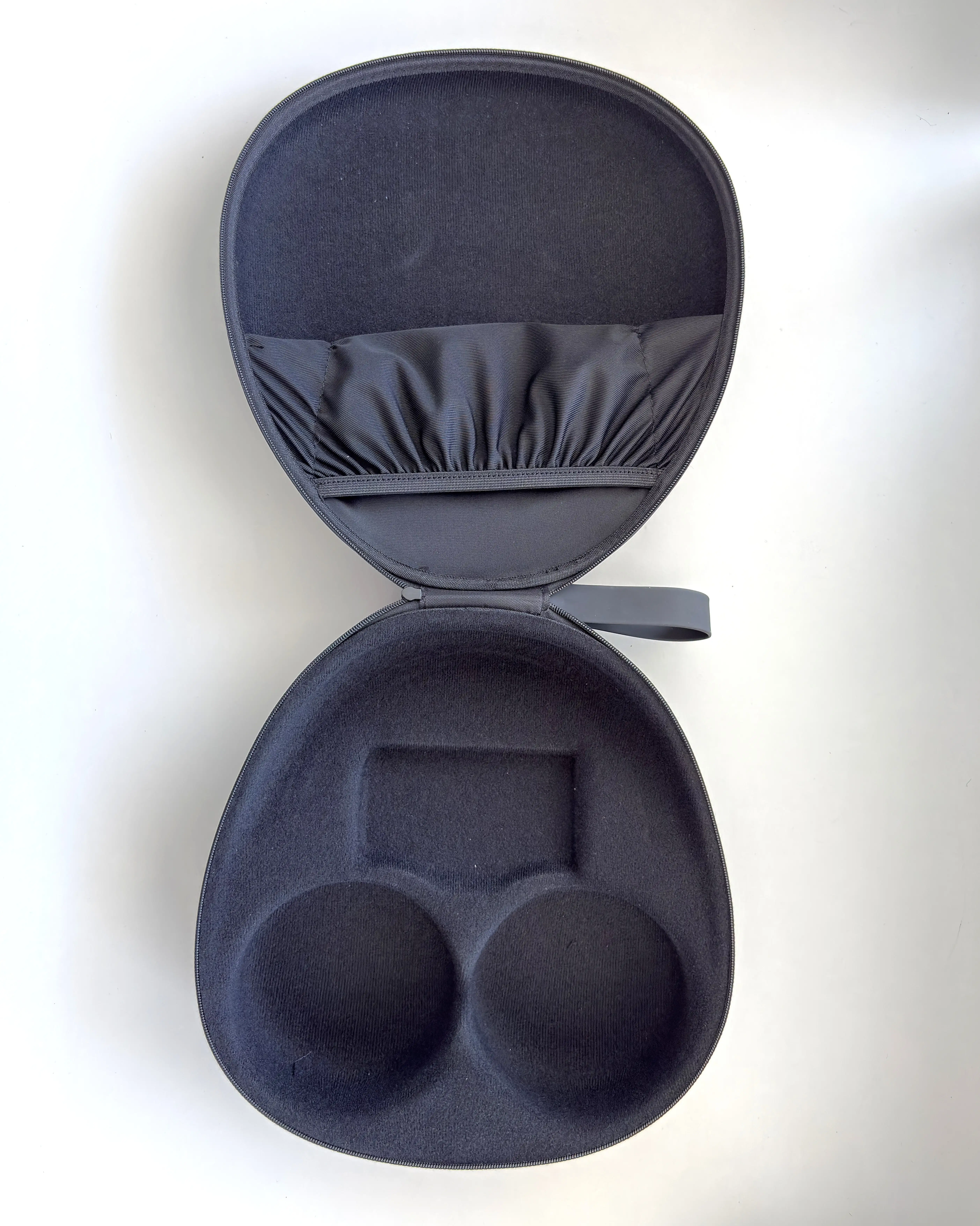
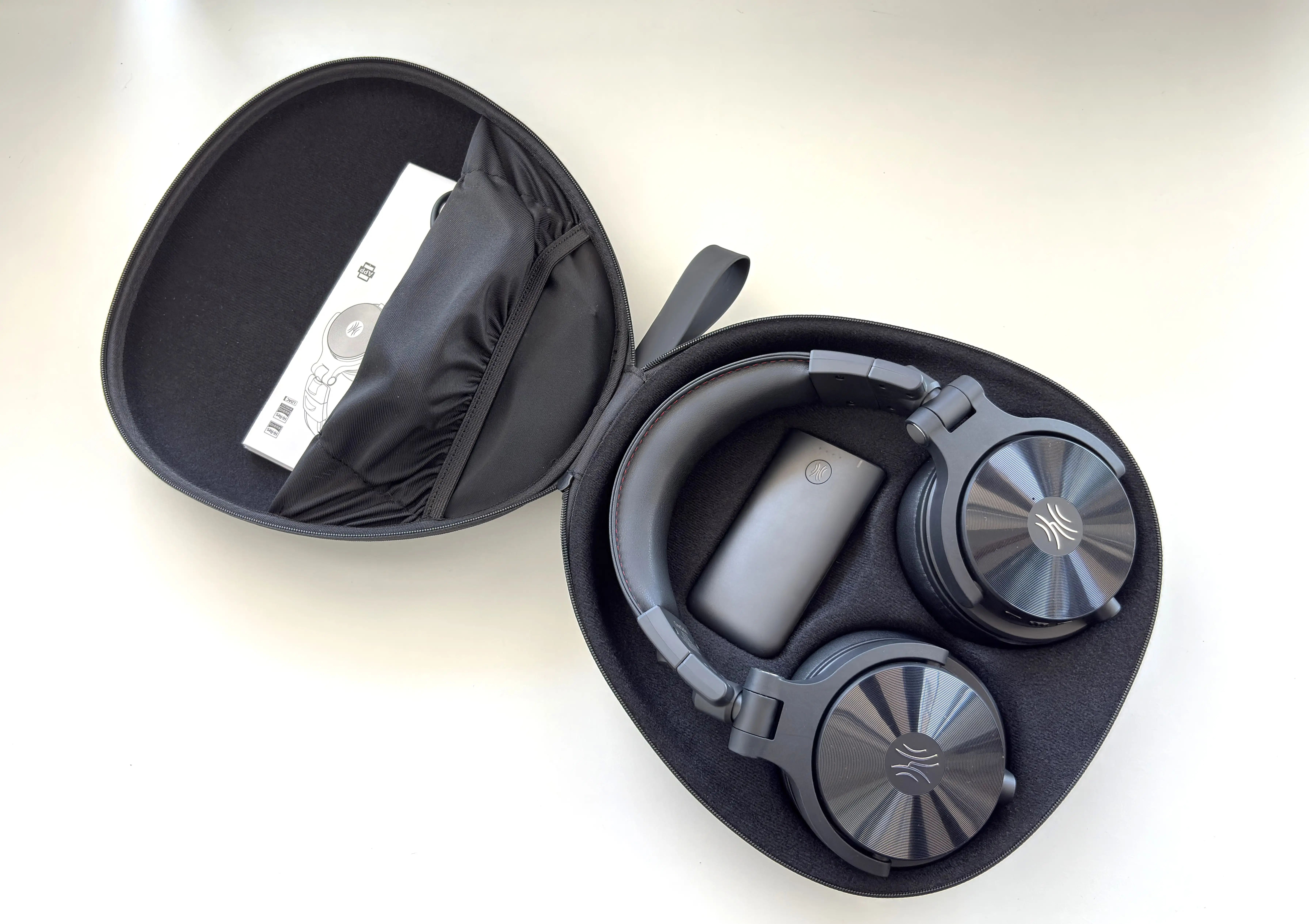
The hard shell case is very nice, and a step up from the Studio Max 1, in my opinion. The case gives an excellent amount of protection, especially if you are carrying them to a studio, rehearsal space, gig, or live setup. The case is not pocketable or minimal, but it feels appropriate for the kind of headphone this is, and you can cleanly fit all of the accessories inside.
Design & Comfort

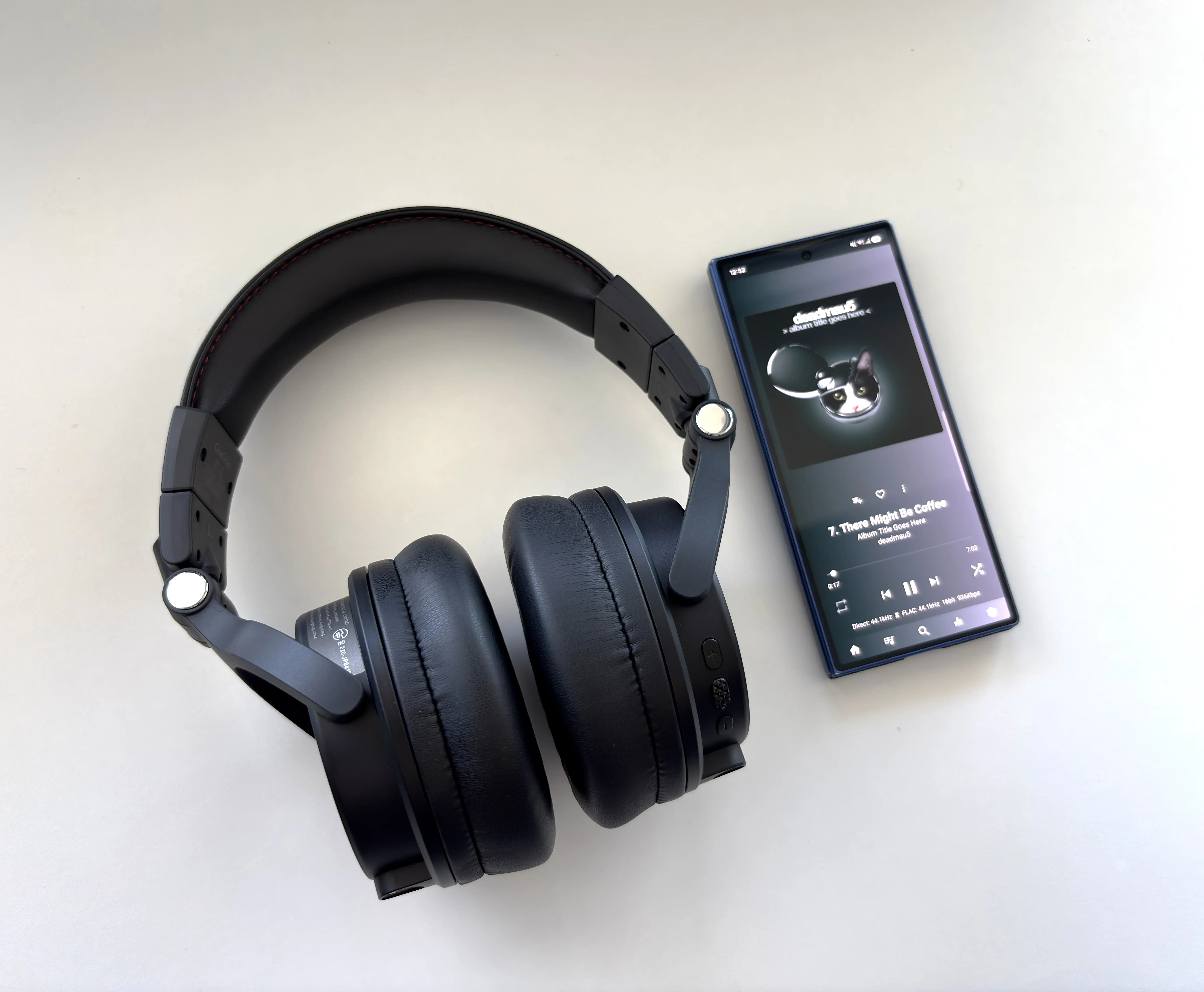
The Studio Max 2 has a very different design language from most modern consumer Bluetooth headphones. This is clearly a DJ-style headphone first. The earcups are large, the frame is chunky, and the overall look leans more functional than sleek. If you’re coming from the Studio Max 1, the design is generally the same.
That is not necessarily a bad thing. For studio and DJ use, I would rather have something that feels sturdy and easy to handle than something thin and lifestyle-focused. The Studio Max 2 has the kind of practical design you expect from a headphone built for monitoring, quick adjustments, and repeated folding/unfolding and moving around.
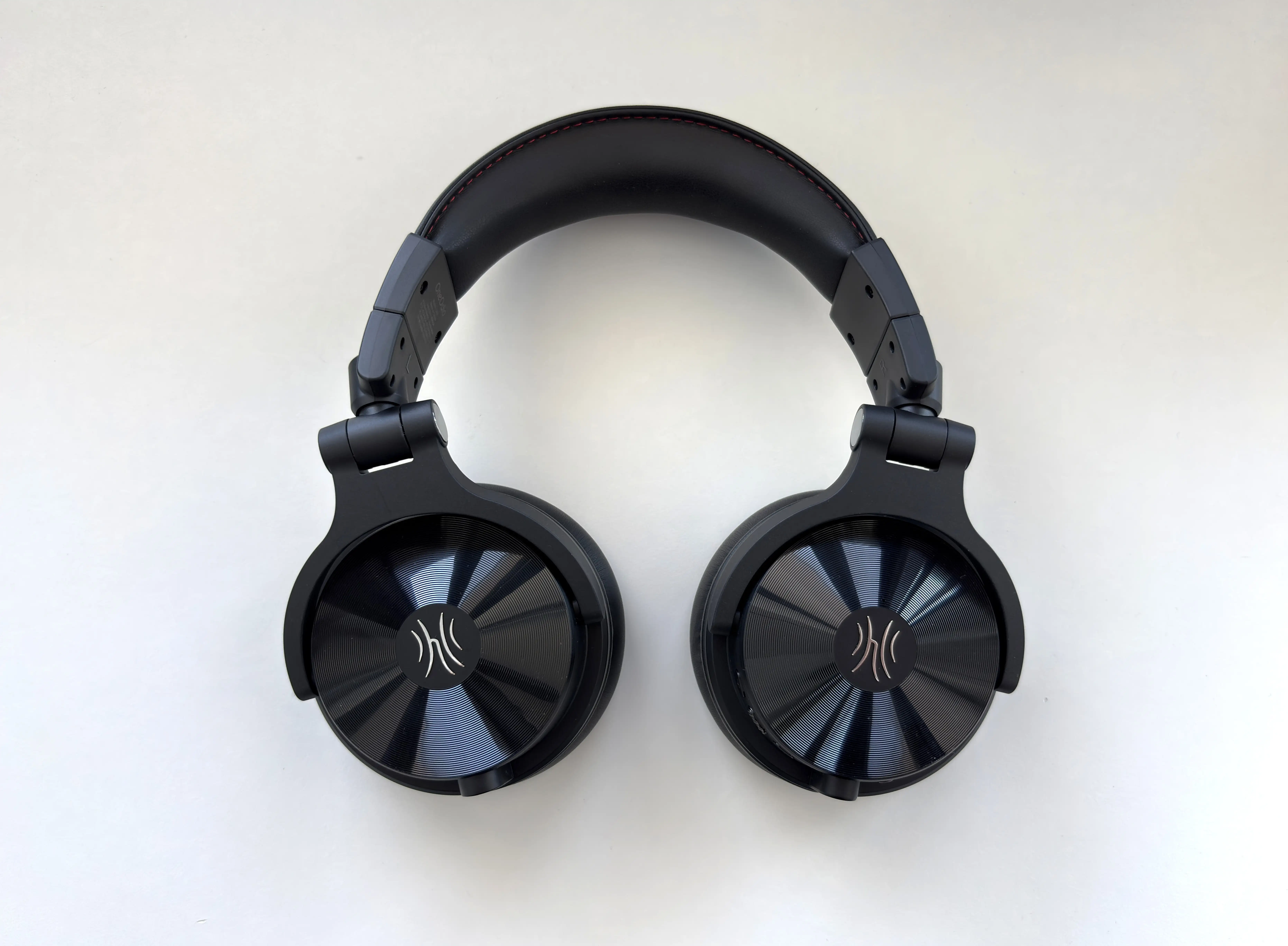
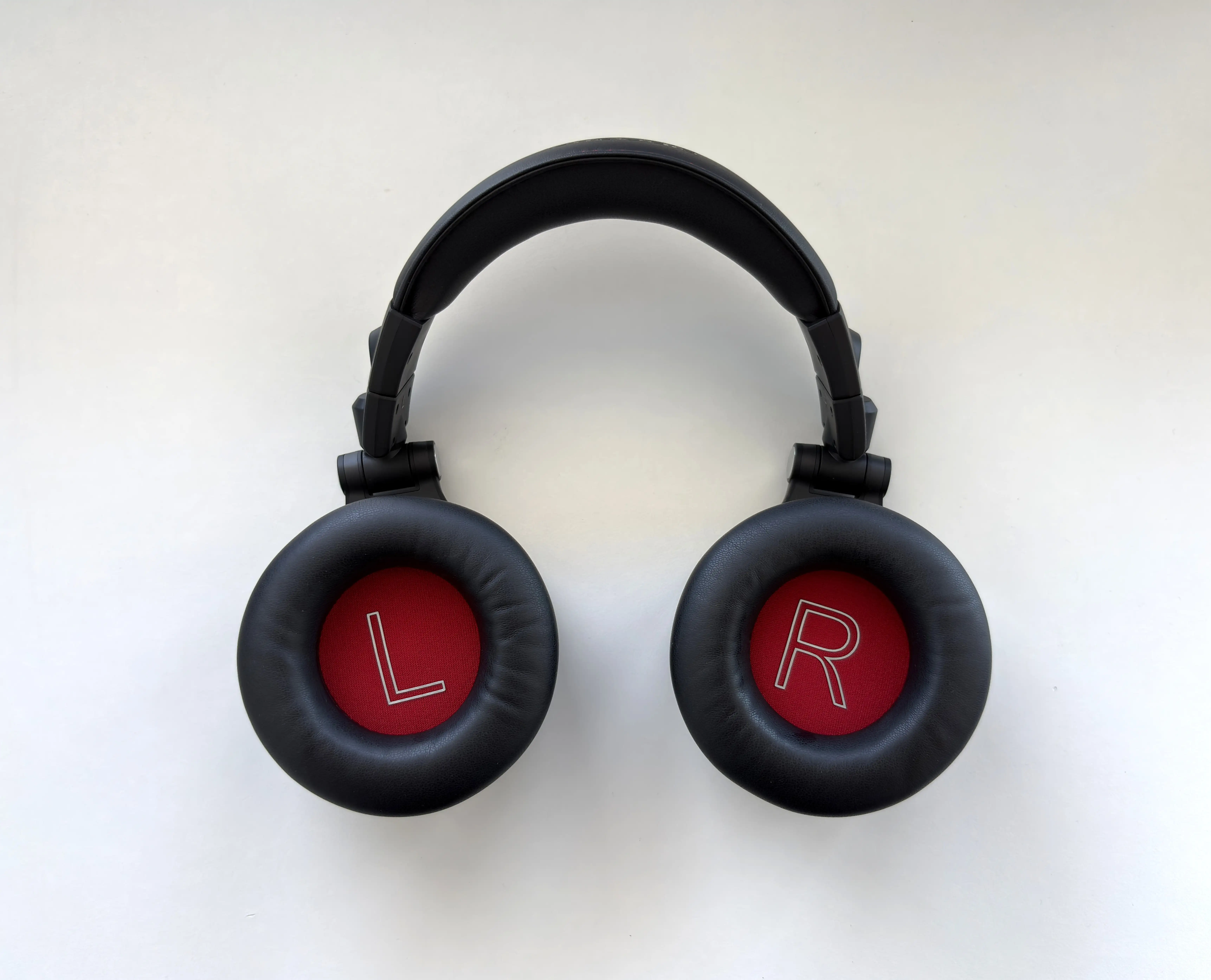


The 180-degree swivel earcups are one of the most important design features here. OneOdio positions them for single-ear monitoring, which makes sense for DJ use, beatmatching, live cueing, and quick checking during a session. The swivels also make the headphones easier to wear around the neck, though the size of the earcups means they are still more noticeable than a typical portable Bluetooth headphone. There is also no noise or plastic creaking when swivelling the earcups or folding them in. Each motion is smooth and noise free, which does add a premium feeling to the headphone.
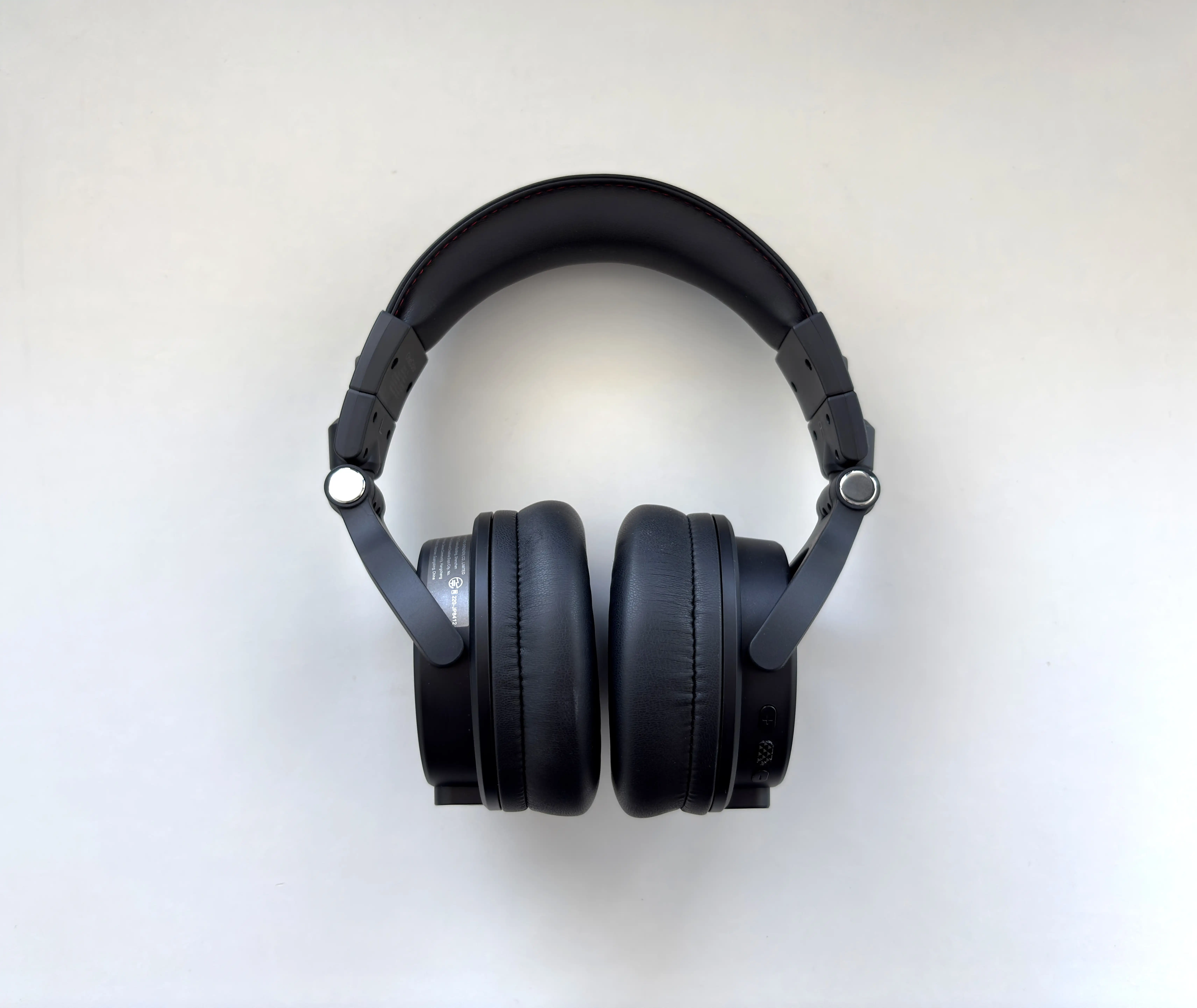


Comfort is pretty good, but not perfect. The earcups have enough room for most ears, and the padding is soft enough for longer listening sessions. The clamp is secure, which is helpful if you are moving around, but it also means these are not as relaxed as something like the Sennheiser MOMENTUM 5 Wireless or many consumer-focused ANC headphones. For those who wear glasses, like me, I had no issues with comfort or any fatigue from the arms being pressed in. The earcups have enough depth in the padding to form around the arms of my glasses without putting too much pressure, and while also creating a good seal.
For casual listening at a desk, the Studio Max 2 is comfortable enough. For very long listening sessions, I did start to notice the size and clamp more than I would with lighter lifestyle headphones. That is the trade-off here. My main comfort complaint is the headband. It has a good amount of soft padding, but after roughly 30 minutes of use, I started to get a hot spot on the top of my head. Slightly adjusting the headphone solves this, but this issue could be solved with a slightly different design of headband (either a slight dip in the middle, or a tension band to more evenly distribute the weight. It’s possible this is a non-issue for DJs and audio mixers who may be moving the headphone frequently, but if you want to just sit and listen for an hour, it can be discomforting.

The Studio Max 2 has two physical connections: a 6.35mm input on the left earcup and a 3.5mm connection on the right earcup with a proprietary locking mechanism.


The right earcup also houses all of the controls. Closer to the back are the volume up, multifunction, and volume down buttons. Below that is a status LED. Then we have a switch that allows you to choose between Bluetooth and the 2.4 GHz low-latency connection. Lastly, there is the USB-C port for charging. In general, I find the controls to be logically laid out and to have good tactility.
Battery Performance
Battery life is one of the biggest strengths of the Studio Max 2. OneOdio claims up to 120 hours in Bluetooth mode, with fast charging that can provide 9 hours of playback from a 5-minute charge. Battery life in low-latency mode is lower, which is expected, but still strong at 50 hours.
My real-world results reflect these claims. Using the AAC codec, I was able to achieve close to 120 hours of playback. When using LDAC, I was getting closer to 105 hours, which is honestly still a lot. When using the headphones with the wireless transmitter, I got just over 49 hours of playback time.
Wireless Performance

This is the main reason to consider the OneOdio Studio Max 2. OneOdio claims 9ms of latency when using its RapidWill+ 3.0 ultra-low-latency system. The headphone uses a 2.4 GHz transmitter rather than relying purely on Bluetooth, which is the right approach if latency is a priority. Bluetooth has improved a lot, but for real-time monitoring, gaming, rhythm-based work, and instrument use, it still usually cannot match a dedicated low-latency wireless system.
For watching video, the difference is less dramatic because most devices already compensate for Bluetooth delay fairly well. But for anything interactive, it really matters. Monitoring a mix, editing video, and gaming all feel more natural in low-latency mode, and the difference between this and Bluetooth is night and day for these scenarios. The Studio Max 2 achieves this by encoding the audio in OPUS at a bitrate of 400kbps, so you still get good audio quality on top of the minimal latency.

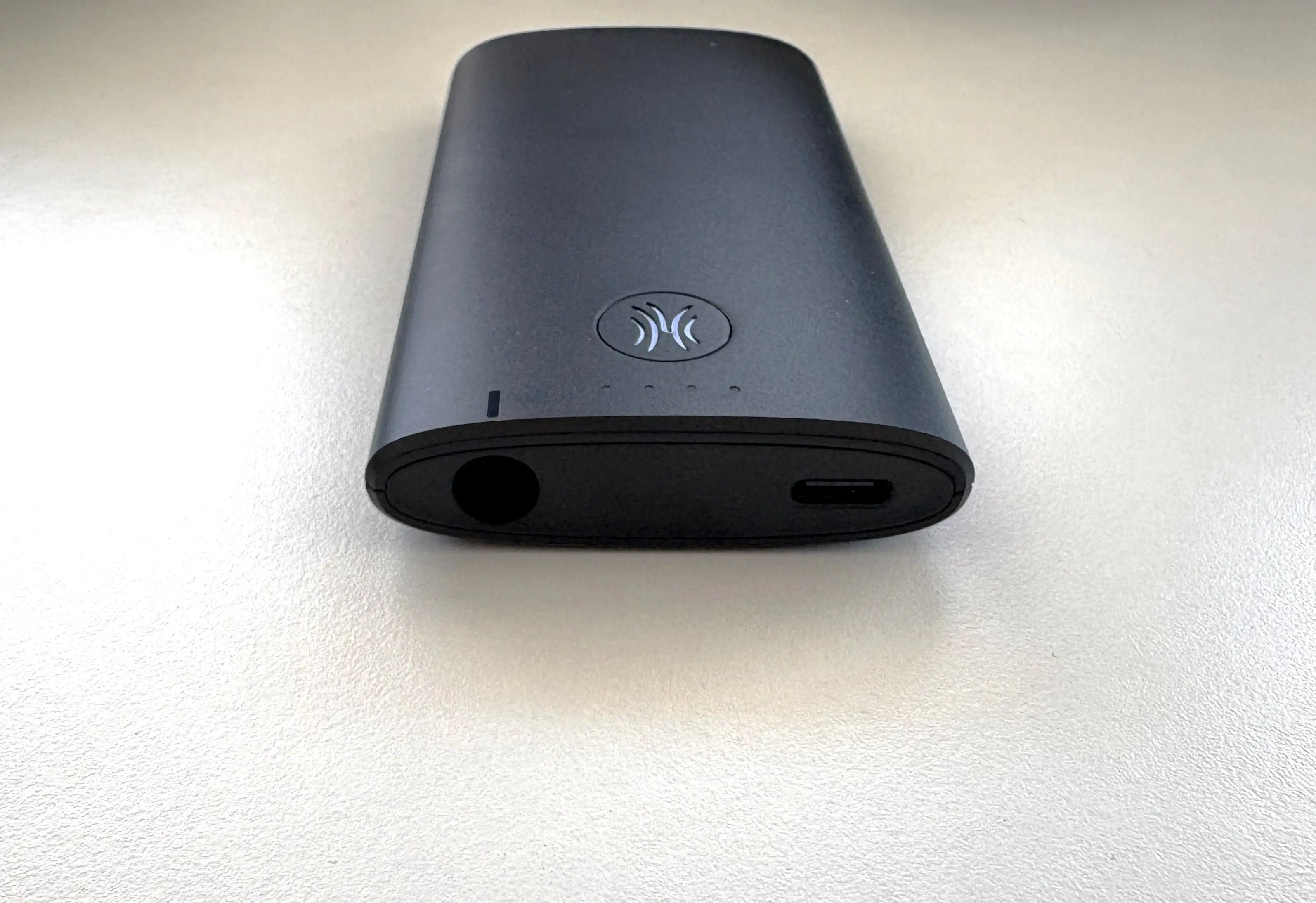


If you’ve avoided wireless headphones in the studio out of fear of timing delays, the Studio Max 2 will completely change your perspective.
Bluetooth Performance

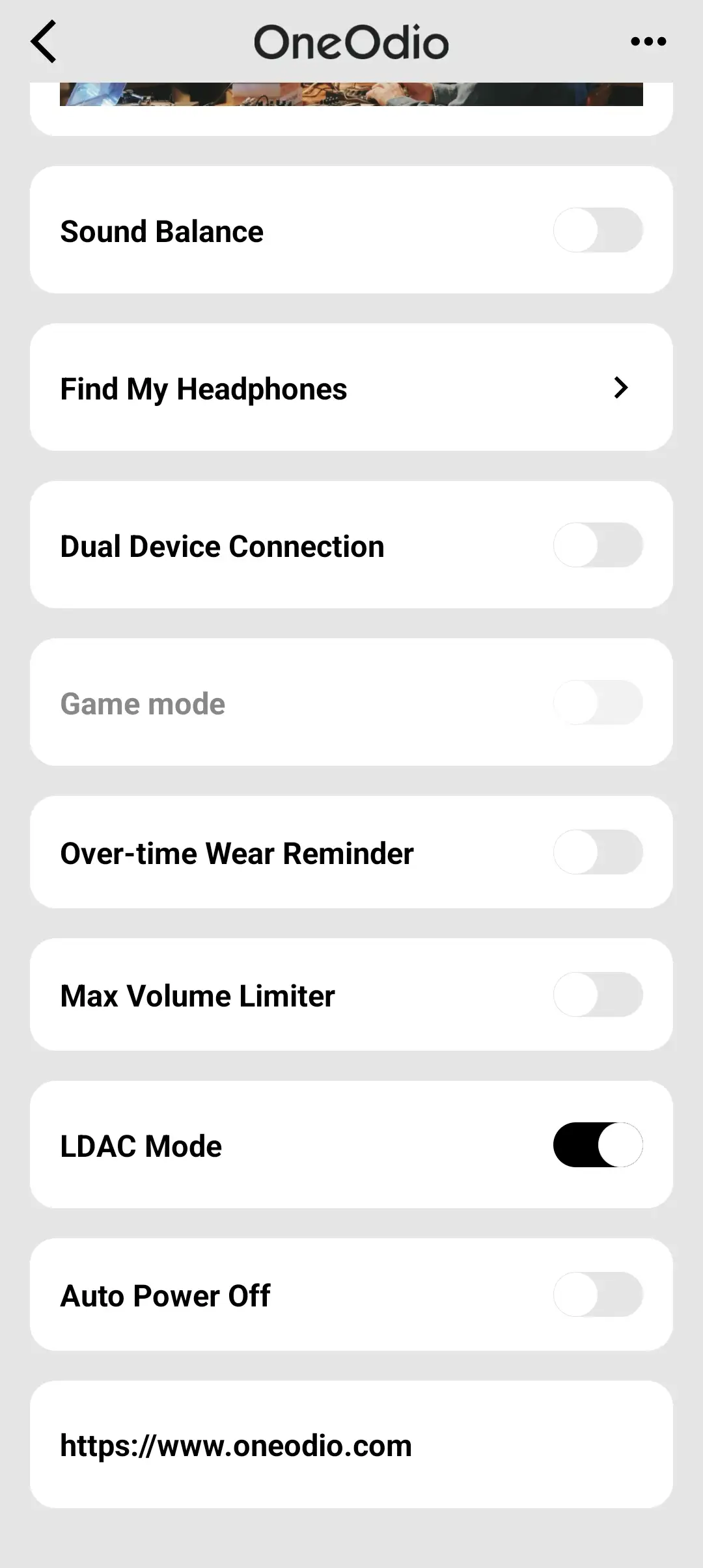
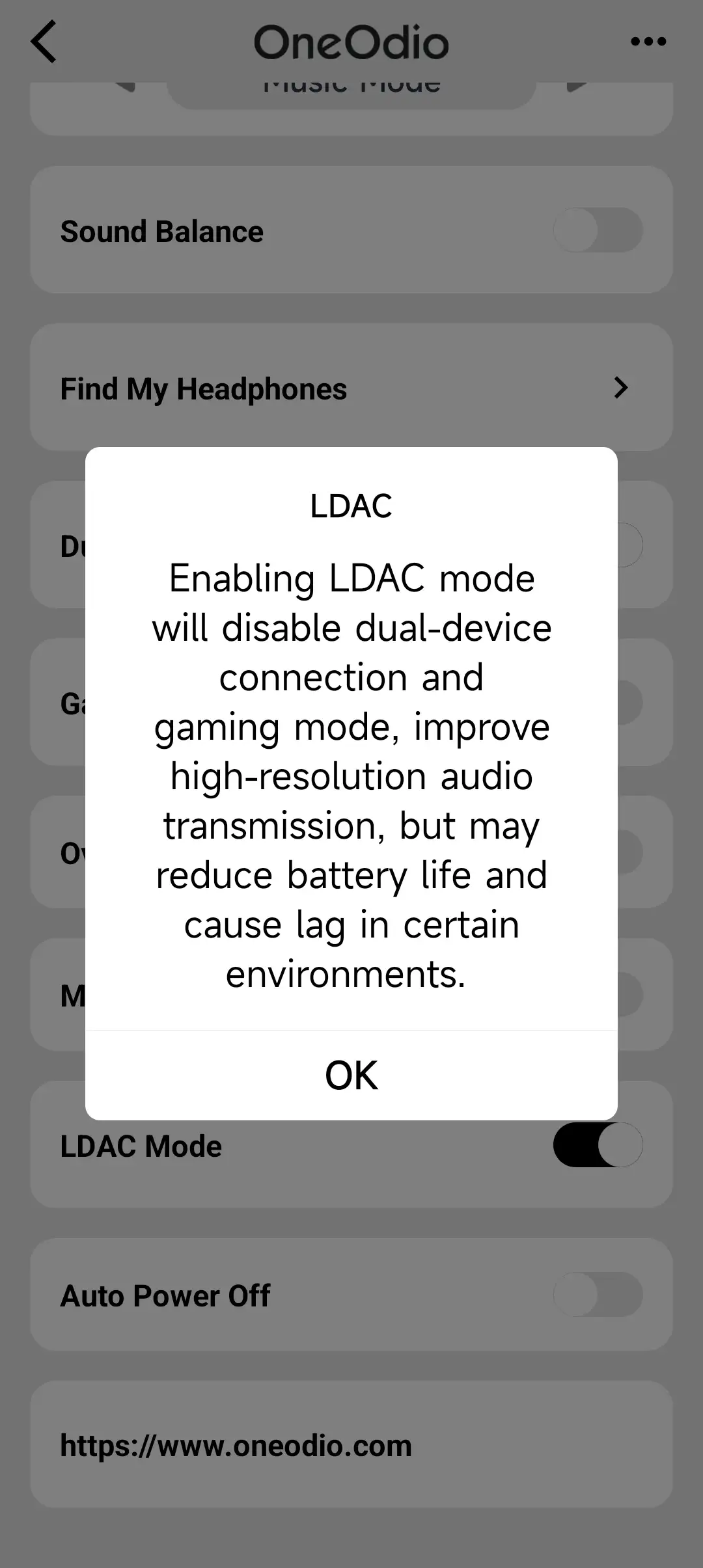
Bluetooth performance is strong overall. The Studio Max 2 supports Bluetooth 6.0 and LDAC at up to 990 kbps, which gives it better wireless audio support than many headphones in this price range. Connection stability was very good in normal use. Pairing is straightforward, reconnecting was quick, and I did not run into the type of frustrating instability that can sometimes happen with feature-heavy Bluetooth headphones. For those with Apple devices, the Studio Max 2 also supports AAC, and it worked very well in all of my testing. The headphones also have multipoint support, but you have to disable it when using LDAC.
Companion App
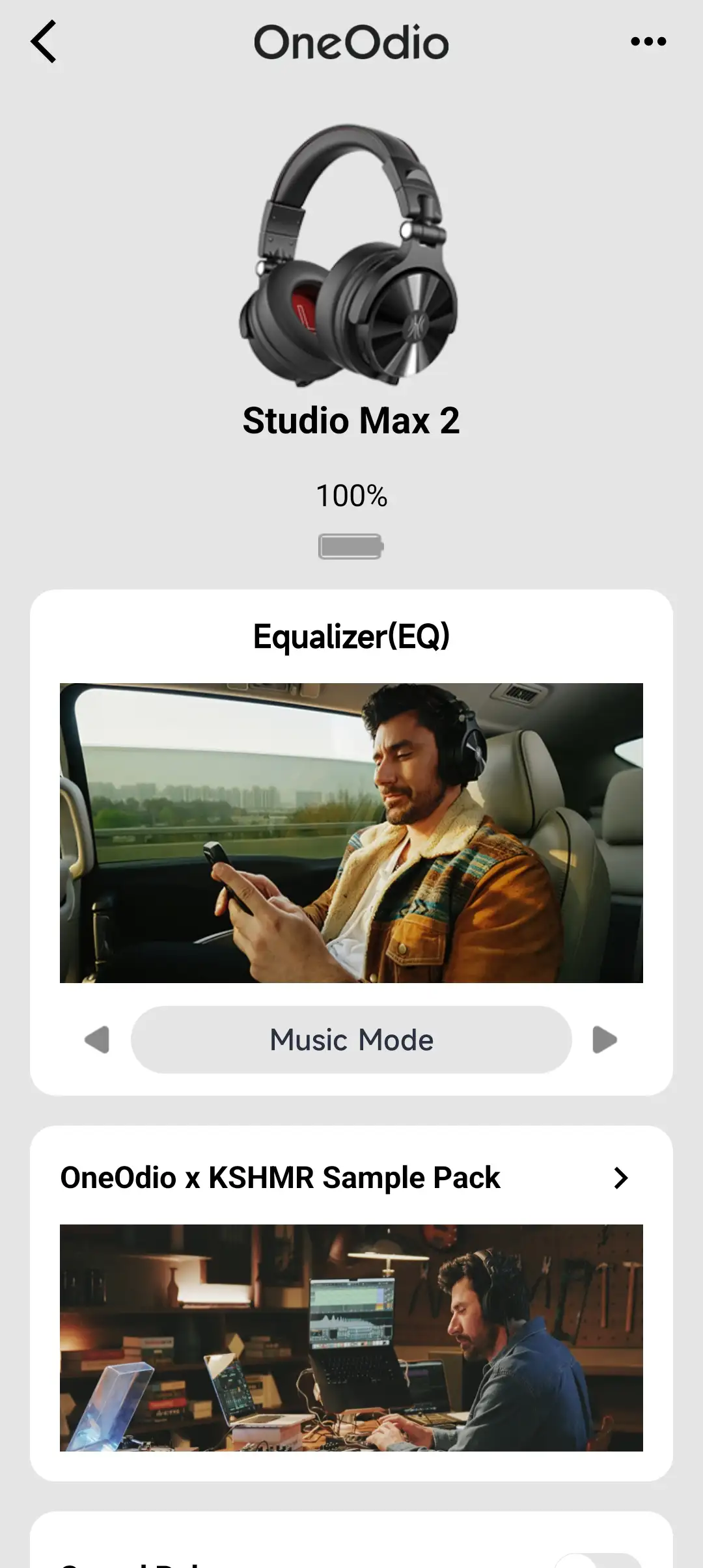
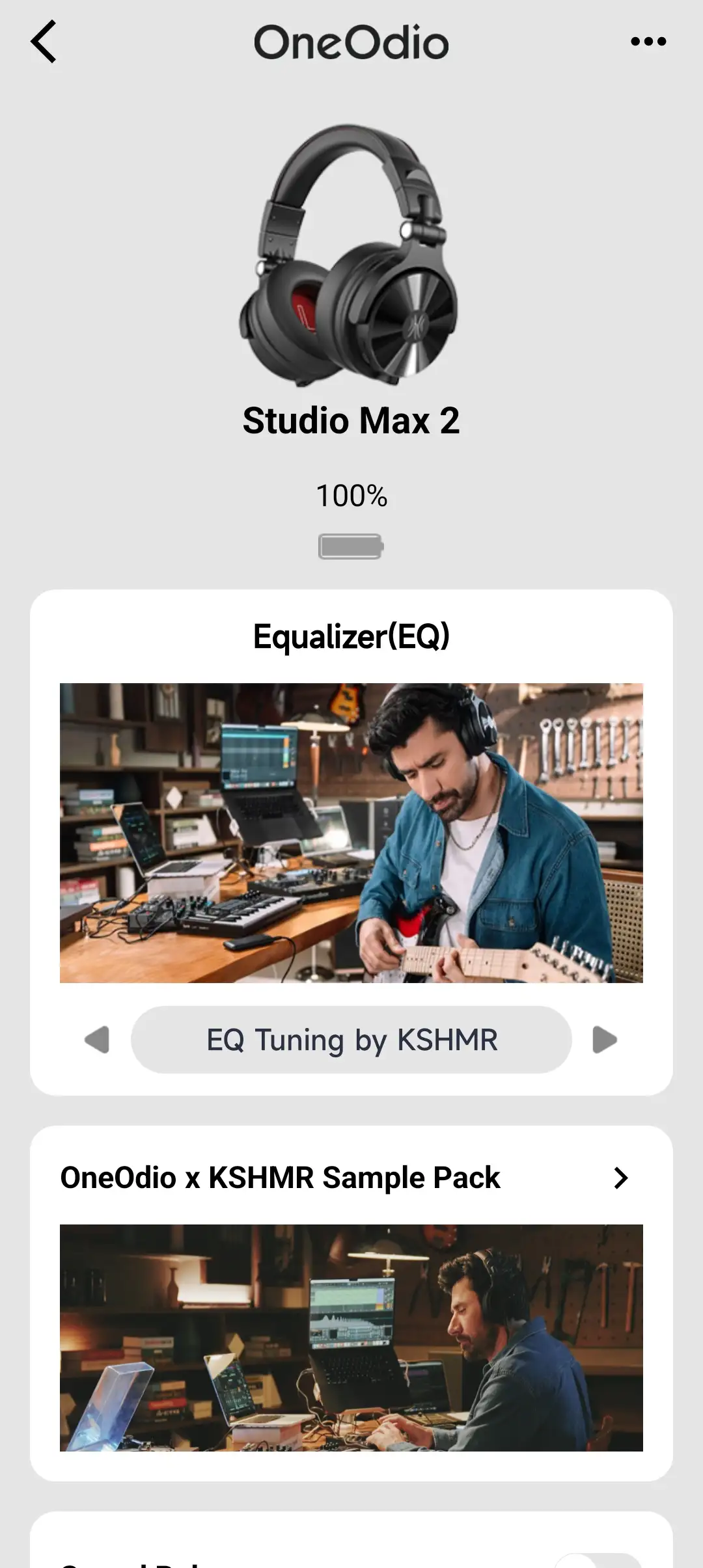
The OneOdio App gives you a decent amount of control over the headphones. The app is clean and responsive, which is pretty much what you would want in a companion app. It gives you access to firmware updates, connection management, and an EQ system. There are some interesting audio presets to choose from (Bass Mode, Monitoring Mode, EQ Tuning by KSHMR), but generally, I stayed with Music Mode.




Wired Performance

Wired performance is a major advantage of the Studio Max 2. The dual 3.5mm and 6.35mm support makes it far more flexible than a typical wireless headphone. OneOdio clearly designed this headphone to work with real-world gear and in practical situations.
Plugging directly into an interface, amp, keyboard, controller, mixer, or laptop gives the Studio Max 2 a more traditional monitoring role. It also removes any concern about battery life or wireless interference, especially since you don’t need to power it on to use it wired.
The wired mode does not magically turn the Studio Max 2 into a neutral studio reference headphone, but it does make it more useful. For a creator who wants one headphone that can handle Bluetooth listening, low-latency wireless, and wired studio/DJ use, that versatility is a big part of the value.
Sound Quality
Sources used for this review:
- Apple iPhone 16
- Apple MacBook Pro
- FiiO K13 R2R
- Samsung Galaxy Fold 7
Links to my music playlist used for the majority of testing:

Having previously reviewed the Studio Max 1, which sounded good but was not without flaws, I was actually blown away by how the Studio Max 2 sounds by comparison. The OneOdio Studio Max 2 has a fun, energetic, slightly bold sound that works well for DJ use, electronic music, pop, hip-hop, gaming, and general media playback. This tuning prioritizes overall impact and usability over tonal accuracy, but without sacrificing too much detail or resolution.
Bass
The bass performance is one of the most prominent parts of the Studio Max 2’s tuning. It has good punch and weight with solid bass extension, and enough texture to make electronic music and modern pop sound engaging.
Kick drums have a satisfying impact, and basslines are also easy to follow. The headphones give music a sense of drive and energy. This makes sense for a DJ-focused headphone. You want to hear the beat clearly, and you want enough low-end presence to stay locked into the rhythm.
The downside is that the bass is not the tightest or most textured, and it can sound a little thick, especially on busier tracks. If you are coming from a good set of wired studio headphones, you will notice that the Studio Max 2 does not separate bass notes with the same level of precision.
Still, for casual listening and DJ-style use, the bass tuning works well. It is energetic without becoming completely overwhelming. This is an area that is a huge improvement over the Studio Max 1.
Midrange
The midrange is generally clear, but it is not the main focus of the tuning. Vocals sit slightly behind the bass and treble, giving the Studio Max 2 a more V-shaped presentation.
Male vocals have enough body, and female vocals come through with decent clarity, but neither sounds as natural or intimate as they would on a more midrange-focused headphone. Instruments like guitars and synths are clean enough, though they do not have the most organic tone. The same goes for piano notes, which can sound slightly subdued.
For production or monitoring, this is where I would use the app to adjust the tuning. The default sound is fun, but if you are trying to make decisions about vocal levels or midrange balance, I would want something a bit more neutral-leaning.
As a general-purpose headphone, though, the midrange is perfectly listenable. It avoids sounding hollow or distant, even if it is not the highlight. As someone who enjoys mid-centric sounds, I can live with this tuning.
Treble
The treble is crisp and energetic. There is enough upper-treble presence to give the Studio Max 2 some clarity, and it helps keep the headphone from sounding overly dark or congested.
Hi-hats and synth effects have a good amount of snap to them. This works well for electronic music and DJ monitoring because small rhythmic details remain easy to pick out. The treble can get a little sharp at times, especially at higher volumes or with brighter tracks. It is not unbearable, but listeners who are sensitive to treble may want to soften the upper frequencies through EQ.
Overall, I think the treble tuning is a reasonable match for the headphone’s intended use. It gives the Studio Max 2 energy and detail, even if it is not the smoothest treble presentation.
Soundstage and Imaging
The Studio Max 2 has a fairly typical closed-back presentation. The soundstage is not huge, but it does not feel overly cramped either. There is enough width for gaming, music, and basic monitoring, though it will not give you the open, spacious feel of a good open-back studio headphone.
Imaging is good. Directional cues in games and videos are easy enough to follow, and instruments are placed with accuracy. In dense music, separation can become less precise, especially when the bass is busy, but for the intended use case, the performance is respectable.
Final Thoughts
The OneOdio Studio Max 2 is a very specific headphone, and that is both its strength and its limitation. As a normal Bluetooth headphone, it is good but not exceptional. It is large, it has no ANC, and the tuning is more energetic than refined. If you only want something for commuting, travel, or relaxed everyday listening, there are better lifestyle headphones.
But that is not really the point of the Studio Max 2.
This headphone makes far more sense as a hybrid DJ, creator, gaming, and monitoring headphone. The 9ms low-latency mode is genuinely useful, the battery life is excellent, LDAC support makes Bluetooth listening better than expected, and the wired 3.5mm/6.35mm flexibility gives it a level of practicality and flexibility that most headphones do not have.
I also appreciate that OneOdio did not make the Studio Max 2 too narrowly focused. It could have been a basic wireless DJ headphone with one party trick, but instead, it feels like a multi-role tool. You can use it at a desk, with a laptop, with a phone, with a mixer, with an audio interface, or with the low-latency transmitter.
The sound quality is good for the price and use case, but not reference-grade. That said, I was actually surprised by how well the Studio Max 2 sounds, especially in comparison to the Studio Max 1. They fixed all of my concerns about the Studio Max 1’s tuning with the Studio Max 2, all while still catering to the core listener that Oneodio is targeting. Bass is punchy, treble is crisp, and the presentation is fun, and you still get a good amount of detail and layering in the whole mix.
For DJs, beginner producers, content creators, and musicians who want low-latency wireless freedom without spending a fortune, the OneOdio Studio Max 2 is easy to recommend. For listeners who just want the best sound quality or the most comfortable everyday Bluetooth headphone, it is more of a niche pick.

Purchase Links
OneOdio has kindly provided discount codes for use with the links below. The codes are valid until August 11, 2026:
Buy from Amazon (Use Code HIFIOASISSM2 for 15% Off): https://amzn.to/4fk1y5o
Buy direct from OneOdio (Use Code HIFIOASISSM2 for 15% Off): https://www.oneodio.com/collections/pro-series/products/oneodio-studio-max-2-9ms-ultra-low-latency-dj-headphones-tuned-by-kshmr?variant=481495951280222
I’m not always able to cover all the details of a product, both hardware and software, in our reviews. If you have any specific questions about this product, please feel free to leave a comment or contact me directly.
Be sure to check out our excellent Buyer’s Guides, as well as our other Reviews.
HiFi Oasis Verdict
HiFi Oasis Verdict-
Design & Comfort8/10 Very good
-
Sound8/10 Very good
-
Features/Accessories9/10 Amazing
-
Value8/10 Very good
Pros
- Fun, energetic sound with punchy bass and crisp treble
- Very practical for DJs, musicians, creators, and beginner producers
- Excellent 9ms low-latency wireless mode for gaming, DJ use, monitoring, and content creation
- Outstanding battery life, with up to 120 hours over Bluetooth and around 50 hours in low-latency mode
- Solid build with smooth swivel/folding mechanisms and a protective hard case
- Useful companion app with EQ, presets, firmware updates, and connection management
- Strong connection options: Bluetooth 6.0, LDAC, 2.4GHz transmitter, 3.5mm, and 6.35mm wired support
- Great passive noise isolation
- Solid value at $189 USD
Cons
- Headband can create a hot spot during longer listening sessions
- Bass can sound a bit thick on busier tracks
- Treble can become sharp at higher volumes or with brighter music


