

-80x80.jpg)



-110x110.jpg)


Disclosure: I’d like to thank EPOMAKER for providing me with the GX1 for this review. All thoughts and opinions are my own, and EPOMAKER had no say or input on the contents of this review.
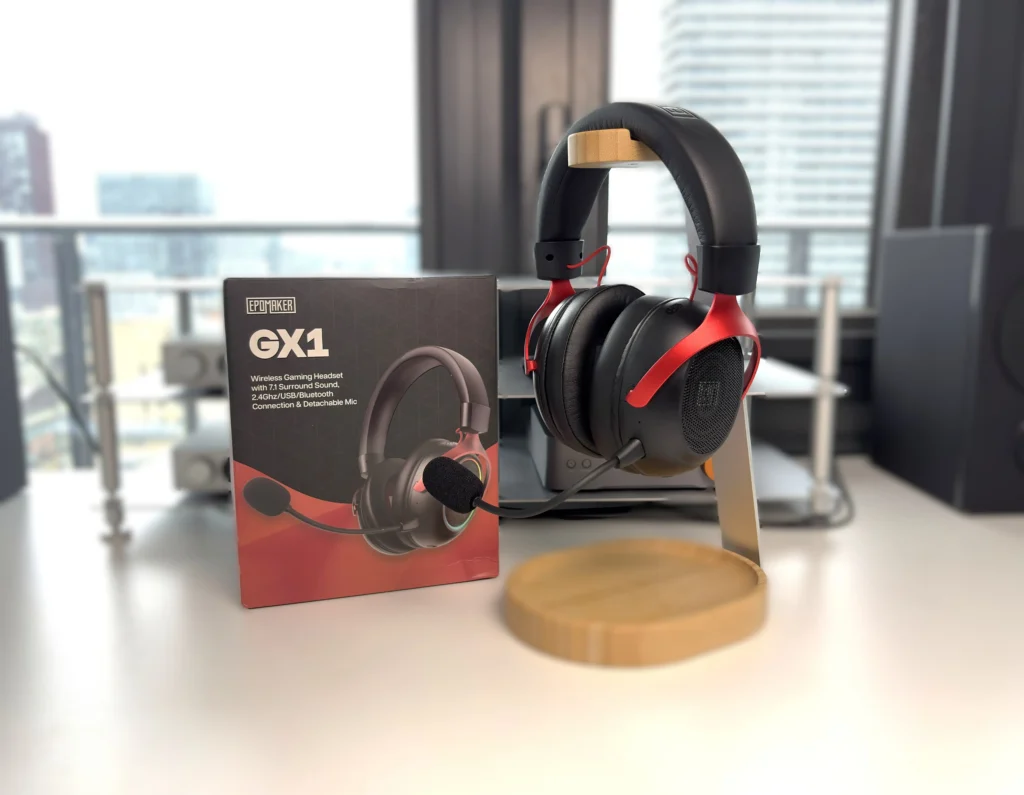
EPOMAKER is better known for mechanical keyboards, but the GX1 brings the company into gaming audio with a fairly ambitious package. There’s a lot that is appealing here: an open-back wireless headset for $49.99 USD, with enough connection options to move between a gaming setup and everyday listening.
The open-back design is what interests me most. Wireless convenience is useful, but the soundstage potential of the open-back design is very intriguing. This type of design also lets you remain aware of the room around you. For someone gaming at home, that can be a worthwhile alternative to shutting everything out. It does, however, make the room you use it in an important part of the buying decision (computer fan noise will also be taken into consideration here).
At this price, I am looking for the basics to be handled well. The sound should be enjoyable without needing constant adjustment, the microphone should make speech easy to understand, and the fit should hold up through a long session. Extra features are welcome, but those are the things that decide whether an inexpensive headset is actually good value.
So, does EPOMAKER’s first gaming headset get the fundamentals right? Let’s get into the review and find out.
Key Specifications
- Product Page: https://epomaker.com/products/epomaker-gx1
- MSRP: $49.99 USD
- Type: Over-ear, open-back gaming headset
- Battery Life: up to 70 hours with RGB off or 30 hours with RGB on
- Battery Capacity: 2,000mAh
- Driver Type: 50mm dynamic driver
- Weight: 320 grams
- Connections: 2.4GHz wireless (via included dongle), Bluetooth, and USB-C to 3.5mm wired audio
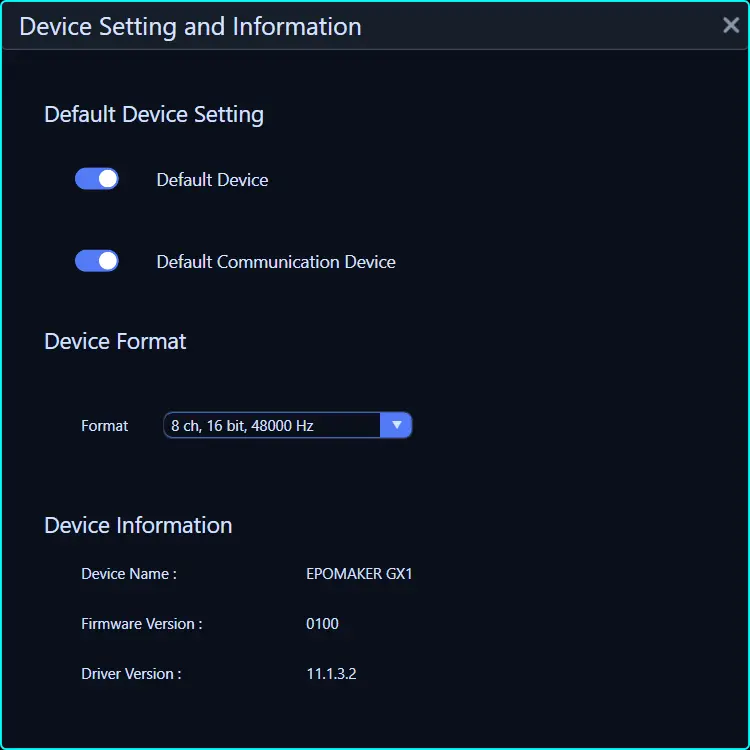
- Audio Format Support: Up to 16-bit/48kHz (when using the 2.4GHz wireless connection)
- Bluetooth Codec Support: SBC, AAC
- Microphone: Yes, detachable ENC boom microphone and built-in microphone
- Active Noise Cancellation (ANC): No
- Charging Method: USB-C
- Weather/Dust Resistance: No
In the Box
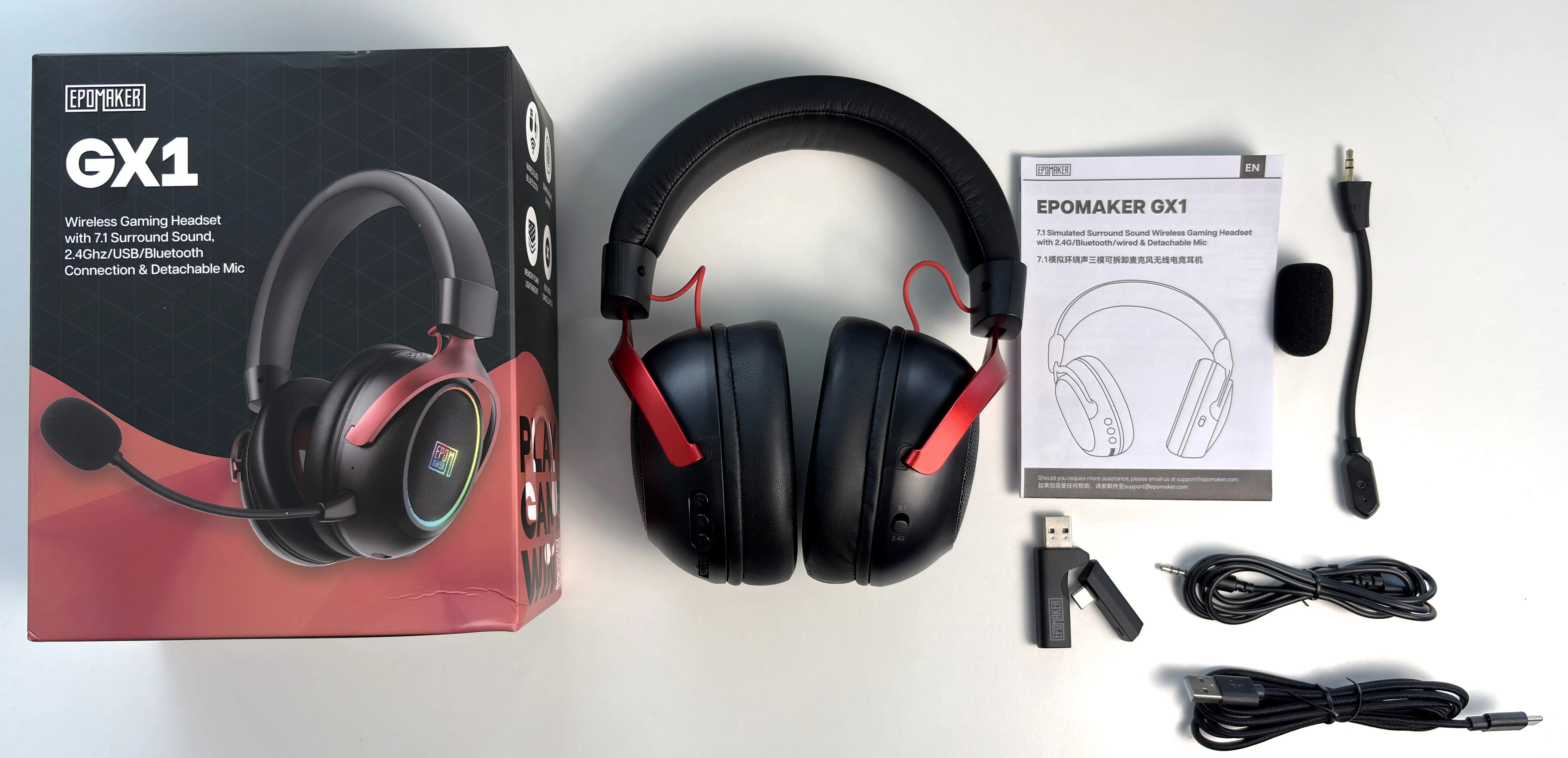
- EPOMAKER GX1
- Detachable ENC boom microphone with pop filter
- USB-C to 3.5mm audio cable
- USB-A to USB-C charging and digital-audio cable
- 2.4GHz wireless dongle with detachable USB-C section
- Manual
The included cables cover both wired connection options, which is useful if you want to keep using the headset when a wireless connection is inconvenient. The receiver also separates to expose a USB-C connector. I appreciate that approach because it accommodates different ports without making a separate adapter another thing to buy or remember.
There is no carrying case or storage pouch, which is not surprising at this price. The more important omission is clear documentation around the software and virtual 7.1 modes. The manual explains the physical controls and connections, but it does not say which connections support virtual surround, whether it is active by default, or exactly what the Bluetooth-only sound-mode button changes.
Design & Comfort
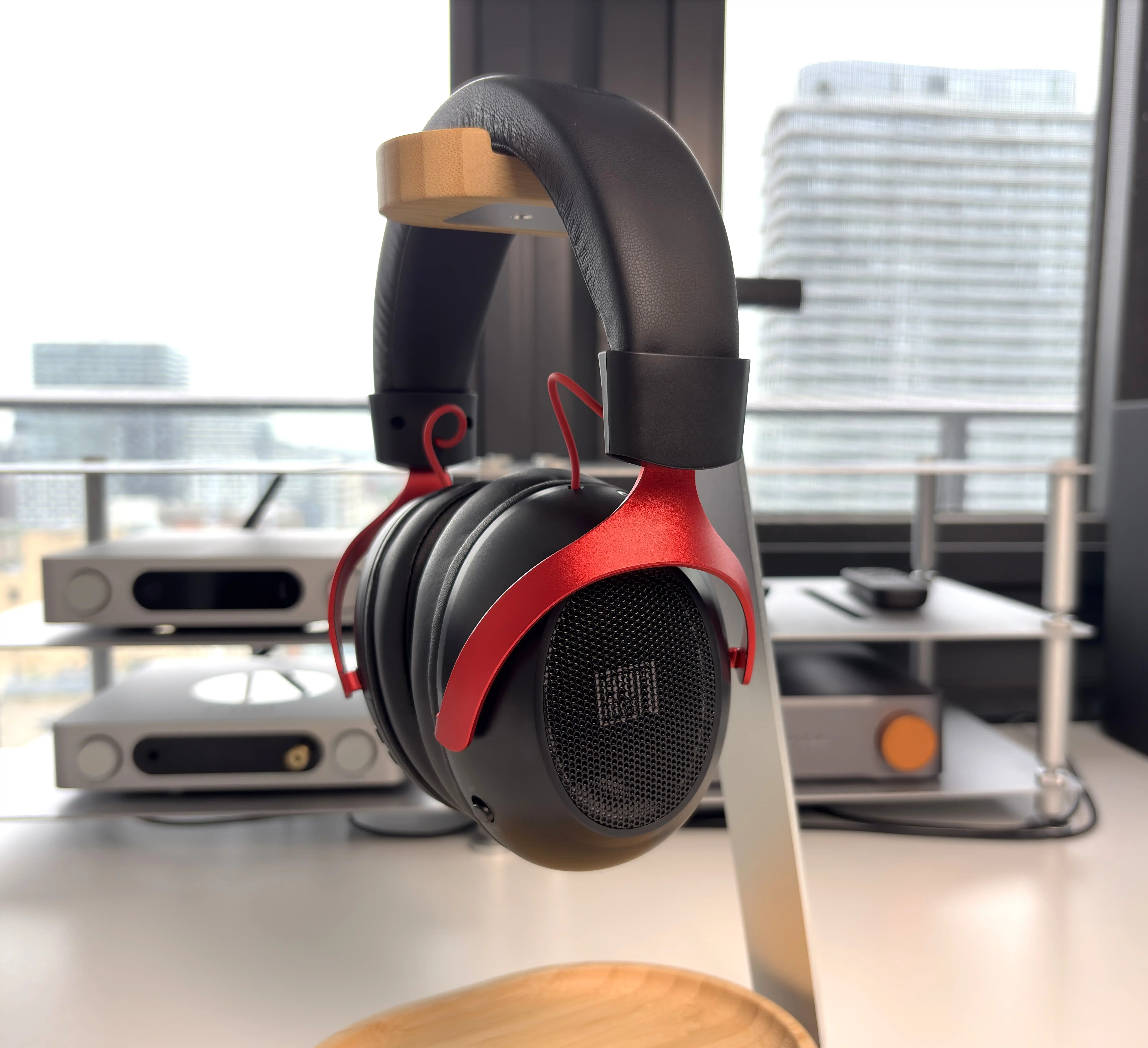
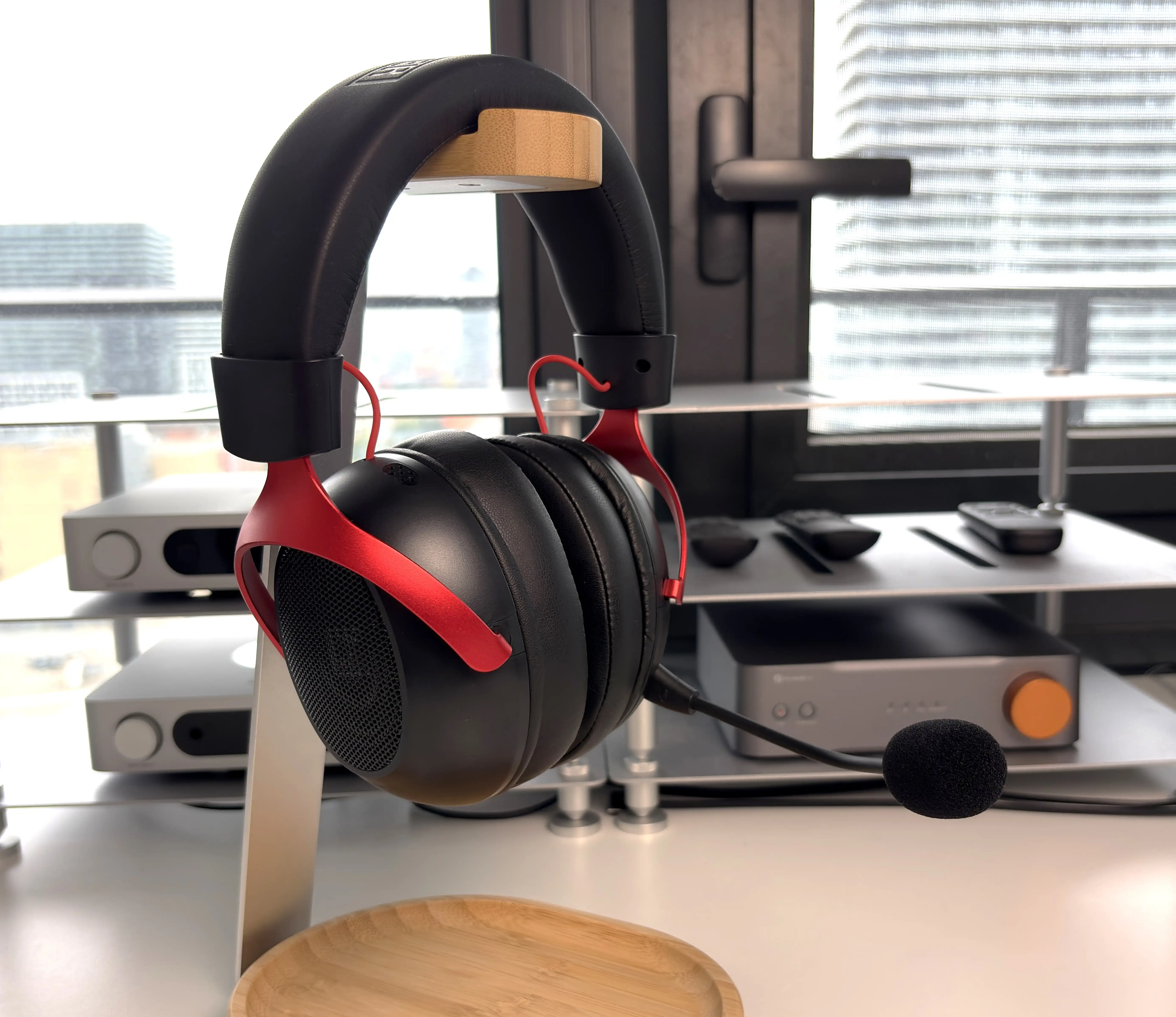
The EPOMAKER GX1 looks like a gaming headset, with large earcups, contrasting accents, and RGB lighting. The three colour options give it a little more personality than a plain black design (which is what I have), although the lighting is something I would be inclined to switch off when battery life matters.
The headset’s weight of 320 grams is reasonable, but weight alone does not tell the whole comfort story. How firmly the cups clamp, how the headband spreads pressure, and whether the pads leave enough room for your ears matter just as much. That becomes especially important when one headset must cover gaming, music, and potentially work calls throughout the day.
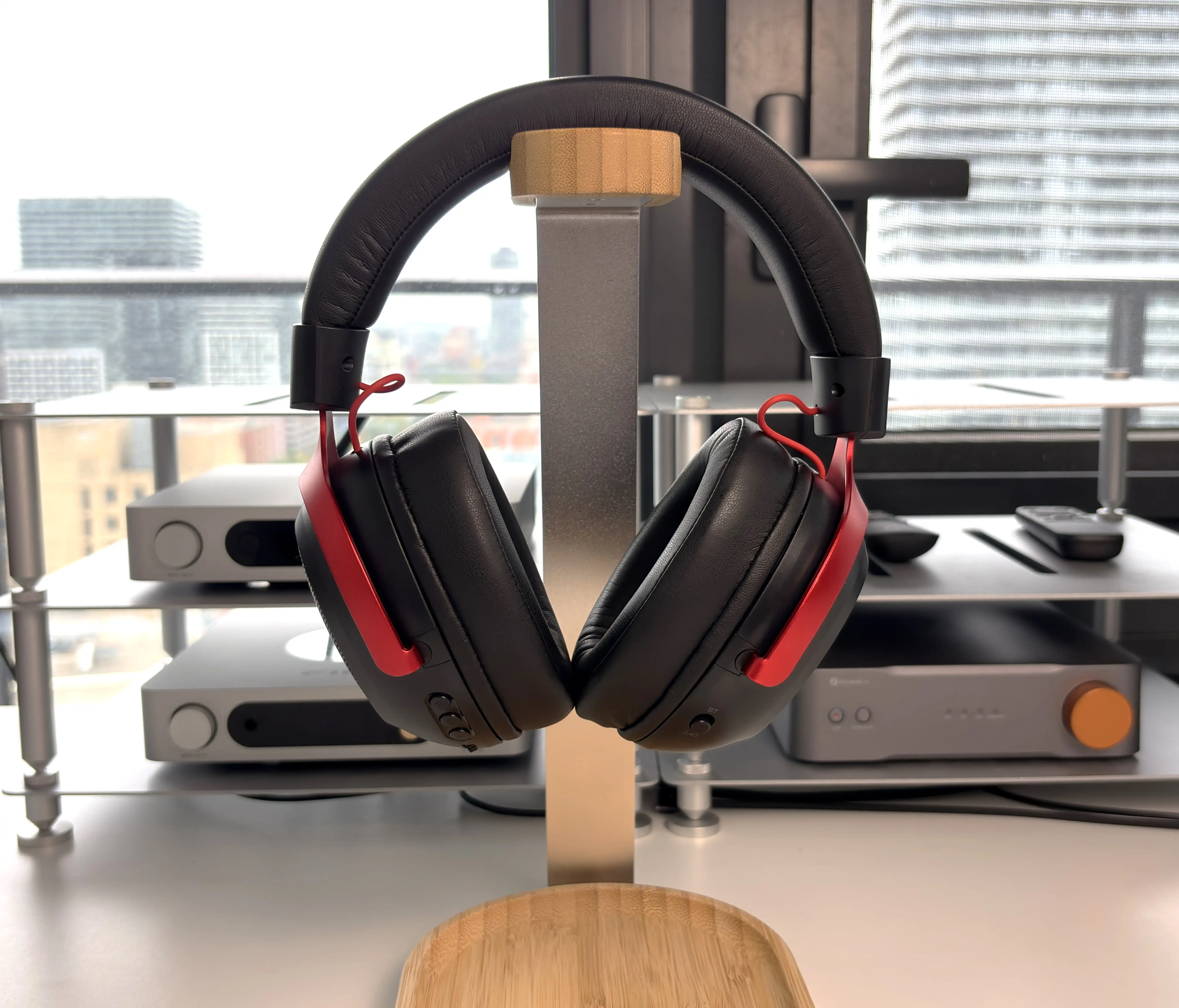
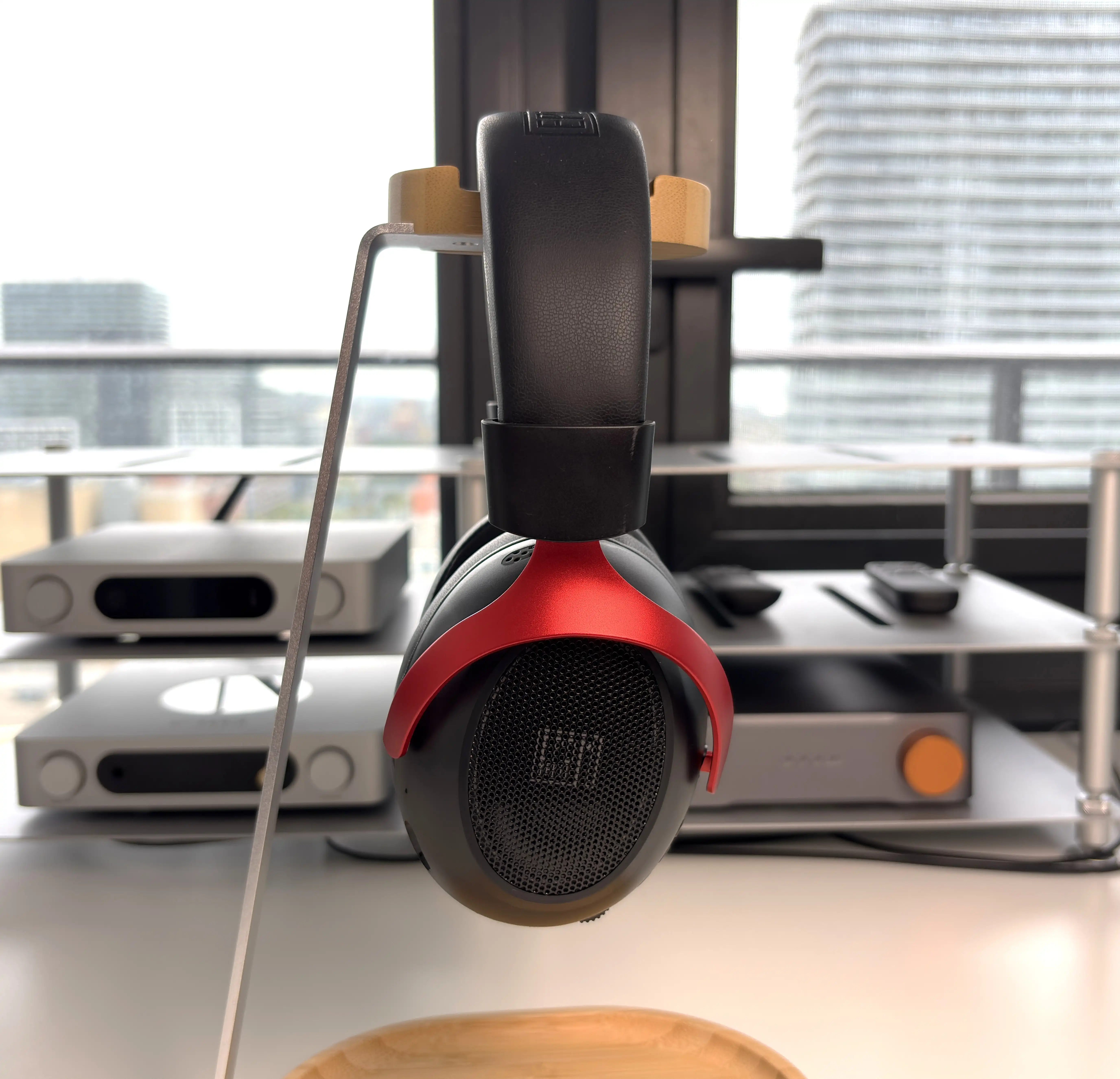


The earcup housings are mostly plastic, which is expected, while the yoke sections have a glossy electroplated finish. The structure feels solid enough for the price, and the earcups have limited swivel. The headset does not fold inward, and no case is included, so it is better suited to a desk than frequent travel.
The wide headband and large pads make for solid weight distribution. On my head, the GX1 feels light enough and has a sturdy, solid fit. The seven-position adjustment gives enough range for most head shapes (I only need to go up two notches), although the stepped mechanism is more functional than premium.
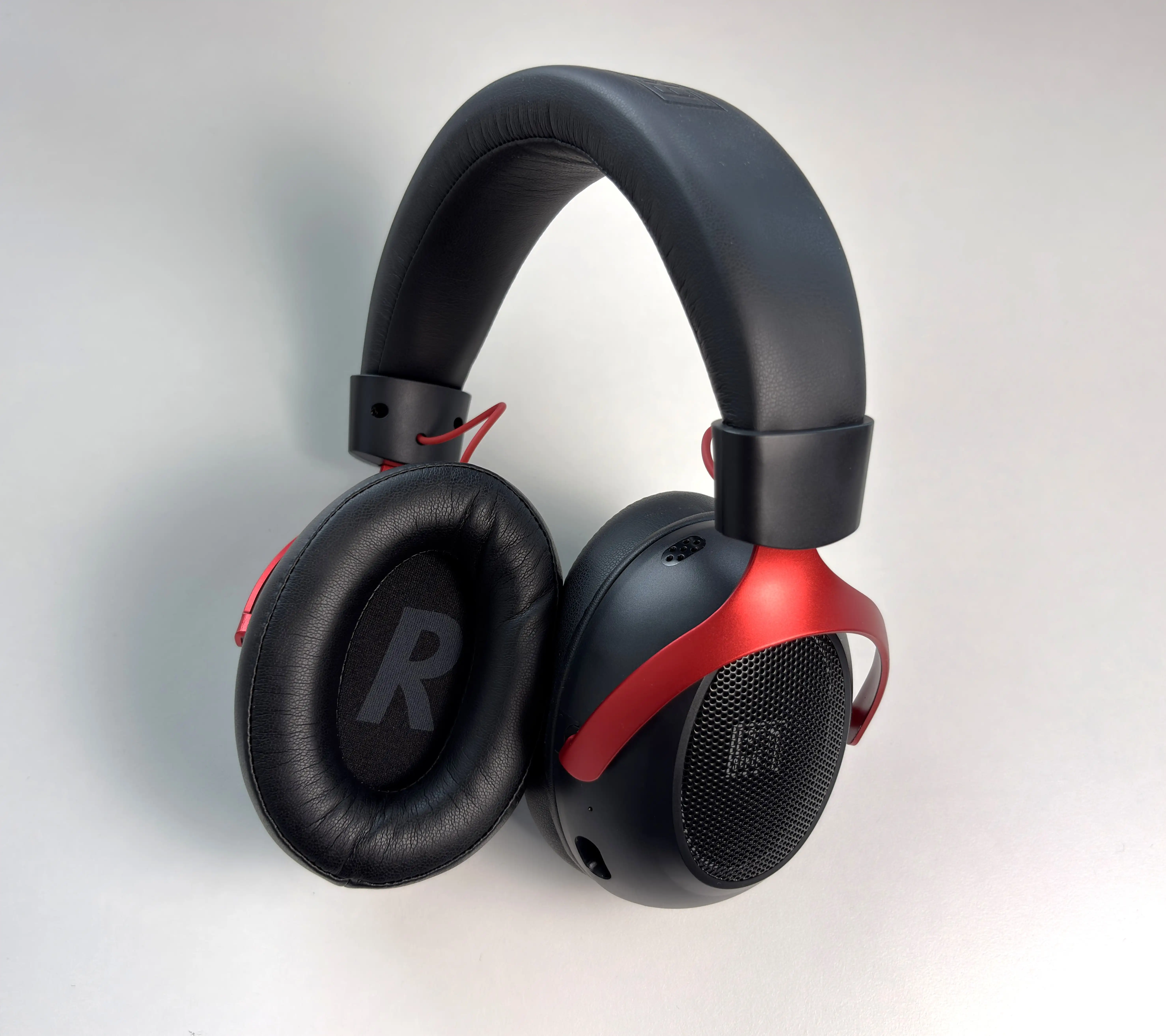
EPOMAKER describes the pads as breathable leather, although it does not specify whether the material is genuine or synthetic. The open earcups help heat escape, but the pads still make full contact around the ears. After several hours, I found that there was minimal heat buildup, and overall comfort remained consistent. Clamp force is also just right, at least for me. I wear glasses, and I did not experience any issues with the earcups pressing the arms of my glasses into my temples.
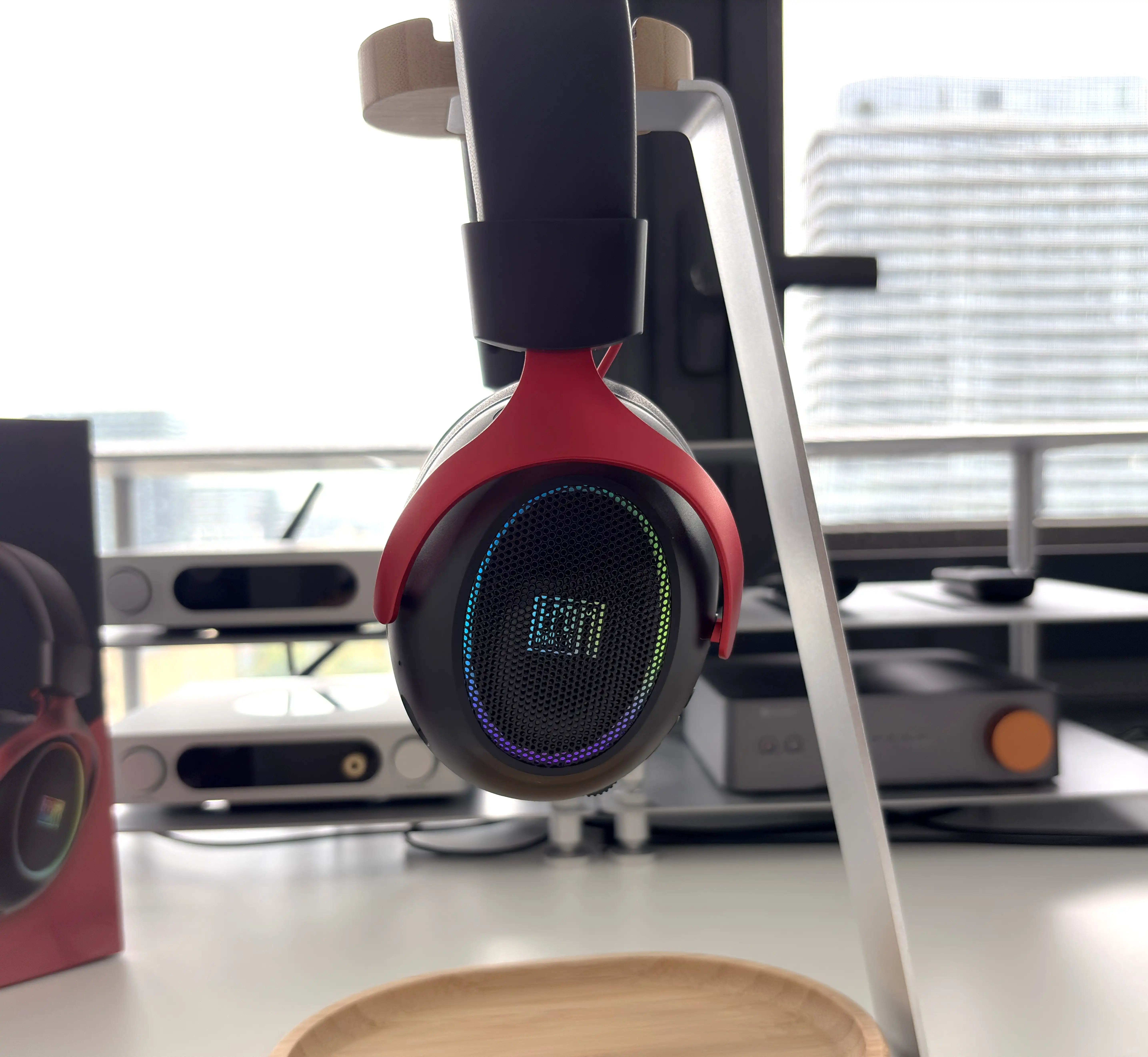
An open-back headset allows sound to pass between the earcups and the room. The practical benefit here is awareness: it is easier to hear someone speaking to you, and conversations can feel less enclosed because you can hear more of your own voice naturally. The trade-off is that outside noise competes with the audio, while people nearby may hear what you are playing.
For a quiet room at home, I can see the appeal. In a shared office, a noisy living room, or anywhere privacy matters, I would be more inclined to choose a closed-back design. There is no active noise cancellation or electronic transparency mode here.
Controls and Everyday Use
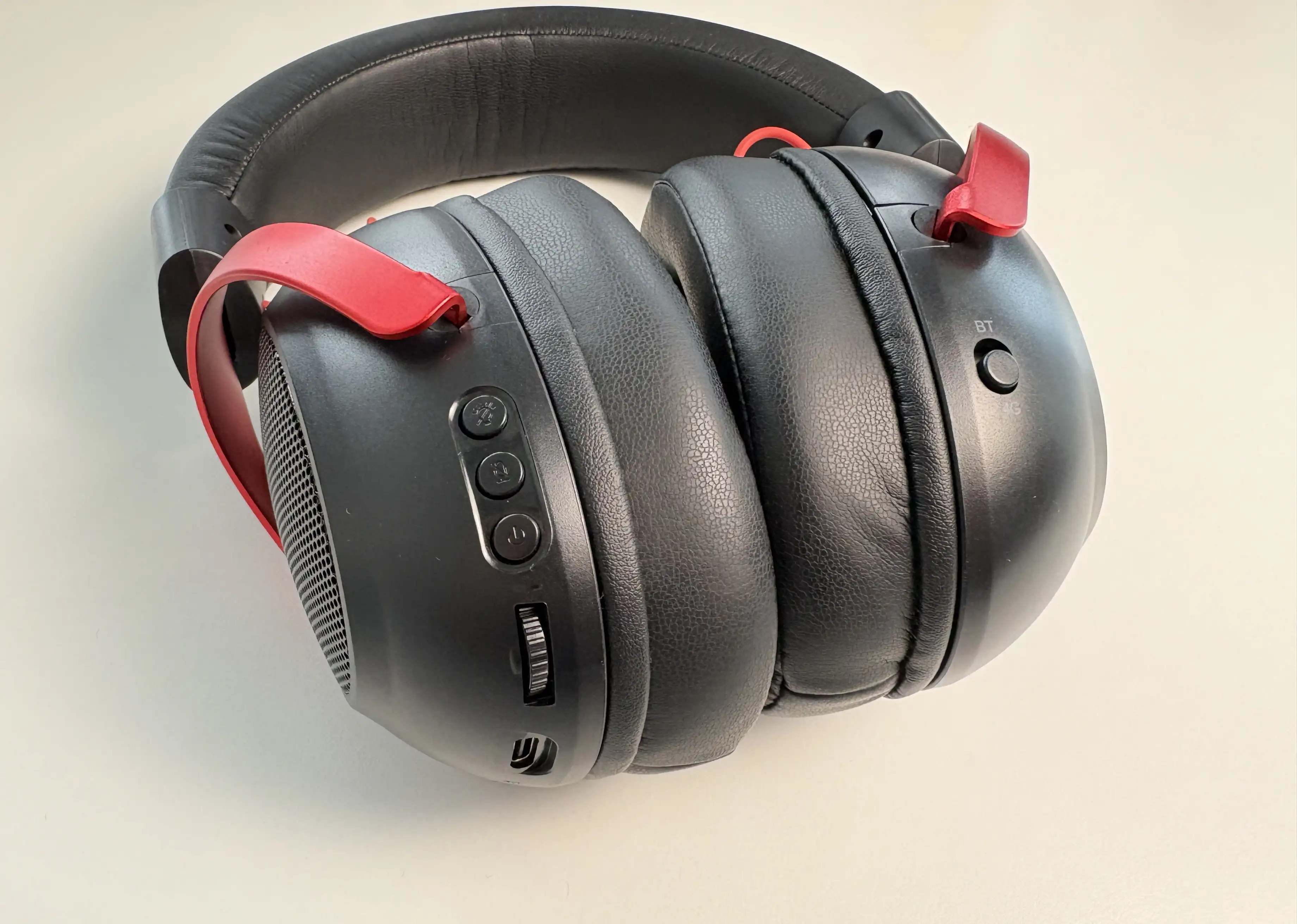
The onboard controls cover the basics without requiring software. There is a physical toggle for Bluetooth and 2.4GHz mode, a power button, a dedicated microphone mute button, a volume wheel, and a Mode/Light button. A single press on the Mode/Light button changes the sound mode, while a double press turns the RGB lighting on or off.
The call controls are also assigned to the power button: a single press answers or ends a call, while a double press rejects it. This makes sense when the GX1 is paired to a phone, although the physical Bluetooth/2.4GHz switch means changing wireless modes is an intentional action rather than something that happens automatically.
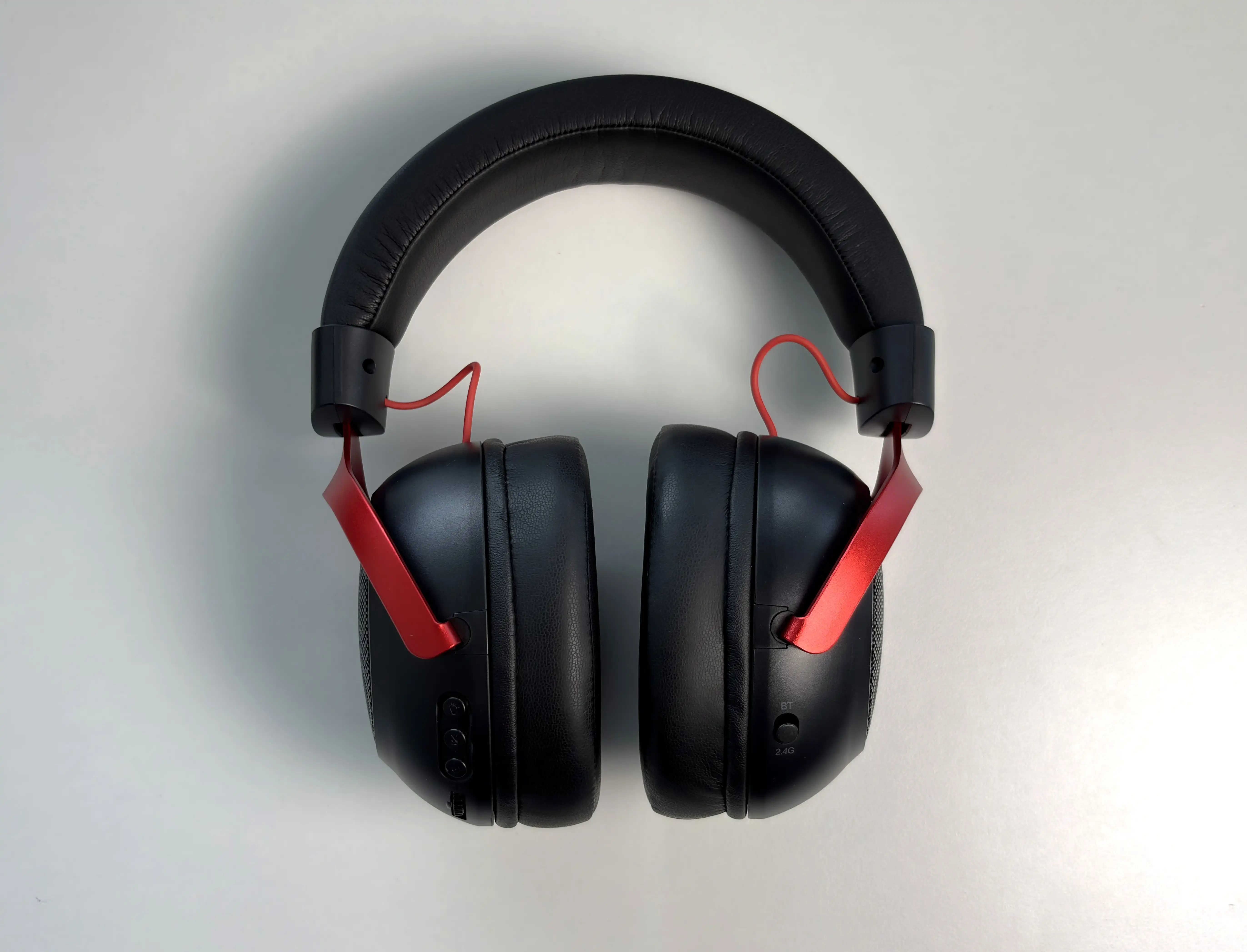
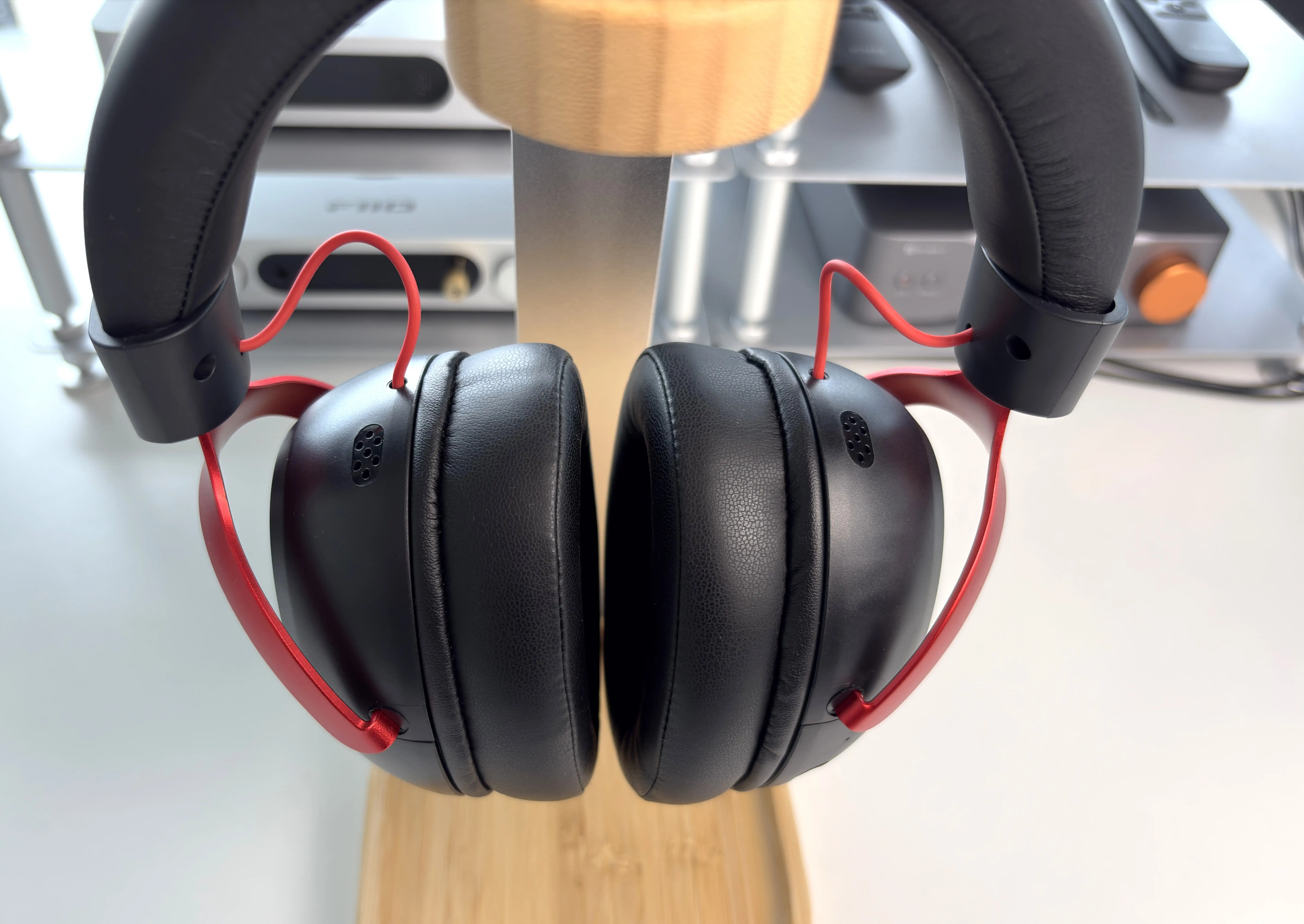
There are two easy points of confusion. The detachable microphone uses its own 3.5mm port, but that port accepts microphone input only. Wired headphone audio goes through the USB-C port, either with the supplied USB-C to 3.5mm cable or through USB digital audio. The GX1 must remain powered on when used as a USB headset.
Connectivity Options
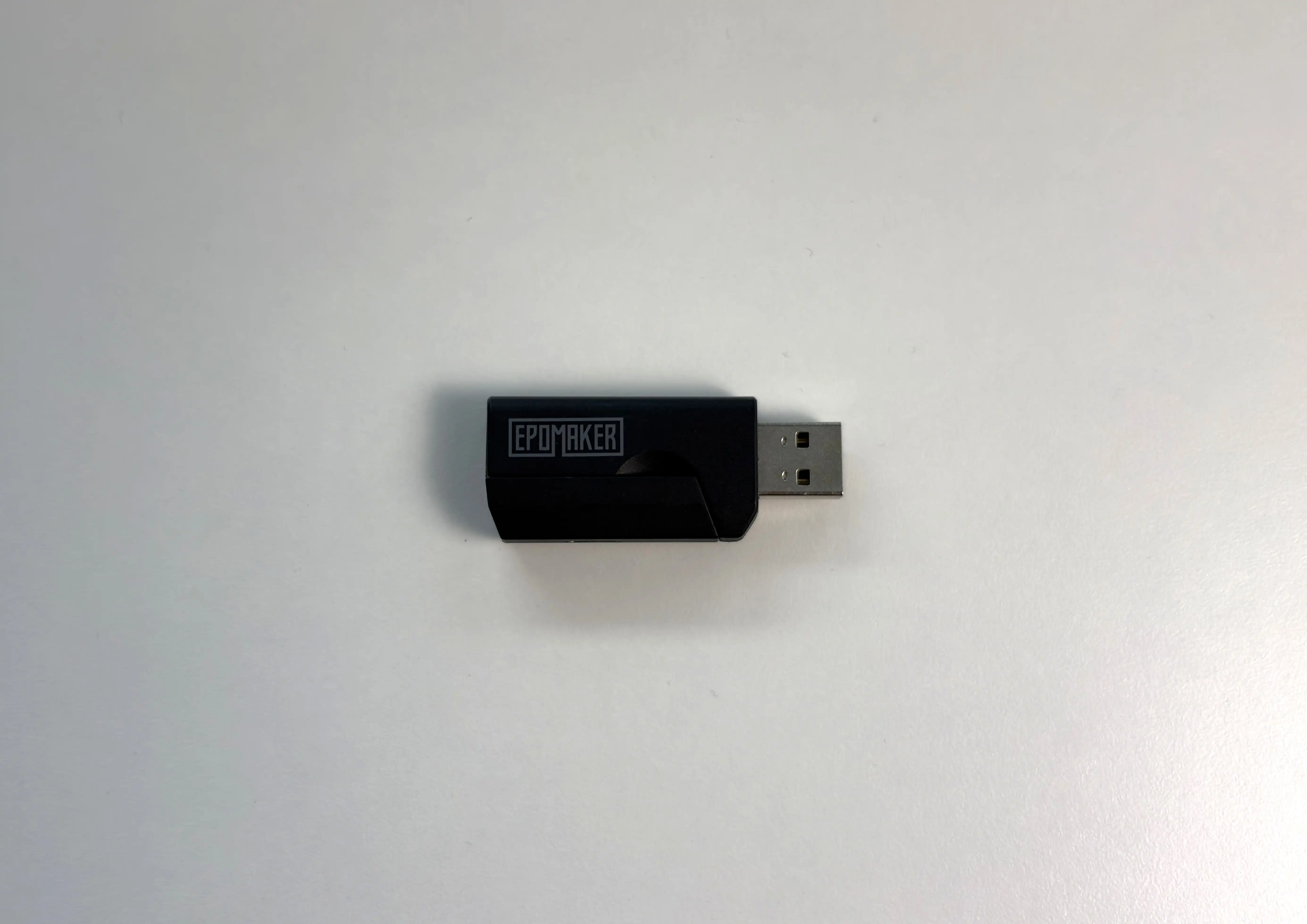
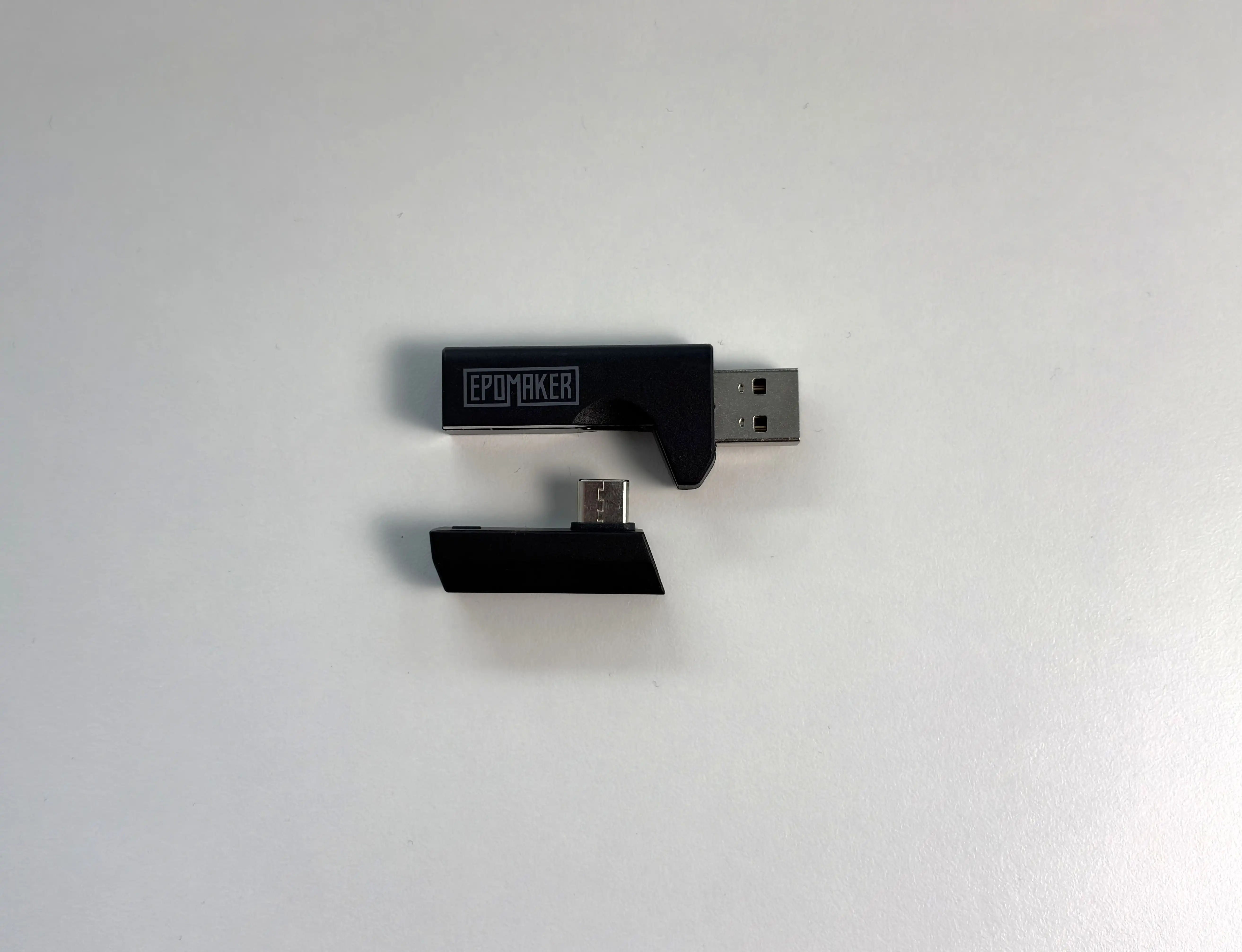
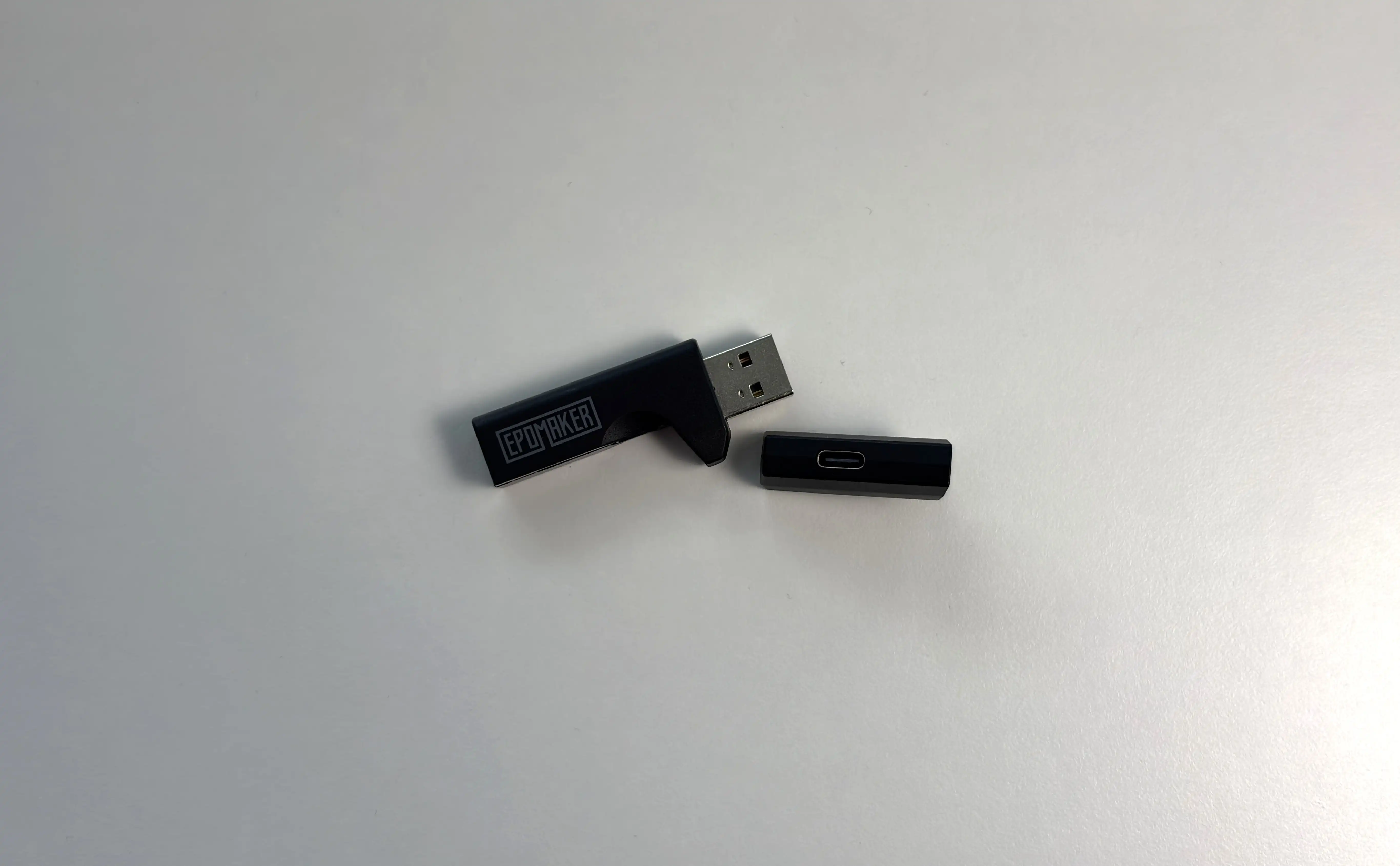


This brings us to the connectivity options, and it is one of the GX1’s strongest areas. The GX1 offers three connection families, with two choices for wired listening. For gaming, the 2.4GHz receiver would be my starting point. EPOMAKER lists support for PCs, Macs, PlayStation 4 and 5, and Nintendo Switch. Xbox Series support is wired only, so Xbox owners should factor that in before buying.
Bluetooth is the convenient option for a phone or tablet. EPOMAKER does not identify the Bluetooth version or supported codecs on the product page, which leaves less information than I would like for anyone who also wants to use the GX1 for music, but I have found that it supports the SBC and AAC codecs. I mainly used AAC, and I found that it worked quite well and is reliable.
The wired connections deserve a little explanation. Both enter through the USB-C port on the headset: one cable connects to a conventional 3.5mm output, while the other connects to USB.
Multiple connection options should not be mistaken for simultaneous audio mixing. You can select Bluetooth or 2.4GHz with a physical switch, but the GX1 does not support combining the two.
EPOMAKER Audio Software and Virtual 7.1
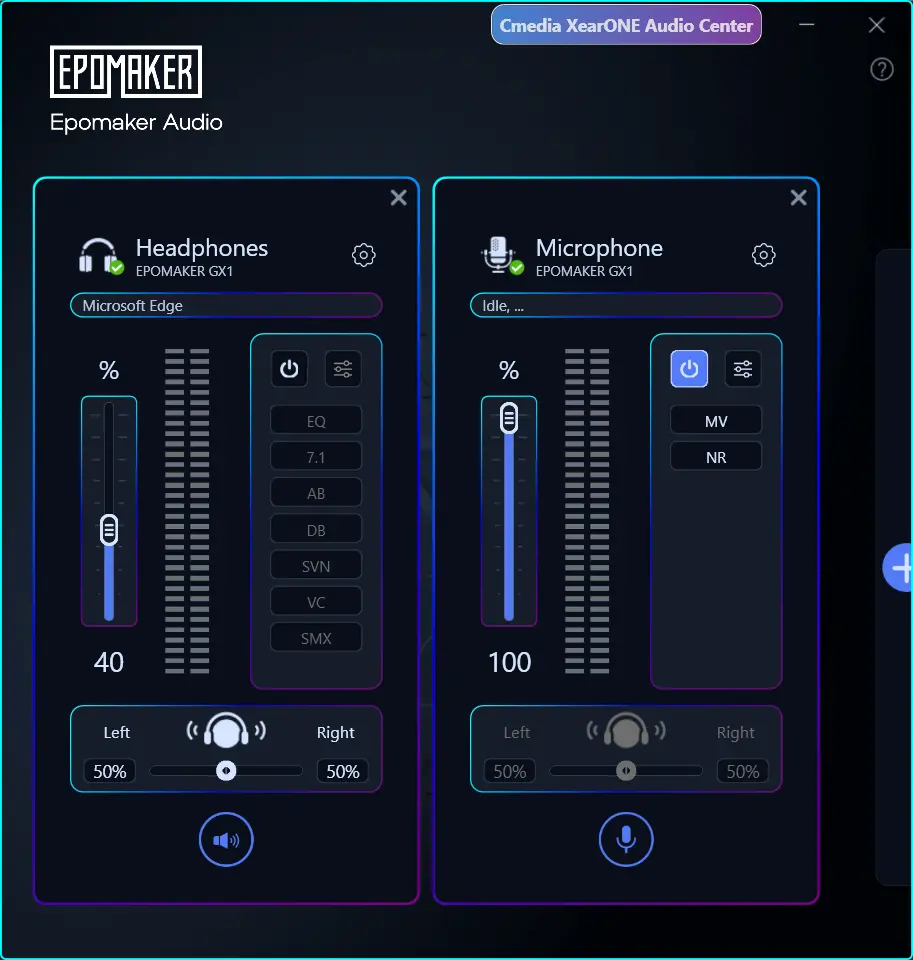
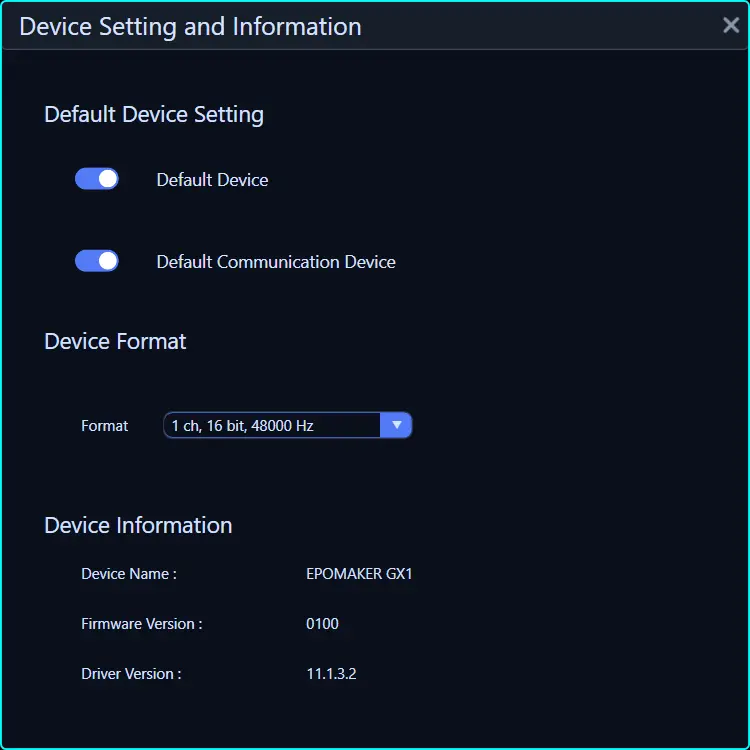
EPOMAKER provides a Windows-only companion utility for the GX1. The download page does not explain its controls in detail, and it does not list a Mac version. A simple utility would be perfectly adequate at this price, provided the important settings are clear and work reliably.
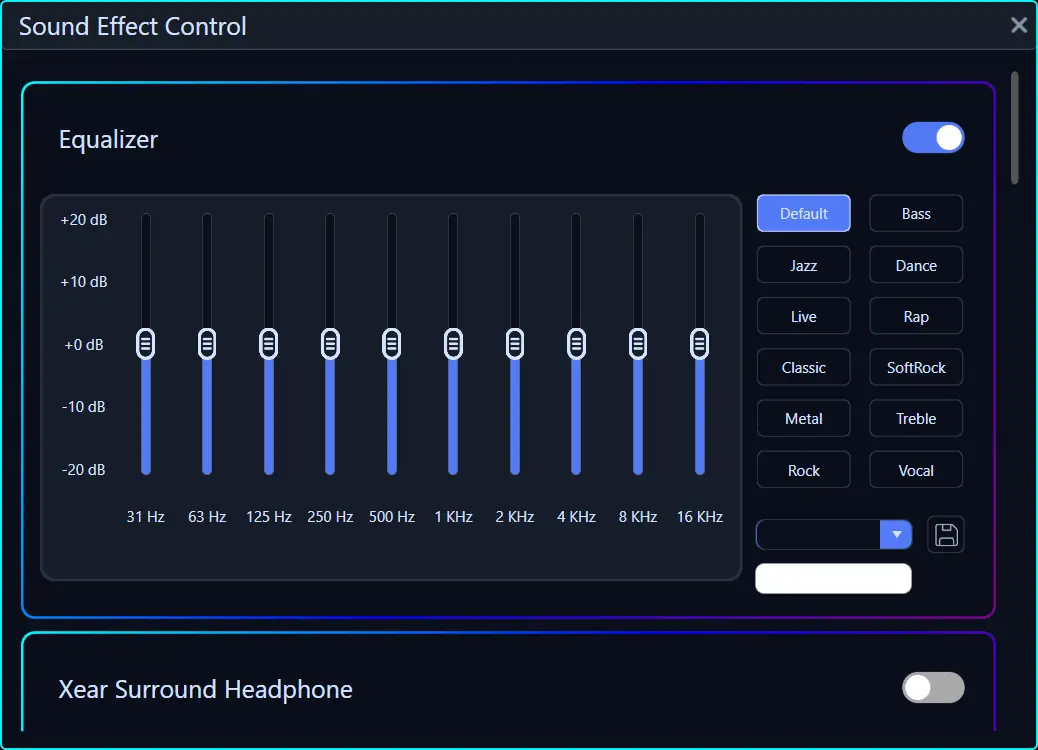
The distinction I would want explained is which adjustments are saved to the headset and which depend on software running on the PC. That matters if you plan to tune the sound on Windows and then move to a console or phone. A setting is much less useful outside the PC setup if it cannot follow the headset. In my testing, it does seem that some settings like EQ are saved to the headset.
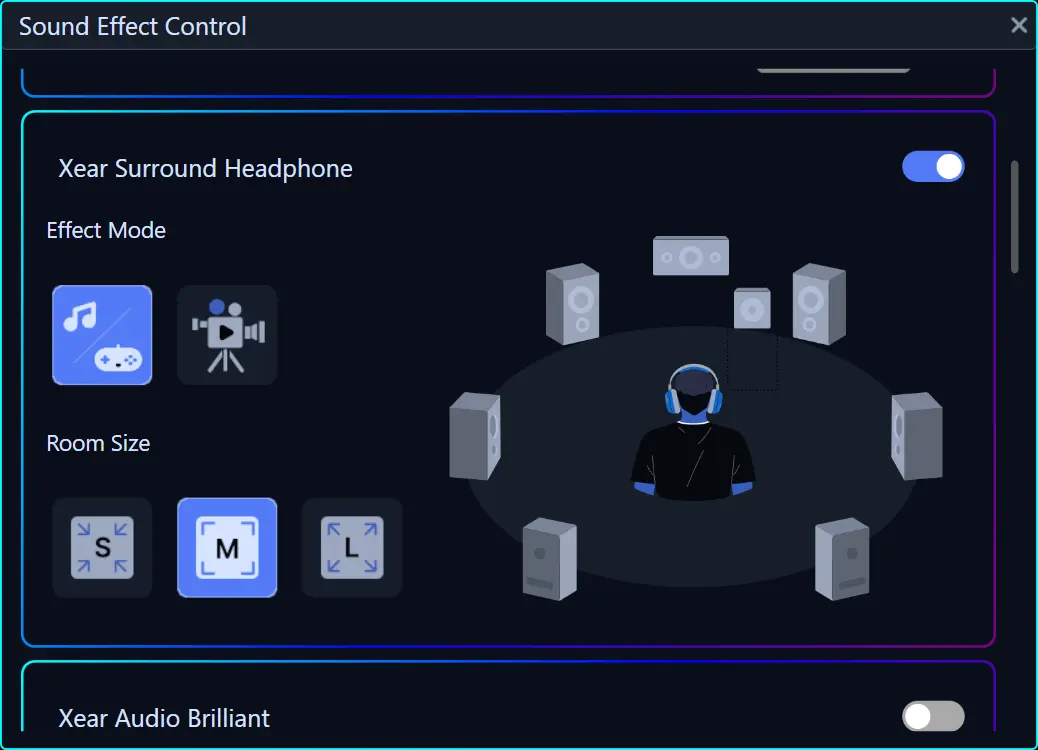
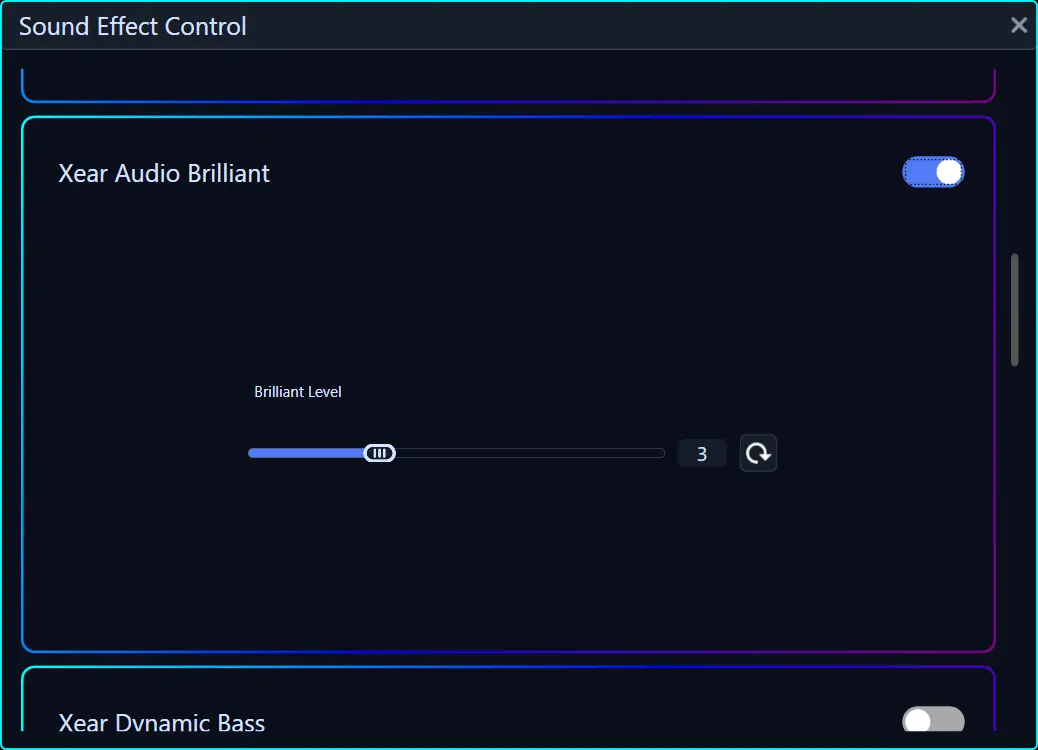
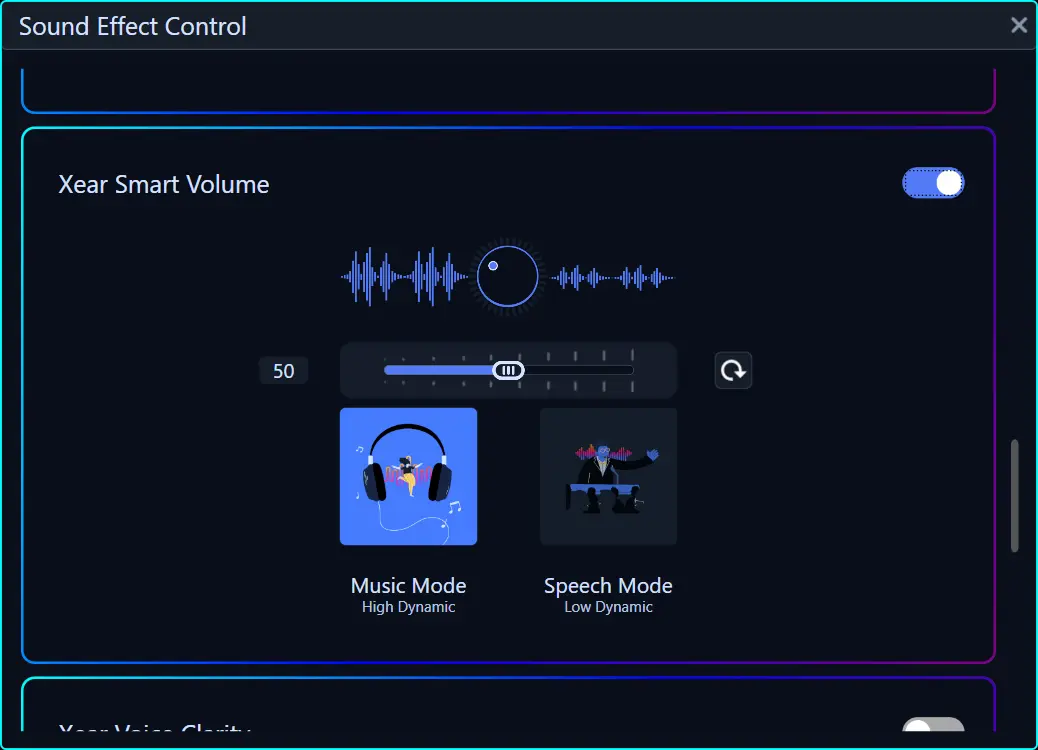
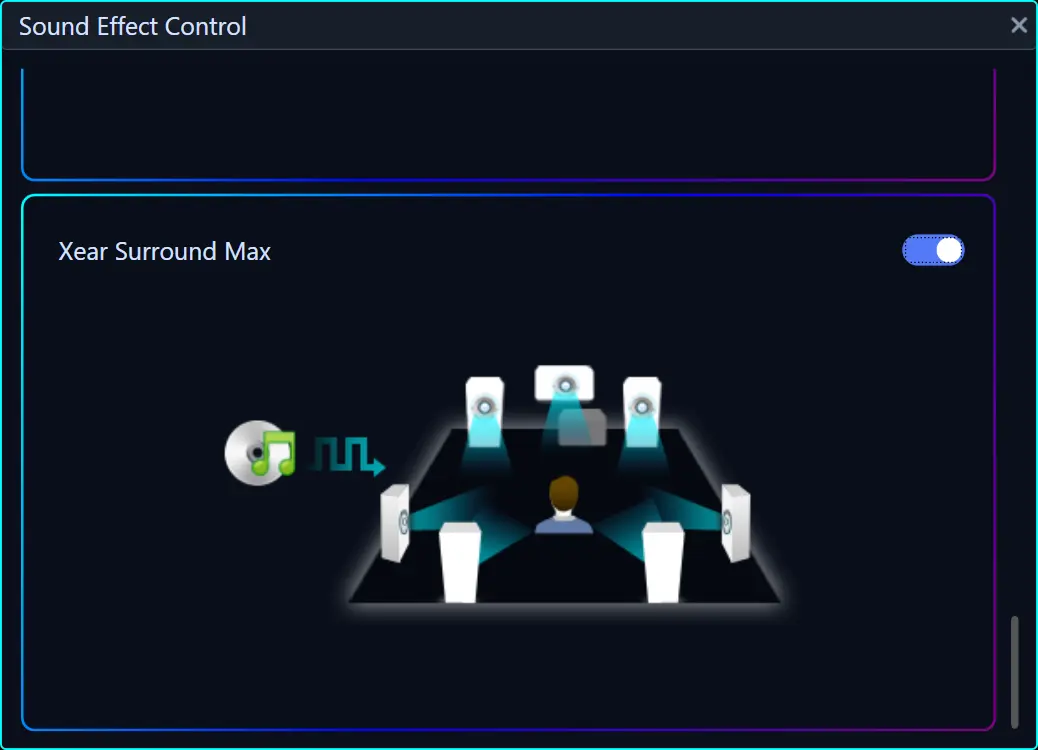
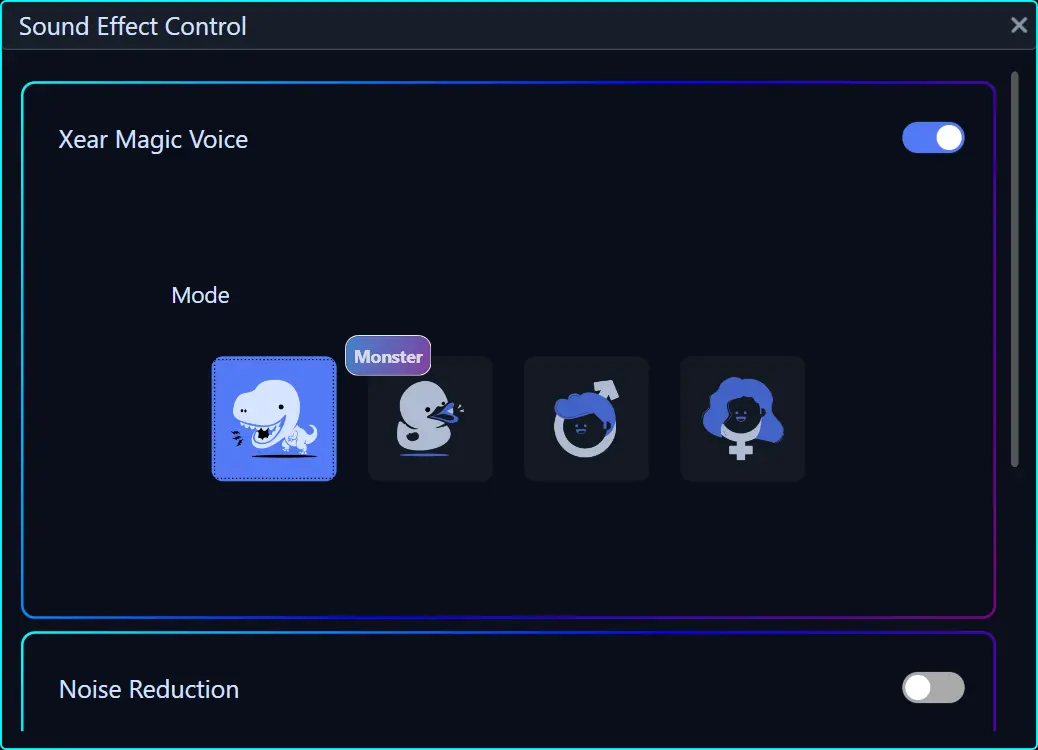
There are various modes, as well as an EQ with presets. My biggest issue with the software, though, is the lack of any clear explanation for the majority of options. The virtualized 7.1 setting is clear enough, but settings like Xear Audio Brilliant offer no discernible explanation for what it actually does.
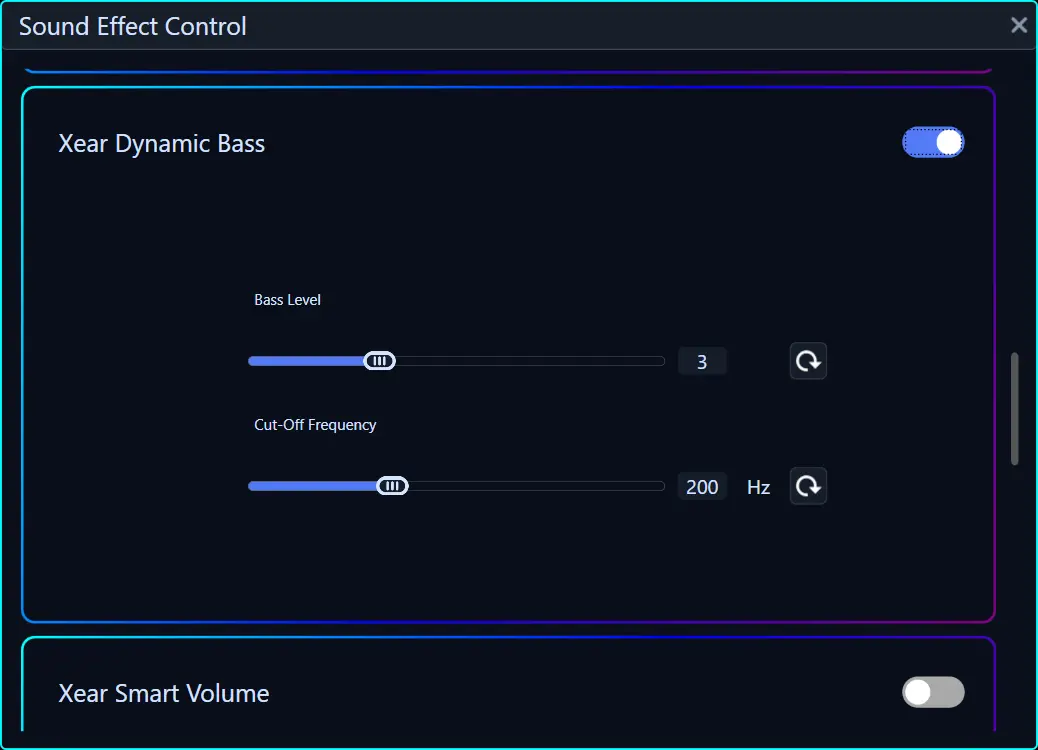
I did play with these settings, but in all honesty, only the virtualized 7.1 (Xear Surround Headphone) and dynamic bass (Xear Dynamic Bass) had any positive effects. And even then, the positive effects of these settings are very limited, in my opinion.
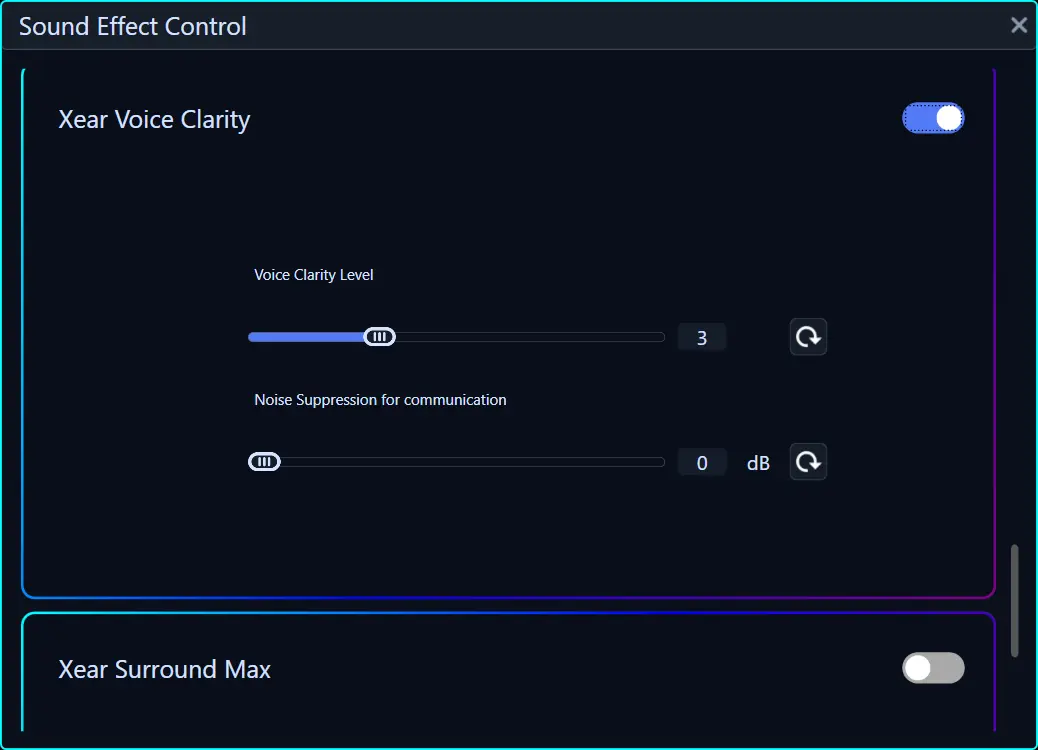
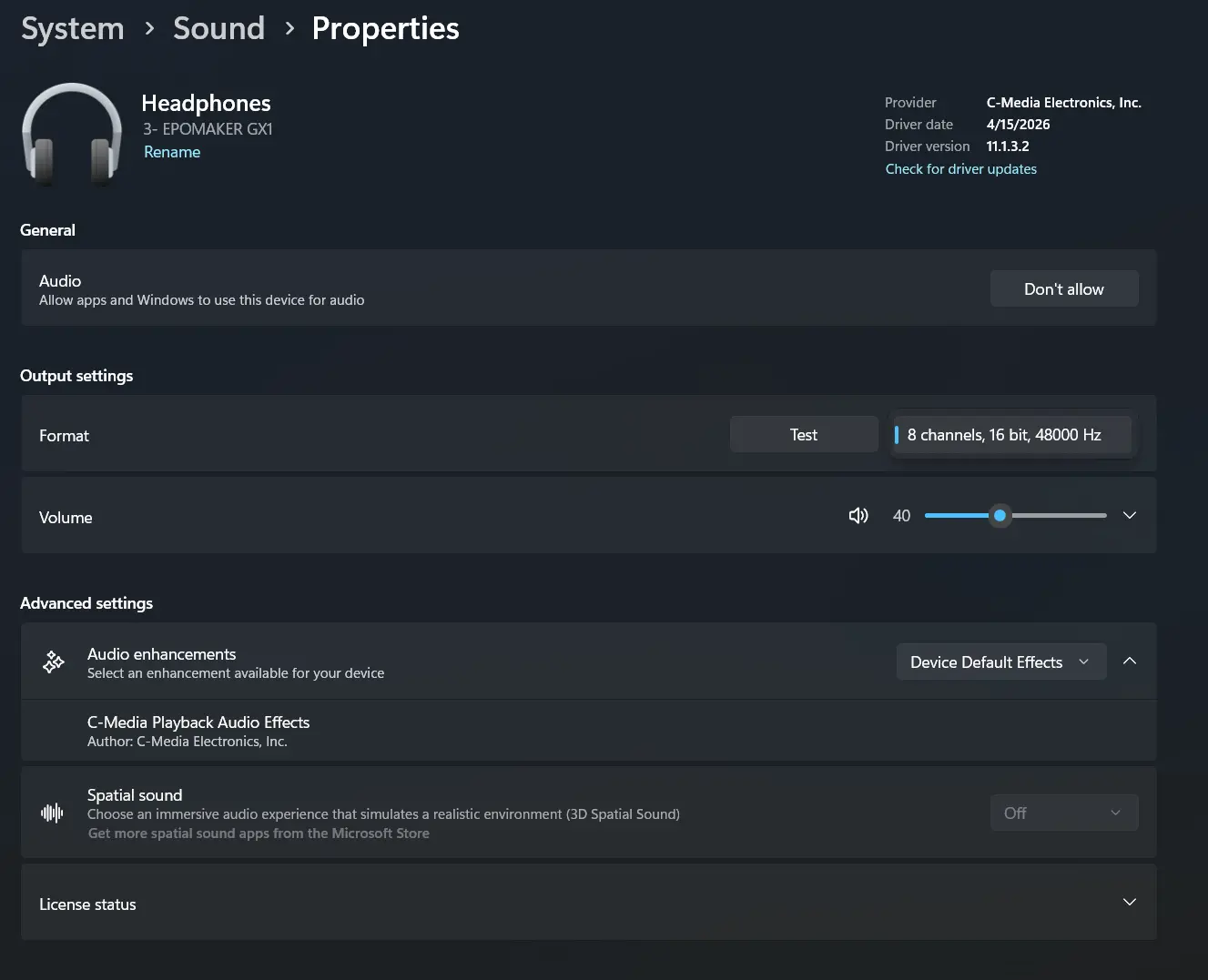
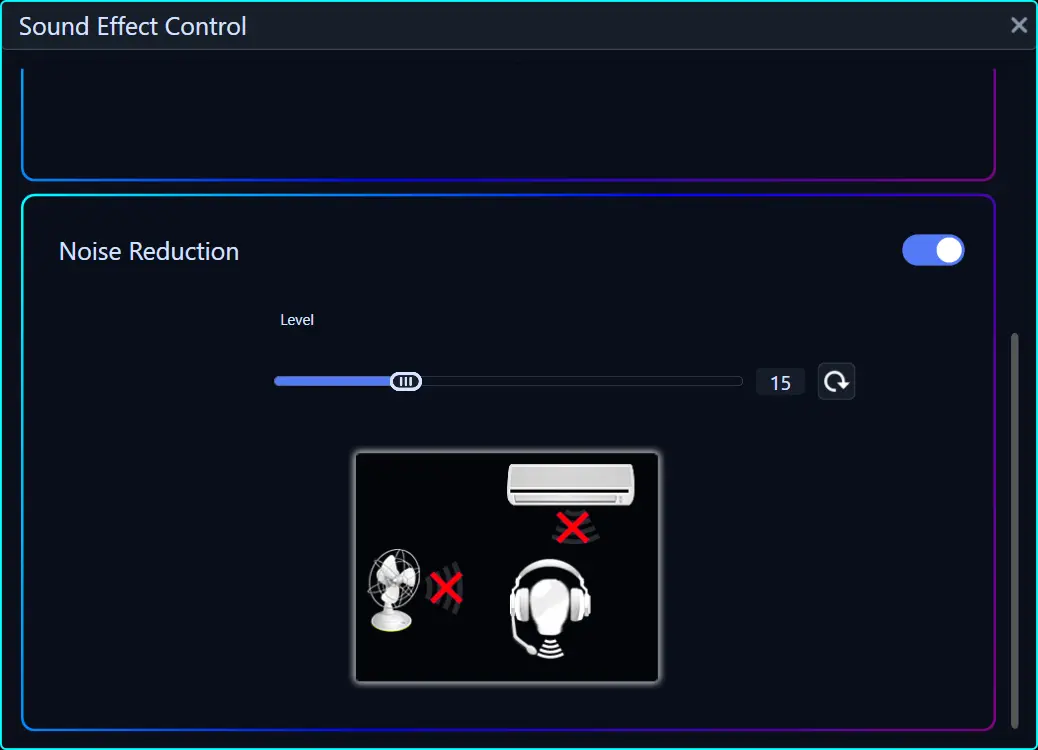
Here are some screenshots of the app:






Battery Performance
The GX1 has a 2,000mAh battery, with EPOMAKER claiming up to 70 hours of playback when RGB is disabled and 30 hours when the lighting is on. That 40-hour difference is large enough to make RGB a practical battery decision rather than a minor cosmetic preference. The lighting is enabled by default at power-up, so it is worth checking that it is off if maximum endurance is the priority.
In my testing, the GX1 delivered approximately 35 hours with RGB On over 2.4GHZ, which lines up with EPOMAKER’s rating. With the RGB off, I was able to get 65 hours, so again, it mostly lines up with EPOMAKER’s numbers. Even without a controlled rundown, I only needed to charge it four times during the review period (about 2 months), and I mostly used it with RGB off.
A full charge is rated at roughly three hours and 20 minutes. The headset plays a low-battery reminder every three minutes before eventually shutting down. USB audio and charging can happen at the same time, so a depleted battery does not have to end a session.
Sound Quality
Main sources used for this review:
- Windows 11 desktop PC (2.4Ghz dongle)
- Nintendo Switch 2 (2.4Ghz dongle)
- Apple iPhone 16 (Bluetooth AAC)
- Samsung Galaxy Fold 7 (Bluetooth AAC)
Links to my music playlist used for the majority of testing:
The GX1 combines dynamic drivers with an open enclosure, but neither driver size nor the open-back label establishes how it sounds. For me, the important starting point is the stock tuning. A headset should offer a useful balance before EQ or surround processing enters the picture, particularly when some owners will mainly use it on a console.
Its default presentation prioritizes dialogue and upper-frequency detail over low-end weight. That works better for voice-heavy content and game cues than it does for music that depends on bass depth, body, or smooth treble. The overall character is spacious for the price, but also somewhat thin and metallic.
Bass is the weakest part of the stock tuning. There is enough mid-bass impact for gunfire and basic rhythm, but sub-bass extension is very limited, and kick drums do not have the weight I expect from a 50mm driver. The open-back design naturally gives away some physical pressure, but the issue is not openness alone, but that the balance itself leaves the low end sounding underperforming and just dull. The Dynamic Bass preset in the software adds welcome warmth and additional weight, although it cannot fully turn the GX1 into a deep or powerful headphone.
The midrange performs much better. Dialogue sits clearly in front of effects, and voices remain intelligible during busy scenes. That helps with games, films, voice chats, and spoken content. Instruments can sound light through the lower midrange, however, which reduces the sense of body in guitars and pianos for dense mixes.
The treble has plenty of presence and makes small effects easy to notice, but it can sound brittle with bright recordings. Cymbals and higher-pitched effects sometimes have more edge than texture, and that contributes to the tinny quality I heard from the stock tuning.
This is not the kind of open-back headphone I would buy primarily for critical music listening. Models such as the Sennheiser HD 505 or HD 550 cost considerably more and do not offer the GX1’s wireless features, but they provide a useful reminder of what the open-back design can do when tone, imaging, and driver control are the main priorities. The GX1’s advantage is convenience and price, not audiophile refinement.
One final note I need to add here is that there is persistent background noise when using the GX1, and this occurs with all connections. It may not bother most people, and it is subtle, but it is there.
Gaming Performance
The same tuning weaknesses are less damaging in games. Dialogue is easy to follow, and the leaner low end leaves more room for footsteps, reloads, and other positional cues to be heard rather than felt.
The 2.4GHz connection is the right choice for PC and console gaming. I noticed no meaningful delay between action and sound, and the connection remained stable. EPOMAKER’s 25ms figure is plausible for this class of headset, but I did not verify it with measurement equipment.
Virtual 7.1 makes the presentation larger and can be enjoyable in cinematic games, films, and dialogue-heavy scenes. It does not consistently improve positional precision, though. Depending on the mix, it can push sounds farther away and blur the direct left-to-right placement that stereo handles more naturally. I would treat it as a preference rather than a competitive feature.
I predominantly played Battlefield 6 as the competitive multiplayer game, with Halo CE and Halo 2 through the Master Chief Collection as my single-player games. I did need to enable the Xear Dynamic Bass feature (with a bass level of 3) in order to be comfortable with the sound, as the stock bass does not have the satisfying impact I expect. This helps bring out sound effects like gunshots, footsteps, and general movement details.
Overall, the GX1 played the games mentioned very competently, especially when you factor in the price. I can’t remember the last time I didn’t hate using a $50 headset, so that in and of itself is high praise for the GX1. It still lacks detail and overall low-end impact, but it’s a solid starting point.
Music Performance
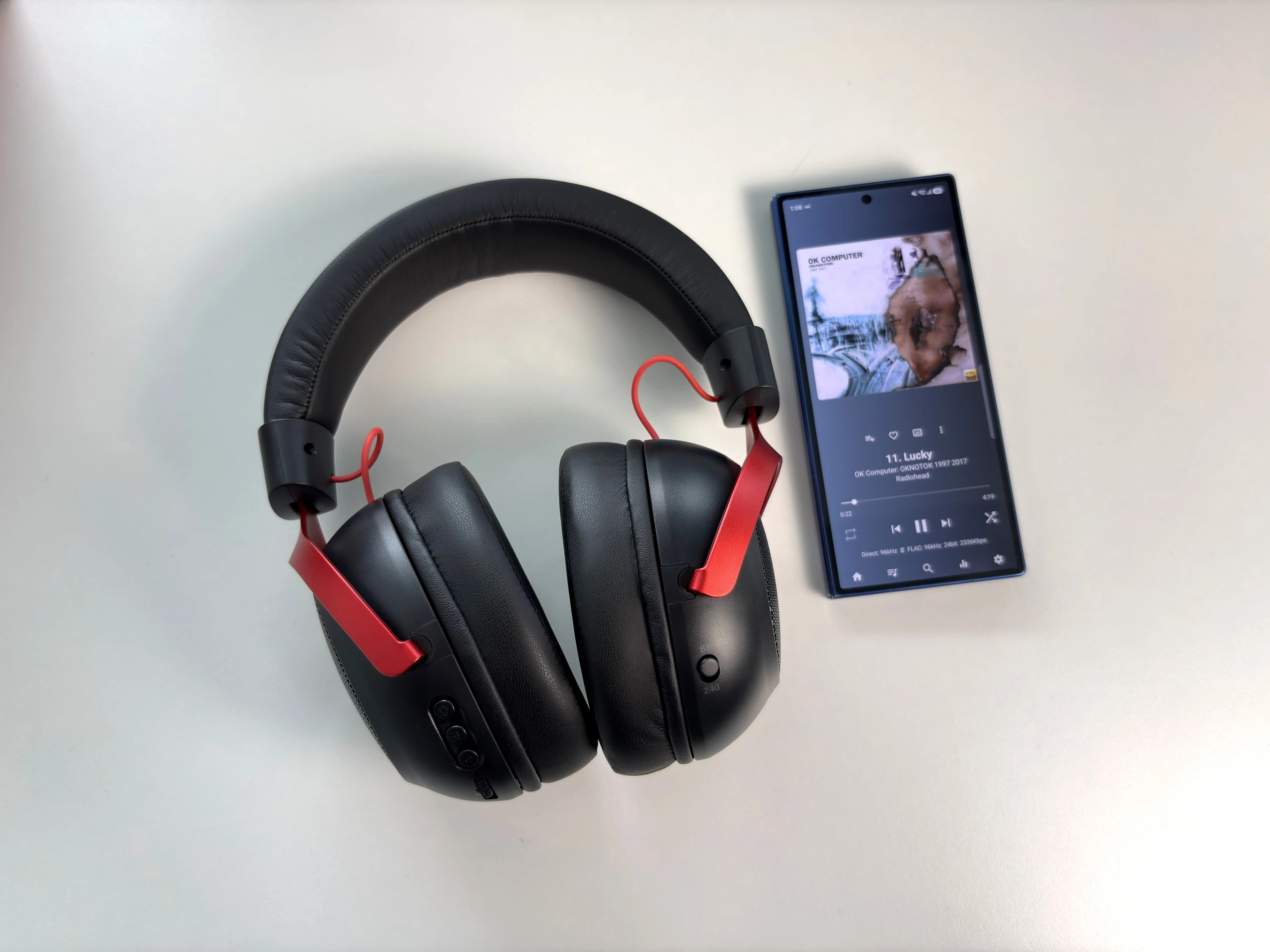
For music, the GX1 is at its best with vocal-led tracks, podcasts, lighter acoustic arrangements, and background listening. The open construction keeps the presentation from feeling trapped inside the earcups, and the clear midrange makes lyrics easy to follow.
Electronic music, hip-hop, rock, and orchestral soundtracks expose the thinner balance more quickly. Bass notes have limited depth, drums can lack physical impact, and energetic upper mids or treble can make busy recordings feel hard. EQ can improve the balance, but the useful presets are tied to PC software, so Bluetooth and console listeners have fewer ways to correct the stock sound.
At $49.99, I do not expect the GX1 to compete with a dedicated wired headphone and DAC or amplifier. I do expect a gaming headset to sound enjoyable without requiring repair work from an equalizer (this might be a hot take, I do know some people love to EQ). The GX1 is usable for casual listening, but sound quality is not the reason I would choose it over another headset.
Imaging and Soundstage
The open-back design gives the GX1 more lateral space than many inexpensive closed-back gaming headsets. Sounds extend beyond the earcups instead of gathering entirely around the centre of the head, which makes large environments and ambient effects more convincing.
Imaging is good enough to distinguish broad left, centre, and right positions, and movement across the stereo field is easy to follow. The placement is precise enough for competitive play, while front-to-back depth is lacking a little. The soundstage is a useful strength, but it should not be confused with the more layered and natural presentation of a good audiophile open-back headphone.
Isolation is effectively absent. External sound competes directly with quiet details, and leakage increases with volume. The spaciousness works only if the room is quiet enough to hear it. It’s not as open-sounding as something like a Sennheiser HD 550, but it still blocks very little ambient noise.
Microphone Performance
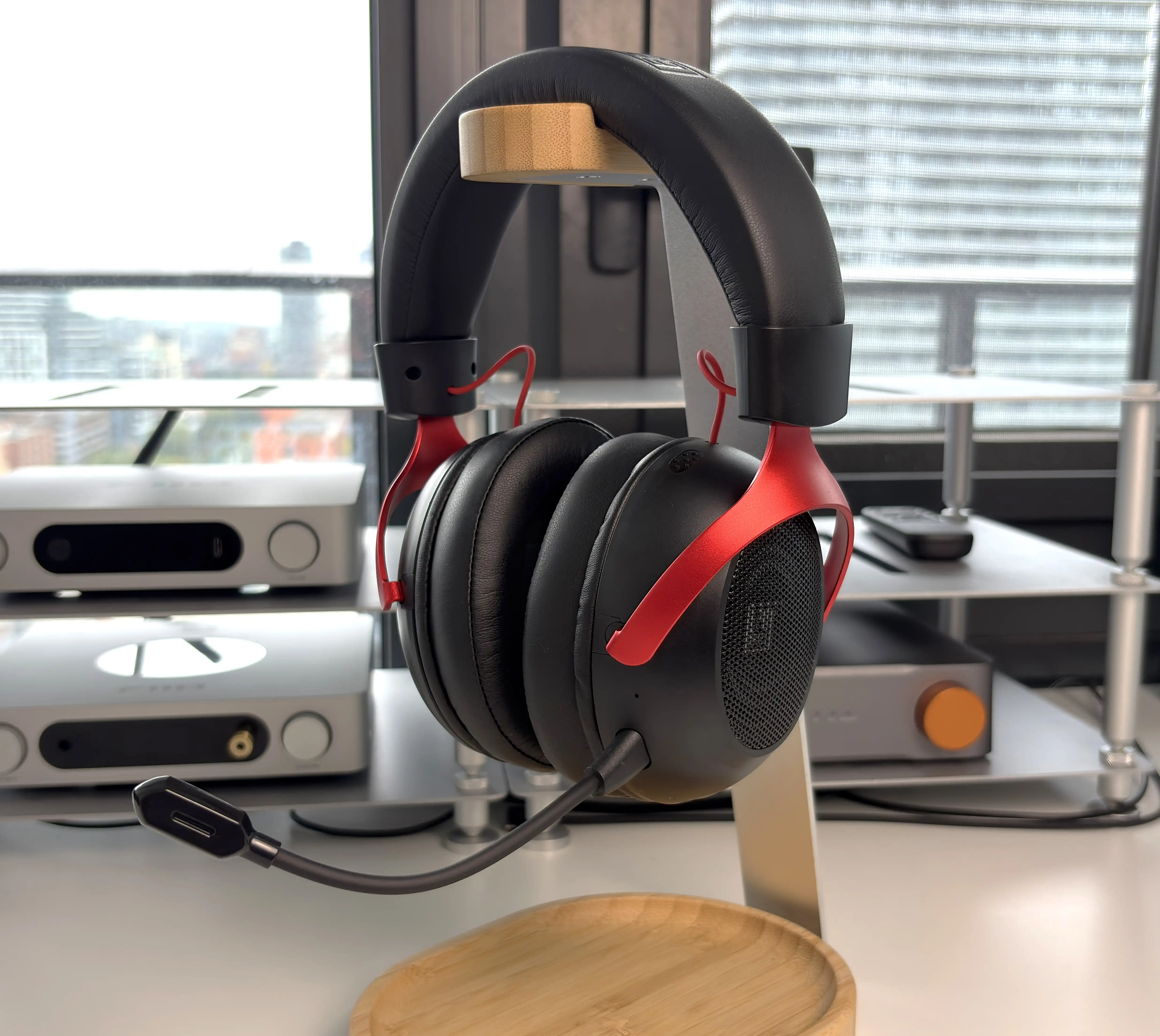
The GX1 includes both a detachable boom microphone and a built-in microphone that takes over when the boom is removed. The boom is the one to use for gaming and calls because placing the capsule closer to your mouth improves clarity and gives the ENC processing a better signal to work with.
For Discord and voice chat, the detachable boom microphone works surprisingly well, and the environmental noise cancellation helps reduce steady background sound. The EPOMAKER software includes a noise reduction feature as well, which I found to be almost useless at the higher settings, as it masks my voice to the point of making it barely intelligible. Keeping it on the lower settings helps a bit, but I would recommend relying on the ENC of the microphone itself as it is good enough in most cases without negatively affecting voice quality.


The built-in microphone is convenient when the boom is removed. This is something I would say if it were at all usable, but as you will hear in the recording below, my voice sounds distant and picks up even the smallest ambient noise in the room. I don’t recommend using it, and listening to the recording of it will tell you why.
At this price, the microphone does not need to replace a dedicated USB mic. It does need to keep speech clear enough that teammates and colleagues do not have to work to understand you. The GX1 does meet that minimum requirement, especially with the boom mic, and I am genuinely surprised how well it performs.
Here are the microphone recording samples:
Final Thoughts
The EPOMAKER GX1 has a clear audience: someone who wants an inexpensive wireless headset for a quiet room and values the option to use several kinds of sources. Its appeal is the combination of open-back awareness and flexible connections without a high upfront cost.
The same design choices narrow that audience. If you need isolation, private listening around other people, wireless Xbox support, or simultaneous audio from multiple devices, there are requirements here that the GX1 does not meet. Those are more useful reasons to choose another headset than simply expecting a $50 product to behave like a flagship.
The problem with the GX1, for me, is that the core audio experience does not feel as polished as the feature list. The stock tuning can sound thin and slightly bright, the built-in microphone is awful, and the Windows software is a little clunky to use and offers no explanation of its functions. Those compromises are easier to accept in a $50 product, but the price does not make them disappear.
If comfort, open-back awareness, flexible connectivity, a pretty good boom mic, and battery life matter more to you than rich music playback or extremely accurate detail in games, the GX1 still offers a lot for the money. It also makes sense as an inexpensive second headset for a quiet room, especially if you are comfortable using EQ on a Windows PC.
If sound quality is the priority, or if you need a microphone for streaming and frequent work calls, I would spend more or wait for a stronger second-generation model. EPOMAKER has the right concept here. The GX1 simply needs more refined tuning from a sound and software standpoint. Despite that and all of the other criticisms I have, I think there is enough here to warrant my “Great Value” award, simply because the GX1 does get the basics right and is in line with its price.

Purchase Links
Buy from EPOMAKER: https://epomaker.com/products/epomaker-gx1
Buy from Amazon: https://link.amazon/B0faT3PXI
I’m not always able to cover all the details of a product, both hardware and software, in my reviews. If you have any specific questions about this product, please feel free to leave a comment or contact me directly.
Be sure to check out our excellent Buyer’s Guides, as well as our other Reviews.
HiFi Oasis Verdict
HiFi Oasis Verdict-
Design & Comfort7/10 Good
-
Sound6/10 Normal
-
Features/Accessories6/10 Normal
-
Value8/10 Very good
Pros
- Clear dialogue and easily heard gaming cues
- Spacious soundstage with useful positional imaging
- Comfortable during long sessions, with minimal heat buildup
- Stable, low-latency 2.4GHz performance
- Detachable boom microphone performs surprisingly well
- Glasses-friendly fit and well-distributed weight
- Flexible 2.4GHz, Bluetooth, USB and 3.5mm connectivity
- Excellent battery life
- USB audio and charging work simultaneously
Cons
- Stock tuning sounds thin, metallic and somewhat bright
- Limited sub-bass extension and overall low-end impact
- Treble can sound brittle with brighter recordings
- Persistent background noise across every connection
- Built-in microphone sounds distant and picks up excessive room noise
- Windows software is poorly documented and somewhat clunky
- Virtual 7.1 does not consistently improve positional accuracy


