




Disclosure: I’d like to thank Karina at iFi for providing me with the OMNI USB for this review. All thoughts and opinions are my own, and iFi had no say or input on the contents of this review.
The iFi SilentPower OMNI USB is a high-end audiophile USB conditioner designed to eliminate the common pitfalls of USB audio. Standard USB connections can be problematic for hi-fi gear as they are prone to electrical noise, timing errors (jitter), and even ground loop issues, all of which can degrade audio quality and introduce perceptible noise. The OMNI USB tackles these issues with a three-pronged approach: optical isolation, active noise cancellation (noise filtering), and battery power, to deliver a dramatically cleaner USB signal path. Essentially, the OMNI USB, along with the included USB Optilink, functions as an advanced USB hub that optically decouples your source from your DAC, actively filters out noise, and can run entirely off its internal battery for a pure isolated connection. The result is a device aimed at audiophiles who demand the quietest, cleanest USB audio connection possible.
At $899 USD, this product is aimed at audiophiles needing the extra layer in their audio chain to provide peace of mind that they are getting the best audio experience. As such, the OMNI USB isn’t simply a USB hub with noise filtering tacked on, but a comprehensive reconditioning platform that includes real-time diagnostics, high-resolution digital-to-digital conversion capabilities, external clock synchronization, and intelligent battery management. The result is a device that positions itself as one of the most sophisticated USB conditioners currently available. Does the OMNI USB deserve its asking price? Let’s get into the review and find out.
Key Specifications
- Product Page: https://www.silentpower.tech/products/omni-usb
- MSRP: $899 USD / £899 / €899
- Device Type: USB Conditioner
- OMNI USB
- Inputs:
- 1 x SFP 10G Optical Fibre
- 1 x SFP 1.25G Optical Fibre
- 1 x 10MHz BNC External Clock (Clock Sync)
- 2x USB-C 3.2 (Data and Power)
- Outputs:
- 1 x S/PDIF Optical/TOSLINK (PCM up to 192kHz, 24-bit)
- 1 x S/PDIF Coaxial (PCM up to 192kHz, 24-bit)
- 1 x Enhanced S/PDIF Coaxial (PCM up to 192kHz, 24-bit)
- 2 x USB-A 3.2 (Power & Data)
- 1 x USB-C 3.2 (Power & Data)
- 2 x USB-A (Power Only)
- Inputs:
- USB Optilink
- Inputs:
- 1 x Host USB-C 3.2 (Power & Data)
- 1 x PD3.0 USB-C (Power Only)
- Outputs:
- 1 x PD3.0 USB-C (via Host USB-C)
- 1 x SFP 10G Optical Fibre
- 1 x SFP 1.25G Optical Fibre
- Inputs:
- Battery (OMNI USB):
- 8000mAh Lithium-Polymer
- 10-15 hours battery life
- Power supply requirement: DC 9V/6A, 12V/5A, 15V/4A (centre pin +ve)
- Features:
- Dedicated dual-fibre 10G/1.25G optical isolation
- Three ANC-enabled USB Pure Port; additional two dedicated power supply port
- 10MHz synchronous clock input for precise timing accuracy
- Real-time display of voltage, current, power and noise
- NEXIS app compatible
- Weight and Dimensions:
- OMNI USB
- 214 x 158 x 41 mm (8.4″ x 6.2″ x 1.6″)
- Weight: 1.25kg (2.76lbs)
- USB Optilink
- 99 x 92.8 x 24.2mm (3.9 x 3.7 x 1″)
- Weight: 268g (0.59lbs)
- OMNI USB
In the Box
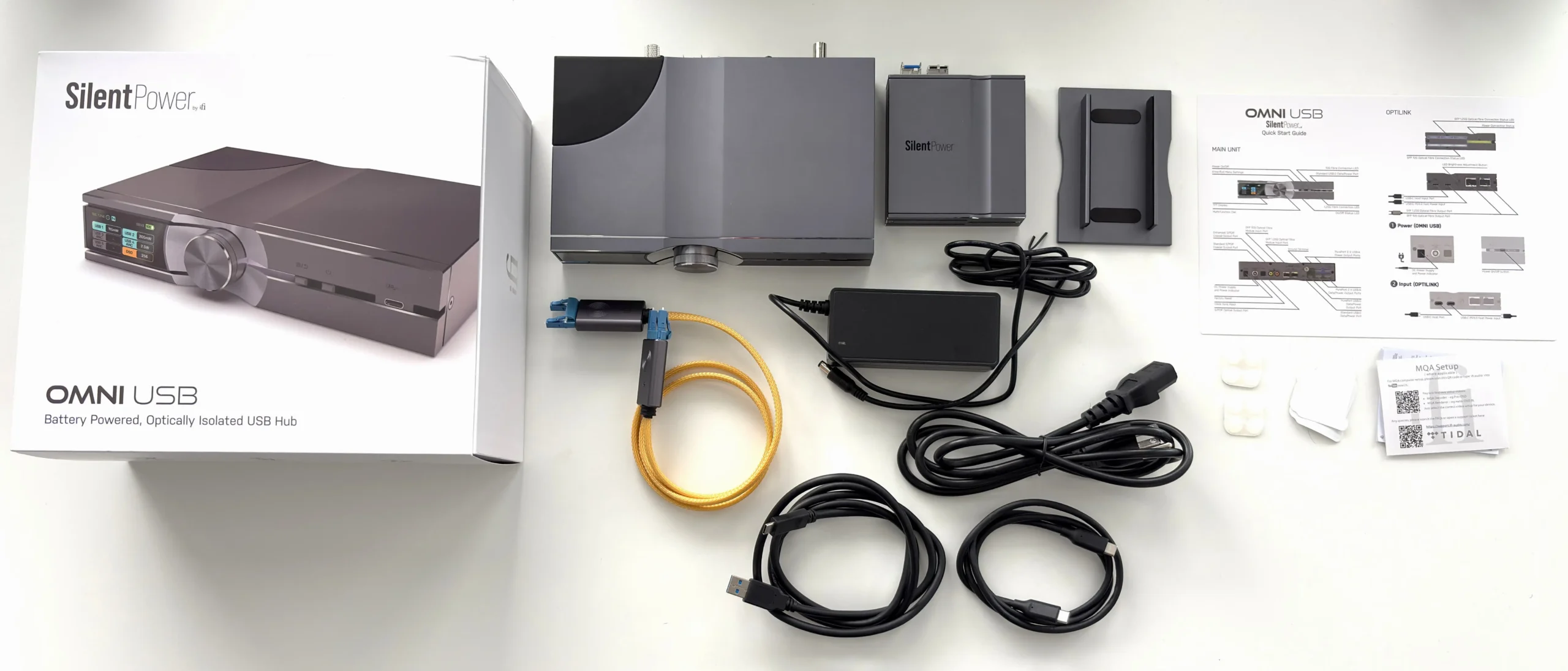
- OMNI USB
- USB OptiLink
- 15V Power Adapter
- Vertical Stand
- LC Fibre Cable (1m)
- USB-C to USB-C Cable (1.0m)
- USB-A to USB-C Cable (1.5m)
- 2 x SFP LC Fibre 10G Module
- 2 x SFP LC Fibre 1.25G Module
- Two sets 4 rubber feet
- Manual
Design & Build Quality
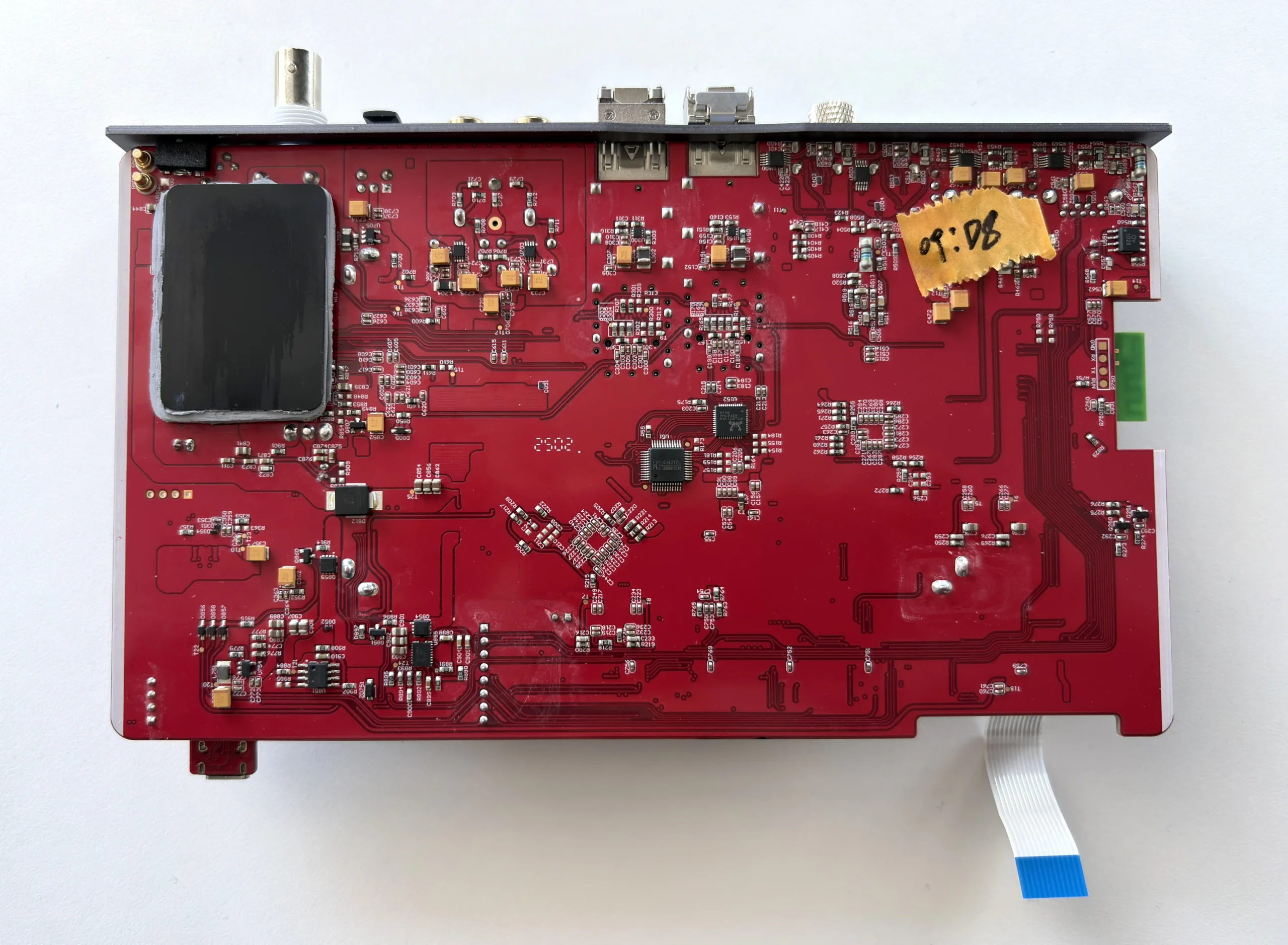
Physically, the iFi SilentPower OMNI USB is a two-piece solution, comprising of the main OMNI USB hub and the separate USB OptiLink module, which are connected by two SFP fiber transceiver modules (for 10G and 1.25G speeds).
OMNI USB Hub
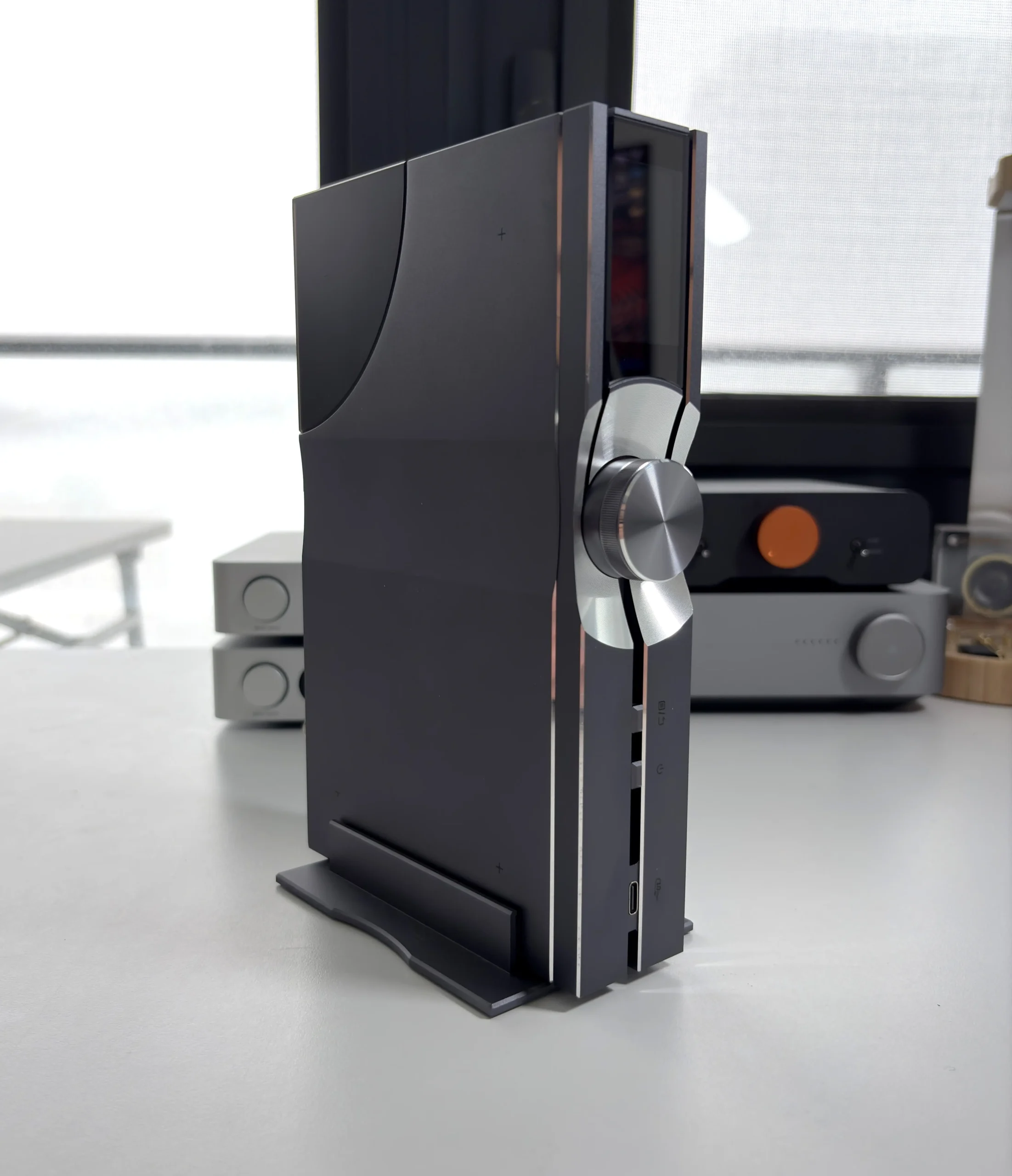
The main unit (OMNI USB hub) has a fairly substantial build. The electronics are enclosed in a solid aluminum chassis and follow iFi’s typical design language of minimalism with an industrial look. The matte grey finish does add a bit of class to it as well, in my opinion. The OMNI USB weighs about 1.2kg, which gives it a good amount of heft and a feeling of density, but also helps make it feel like a well-built product. Despite the heft, iFi includes a vertical stand in the box, allowing you to orient the device upright to save desk space. There’s also a rack-mount accessory available to fit the OMNI USB into a server or home theatre rack, taking up 1U of space.
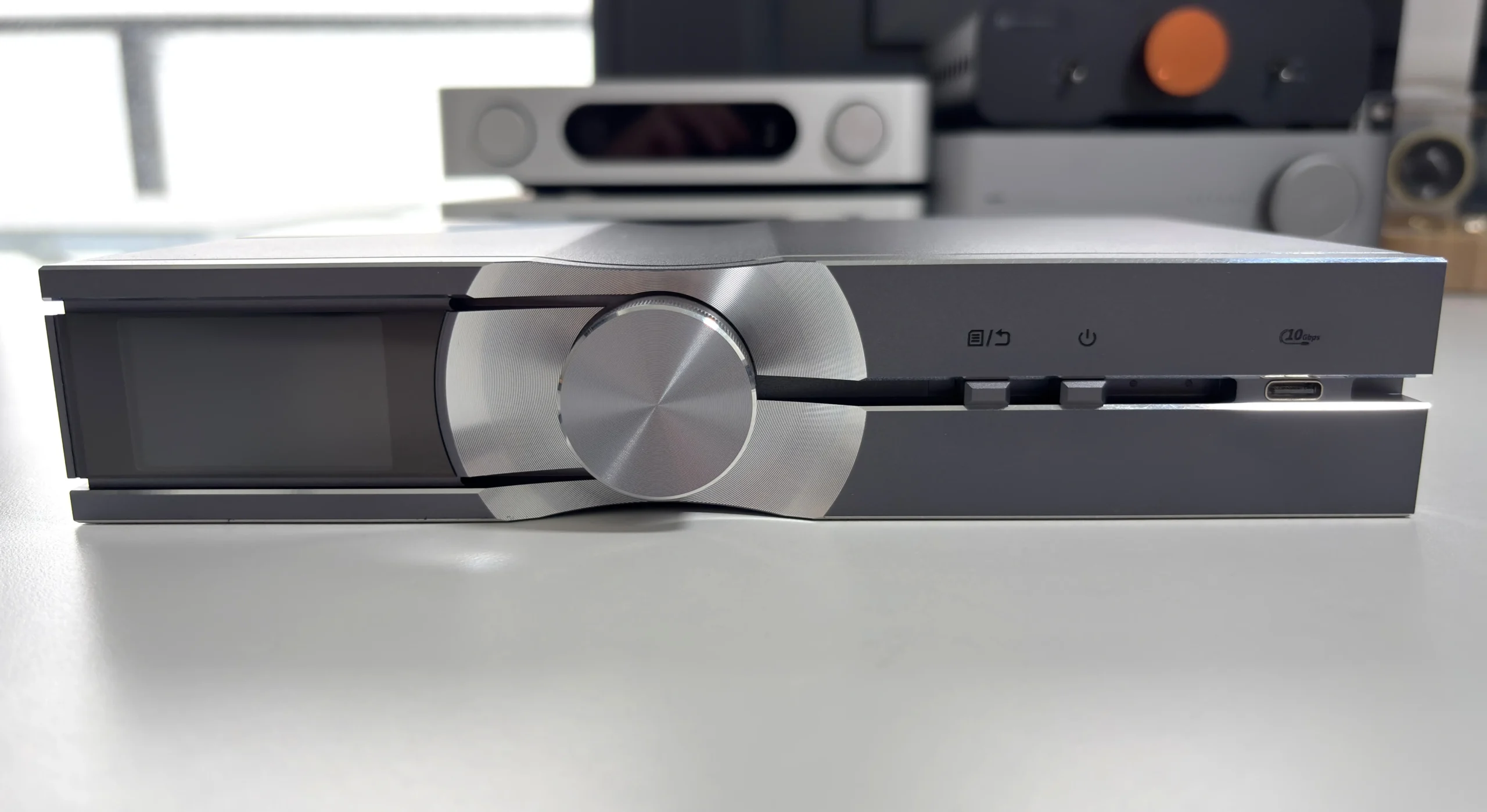
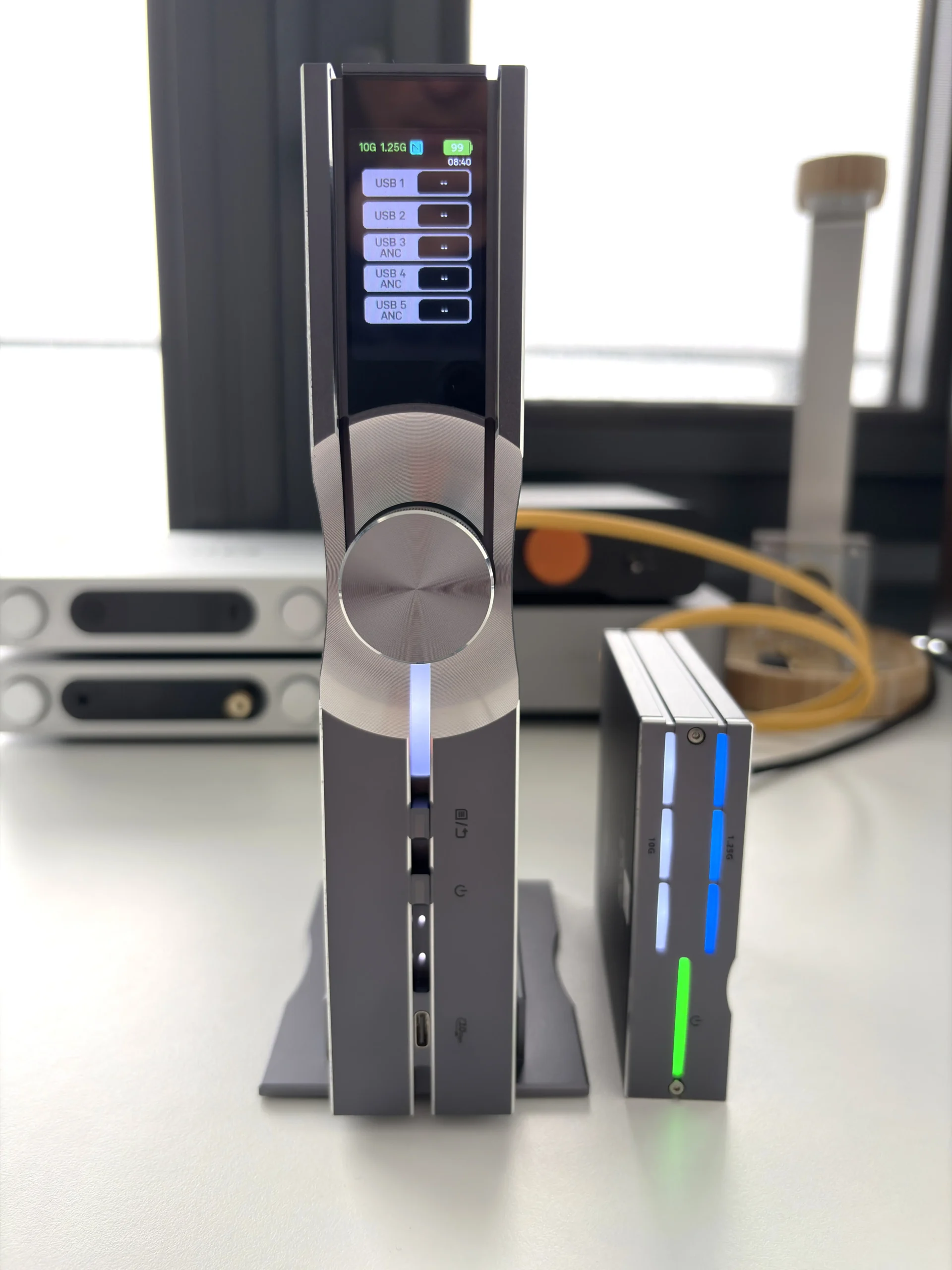
The front panel contains a small TFT color display, multi-functional rotary dial, menu button, power button, and a USB-C 3.2 input/output (Output for connecting to a USB DAC for data and power, Input for connecting to an external HDD, USB DISK, etc.). The screen is exceptionally clear and has excellent viewing angles, and the rotary knob operates very smoothly, with subtle notches that can be felt with every turn.
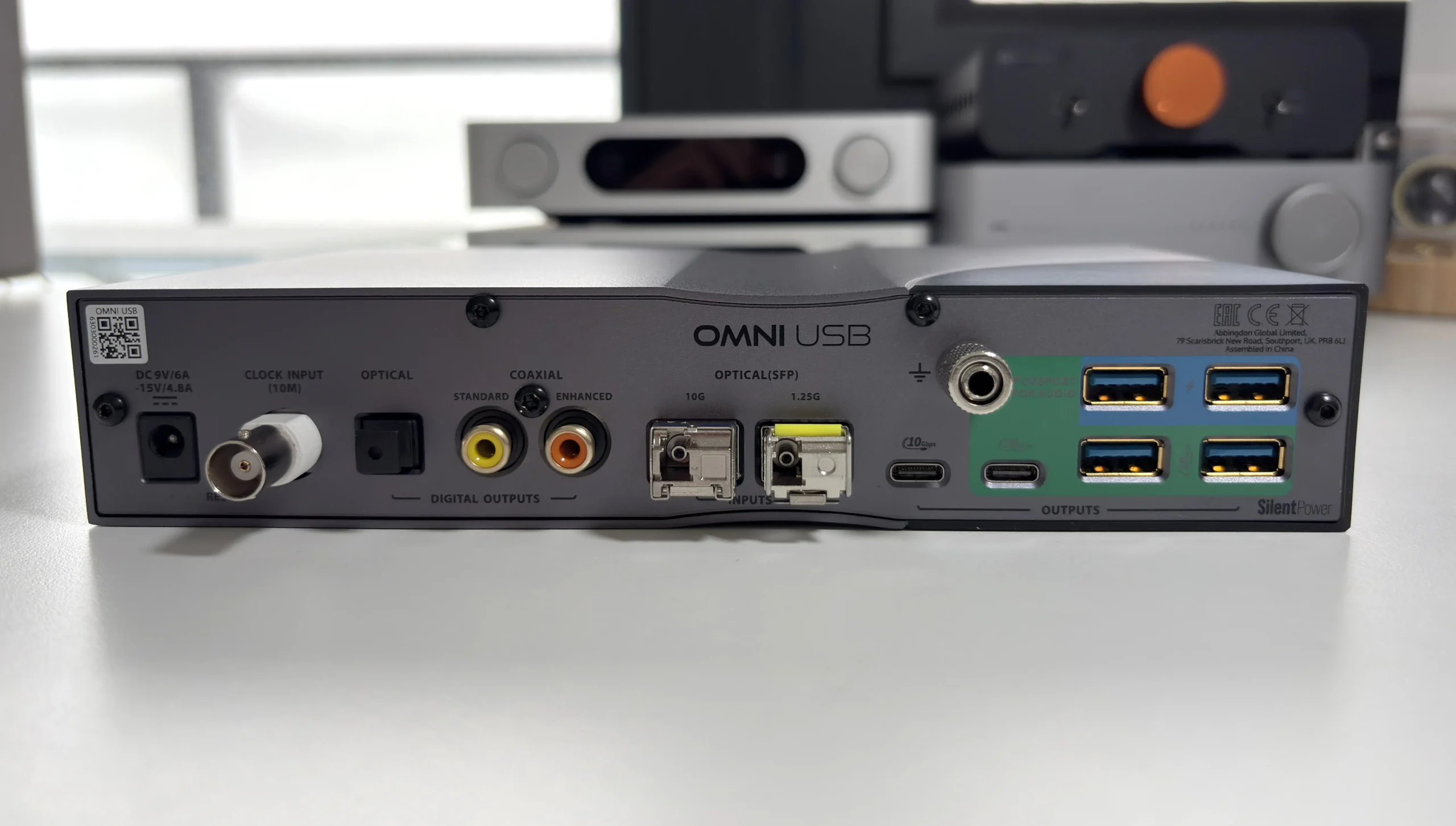
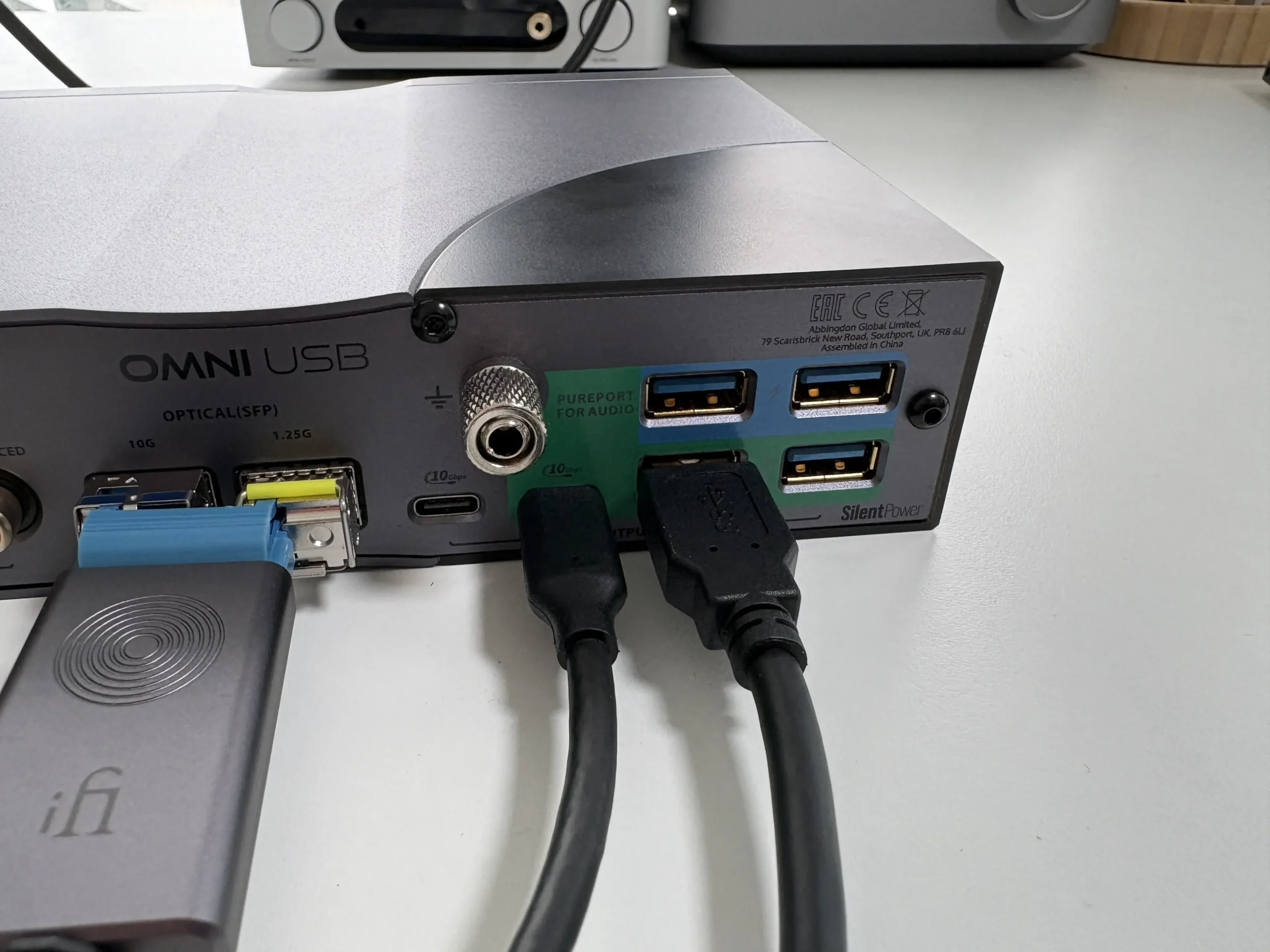
The back panel is where the rest of the connectivity resides. From left to right: DC power input, reset button, external clock input, S/PDIF optical output, standard coaxial output, enhanced coaxial output, the 10G and 1.25G optical fibre (SFP) inputs, standard USB-C 3.2 output, a grounding terminal, PurePort USB-C 3.2 output (Power & Data), 2 x USB-A outputs (Power Only), and 2x USB-A 3.2 outputs (Power & Data).
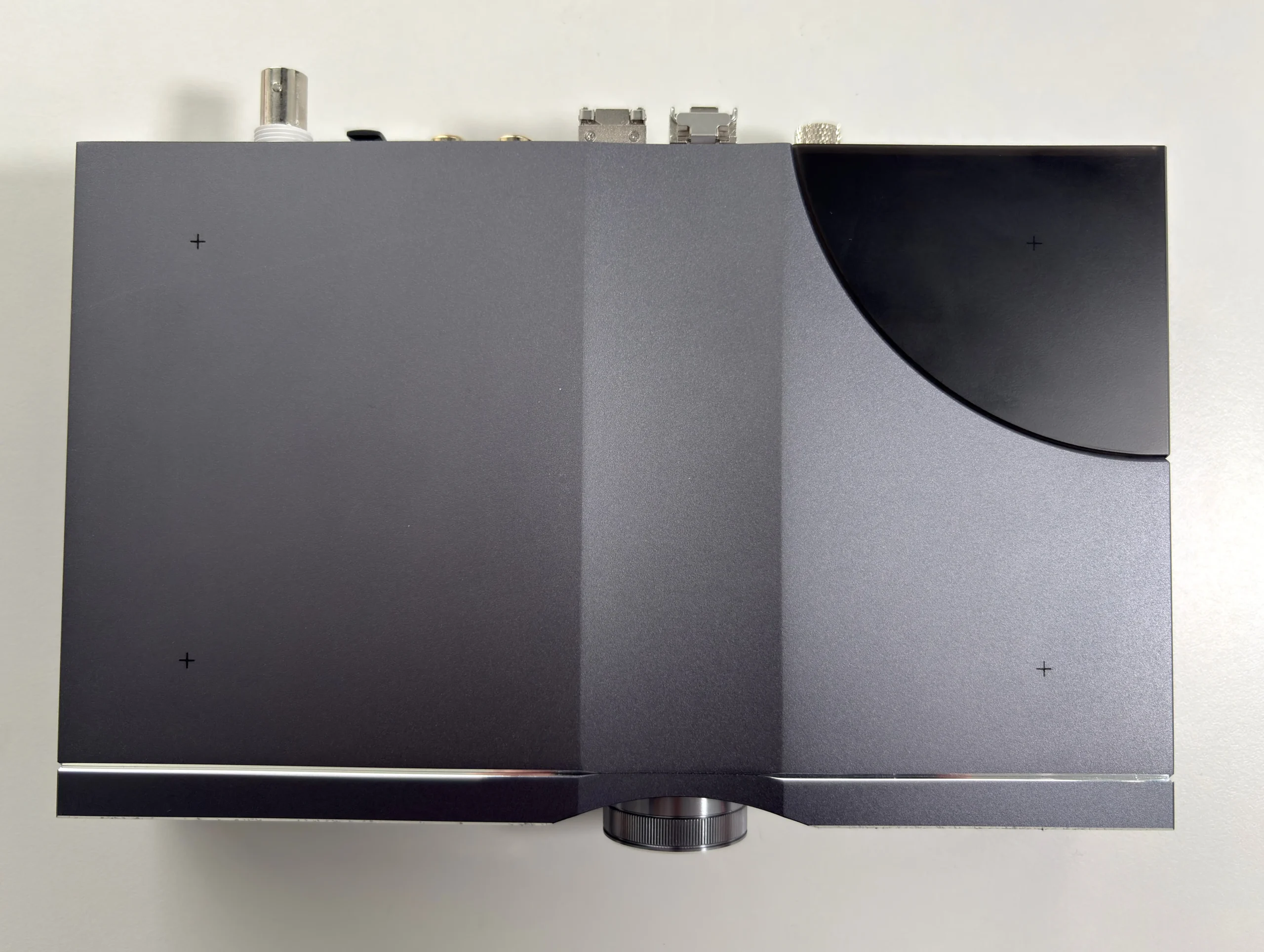
The bottom of the OMNI USB features four “+” indicators, showing where to place the included bumper stands, a nice attention to detail in my opinion.
USB OptiLink
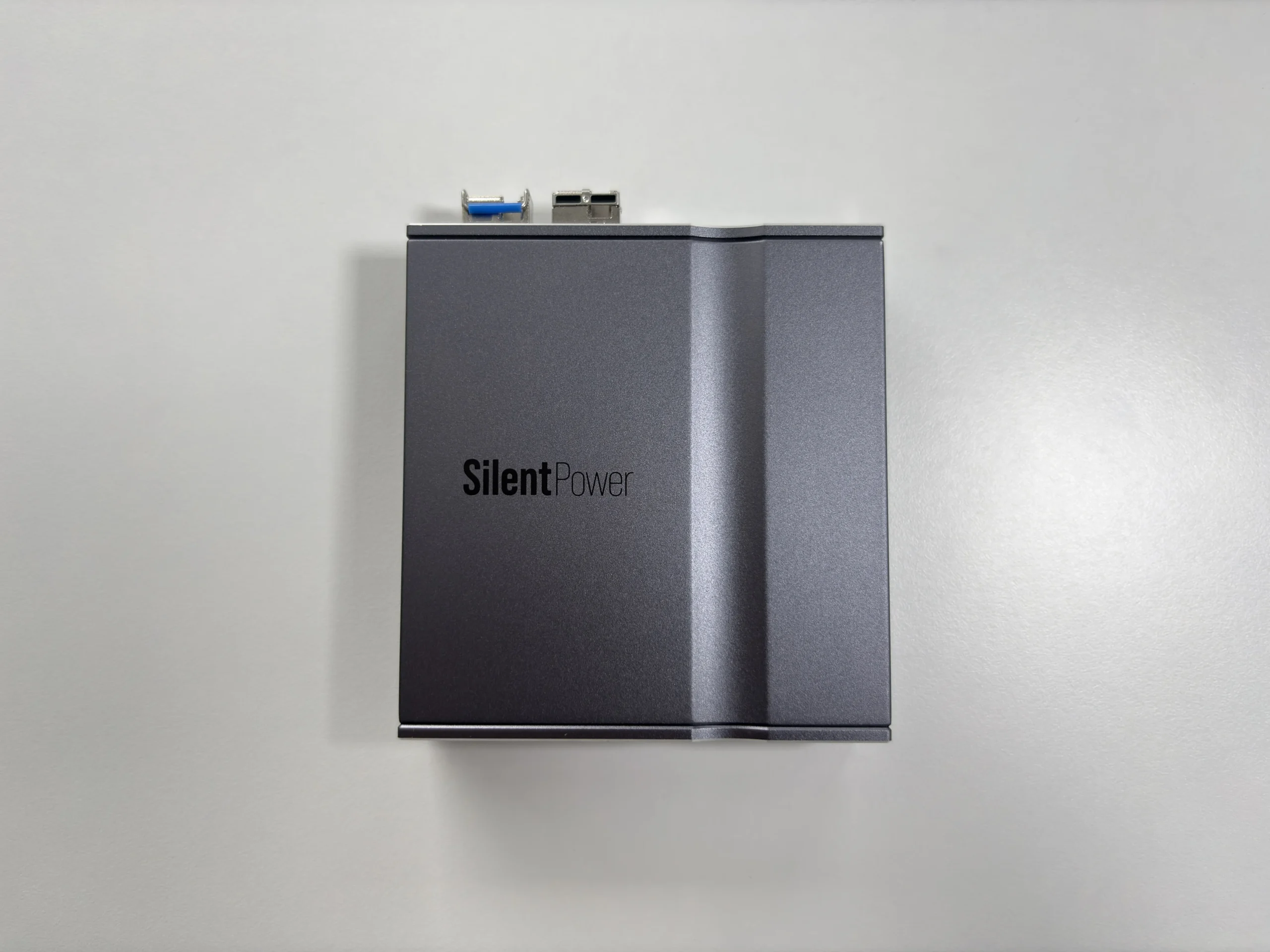
This “satellite” box is used to connect to your host (source) device, and connects to the OMNI USB’s main unit via the 10G and 1.25G SFP connections. The OptiLink, despite its small size, is also fairly hefty, weighing just 268 grams. It’s comprised of the same aluminum shell as the OMNI USB hub and features the same color scheme.
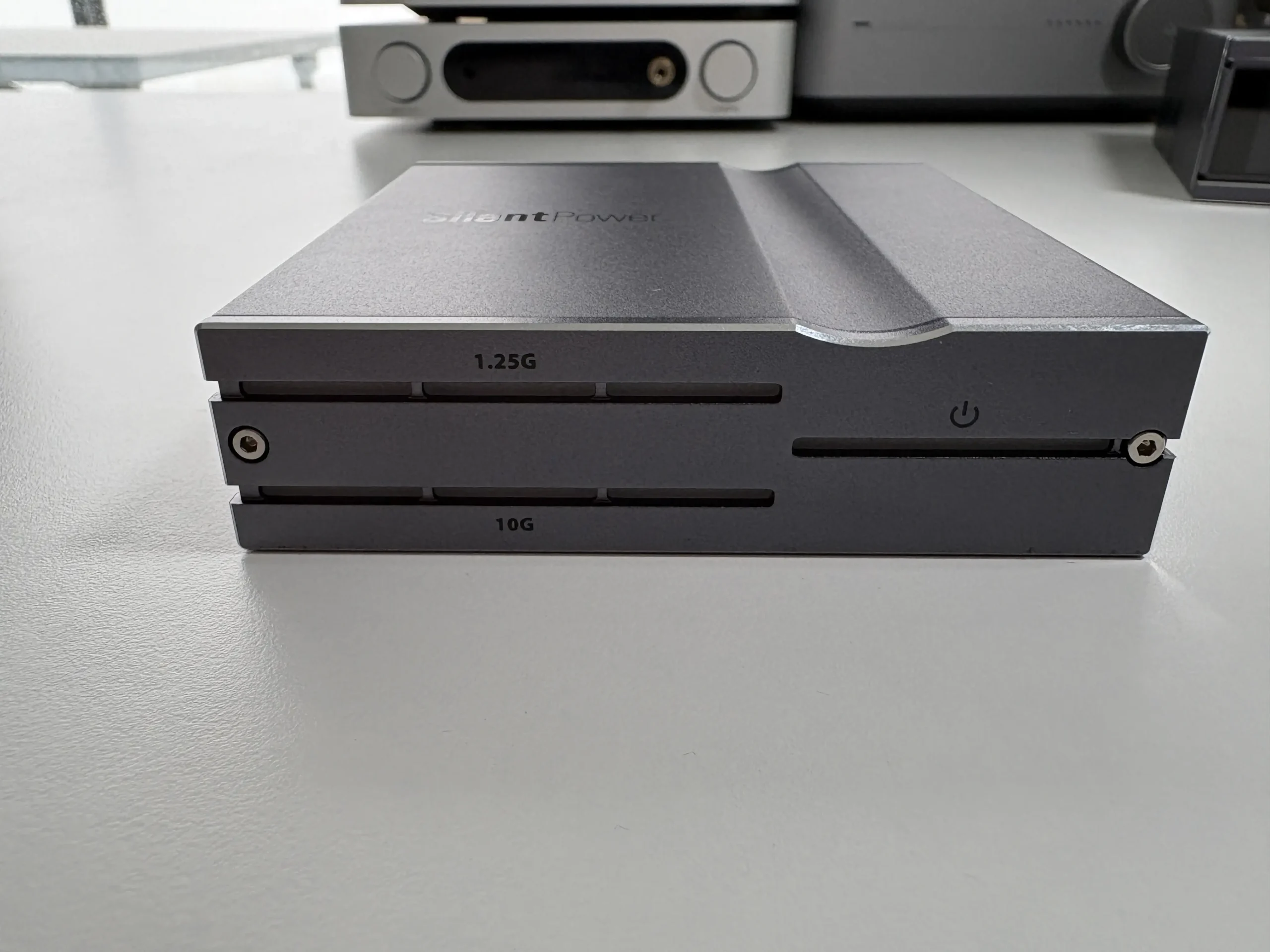
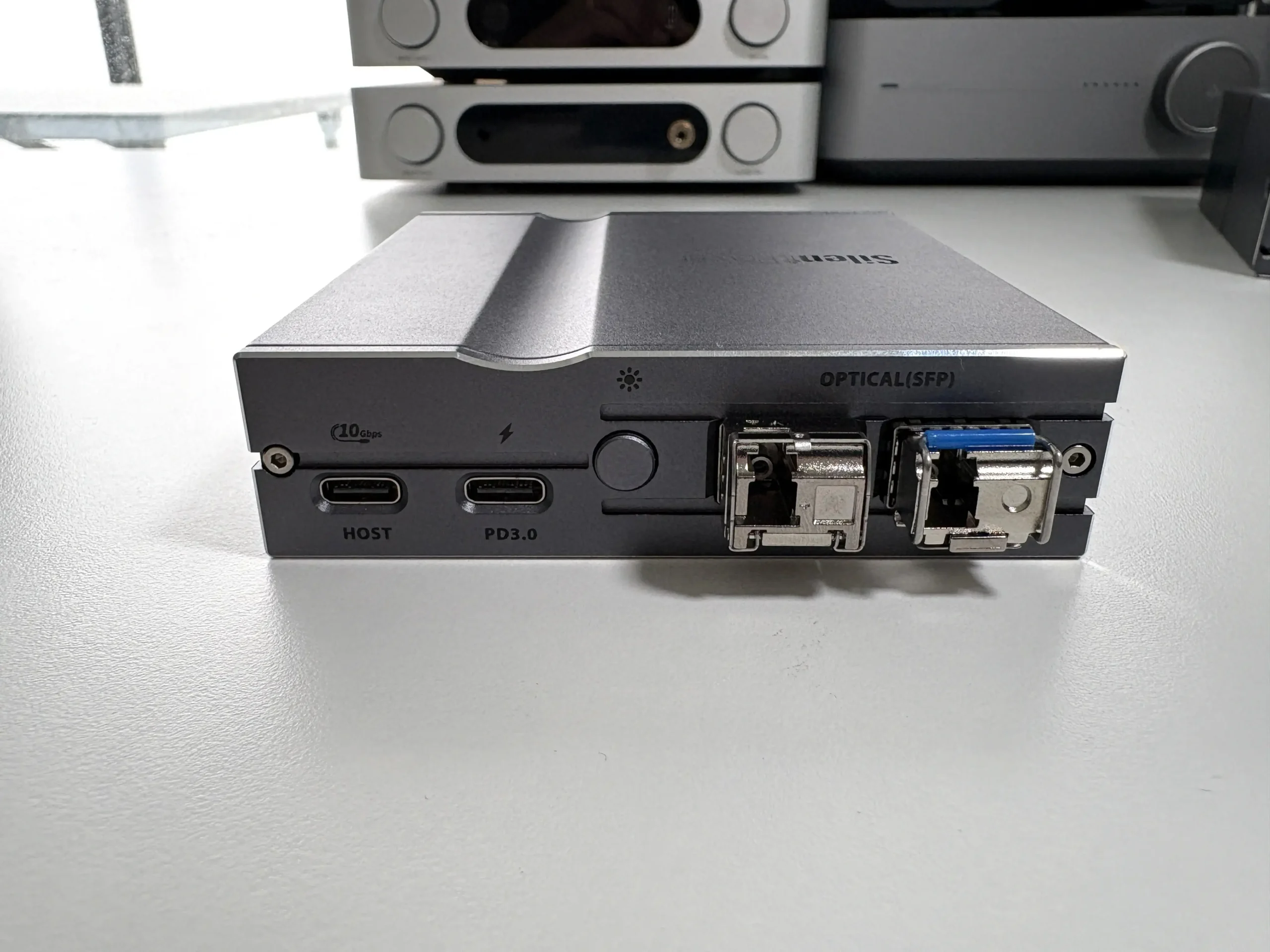
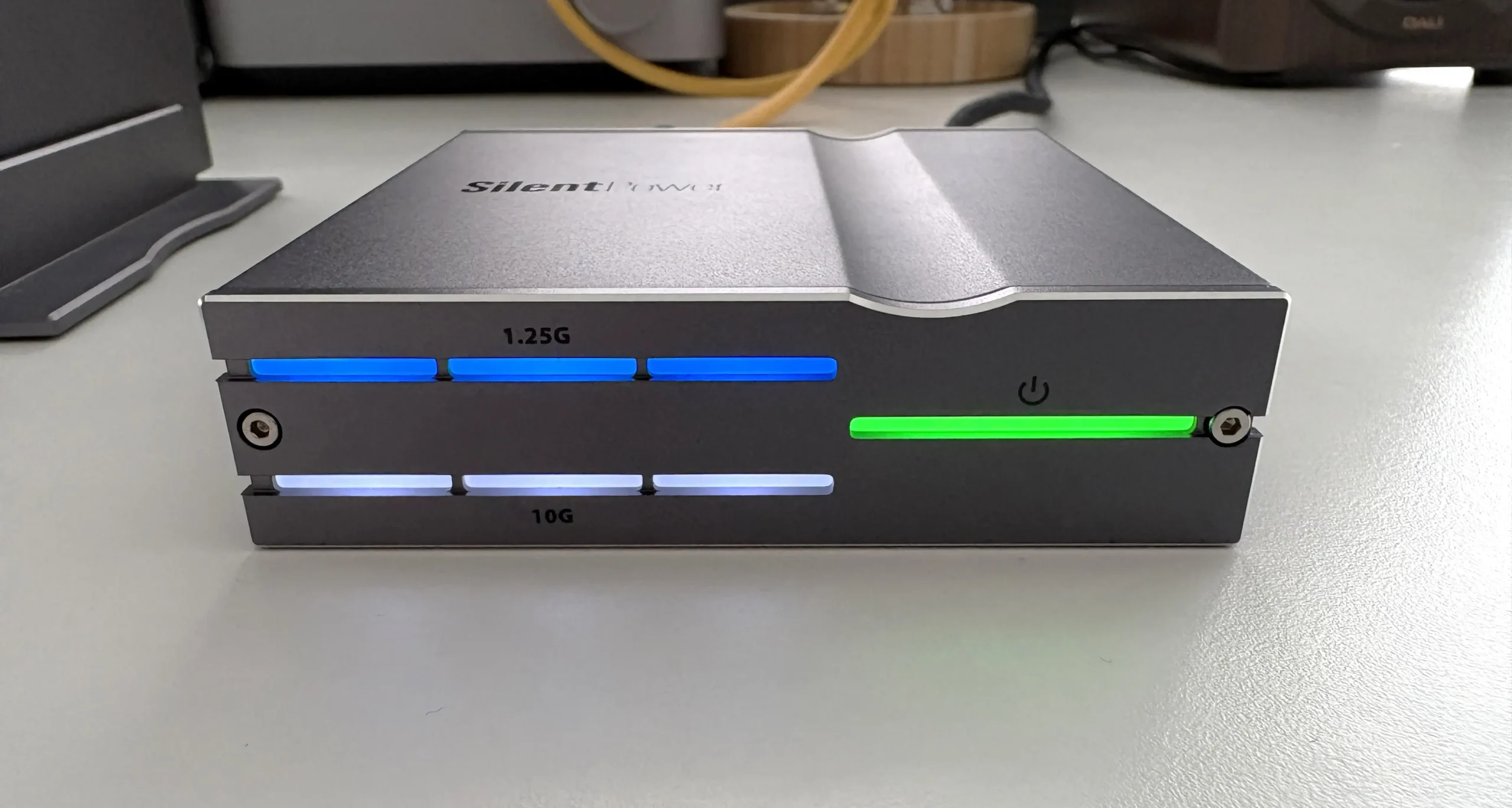
The front of OptiLink features no buttons at all, just LED lights to indicate the fibre connectivity and power status. On the back, from left to right: USB-C 3.2 host port input, USB-C PD3.0 power input, LED brightness control button, 10G optical SFP output, 1.25G optical SFP output.
Allowing user control of the LED brightness (without having to use software to do it) is a very nice touch, especially if you’re listening in a darker room and don’t want any distracting light sources. I do wish iFi had included a stand for the OptiLink as well. Using it in a vertical setup means it is susceptible to falling over if bumped.
Architecture Overview
Before getting too deep into the review, it’s probably a good idea to go over the core technologies used in the OMNI USB, as there is a lot going on here. The internal architecture of the iFi SilentPower OMNI USB is a significant departure from standard USB hubs or signal regenerators. It is best looked at as a multi-stage isolation and re-clocking system that utilizes a two-box topology (USB OptiLink and OMNI USB hub) to achieve total electrical decoupling between your source and your endpoint.
Optical Isolation
The first line of defense is optical isolation. Instead of a direct electrical USB link from source to DAC, the included OptiLink module converts the incoming USB data into light via the dual fibre SFP cables (supporting both 10G and 1.25G speeds) that connect to the OMNI USB main unit, which then converts the signal back to a USB signal. This dual-box, fiber-optic link completely galvanically isolates the source from the destination, breaking ground loops and preventing noise or interference from leaking through.
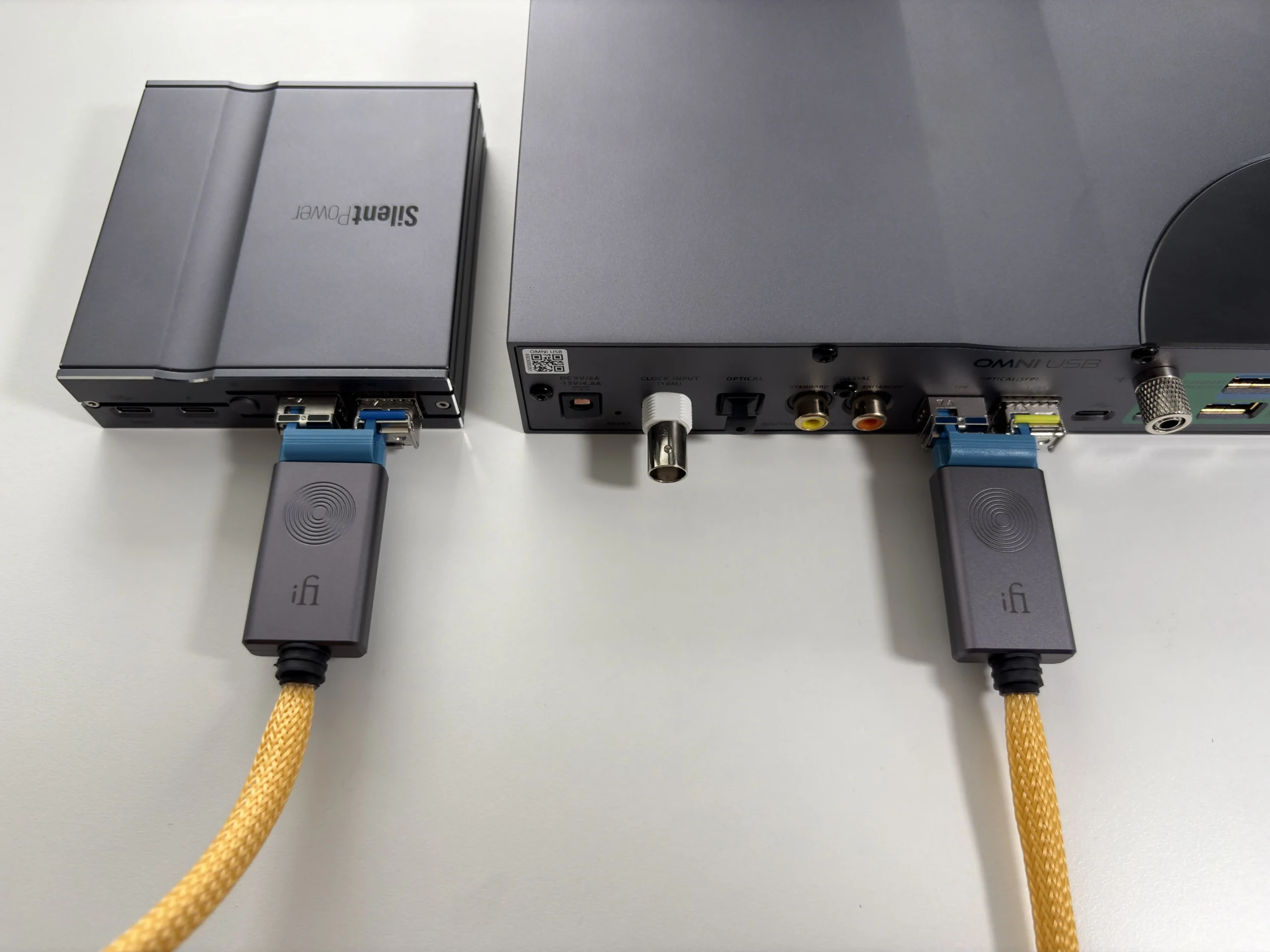
The OptiLink is capable of drawing power directly from the host, but it also features a PD3.0 USB-C input. This allows for an external power supply to be connected, which not only powers the optical conversion circuitry but also enables fast charging for the source device through the “Host” port.
Active Noise Cancellation (ANC)
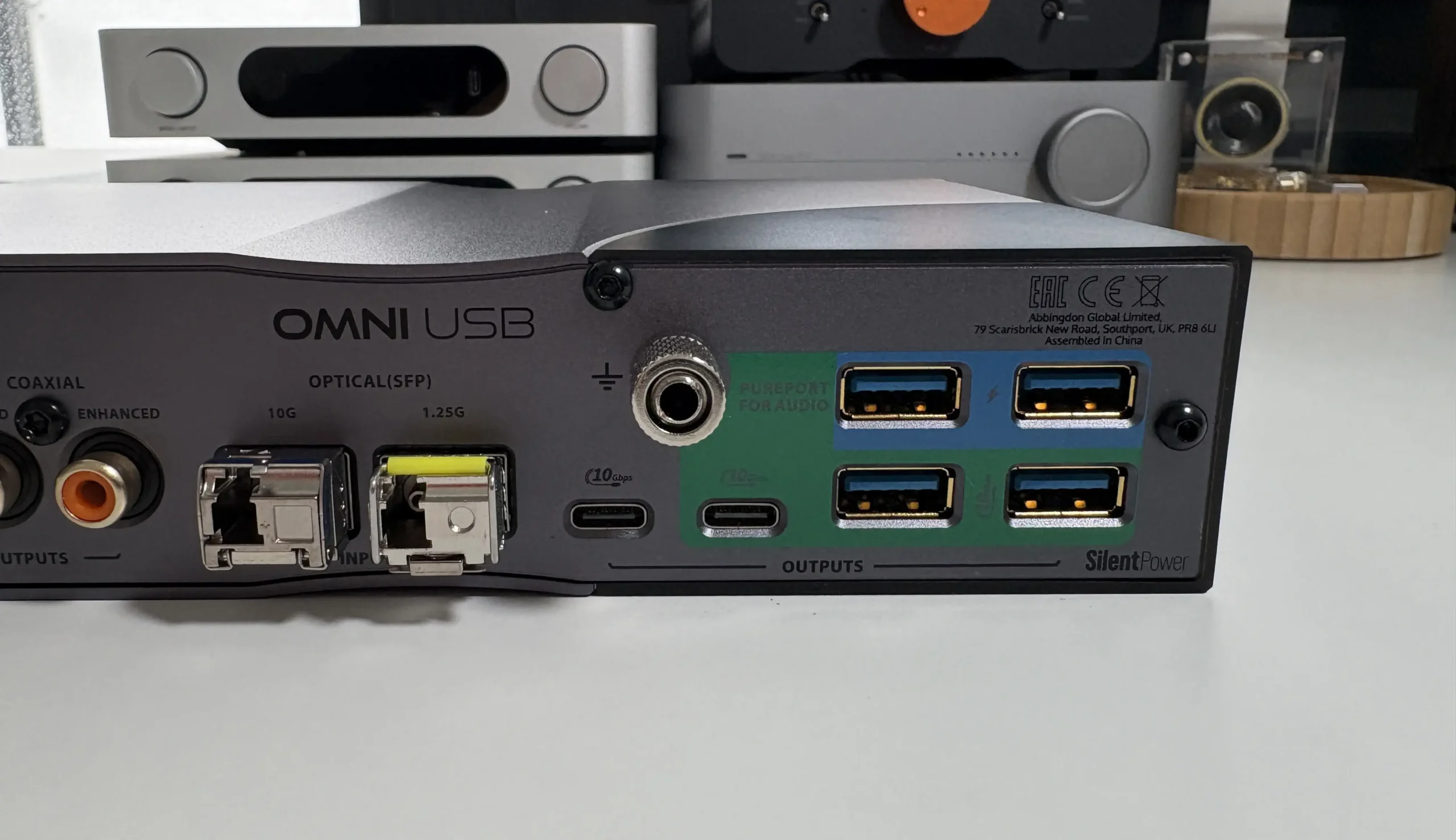
After the optical conversion, any remaining noise on the USB lines is dealt with by iFi’s Active Noise Cancellation circuitry. The OMNI USB’s PurePort outputs feature ANC III, which iFi claims is 100 times more effective at eliminating noise than typical digital noise filters. This active system generates an inverse noise signal to cancel out noise in real time, ensuring that the USB data lines deliver ultra-clean power and data to your audio devices. There are five of these “PurePort” USB outputs dedicated to audio: four USB Type-A ports and one USB-C port, all treated with the advanced noise-cancellation tech. Two of the USB-A PurePorts carry power only (no data) as these are intended to provide clean, isolated 5V power to USB-powered devices or peripherals. The other three “PurePort” USB ports (1x USB-C and 2x USB-A) carry both data and power for connecting DACs or other USB audio gear.
Battery Power Operation
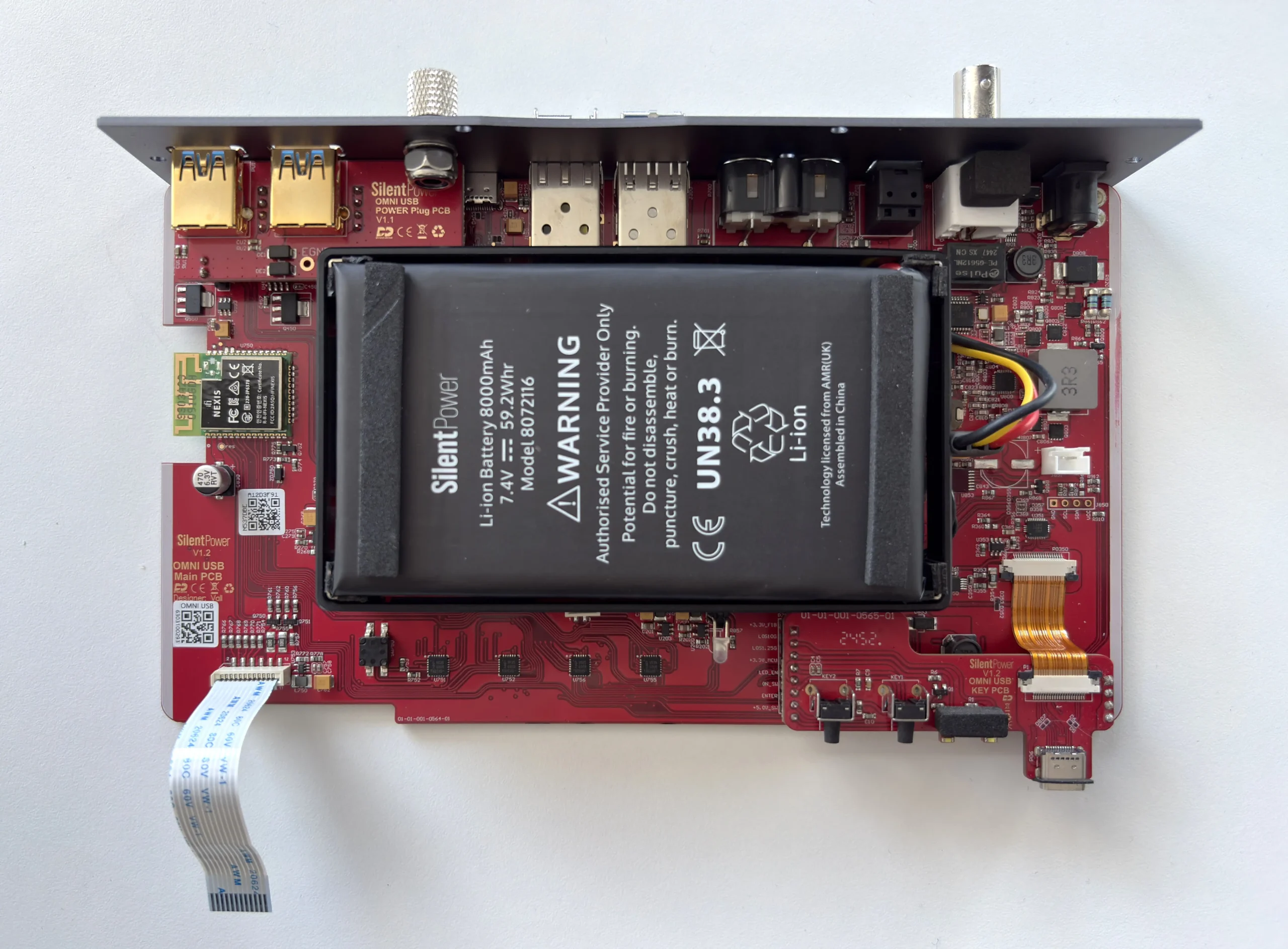
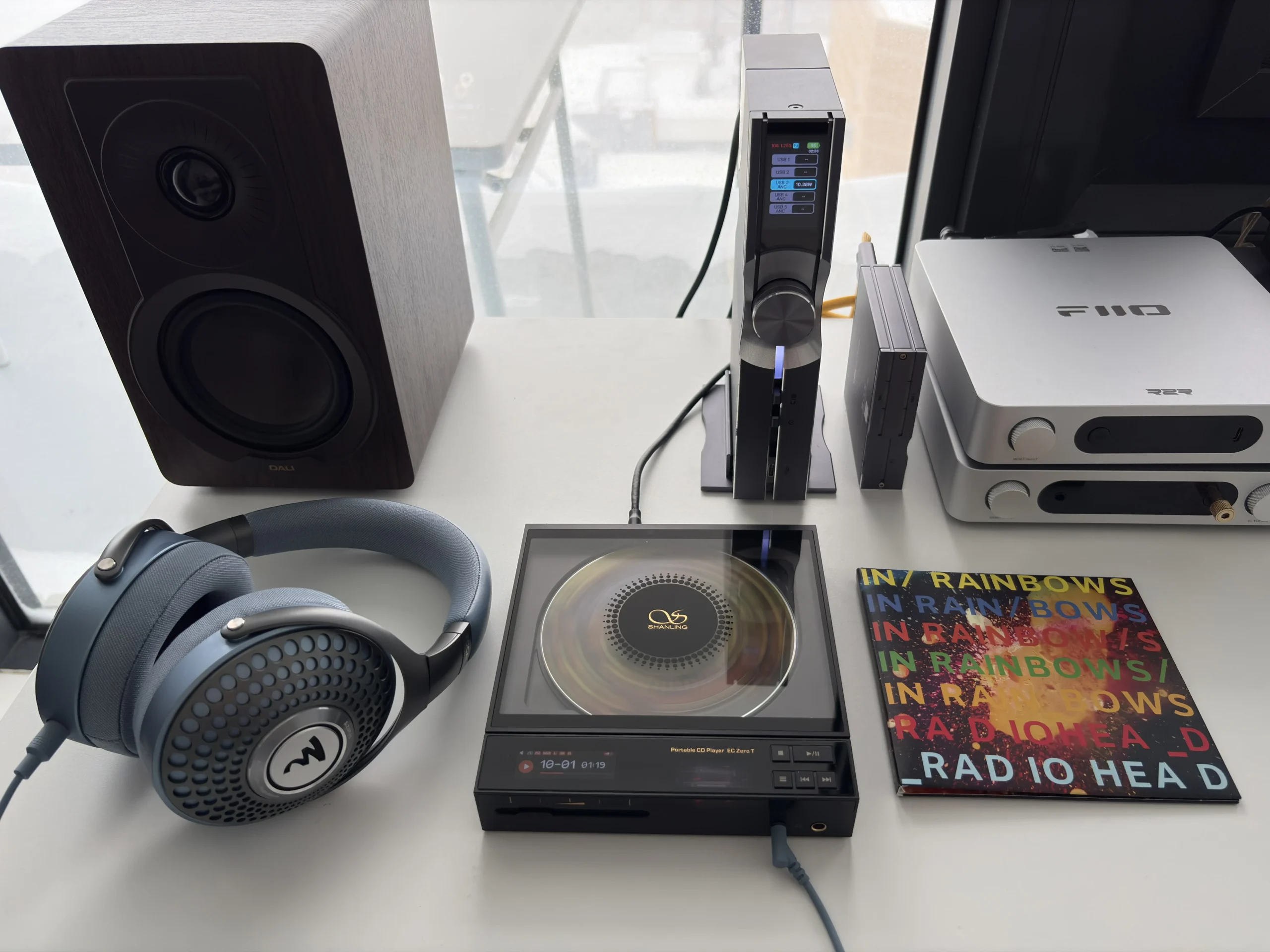
The third stage of the OMNI USB’s architecture is its battery power option. Inside the main unit is a large 8,000 mAh lithium-ion battery that allows the OMNI USB to run independently of your wall power (mains power). Mains electricity is a notorious source of noise in audio systems, so the OMNI USB can operate in a pure DC battery mode to completely eliminate any AC supply noise or ground contamination. iFi specifies roughly 10–15 hours of operation on a full charge, plenty for most listening sessions. I never had less than 11 hours of use out of the battery with a USB-powered DAC/Amp (iFi ZEN DAC V2) and a CD player (Shanling EC Zero T) plugged in, but the runtime will vary depending on how power-hungry the connected devices are.
To use the battery-only mode, there’s no physical switch, so you must unplug the external power adapter once the battery is charged, and the OMNI USB automatically continues running on battery. The lack of a switch is a pretty big design oversight in my opinion. The manual clearly states that you must unplug the OMNI USB to engage the battery mode, but there has been talk of a firmware update to allow intelligent management of the battery. Throughout my month of testing, if the OMNI USB’s power adapter is plugged in, the battery indicator will show that it is charging, with no indication that battery power is being used to power your devices. Some clarification from iFi would be appreciated here.
Additional Features
Beyond the above core functions, the OMNI USB is packed with additional features. The internal GMT (Global Master Timer) clock system can be synchronized to an external 10MHz reference clock via the dedicated input. This can be used to further reduce jitter and improve timing consistency across your digital chain.
The built-in digital-to-digital conversion (DDC) capability supports up to 192kHz/24-bit resolution via dual coaxial and single optical outputs, meaning you can feed the OMNI USB via a USB input connection and output to a DAC that only has coaxial or optical inputs, with the added benefit of the OMNI USB’s digital filtering in between.
Interface
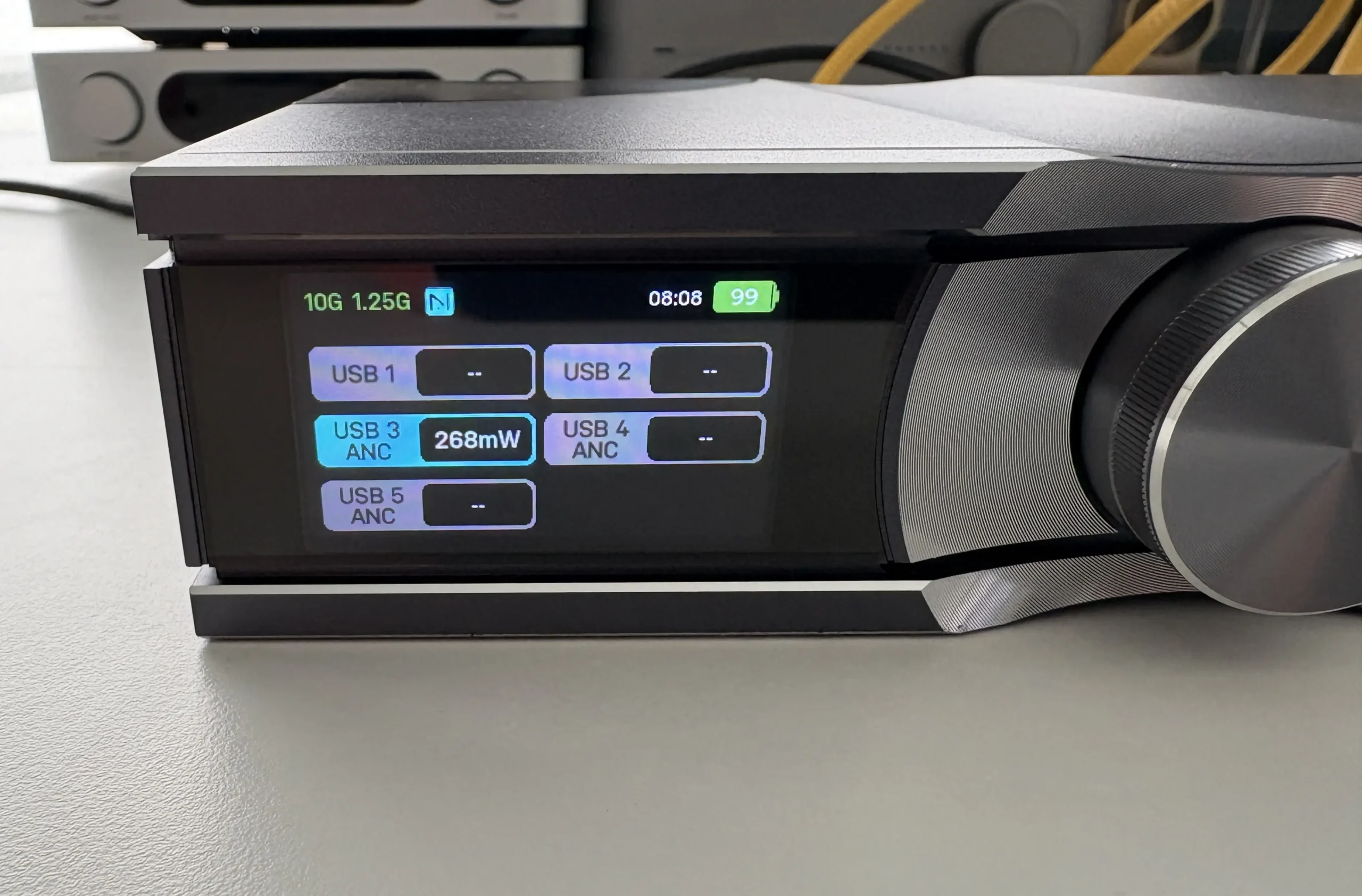
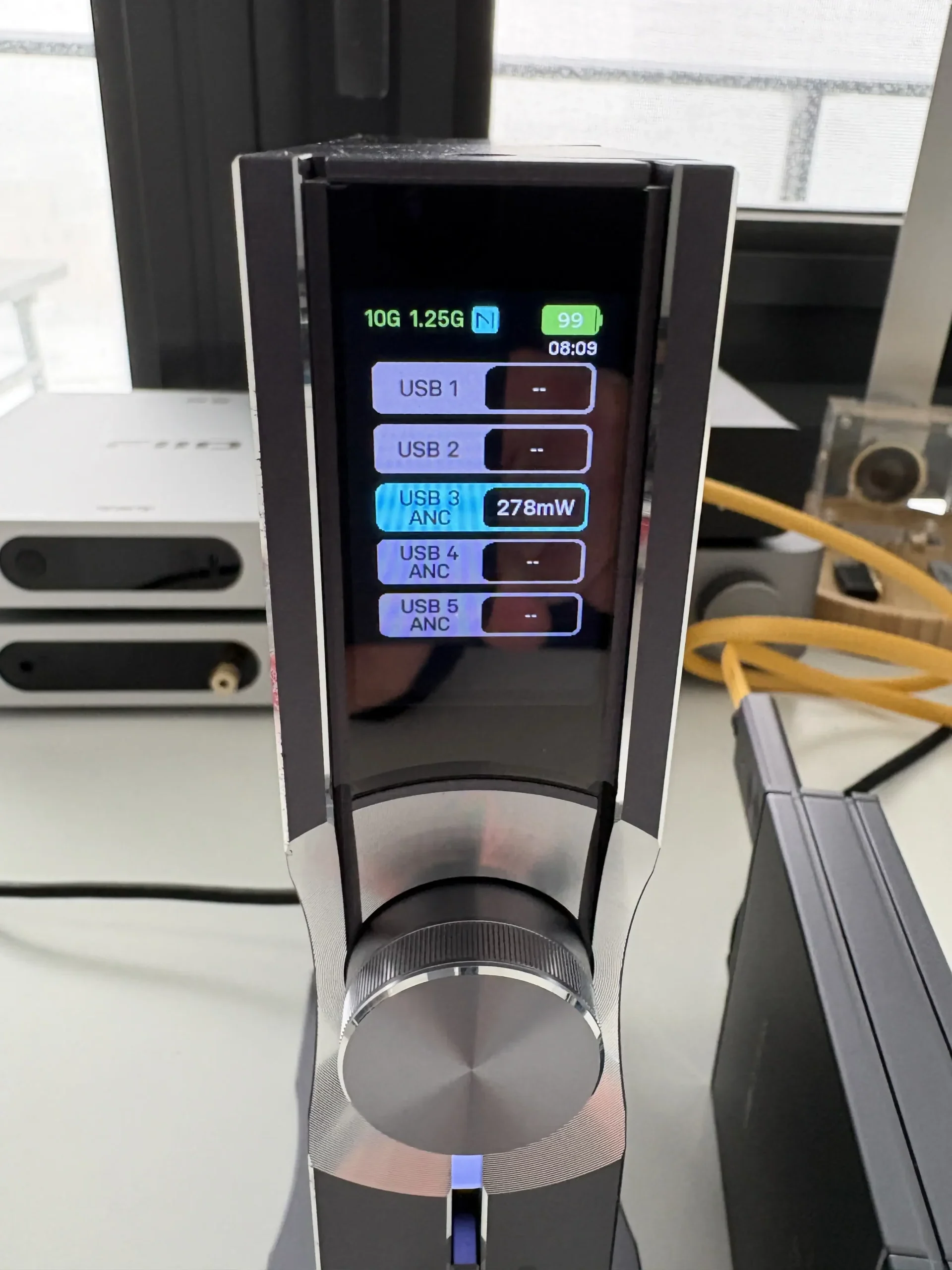
The OMNI USB’s user interface centers on its “retina-grade” color TFT display (exact specifications of the display are not listed) and aluminum multifunction rotary dial, creating an interaction paradigm that balances sophistication with accessibility. The display delivers crisp, clear visuals that remain legible from various viewing angles. The automatic orientation feature, which detects whether the unit is positioned horizontally or vertically, ensures the display is always properly aligned, which I think is a thoughtful detail.
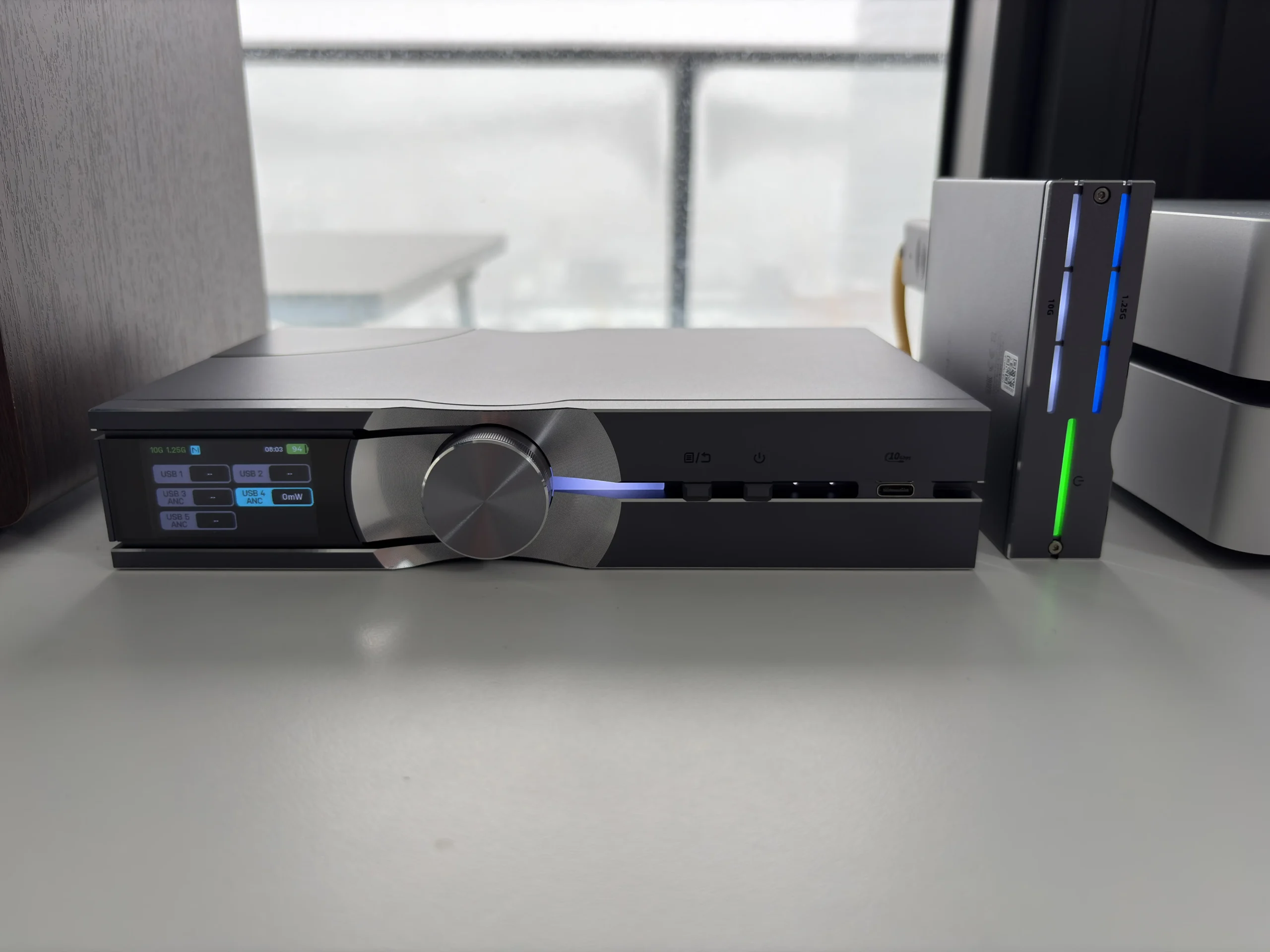
Along the top of the screen, there are icons indicating the status of the fiber link (1.25G or 10G SFP active), whether an external clock is engaged, battery charge level, time remaining, and even whether the unit is connected to the iFi Nexis app for remote control.
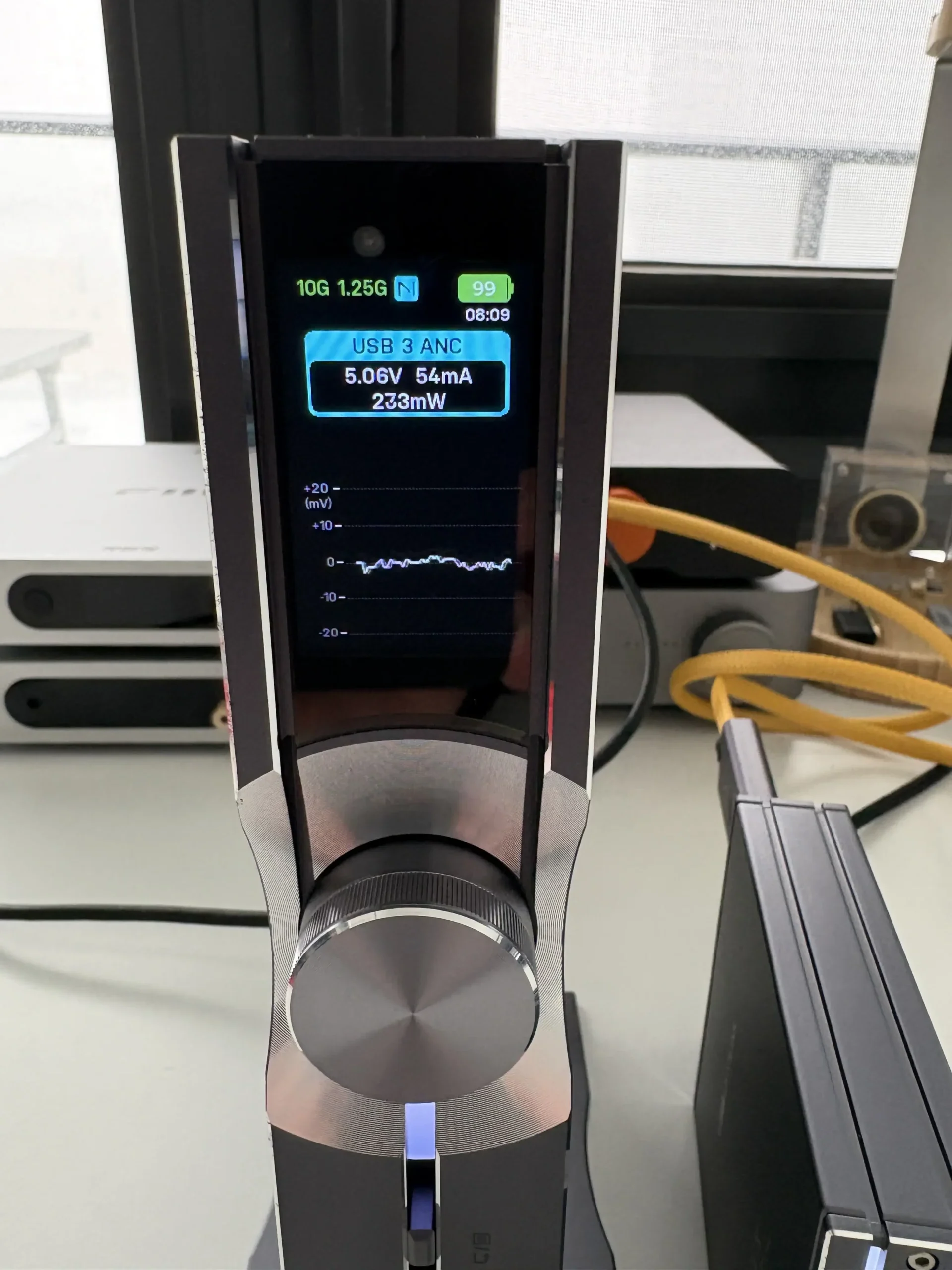
The body of the main screen lists the USB outputs (1 through 5), shows which are ANC enabled, and displays the current power output for each (if in use). Turning the dial left or right will scroll through a detailed info screen for each USB port in use, and shows a real-time display of voltage, current, power, and a graph for noise.
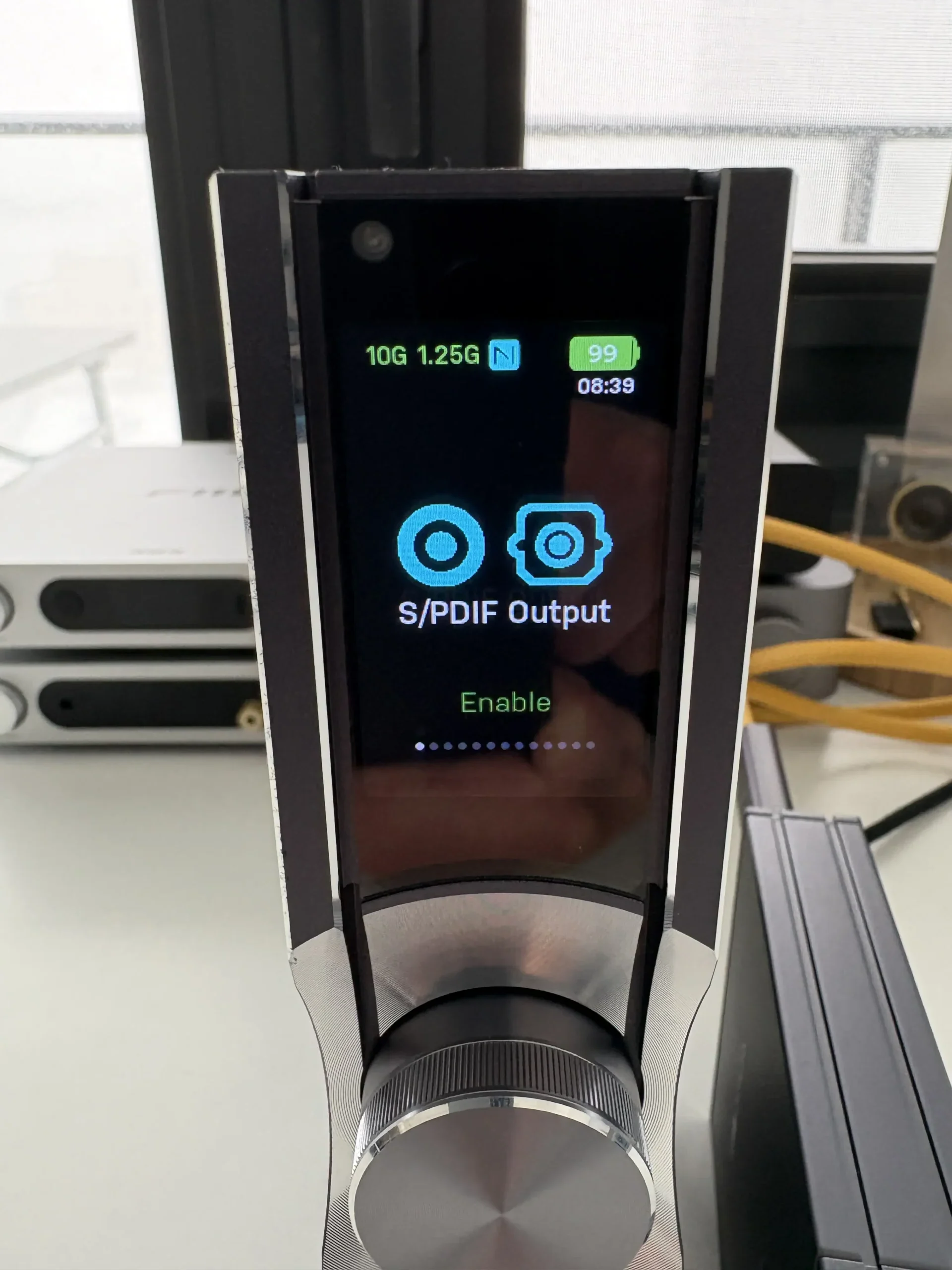


Pressing the menu button (beside the multi-function dial) brings you to the main menu. Turning the dial allows you to navigate the menu, while pressing it in is used to select each option. The menu structure and options look like this:
- S/PDIF Output (Enable or Disable)
- S/PDIF Jitter Elimination (Enable or Disable)
- External Clock (Enable or Disable)
- Auto Power Restore (Enable or Disable)
- Battery Health Mode (Enable or Disable)
- USB Port 1 (Enable or Disable)
- USB Port 2 (Enable or Disable)
- USB Port 3 ANC (Enable or Disable)
- USB Port 4 ANC (Enable or Disable)
- USB Port 5 ANC (Enable or Disable)
- Brightness (Soft, Bright, Auto)
- About
- Factory Reset
Something that I thought was a nice attention to detail is the icons for the USB ports. They are not just generic icons, but they actually represent the type of USB port (USB-C or USB-A).
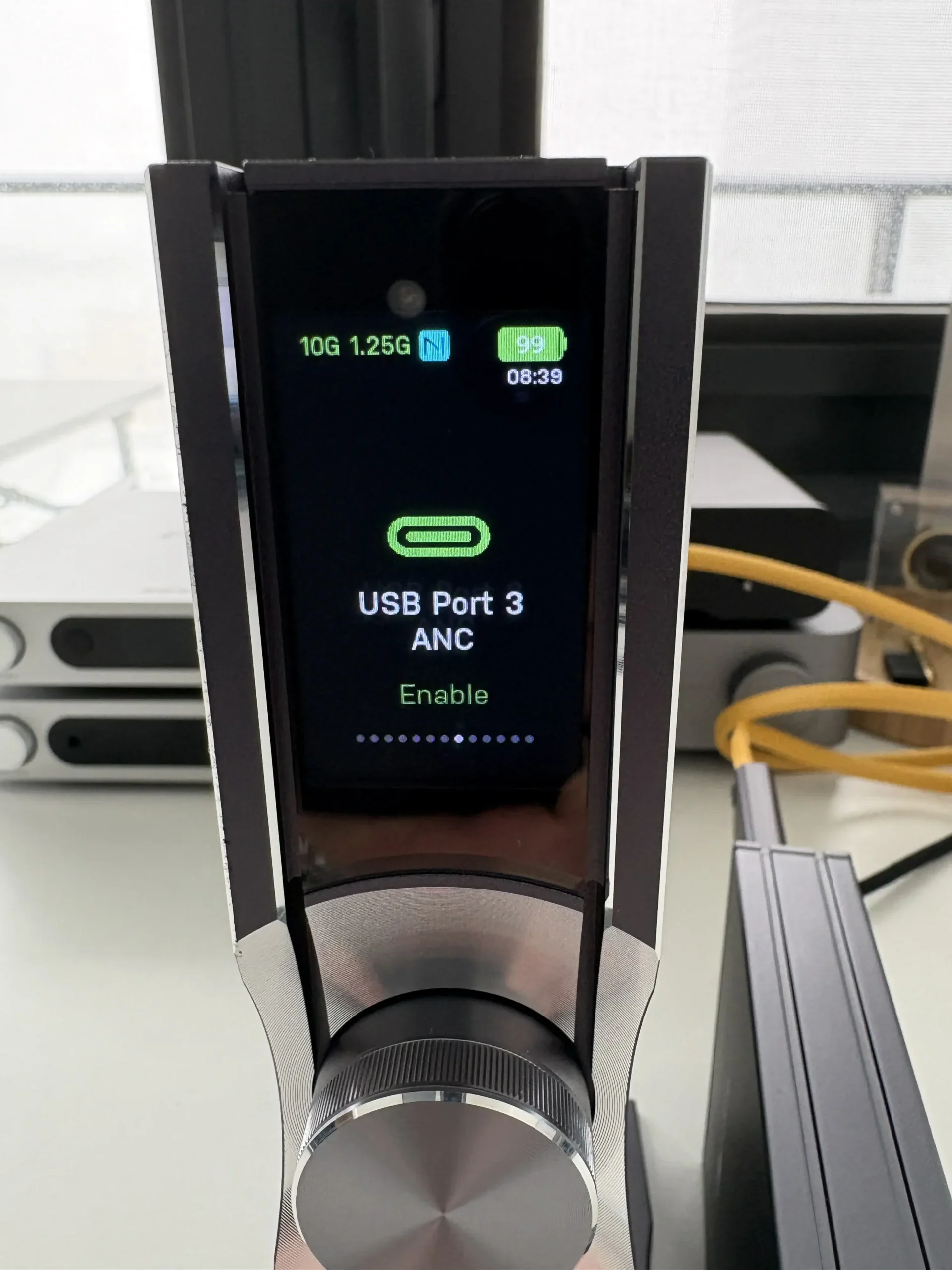
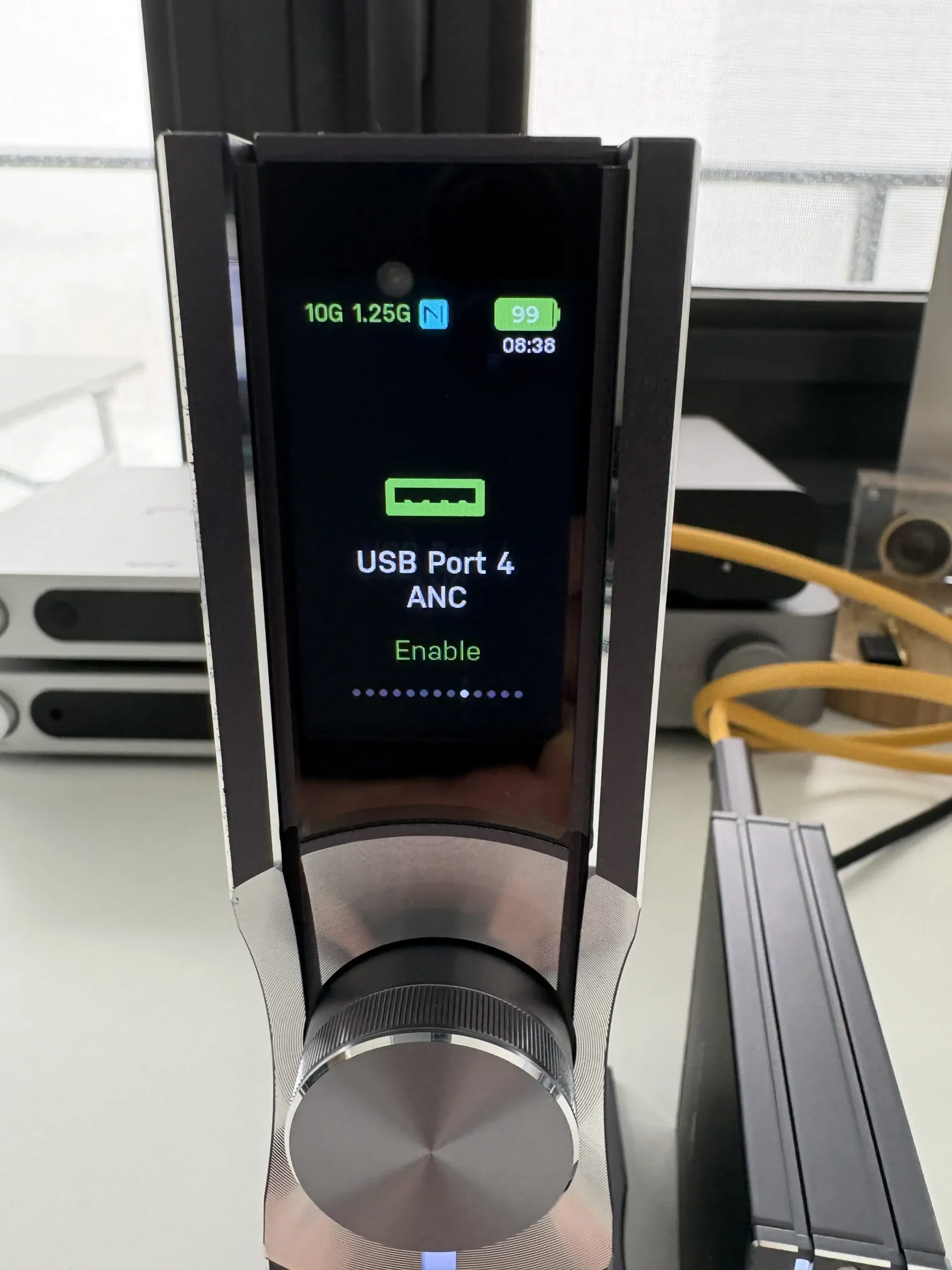


The power on/off button is located beside the menu button. Holding it for about 2 seconds powers the OMNI USB on or off.
iFi Nexis App
To complement the hardware controls, iFi provides the Nexis app (for iOS/Android), which allows remote access and control of the OMNI USB’s interface. Once you power on the OMNI USB, you can pair it with the app (the front display will indicate a connection when successful). Through the iFi Nexis app, you get access to all of the same settings and status info, presented in a convenient way on your smartphone or tablet. Not only is it displaying it in the app, but it’s also changing it remotely on the OMNI USB’s display.
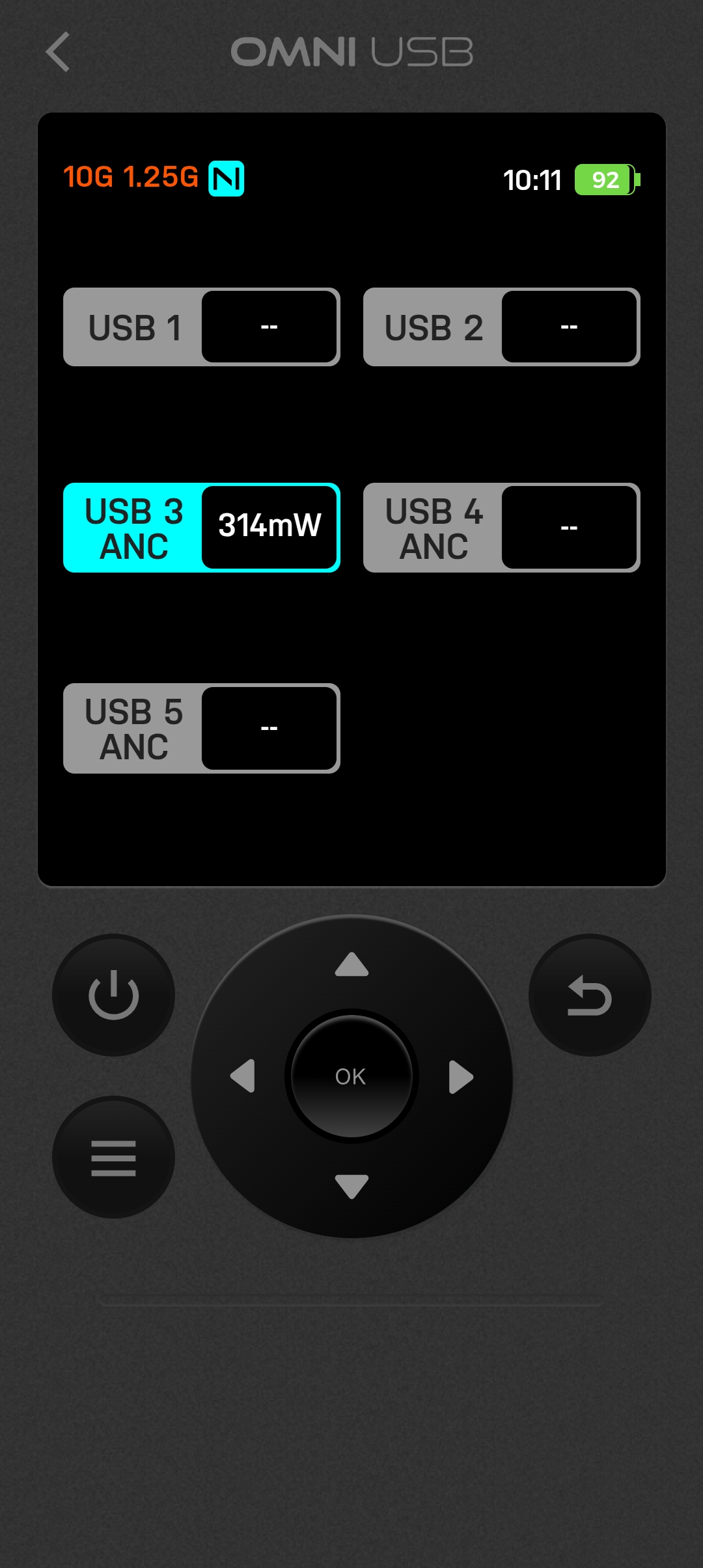
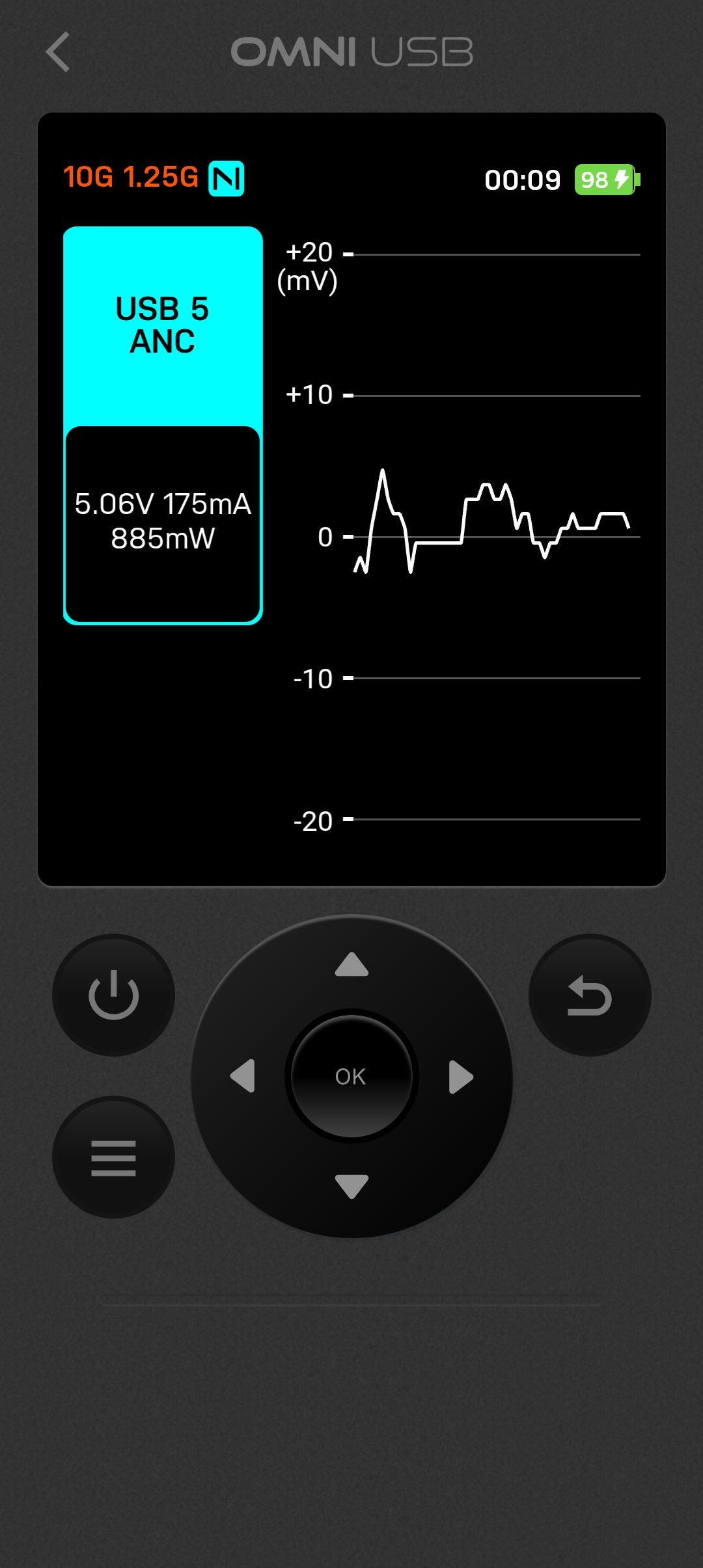
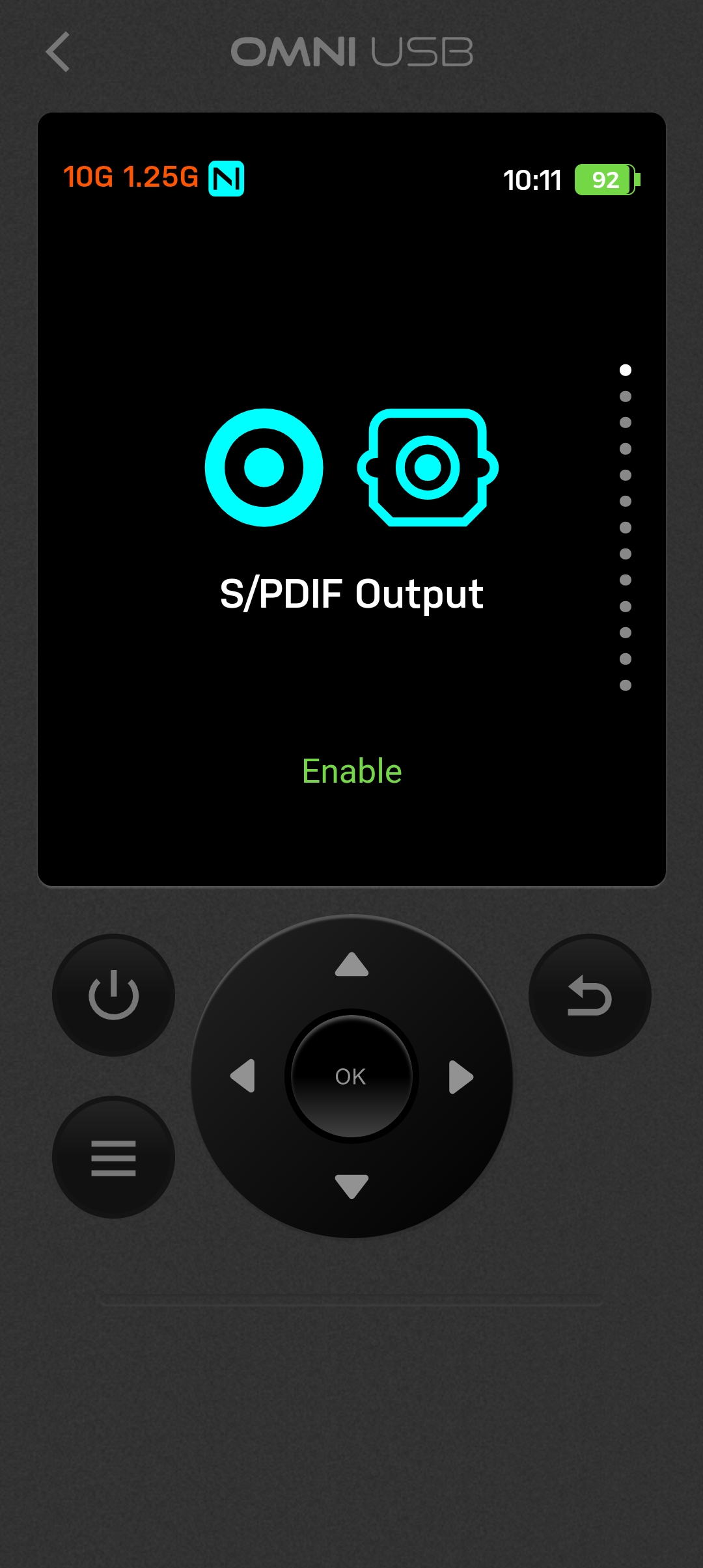
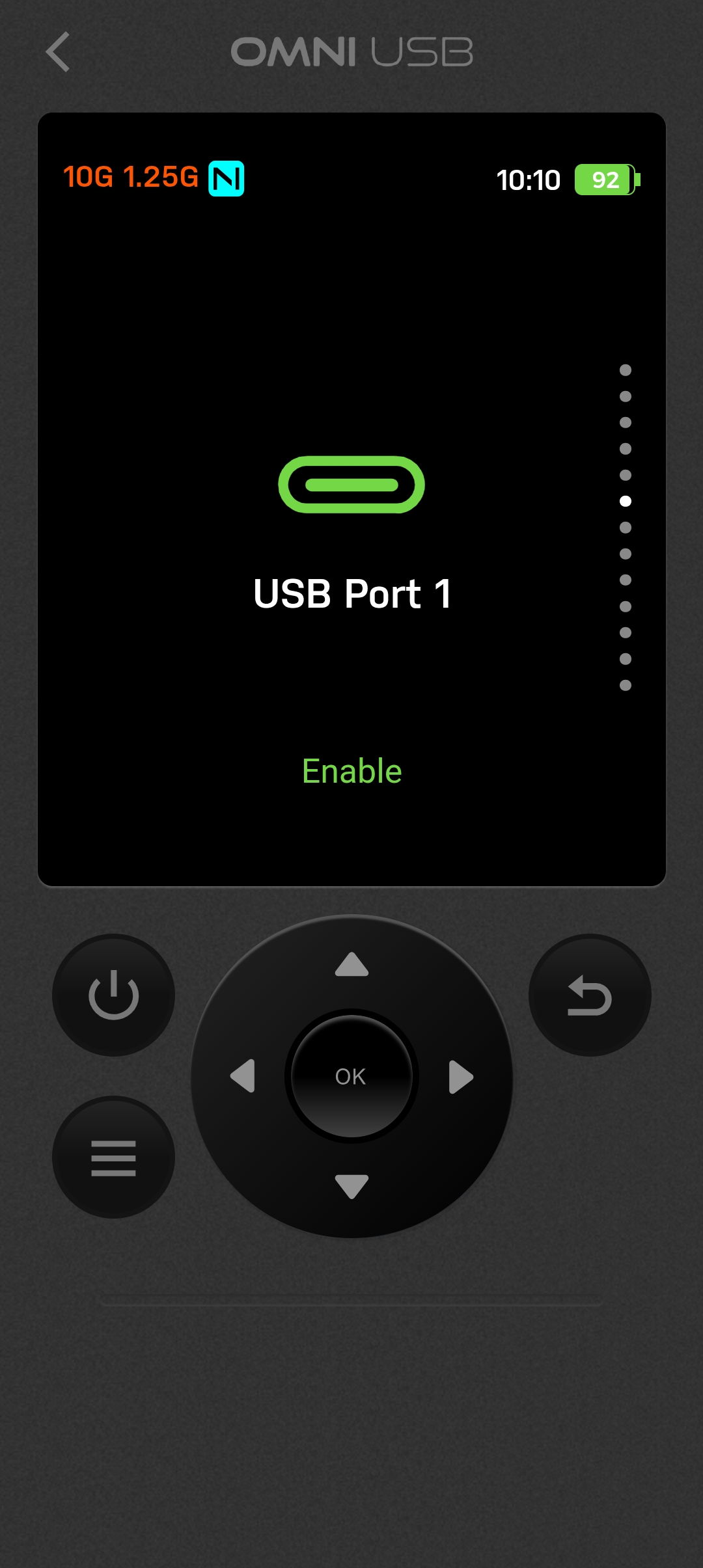


The remote control aspect can be a little sluggish, though. When controlling the OMNI USB over WiFi, the screen of the device is mirrored in the Nexis app. When tapping through the various menu items using the app’s controls, there is a slight delay for the info to be displayed within the app, whereas on the device itself, the navigation is instant. When you use a Bluetooth connection, the screen is not mirrored, so it simply acts as a remote control.
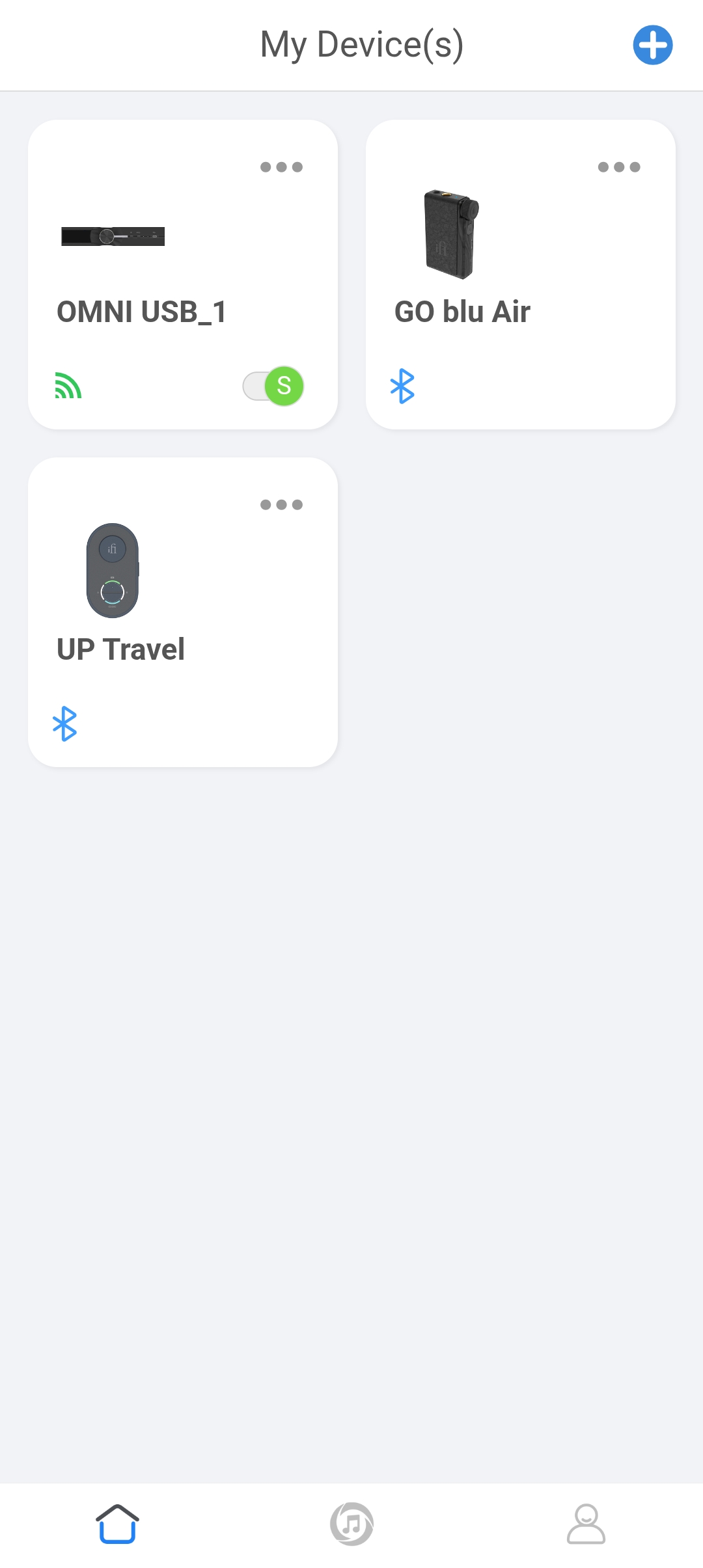
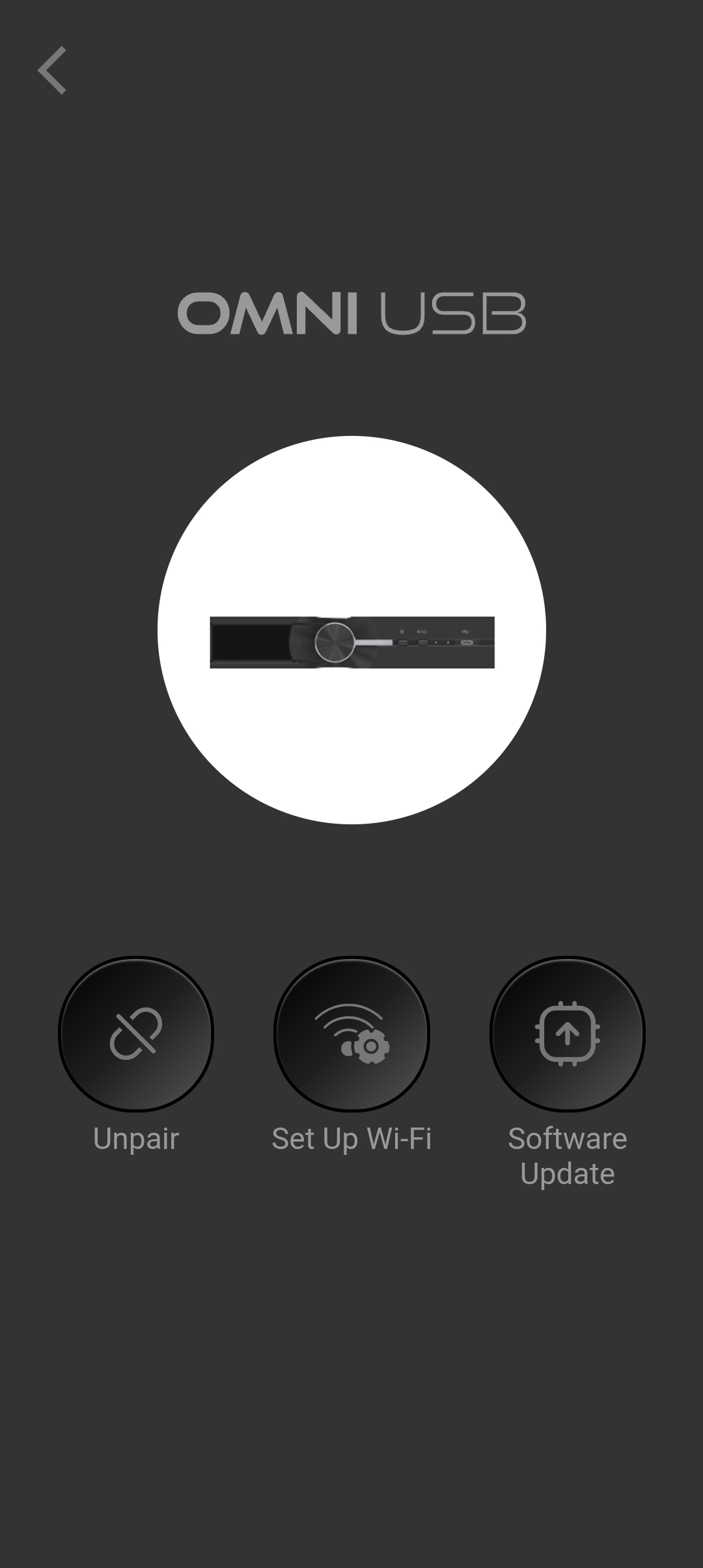
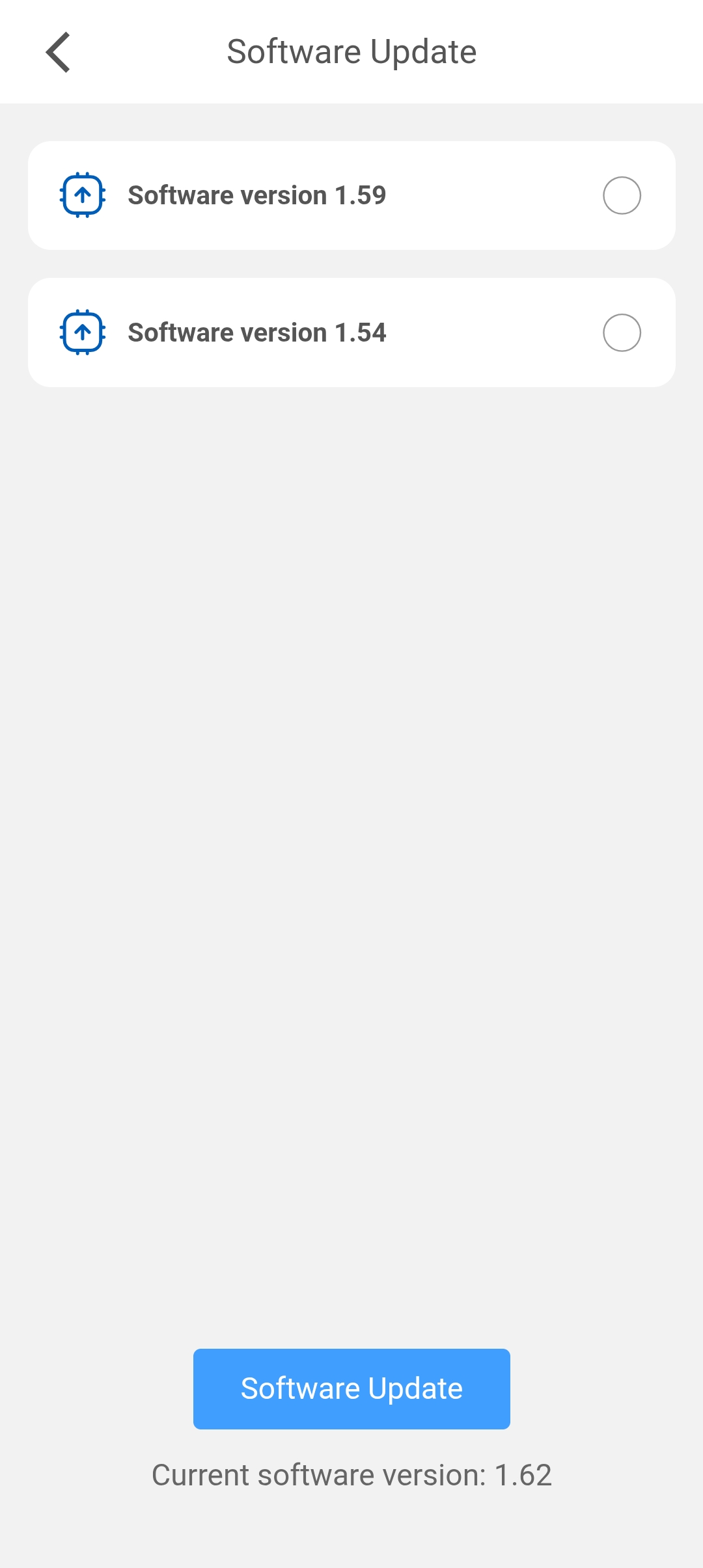


I also had quite a bit of trouble getting the OMNI USB paired with the Nexis app via WiFi. The initial setup was fine, but after powering the OMNI USB off and on again, it would not connect via WiFi until I did a factory reset of the device. And even after this, I still had some trouble getting the WiFi connection to consistently connect. Bluetooth always worked perfectly, though. Near the end of my review period, a new update had come out for the OMNI USB (v1.62), which did significantly improve WiFi reliability, but it is a bit of a shame to see that such an expensive product, which has been out for many months now, suffers from technical issues like this.
The Nexis app is pretty good now, much better than it was 6 months ago, but at times it does still feel a bit undercooked.
Overall User Experience
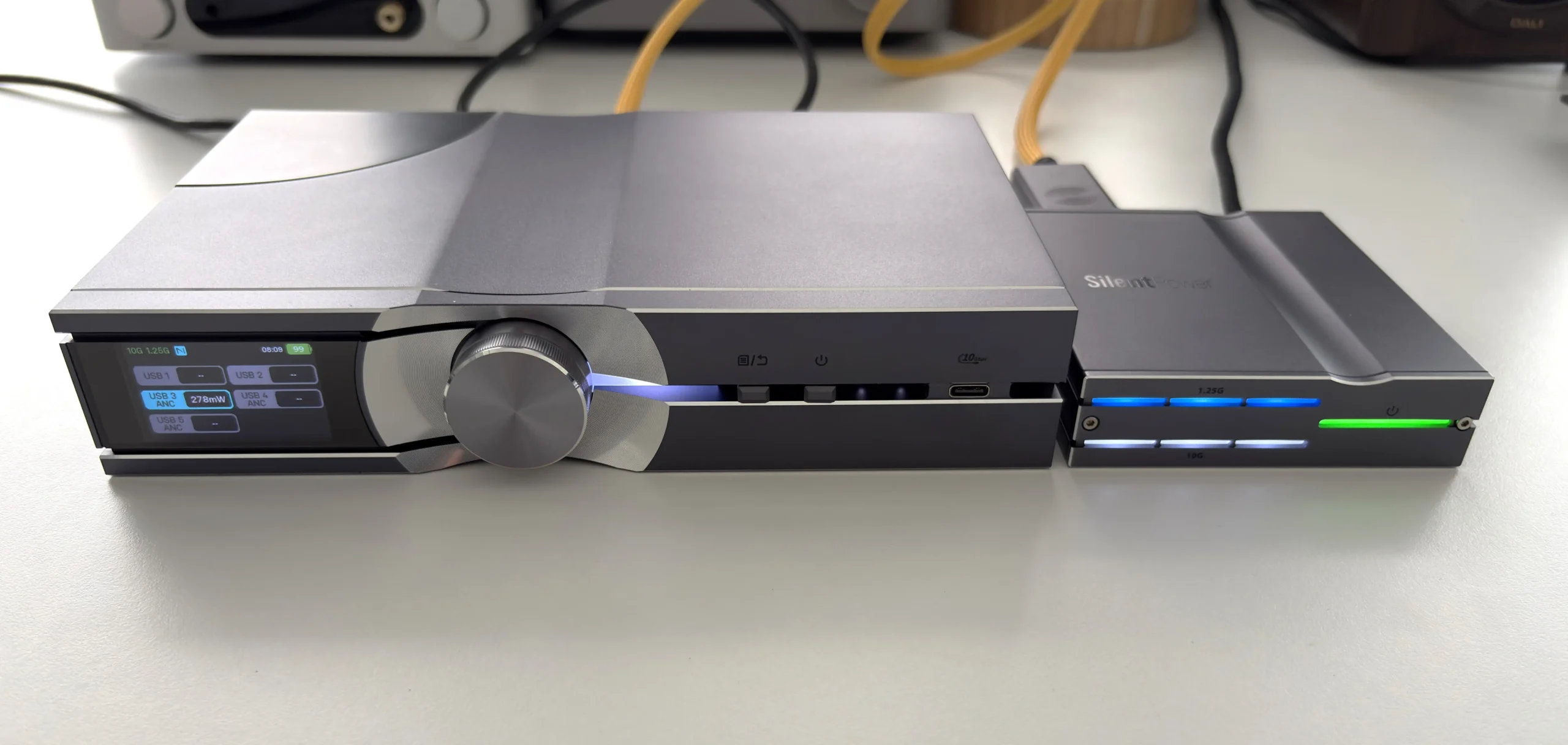
Using the OMNI USB is surprisingly straightforward considering its complexity. In operation, it behaves like a standard USB hub, as no driver is required, and your computer or streamer will “see” the DAC or devices connected to the OMNI as if they were connected directly.
The initial setup involves connecting a few components: you place the OptiLink transmitter near your source (such as your PC, music server, streamer, DAP, etc) and connect it to the source via USB. If your source has a USB-C output, you can use the included USB-C to USB-C cable. If it only has USB-A, iFi also includes a USB-A to USB-C cable for this purpose.
The OptiLink does require power, which it can draw from the USB-C host port, assuming your source device meets the power requirements for this (5V/2A continuous current). If your source device doesn’t, or if you don’t want the OptiLink to drain your source device’s battery, you can connect a USB-C power adapter to the USB-C PD 3.0 port on the OptiLink (5V/2A, maximum power 10W). If you use a higher-powered USB-C charger (20V/5A, maximum power 100W), you can also charge your source device while it is connected to the USB-C host port of the OptiLink, which is a very nice feature in my opinion.
Next, you’ll connect the OMNI USB main unit to the OptiLink using the provided fiber optic cable. The cable houses both the 10G and 1.25G connections, which have a connector on each end that makes it relatively fool-proof to insert into the SFP modules. Once connected and powered, status LEDs on the OptiLink will light up (green for power, and additional white/blue LEDs indicating the fiber link status). On the OMNI USB side of things, the display will show icons confirming the optical link is established.
Now you can connect your DAC or other audio endpoint to one of the USB outputs (for a DAC, you’d use one of the data-enabled ports, either the USB-C or a USB-A marked for data). The display of the OMNI USB will show which USB port is active and the power information for it. At this point, your source device should see your DAC as if it were connected directly to it, and you can start enjoying your audio.
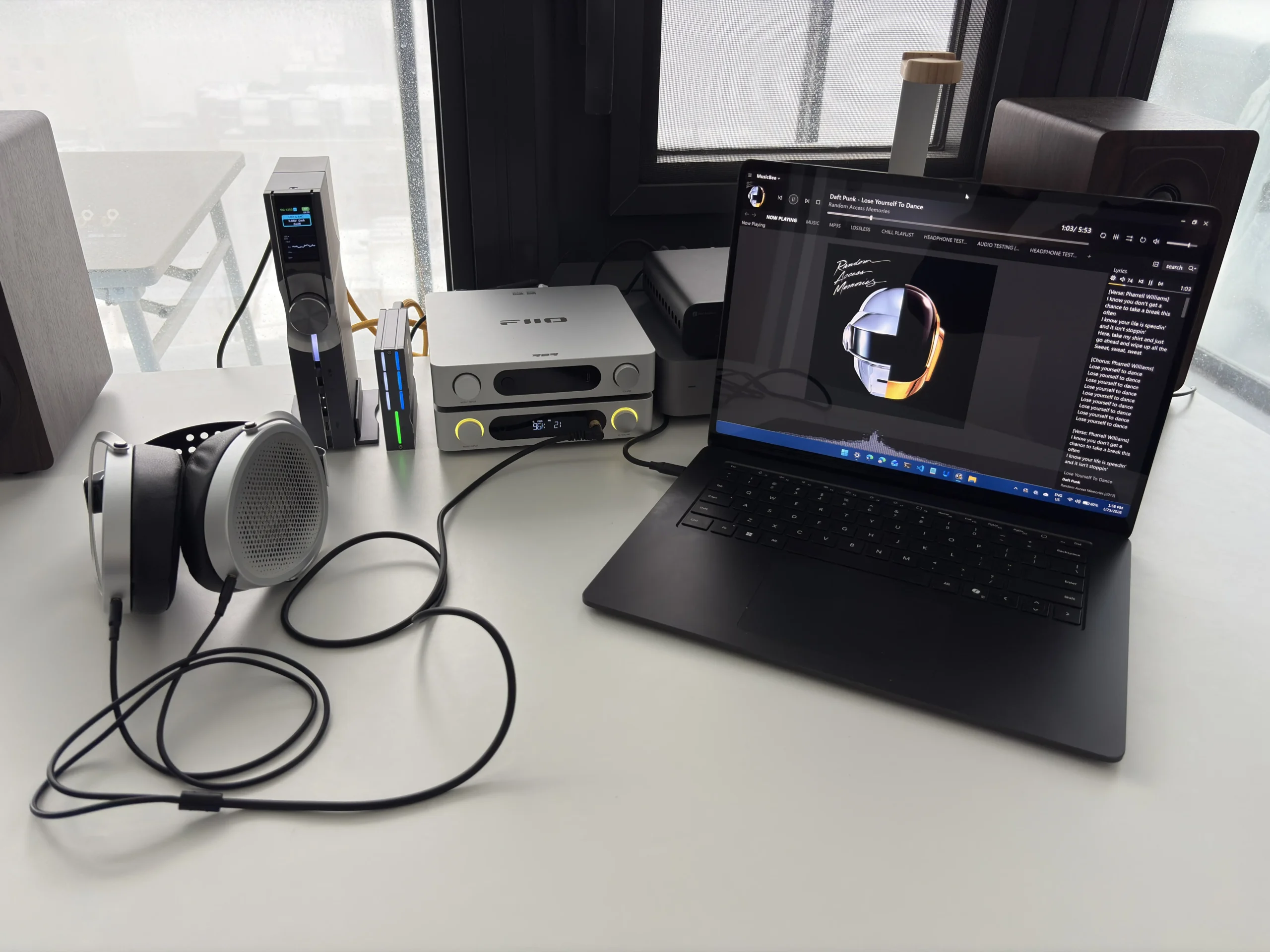
My most common use case for the OMNI USB is using MusicBee on my Surface Laptop 7 and Roon on my iPad Pro, connecting one of them via USB to the OptiLink, and then having my FiiO K13 R2R plugged into one of the USB data + power ports to output the audio signal to. Both my Surface Laptop 7 and iPad Pro had no issues “seeing” the K13 R2R (it’s not even obscured as another device, it literally shows up as the K13 R2R on both devices) and were able to output audio to it easily. An added bonus is being able to charge either device by having my 130W GaN charger plugged into the PD3.0 port of the OptiLink. Perfect for when you don’t want to run the battery down of your source device.
On top of this, I also had the Shanling EC Zero T CD player set to Desktop Mode (battery bypass), and connected it to one of the power-only USB ports to provide clean power. Since the OMNI USB’s interface allows you to disable USB ports, I didn’t have to unplug the EC Zero T to stop it from charging, as I could easily go into the interface and disable the port there (or via the Nexis app). I do appreciate the versatility of the OMNI USB in this regard, as its design should allow it to accommodate many different workflows.
Sound Quality
USB Sources used for this review:
- 2020 Apple iPad Pro 11″
- Microsoft Surface Laptop 7
- Windows 11 Desktop PC
Output devices used for this review:
- FiiO K13 R2R (USB and S/PDIF)
- iFi ZEN DAC V2 (USB data and power)
- Shanling EC Zero T (USB power only)
Links to my music playlist used for the majority of testing:
Spotify: https://open.spotify.com/playlist/6QSIhuCBDAUyoWGcyxPeN8?si=c0a4eb6bd3e3421e
Apple Music: https://music.apple.com/ca/playlist/hifi-oasis-audio-testing/pl.u-lKWlcjy04xp
Qobuz: https://open.qobuz.com/playlist/39521747
Tidal: https://tidal.com/playlist/503485c7-7f3d-43f0-b904-4b9a89c33875
Ultimately, all the technology inside the OMNI USB is in service of one thing: better sound quality. Evaluating the audio contribution of USB conditioning equipment presents a unique challenge, though. Unlike many DACs or speakers with obvious sound signatures, the OMNI USB’s goal is absence, the removal of artifacts and noise rather than the addition of character. When properly executed, effective digital conditioning reveals more of what’s already in your system rather than imposing its own fingerprint.
My initial listening sessions when using the OMNI USB revealed what can best be described as a cleaning of the audio chain. By that, I mean there’s a sense of the music emerging from a quieter background, with individual instrumental lines becoming more distinct and easier to follow. This isn’t the dramatic transformation that changing speakers or headphones would bring, but rather a refinement that makes sustained listening more engaging and less fatiguing. The OMNI USB creates a quieter background that allows subtle details to emerge more vividly.
The more I listened using the OMNI USB in place, the more I noticed a smoother, more natural treble presentation. Cymbals shimmer rather than splash, and violin overtones extend sweetly rather than becoming shrill or piercing. This suggests the OMNI USB is effectively addressing high-frequency noise artifacts that can make digital audio sound harsh or artificial.
Another area of improvement is timing and dynamics. I noticed the music’s pace and timing felt tighter and more coherent, likely due to the reduction in jitter and noise-related timing errors. This seems to benefit the bass region as well. Low frequencies seem better controlled and more precisely articulated. Bass notes have clearer starting and stopping points, making bass lines easier to follow and contributing to an overall sense of improved timing.
The difference between quiet passages and louder sections also becomes more apparent, creating greater perceived dynamic range. During orchestral crescendos or dense rock tracks, individual instruments are more separated rather than congesting into a compressed mass. I found that this really helps with busy tracks that can sound overwhelming to the ears, introducing a sense of calm from being able to organize and identify each instrument.
The sound quality improvements brought by the iFi OMNI USB are not substantial but are consistently noticeable and overall positive. If I had to sum it up, I would say it takes the “digital” out of digital audio, leaving you with music that has less grain, glare, and noise. What remains is a more analog-like presentation, with a smoother treble and a tight, confident bass. Most importantly, it makes listening more enjoyable and less fatiguing, so that you can immerse yourself in long listening sessions and focus on the music rather than the equipment.
Final Thoughts
The iFi SilentPower OMNI USB is a product that is best viewed as the sum of its parts, as opposed to one specific feature. It takes approaches that have been used individually for conditioning digital audio and combines them into one elegantly designed product. The execution is decidedly high-end, from the solid build and informative display to the ambitious triple isolation architecture, it’s clear that iFi designed the OMNI USB with serious audiophiles in mind. Fortunately, they also made it user-friendly and broadly compatible.
There are some aspects that I’d like to see improved, though. The initial setup experience using the Nexis app is cumbersome, with the OMNI USB not always being able to connect to WiFi (though this has been much improved after the latest software update). As well, the OptiLink USB box feels like a bit of an afterthought in a way, as it’s not clear whether it’s designed to be used lying flat or on its side. Including a stand for the main unit and not for the OptiLink would alleviate this. You might think this is a petty nitpick, but considering how thoughtful many of the design decisions are, this seems like an odd oversight.
Thankfully, though, none of these issues affects the actual performance of the OMNI USB. The audio improvements are real, from the quiet background free of hiss or noise to the removal of the digital harshness that allows for more fatigue-free listening. It is not a night-and-day difference, but the improvements are there. The price of $899 USD will cause some contention among some, and I cannot outright say that the OMNIN USB warrants this price. That will be entirely up to you, and if you feel it will add value to your listening experience. For the performance alone, the iFi SilentPower OMNI USB earns a strong recommendation from me for those looking to get the most out of their USB audio chain.

Buy from Amazon: https://amzn.to/4bejZ9v
Buy from Apos Audio: https://apos.audio/products/ifi-audio-silentpower-omni-usb-usb-conditioner?sca_ref=5473796.B4j37biiuA
Check Online Price for other stores: https://geni.us/UnVrl
Buy directly from iFi: https://www.silentpower.tech/products/omni-usb
The above links may be affiliate links. All commission earned through them goes directly to maintaining this site and bringing you more audio reviews.
I’m not always able to cover all the details of a product, both hardware and software, in our reviews. If you have any specific questions about this product, please feel free to leave a comment or contact me directly.
Be sure to check out our excellent Buyer’s Guides, as well as our other Reviews.
HiFi Oasis Verdict
HiFi Oasis Verdict-
Design & Build Quality8/10 Very good
-
Sound8/10 Very good
-
Features/Accessories9/10 Amazing
-
Value7/10 Good
Pros
- Successfully eliminates electrical noise, jitter, and ground loop issues
- Audible improvements to clarity, treble smoothness, timing, bass control, and overall listening fatigue
- Excellent build quality with solid aluminum chassis and premium finish
- Highly flexible connectivity
- Auto screen orientation, and per-port enable/disable
- Nexis app provides full remote control and system monitoring
- Can charge source devices via OptiLink PD3.0
- Versatile enough to support complex desktop and multi-device workflows
- Battery operation enables completely mains-free playback
Cons
- Very expensive at $899 USD, making it a niche product for serious audiophiles
- Battery-only mode requires physically unplugging the power supply (no dedicated switch)
- Nexis app/pairing feels underdeveloped
- OptiLink module lacks a stand and can feel like an afterthought ergonomically


