


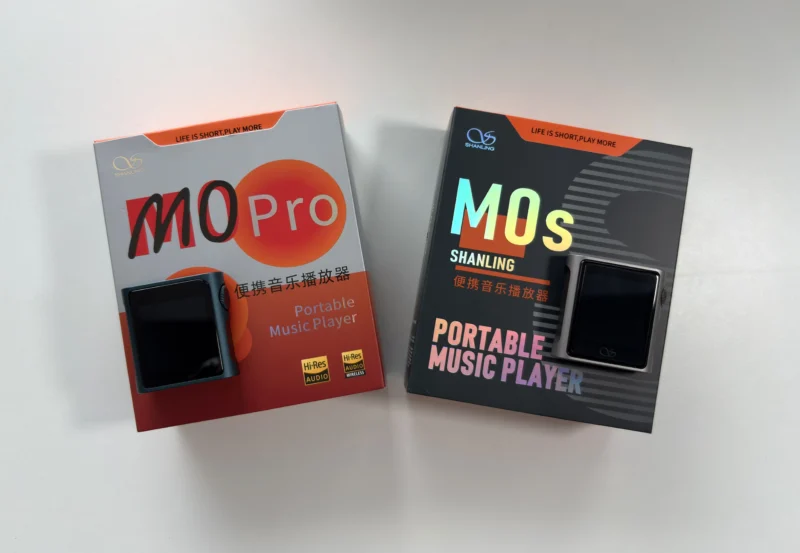
Disclosure: Both the Shanling M0s and Shanling M0 Pro were purchased by me, thanks to readers like you supporting this site. HiFi Oasis only uses affiliate links to generate revenue, no ads or sponsored content.
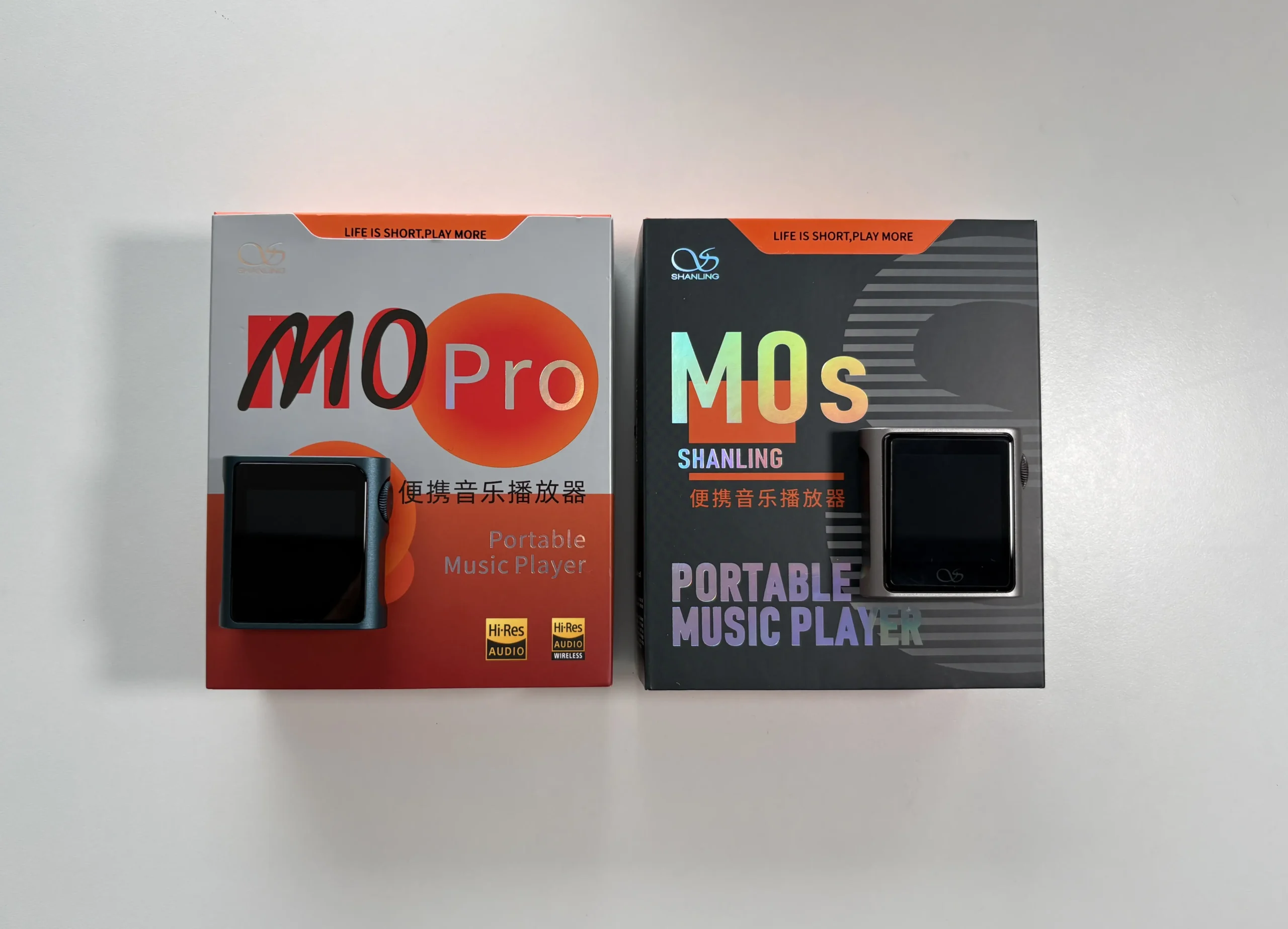
Shanling’s M0 series represents some of the smallest digital audio players (DAPs) available. The M0 Pro (released around late 2022 for ~$128 USD) focuses on a powerful, balanced audio circuit, while the newer M0s (released in 2024 for ~$89 USD) is a budget-friendly variant that retains most of the M0 Pro’s core features. Both DAPs target beginner and intermediate listeners who want better sound than a phone or basic MP3 player, without the bulk or complexity of larger DAPs. In short, these ultra-portable, feature-rich players are ideal for on-the-go music and versatile enough to double as Bluetooth receivers or USB DACs.
At a high level, the M0 Pro and M0s are identical in size, software, and general functionality. The key differences are mainly in their audio hardware and output capabilities. The M0 Pro uses a dual DAC setup (2× ESS ES9219C), enabling a balanced output (via an adapter). The M0s uses a single DAC (Cirrus Logic CS43131) with only a standard 3.5 mm output as a wired option. In practice, this means the M0 Pro can drive more demanding headphones/IEMs and offers a slightly warmer, more refined sound, whereas the M0s is tuned more neutral and is best suited for easy-to-drive earphones. I’ll be diving into the details of each DAP, from design and UI to sound quality and real-world use cases like gym listening, Bluetooth DAC mode, and pairing with higher-end gear. There’s a lot to cover, so let’s get into it.
Key Specifications
Shanling M0s
- Product Page: https://store.shanling.com/M0s-pd571414668.html
- MSRP: $89.99 USD
- Core Processor: Ingenic X1000
- Internal Components: Cirrus Logic CS43131 DAC
- RAM: 32MB
- Storage: MicroSD card slot (supports up to 2TB)
- OS: MTouch OS
- Display: 1.54 inch LCD touch screen, 240×240
- Connectivity:
- 3.5mm SE (60mW @ 32ohms)
- USB-C for charging and data transfer (USB 2.0)
- Bluetooth 5.0 (SBC, AAC, aptX, LDAC codecs supported)
- Battery :
- 650mAh, up to 10 hours of playback
- Supported Sample Rates and Formats:
- Up to 32-bit/384kHz PCM, DSD128
- MP3, WAV, APE, FLAC, DSF, DFF, ISO, CUE, WMA, OGG, AAC, OPUS, AIFF, M4B
- Notable Features:
- Bi-directional Bluetooth
- USB-DAC functionality
- Shanling SyncLink app support
- Dimensions:
- 43.8mm x 45mm x 13.8mm
- Weight: 36.8 grams
Shanling M0 Pro
- Product Page: https://en.shanling.com/product/429
- MSRP: $128 USD
- Core Processor: Ingenic X1000
- Internal Components: 2x ESS ES9219C DACs
- RAM: 32MB
- Storage: MicroSD card slot (supports up to 2TB)
- OS: MTouch OS
- Display: 1.54 inch LCD touch screen, 240×240
- Connectivity:
- 3.5mm SE (90mW @ 32ohms)
- 4.4mm balanced using Shanling cable adapter (236mW @ 32ohms)
- USB-C for charging and data transfer (USB 2.0)
- Bluetooth 5.0 (SBC, AAC, aptX, LDAC codecs supported)
- Battery :
- 650mAh, up to 14.5 hours of playback
- Supported Sample Rates and Formats:
- Up to 32-bit/384kHz PCM, DSD128
- MP3, WAV, APE, FLAC, DSF, DFF, ISO, CUE, WMA, OGG, AAC, OPUS, AIFF, M4B
- Notable Features:
- Bi-directional Bluetooth
- USB-DAC functionality
- Shanling SyncLink app support
- Dimensions:
- 43.8mm x 45mm x 13.8mm
- Weight: 36.8 grams
In the Box
M0s

- Shanling M0s
- USB-C to USB-A cable
- Screen protector (one pre-applied, one extra)
- Manual
M0 Pro
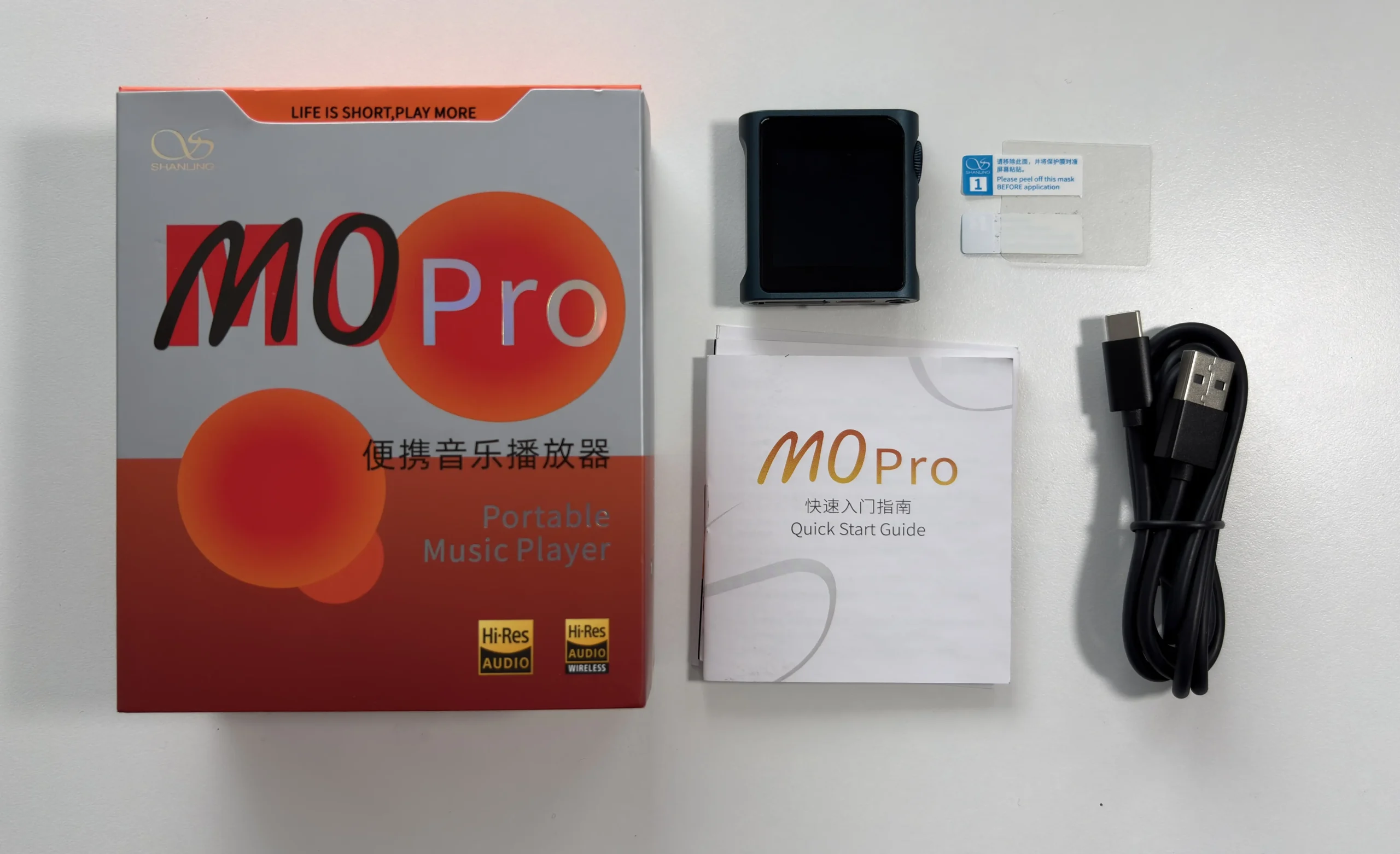
- Shanling M0 Pro
- USB-C to USB-A cable
- Screen protector (one pre-applied, one extra)
- Manual
Design & Build Quality

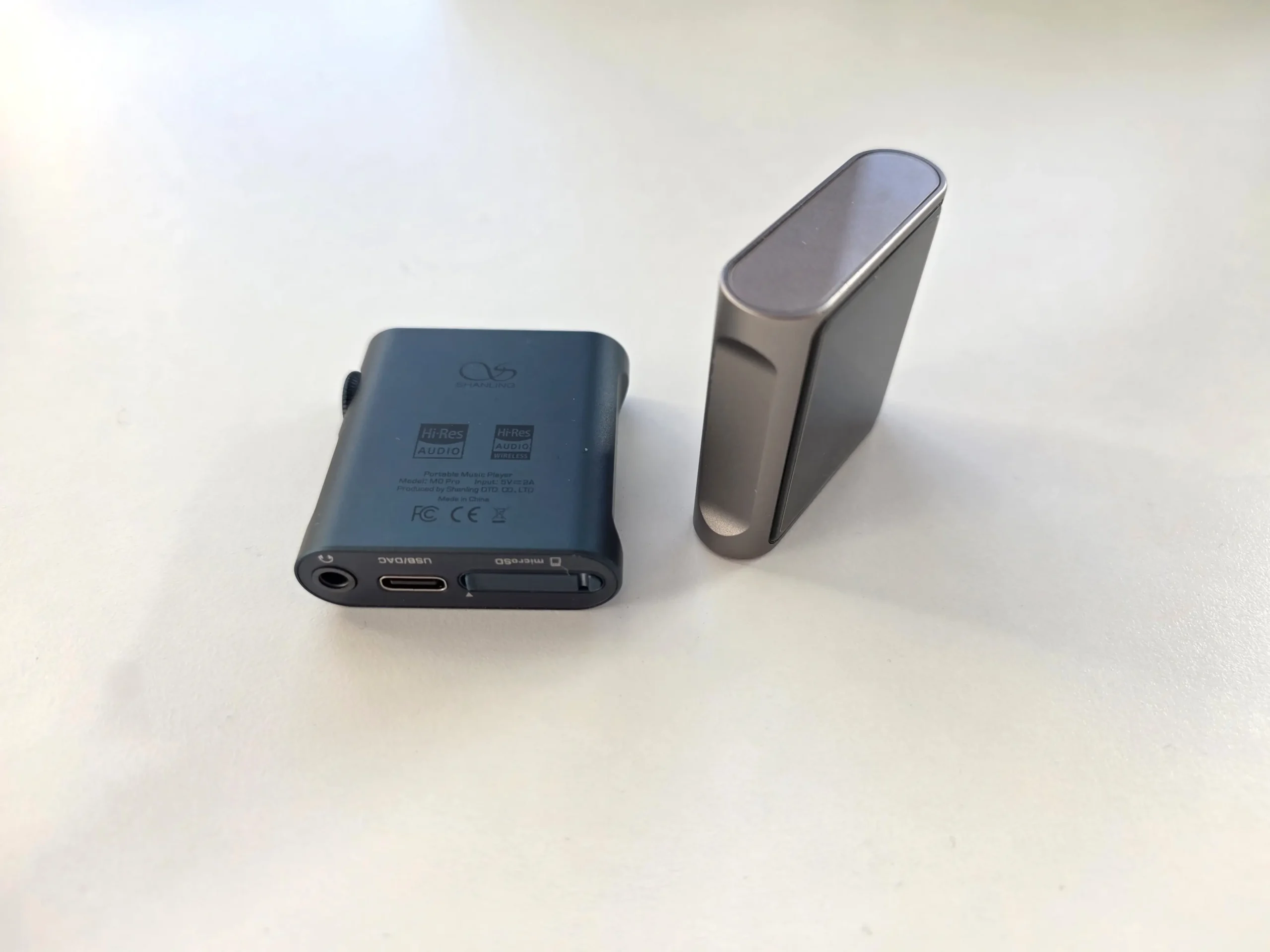
The Shanling M0s (titanium color) and M0 Pro (blue color) share an identical design and build, with the only noticeable difference between the two being the Shanling logo at the bottom of the screen on the M0s. Both players are incredibly small and solidly built (milled from aluminum) with a glass panel protecting the touchscreen. Measuring roughly 43.8 × 45 × 13.8 mm and weighing just 36.8 g, they are truly miniature DAPs, and really as compact as it gets for an audio player. They are basically the size of an iPod Nano 6th gen for those of you who had one back in the day. This tiny size is a double-edged sword, though. While it’s great for portability, allowing you to easily slip it into a pocket or even attach it to an armband or clip for the gym, users with large hands or fat fingers might find the touchscreen and side button a bit fiddly to operate. The small 1.54-inch display (240×240 resolution) is sharp for its size, but text and album art are naturally limited by the screen real estate. Despite the same screen specifications, the screen on the M0s gets noticeably brighter, which likely means a newer panel is used for it.

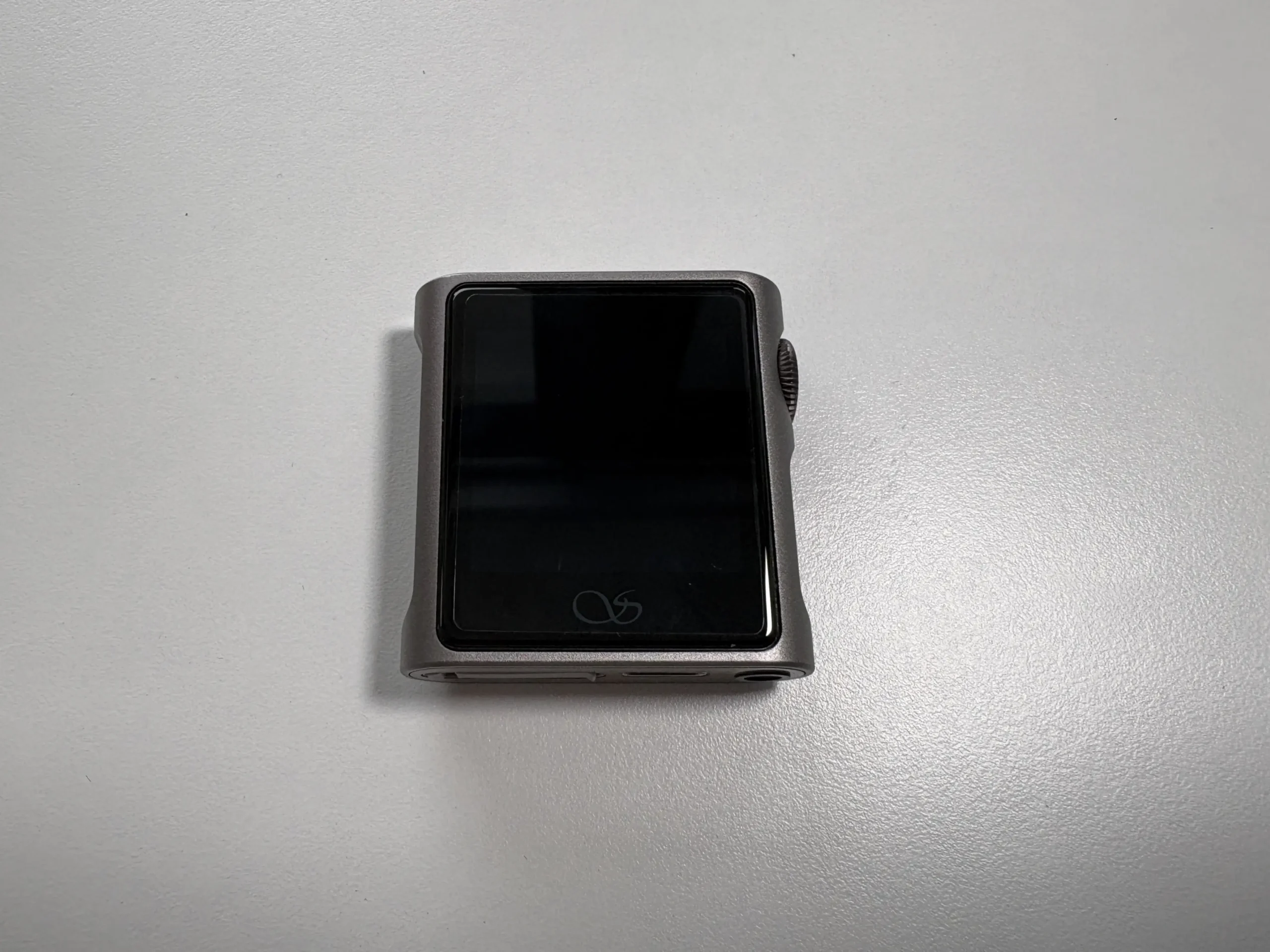


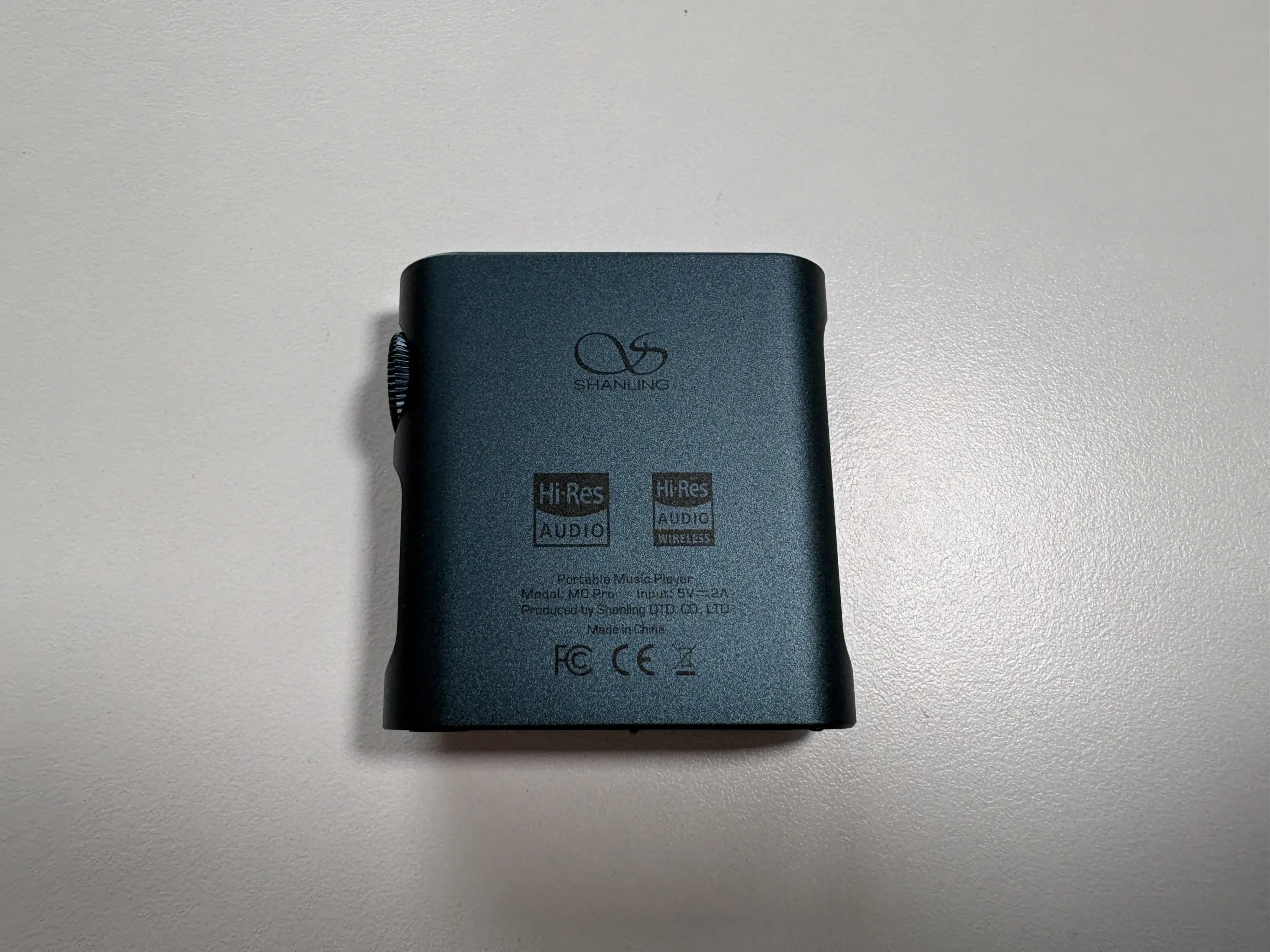


In terms of controls and I/O, both devices have a single physical button that doubles as a rotary knob on the top-right corner of the device. This serves multiple purposes: it’s a volume wheel with 100 steps of adjustment, it’s the power/screen on and off button, and it can be clicked (double/triple taps can be custom-assigned to play/pause or track skip). The tactile feedback of the wheel feels good when clicking it and requires just enough force so that you aren’t accidentally activating it when handling each DAP. Rotating the knob also provides solid feedback, but there is a little bit of play with the wheel, and this causes each turn to not precisely increase or decrease the volume (for example, sometimes the volume change is two or three steps, and sometimes it’s just one step).
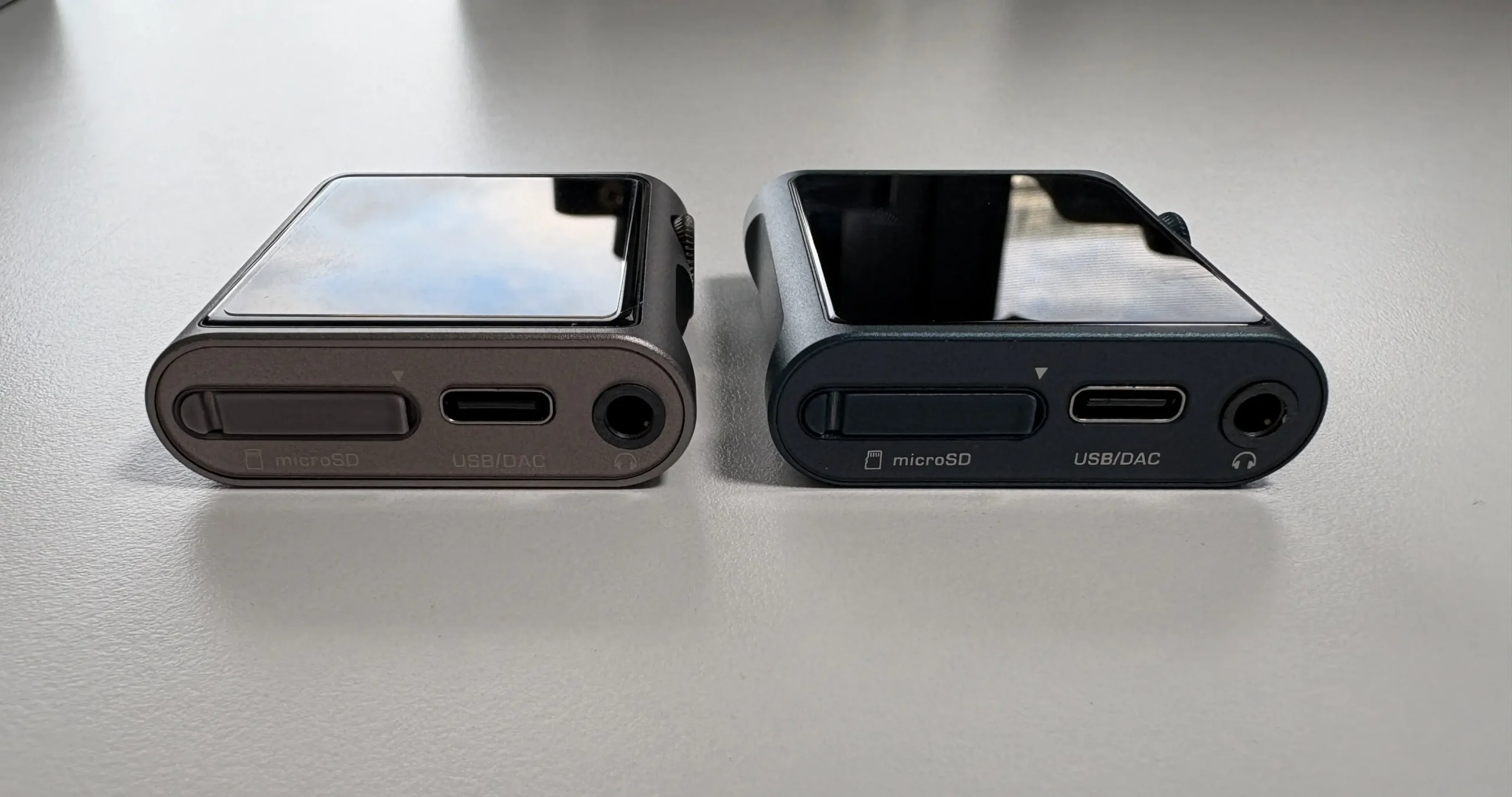


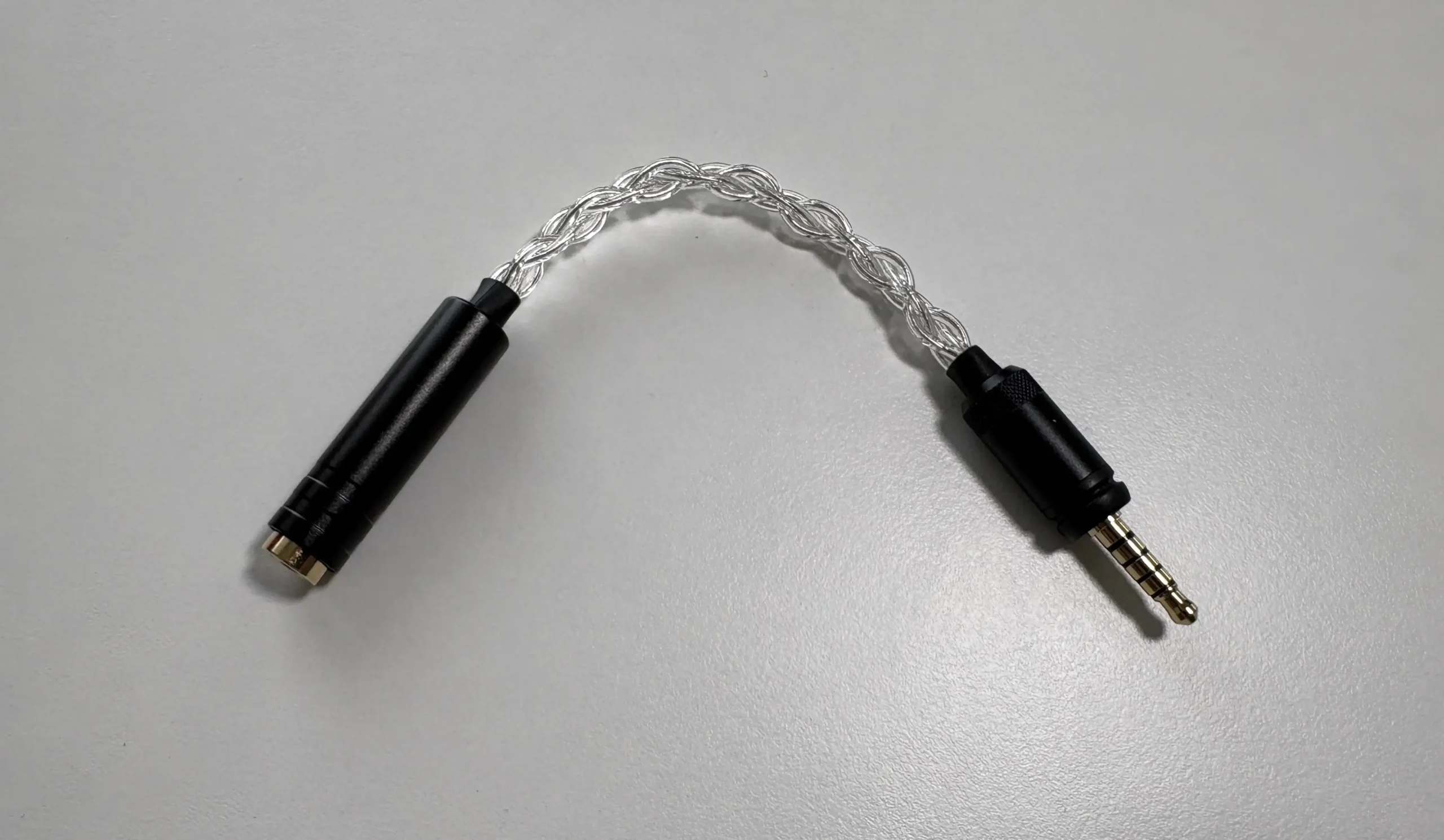
On the bottom edge, you’ll find a USB-C port (used for charging, data transfer, and USB DAC functionality), a covered microSD card slot, and a 3.5 mm audio jack. The M0 Pro’s 3.5 mm jack is a special 5-pin TRRRS connector and is wired to support both regular unbalanced output and balanced output via an optional 3.5 mm-to-4.4 mm adapter (sold separately). By default, it works with any standard 3.5 mm TRS plug (like the M0s, which is single-ended only), but if you plug in Shanling’s adapter, the M0 Pro will output a true balanced signal with significantly more output power. This clever solution lets Shanling keep the device tiny without needing a dedicated balanced port.
Overall, the build quality is excellent for both models. The aluminum unibody chassis feels sturdy and doesn’t flex or creak, and the glass panel and curved screen edges give it a nice premium touch in hand. Both DAPs come with a screen protector that is pre-applied, as well as an extra one in the box, which is a nice touch. The M0s and M0 Pro both look sleek and are offered in different colors. The M0 Pro is offered in Red, Mocha, Black, Blue (what I’m reviewing), and Green. The M0s comes in Black, Titanium (what I’m reviewing), Grey, and Mocha.
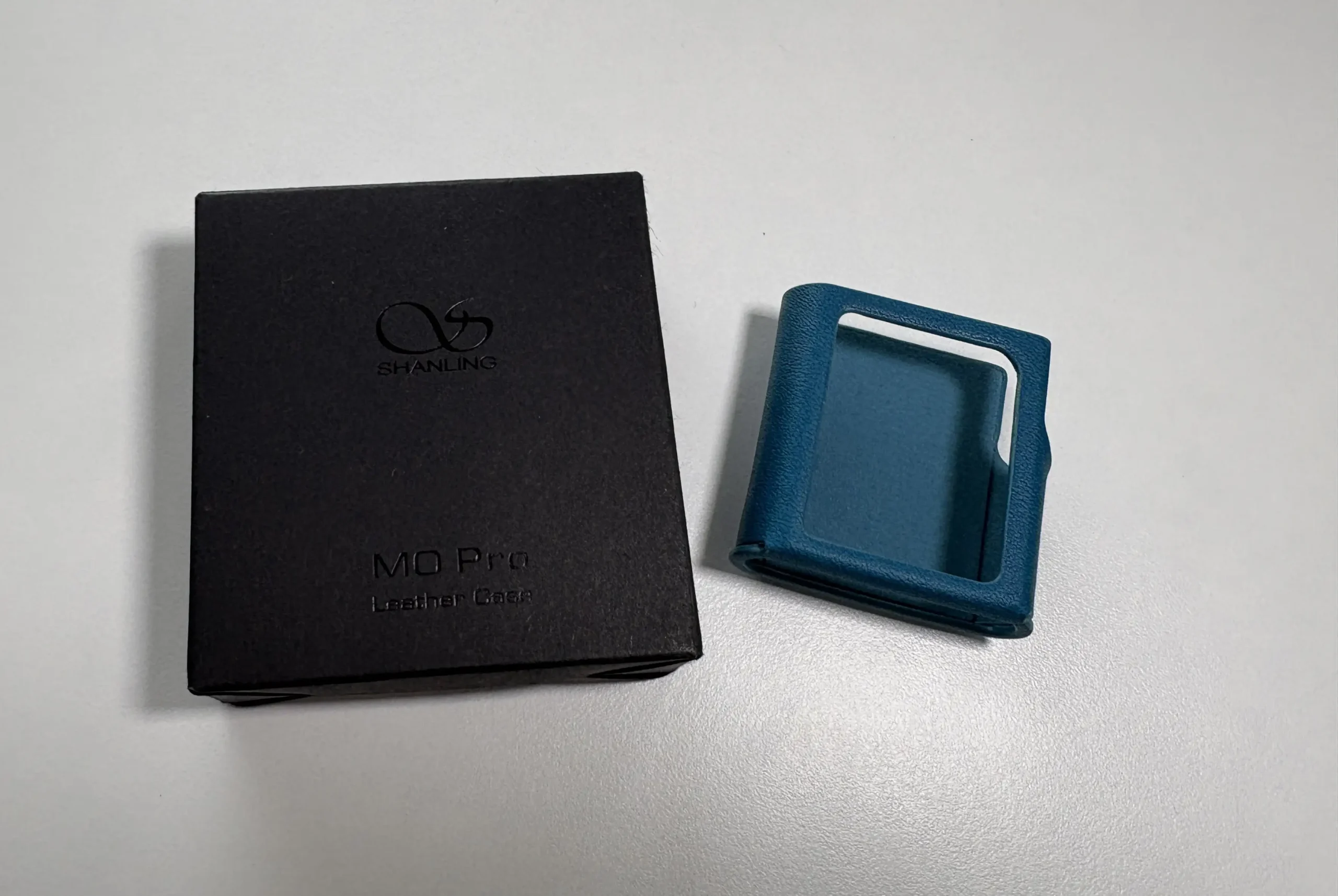
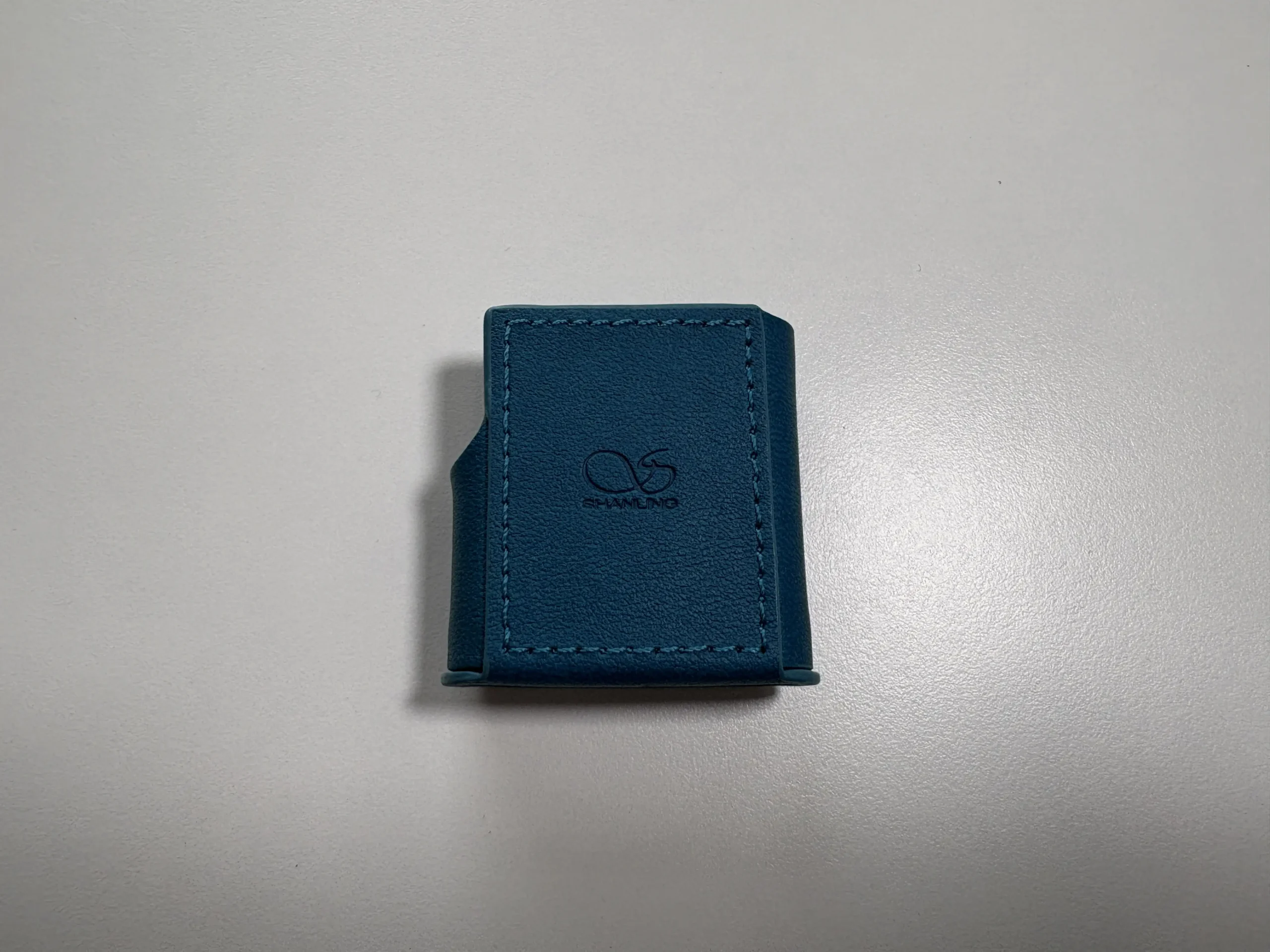
Shanling also sells a range of leather cases (Black, Green, Red, Brown, and Blue) as well as a translucent black clip case (which is ideal for running or for the gym) that fits both devices. I opted to only get a Blue leather case, and the quality is very good and covers enough of each DAP to provide adequate protection.


OS and UI

Both the Shanling M0 Pro and M0s run Shanling’s custom operating system called MTouch OS. This is a minimalist, Linux-based OS designed for non-Android players. It’s impressively quick and simple once you get used to it, has a fairly quick boot time, and navigation is generally snappy with virtually no lag in browsing menus or scrolling lists.
The lockscreen is enabled by default, which shows the time, battery level, and the track name if audio is playing. Swiping right allows you to enter the device’s main screen. The home interface is a grid of five icons that are accessible by swiping left or right. Swiping up from the bottom while on the main screen brings up a shortcut menu that allows you to enable/disable Bluetooth, change the playback mode (shuffle, repeat, list play, etc.), change the screen brightness, and playback controls. Swiping down will hide this screen. Relevant info is displayed along the top of the screen, which includes: playback state, volume, time, and battery level.


Navigation is done purely by swipe and tap gestures, just like on a smartphone. On the main screen, swiping left or right across the screen will move through the icons, and tapping one of them will enter it. While you are in one of the menu options, swiping up or down will move through the various options. In order to go back to a previous menu, swipe from left to right. I do find that sometimes if you swipe from the very left edge, the gesture isn’t always recognized, but if you start from the middle of the screen and swipe to the right, it works every time. I ended up removing the pre-applied screen protector from the M0 Pro as I thought it was preventing my sipes from being recognized on the Now Playing screen, when in fact I had to start the swipe from the middle of the screen and not the far right.
Let’s look further into each of the five main icons on the main screen:
Now Playing


This is the main playback screen, and it’s impressive how much info is displayed here despite the limited screen real estate. You have the track name with the artists displayed below it, playback controls, AB repeat (looping), track number, and a progress bar along the bottom, with the album art in the background. If you swipe from the left (in the middle of the screen, not from the edge) you gain access to another menu that allows you to add the current track to a playlist, see basic metadata info, access the Playback settings, change the playback mode, playback speed (1.0x, 1.25x, 1.5x, 2.0x), and add the track as a favorite. Swiping left again will display lyrics if there is a matching .LRC file. After about 10 seconds, the screen will display the album art in full screen, and tapping ti will bring you back to the Now Playing screen.
System

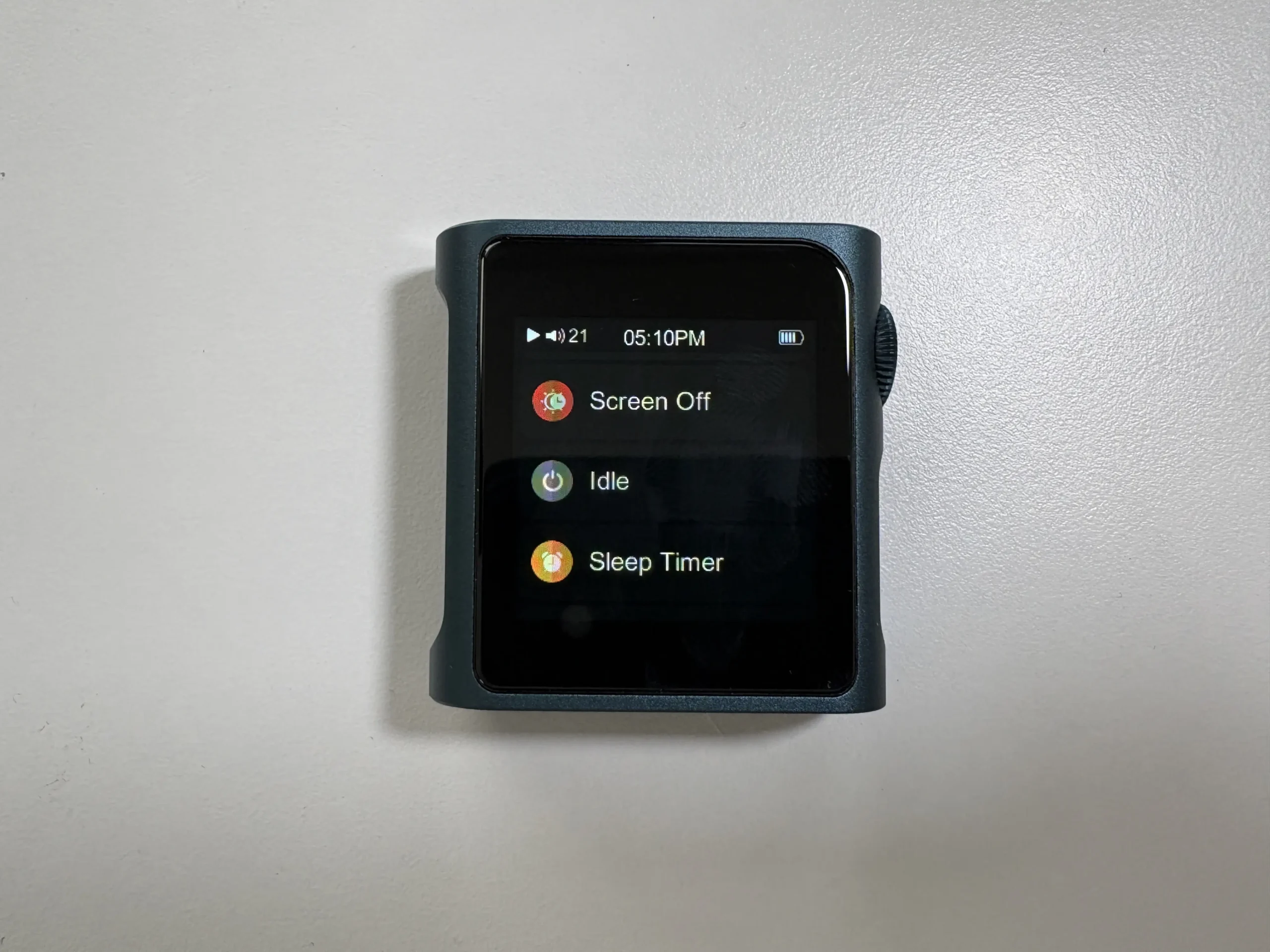


This is where you have options such as updating the music library (with an option from changing it to manual or automatic), Bluetooth settings, enabling/disabling SyncLink (more on this later), Brightness, Screen Off time, Idle options (auto-standby and auto-shutdown), a sleep timer, USB Mode toggle (USB Storage, USB DAC, USB Audio), Clock, Lock Screen, Volume Lock when screen is off, Wheel Shortcuts, Theme, etc.
Playback


Here are various playback settings, such as setting a max and default volume, a toggle to switch between Artist and Album Artist (I’m honestly happy Shanling includes this as an option), track resume modes, Gapless playback, EQ, Gain toggle, ReplayGain, Filter Selection, Channel Balance, Play Mode, and a Folder Skip toggle.
Folders
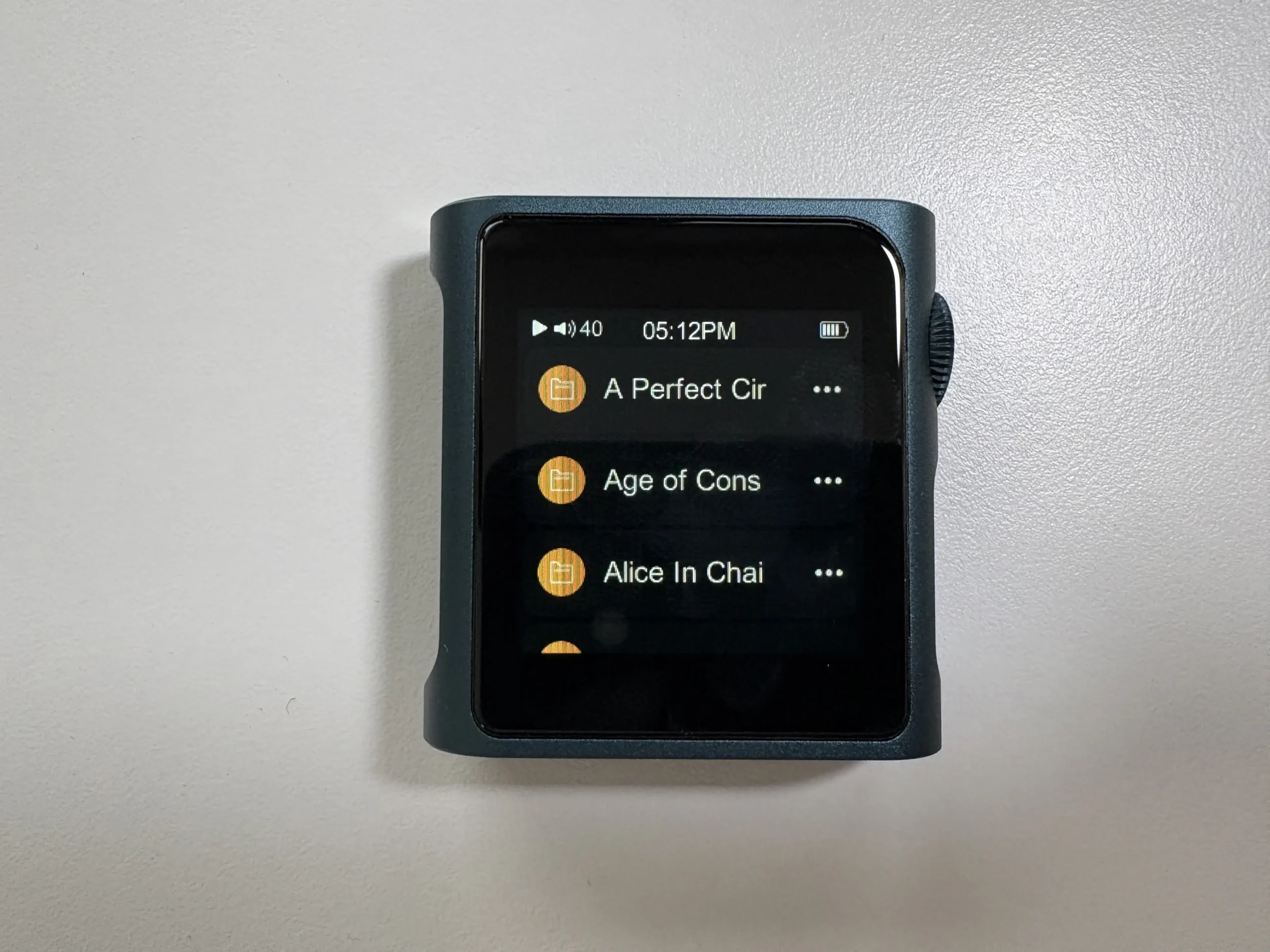


Folders is simply a folder browser, and it does exactly what you expect it to do.
My Music


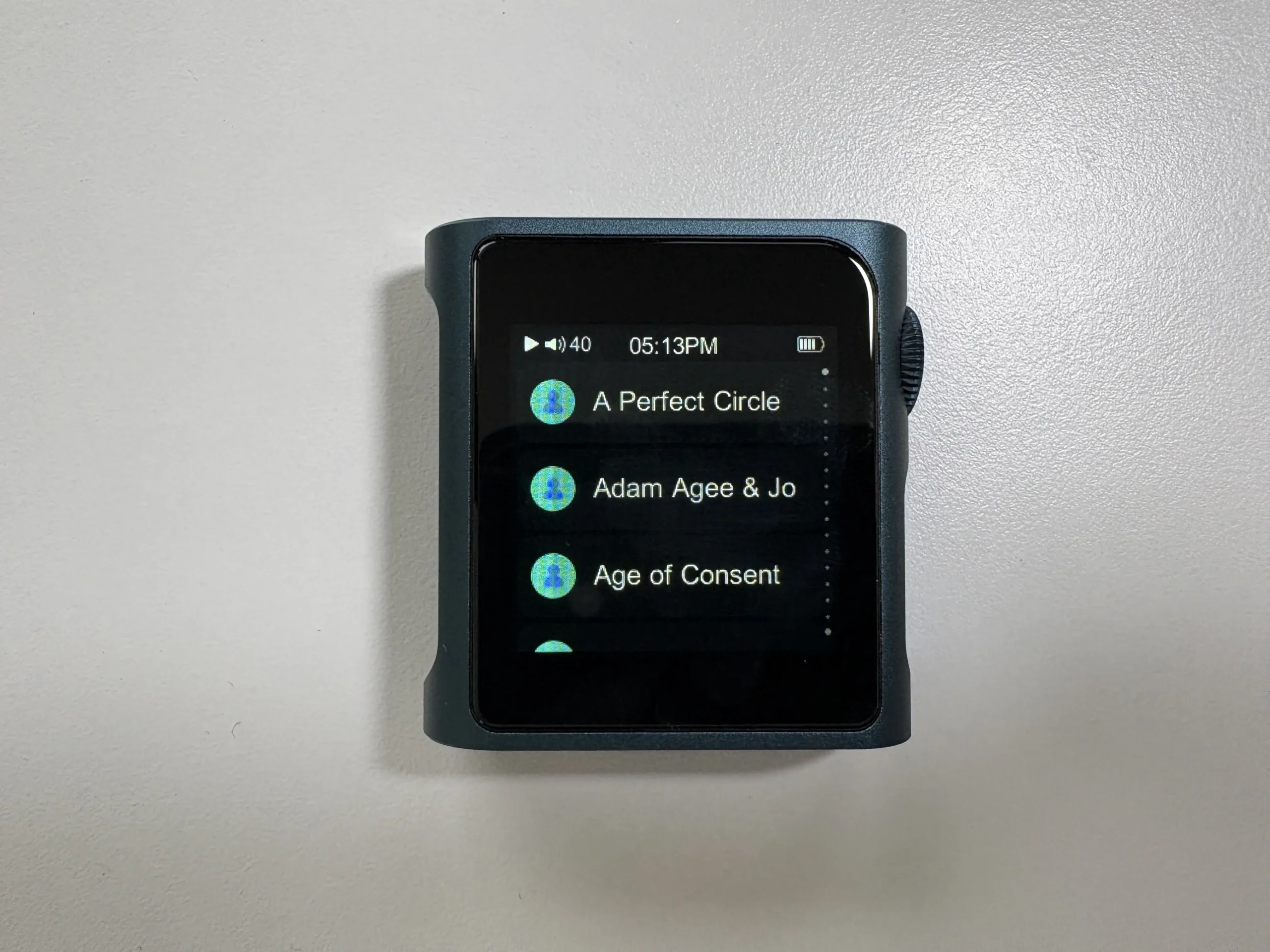


This is where you access your music library and playlists. You have an “Open All” option, which is all tracks on the device, “My Favorites” that shows any tracks you have favorited, Album, Artist (displays artist or album artist depending on what you selected in the Playback section), Composer, Playlist, Genre, Frequent, Recent, and Recently Added.
Navigating each list is made easier with a letter selector along the right side. Simply tap and hold, and you can quickly scroll through each letter, making it easier to get to an artist or album you want. You can also swipe up or down, and with longer swipes, move through more options, and with smaller swipes, move through a few at a time. My one complaint here is that I wish the albums were shown chronologically instead of alphabetically when you select an artist.
Bluetooth Performance

Both the Shanling M0s and M0 Pro have Bluetooth 5.0 with bi-directional support, meaning they can send audio to Bluetooth headphones/TWS earbuds/speakers or receive audio from a smartphone or laptop, essentially acting as a Bluetooth DAC.
In transmitter mode, both DAPs support SBC, AAC, aptX, and LDAC. As a Bluetooth receiver, the codec support is limited to SBC, AAC, and LDAC, with aptX decoding not being supported. This isn’t a huge deal in practice, as LDAC gives you the highest bitrate of all the codecs, and AAC is there for compatibility with Apple products.


I used both DAPs with a variety of Bluetooth headphones and TWS earbuds:
- Apple AirPods 4 ANC (AAC)
- EarFun Air Pro 4+ (aptX, LDAC)
- Sennheiser HDB 630 (aptX)
- Sennheiser Momentum True Wireless 4 (aptX)
- Sony WH-1000XM5 (LDAC)
- Sonos Ace (aptX)
The range and overall performance of both digital audio players are excellent. I also didn’t experience any compatibility issues, as both the M0s and M0 Pro worked with every Bluetooth device I paired them with, including AirPods. I tested both the M0s and M0 Pro with my Apple AirPods 4 ANC, and encountered no issues at all. The pairing process was simple, and the playback controls worked perfectly. This is important as AirPods don’t always work with every non-Android DAP.
Let’s take a look, though, at the bitrate measurements that I did using the Qudelix 5K. With the Shanling M0 Pro, LDAC performed exactly as expected. The LDAC HQ mode forces the highest bitrate possible for LDAC, which is 990Kbps. Not only was the connection rock solid, but I did not hear any stutter or interruptions when moving the M0 Pro about 1 meter away from the Qudelix 5K (this also applies to the headphones and TWS earbuds I used).

The LDAC Normal mode forces 660Kbps, and it also performed perfectly. LDAC Connect (auto) is the adaptive mode, and while generally this forces 330Kbps, I was getting 492Kbps with the M0 Pro. So overall, LDAC is well implemented here.


aptX is similarly flawless. The bitrate held steady at 384Kbps, and I had no issues with range, being able to walk 10 meters away without any interruptions. AAC, on the other hand, was not the most stable, and the bitrate averaged around 124Kbps. Sound-wise, I did not notice any issues.


Looking at the Shanling M0s now, it had the exact same issue with AAC that the M0 Pro has (although the M0s was getting a slightly higher bitrate), but the LDAC HQ mode suffered a bit. While the connection and bitrate looks stable on the graph, when listening, I was noticing some stutter and some skipping. I confirmed this with the Sony WH-1000XM5 headphones, but interestingly, I did not have an issue with the EarFun Air Pro 4+, so it might just depend on what you are using.


For the Bluetooth DAC mode (using the DAP as a receiver and plugging wired headphones into it), the experience is essentially like using a high-quality Bluetooth DAC/Amp. This is an excellent feature if your phone lacks a headphone jack or you want to enjoy streaming services with the better internals of the M0s or M0 Pro. For instance, you can stream Spotifym Apple Music, Qobuz, etc. from your smartphone to either DAP, and plug in your favorite wired IEMs. Do note, when receiving via LDAC, the battery drains a bit faster (as LDAC has a higher bitrate), but the M0s and M0 Pro both still easily handle several hours of wireless playback. Overall, Bluetooth performance is excellent for both devices, especially considering their size.
SyncLink

Shanling DAPs support integration with their Eddict Player app (available on Android and iOS) through something called SyncLink. Effectively, what this does is it allows you to remotely control audio playback via Bluetooth from your smartphone or tablet. It works well from my limited testing, and it allows you to use the M0s and M0 Pro as a desktop source, outputting audio to speakers, for example, and controlling playback from your smartphone.
USB DAC Mode
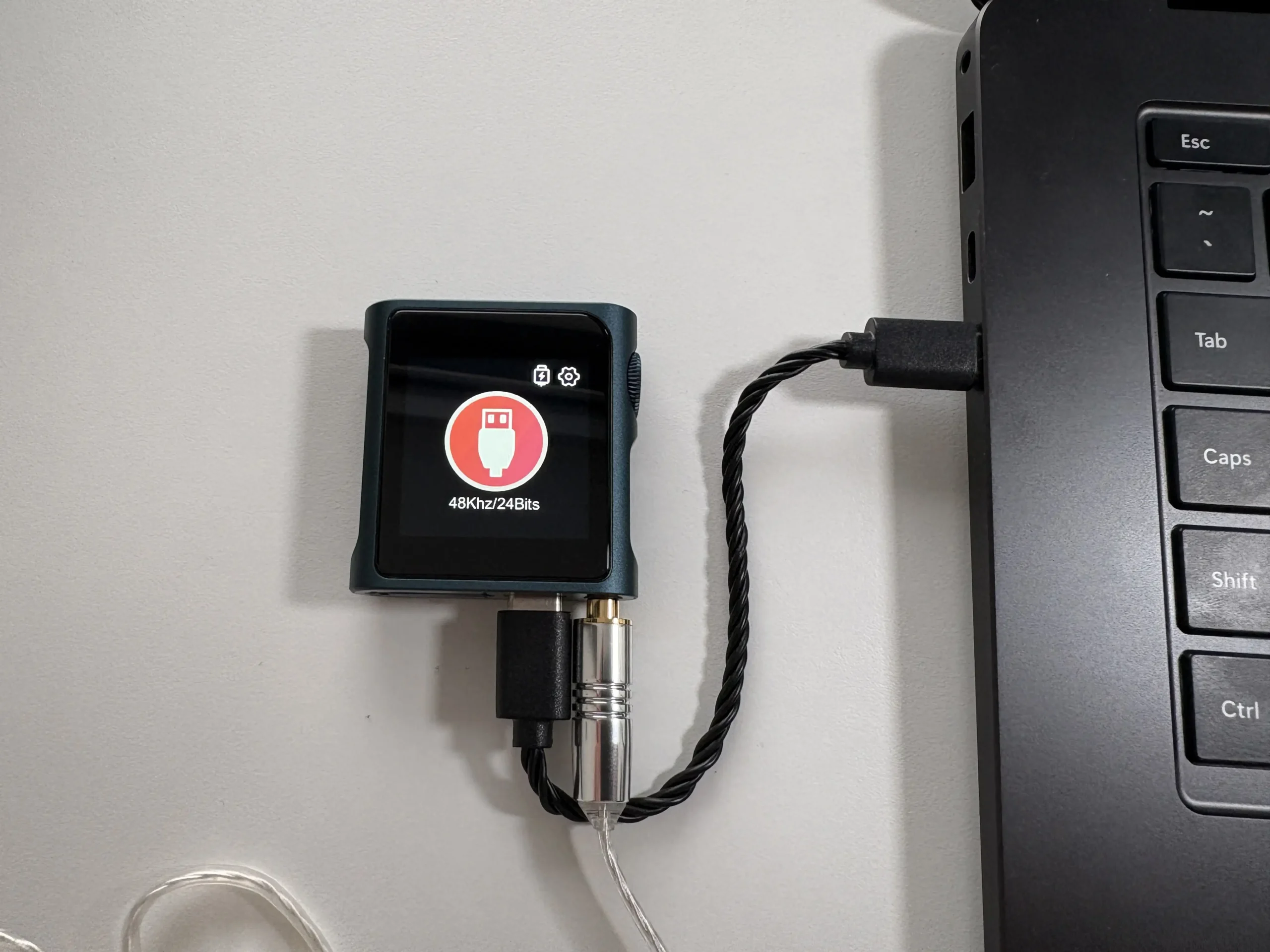
Both players have a USB-C port that supports USB DAC functionality, as well as USB Audio output (connect a USB-C dongle or DAC to them). Plug the M0s and M0 Pro into a PC or Mac, and you can select “USB DAC” mode to use it as an external sound card, handy for improving your laptop’s audio or listening to computer audio through high-quality IEMs. Functionality is plug-and-play with no driver required. Conversely, you can also use them as a digital transport, connecting them via USB-C to an external DAC/amp, and they will send digital audio to your external DAC, acting purely as a source device for audio. Both the M0s and M0 Pro can output bit-perfect PCM up to 384 kHz/32-bit and DSD128, making them a reliable source for a high-end audio chain. It’s arguably the smallest dedicated transport/DAC combo you can get.
Battery Life
Considering their size, both the Shanling M0 Pro and M0s manage respectable battery life, with both units using a 650 mAh lithium battery. Shanling officially rates the M0 Pro at up to 14.5 hours of playback on single-ended output (and around 10 hours when using the balanced output). In real-world use, the numbers can vary with volume level, screen time, and whether you’re using Bluetooth or wired output. In my mixed usage, I found the estimates to be a tad optimistic but not too far off. I am getting roughly 11 hours using the single-ended output, and about 7.5 hours with the balanced output. I consider this respectable given the size.
The Shanling M0s, with only a single-ended output, should achieve similar numbers, at least you would think. Interestingly, Shanling rates the M0s at up to 10 hours of continuous playback, which is a conservative estimate based on my testing. With the same type of usage as the M0 Pro, I am getting around 12 hours of playback time, which makes sense given the lower output power.
One thing to note is that Bluetooth playback extends the battery life by a few hours, whereas enabling high gain or using demanding headphones (therefore needing a higher volume) will reduce battery life as the amp works harder.
When it comes to charging, both use USB-C and support a form of fast charging. In my tests, both the M0s and the M0 Pro charged from near empty to full in about 1.5 hours, and reaches 50% in just 25 minutes with a good USB-C charger. There is no wireless charging (understandably) and no user-replaceable battery, though Shanling has been known for excellent support and is usually able to replace batteries for a fee. Heat during charging or heavy playback isn’t an issue, and the unit gets just mildly warm at most. One thing to note, there’s no “battery care” mode to limit max charge, so if you are keen on extending battery longevity, you might manually unplug at 90% or avoid leaving it on the charger overnight.
Standby time for both DAPs is excellent, lasting over a week while having almost no battery drain (especially using the auto-standby option). There’s also an auto-off timer you can set to turn the device off after X minutes of inactivity, which helps avoid draining it if you forget to shut it down.
Syncing Music and Playlists

Syncing music is straightforward and follows similar standards that most digital audio players have. All you have to do is put your music on the microSD card (I usually put it in a folder called “Music”), put the card into the M0s or M0 Pro, go to Settings, and then select “Update Music”.
For playlists, the M0s and M0 Pro support the M3U format. The easiest way I have found to import already created playlists is to edit your playlist files so that they start with “A:\”. It will look something like this in the M3U file:
A:\Music\Talk Talk\The Colour of Spring\03 - Life's What You Make It.flacThen, on the microSD card, create a folder called “_explaylist_data” and put your M3U files in it. Then, put the card into the DAP, go to the Playlist “app” and select “Import playlist”. If you set everything correctly, then the M3U files will be imported, and you’re good to go. You can also use a program like MusicBee to automatically do this for you, which is what I do.
Another way you can do this is to create a playlist on the DAP first, add a few songs to it, then click the “Export Playlist” option in the Playlist view. This will export the playlist to the microSD card and create the “_explaylist_data” folder automatically. From there, you can copy the playlist file to your computer and follow the structure accordingly.
One thing to note here is that the OS has a limit of 20,000 tracks, so if you have more songs than that, they won’t be indexed and seen in the Music section. You can use the file browser to get around this, as there is no technical limit with it.
Overall User Experience

Using the Shanling M0 Pro and M0s on a day-to-day basis is a unique experience, but mostly in a good way. For general music listening, it’s refreshing to have such a dedicated mini device that frees you from distractions. Many beginners and casual listeners will love that you can load up your music and enjoy it without the notifications, calls, and apps. The tactile satisfaction of a tiny player, and the focus it brings to listening, can actually enhance enjoyment and immersion for some. The sound quality you get from these is far beyond what old-school iPods or phones can do, so you feel like you’re hearing new details in songs, especially if paired with decent IEMs or headphones.
Portability is obviously the biggest win as you can find yourself taking the M0s and M0 Pro everywhere: to the office, on walks, on the train, to the gym, to the beach, etc. It’s so small and light that it never becomes a burden.
The user interface, as discussed, is simple and fairly straightforward. Most users will adapt quickly, though if you’re coming from smartphone apps or larger touch DAPs, you might initially find the small screen menus limiting. For instance, text input or searching is basically not feasible on such a screen, so you navigate by scrolling. But given the target use, it’s a fair compromise. The UI and operating system are very stable, and in my 3 months of daily to semi-daily usage, I didn’t encounter any crashes or software issues. Shanling still updates both DAPs fairly regularly, with the latest firmware update for the M0s being released in June 2025, while the M0 Pro had a firmware update released for it in October 2025. Updating the firmware is done by downloading it from the Shanling website, putting the update file on the microSD card, and running the update from the menu.
Once I got used to the gesture navigation, using the M0s and M0 Pro is fairly pain-free. As I mentioned before, I do wish that albums would be shown chronologically instead of alphabetically, as many of us go through the painful process of meticulously tagging our music. Why can’t developers build software to respect this? I also feel like the lack of proper chapter/bookmark support for audiobooks and podcasts is a missed opportunity (though both DAPs can play .M4B files). On top of that, there is no up-next or queue feature, so you cannot queue up tracks while navigating your library (to be fair, I don’t think there is a single non-Android DAP that has this feature). Lastly, the volume knob is not terribly precise. This is due to there being a little room to wiggle it, so as a result sometimes the volume will change by two or three steps instead of one. None of these is a deal breaker, however.
Output Power
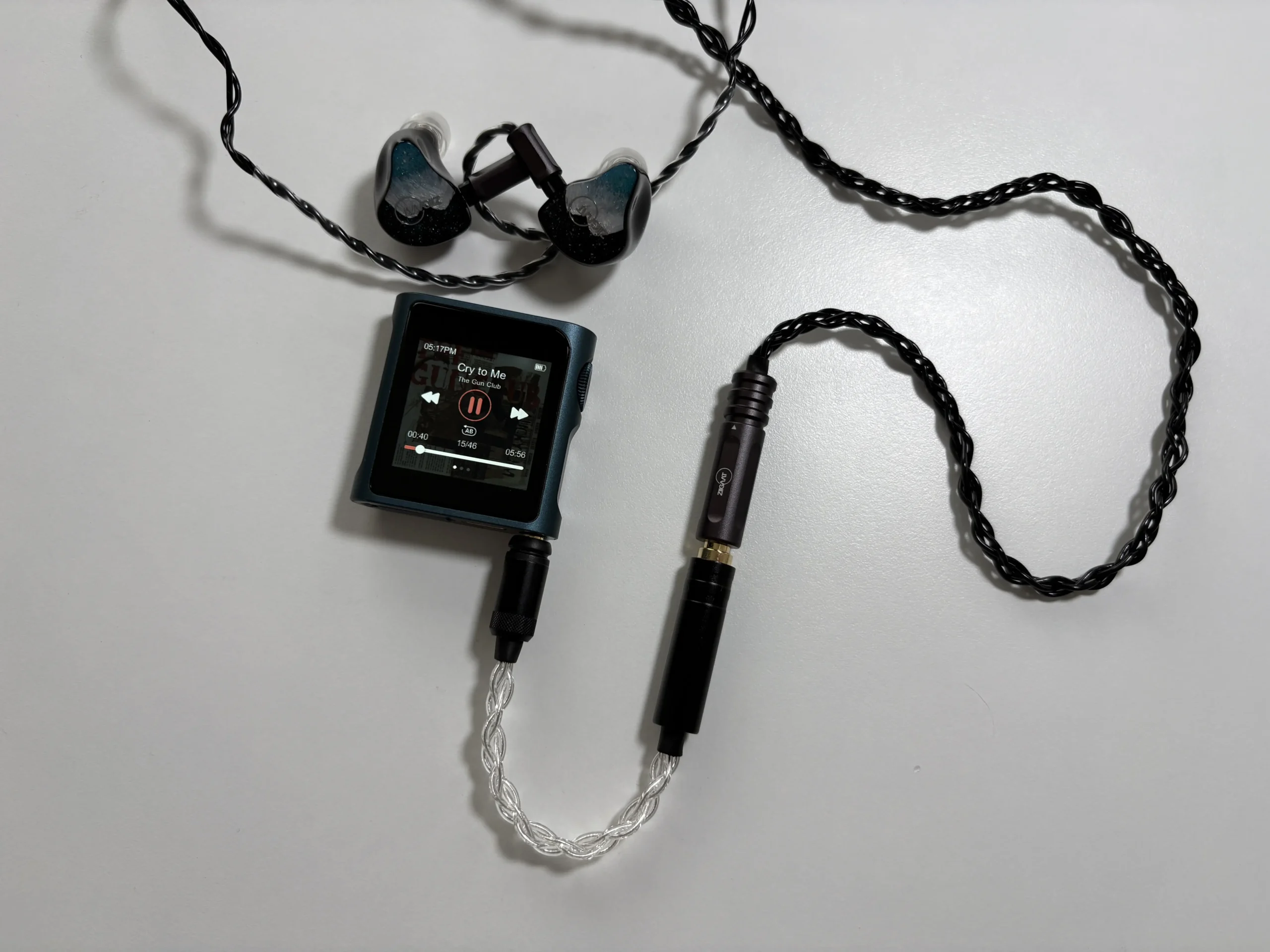
When comparing the M0s and M0 Pro, output power is one of the most significant differences between the two. Here are the raw numbers.
Shanling M0s: Single-ended 3.5 mm output only. Rated at 1.4 V RMS @32 Ω (≈60 mW). This is roughly on par with a decent smartphone dongle. Into higher impedance (e.g., 300 Ω), the wattage will drop (1.4 V into 300 Ω is about 6.5 mW), which is enough for low-level listening but not much headroom. The output impedance is below 1 Ω, so it’s very safe for multi-driver IEMs in terms of damping, as well as sensitive IEMs.
Shanling M0 Pro: Single-ended 3.5 mm: 1.7 V RMS @32 Ω (~90 mW). Using the balanced cable adapter (to 4.4 mm): 2.75 V RMS @32 Ω (~236 mW). Those are very impressive for a device this size. At 300 Ω, 2.75 V translates to ~25 mW, which is actually enough to drive something like an HD600 to moderate volume. The M0 Pro’s output impedance is also very low (0.4 Ω SE, 0.8 Ω balanced), ensuring excellent results with low-impedance IEMs.

Practically speaking, for IEMs and efficient (usually stated as easy to drive) headphones, both DAPs do fine. With sensitive IEMs, you’ll likely be at 15-20% volume on M0 Pro (low gain) and maybe a bit higher on M0s due to the lower output, but still nowhere near max. Neither player exhibits background hiss or noise, even with sensitive IEMs like the Campfire Audio Iris, Simgot EA1000, and the 64 Audio Solo. This is great for low-volume listeners as the noise floor is essentially inaudible, which is honestly impressive for the size and price of these DAPs.
If you plug in something a bit more demanding, like 150 Ω dynamic driver headphones or 30 Ω planar headphones, the M0 Pro clearly has an edge. It can push more current and maintain dynamics where the M0s might start to sound flat. For example, driving the 300 Ω Sennheiser HD 660S2, the M0 Pro on balanced made it come alive with tight bass and excellent midrange clarity, whereas the single-ended M0s could drive it but without as much authority or control (bass sounded a bit looser, midrange a little claustrophobic). Really, though, these DAPs are meant to be used with most IEMs, and easier to drive headphones like the Sennheiser HD 620S and HD 550, Focal Azurys, and FiiO JT3.
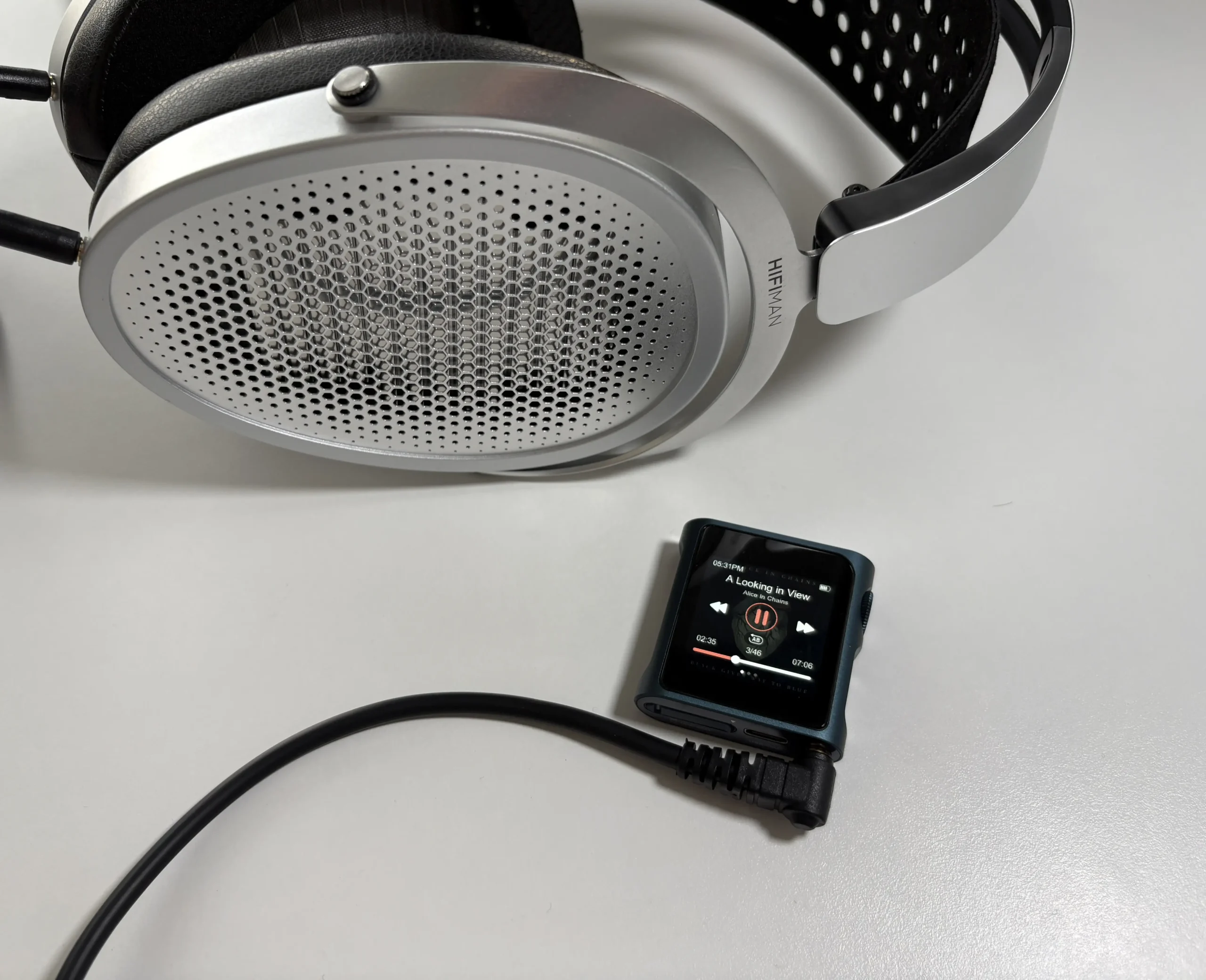
Lastly, one area the M0 Pro clearly wins is driving heavier loads, not just in volume, but in maintaining sound quality when pushing near its limits. The M0s, when driving something at the edge of its capability, can start to sound congested or dynamically flat. The M0 Pro’s extra headroom keeps the sound more composed under stress, which I would expect given the higher power output.
Sound Quality
Headphones and IEMs used for the majority of testing:
- Campfire Audio Iris
- Focal Azurys
- HIFIMAN Edition XV
- Sennheiser HD 550
- Sennheiser HD 620S
- Simgot EA1000
- Sivga SM100
- ZiiGaat Horizon
Links to my music playlist used for the majority of testing:
Spotify: https://open.spotify.com/playlist/6QSIhuCBDAUyoWGcyxPeN8?si=c0a4eb6bd3e3421e
Apple Music: https://music.apple.com/ca/playlist/hifi-oasis-audio-testing/pl.u-lKWlcjy04xp
Qobuz: https://open.qobuz.com/playlist/39521747
Tidal: https://tidal.com/playlist/503485c7-7f3d-43f0-b904-4b9a89c33875
For such mini players, both the M0 Pro and M0s deliver sound quality that punches above what you might expect from a tiny DAP. They each have a distinct tuning character reflecting their DAC, components, and output stages.

Shanling M0 Pro: The M0 Pro has a sound that is smooth, slightly warm, and polite presentation. It’s not an analytical or aggressive sound, but instead it’s very listener-friendly, with a touch of warmth, especially in the midrange. Harshness and edginess are notably absent, as Shanling seems to have aimed for a fatigue-free tuning. There is still plenty of detail, but the M0 Pro avoids the bright, clinical character that some ESS-based devices exhibit. This tuning works well to lightly tame bright or sibilant IEMs, so if you have a very treble-happy earphone, the M0 Pro will likely make it a little bit more listenable, rounding off any harsh edges.
Technically, the M0 Pro is competent but not class-leading (keep in mind, I’m comparing to much larger DAPs/dongles in the broader sense). It has good detail retrieval, and you’ll hear nuances in high-quality recordings that a budget DAC might mask, but it’s not going to unseat high-end desktop systems in raw resolution. There are more analytical sources out there, but likely not in this form factor. The soundstage produced by the M0 Pro is decent, being that it’s largely determined by the headphones/IEMs, but the player doesn’t constrain it. There’s a perception of slightly more width and depth when using the balanced output (likely due to improved channel separation), where music can sound a bit more open. Imaging is also as good as your IEMs allow. The M0 Pro isn’t a bottleneck for imaging precision with the IEMs I tested.
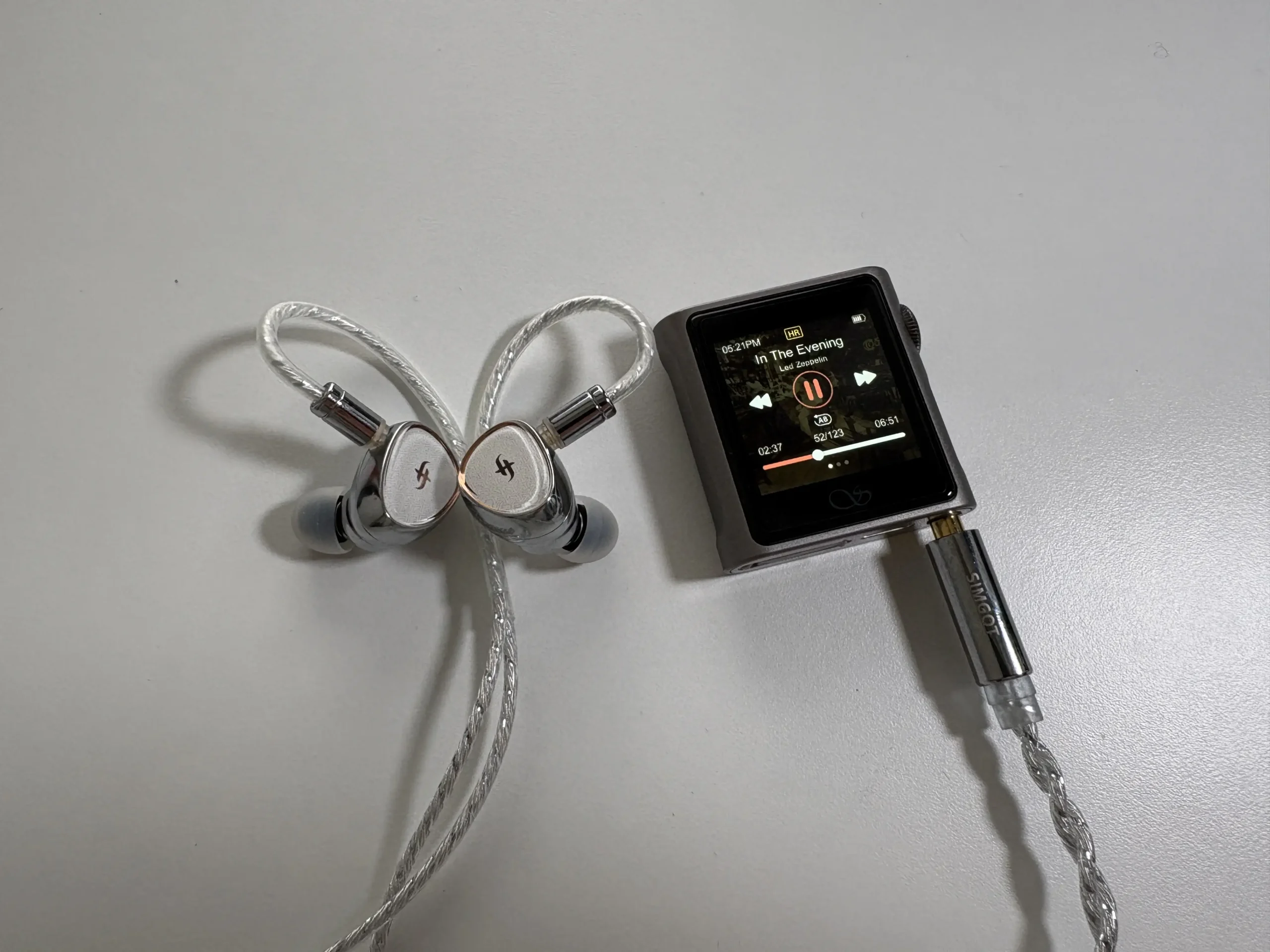
Shanling M0s: The M0s takes a slightly different approach. Shanling themselves mention the M0s as having a “more neutral presentation” compared to the M0 Pro’s warmth. To me, the M0s is neutral, clean, and lively, with less coloration. In other words, the M0s gives you a pretty honest output that doesn’t emphasize any particular frequency, which is great if you want transparency, but it also doesn’t resolve as finely or drive with the authority of the M0 Pro. The bass on M0s is tight and neutral, similar to the M0 Pro. The midrange is clear and not recessed, but not as thick or rich as the M0 Pro’s midrange. Treble is generally well-behaved, and if anything, the M0s might have a hair less upper treble extension or air than the M0 Pro. The differences aren’t night and day, and on many easy-to-drive IEMs in a casual listen, you’d find both sound excellent and quite similar (which, really, is usually the case with most DAPs under $400 USD). But critical A/B reveals the M0 Pro’s advantage in separation and depth, while the M0s holds its own with a neutral, enjoyable tone.
With all of this being said, I don’t think most casual listeners will actually be able to discern the sound differences between these two DAPs, nor most other digital audio players, for that matter. This is neither good nor bad, as we all hear differently and our brains look for different details or have different expectations. I say this because my sound impressions of both the M0s and M0 Pro may not even apply to you, or you may hear them slightly differently than me, and that is perfectly fine as in the end, the IEMs or headphones you are using will have the biggest impact on sound quality, so when choosing a digital audio player, or even a DAC/Amp, as long as things like distortion and noise floor are fine, the priority should be your budget and features needed.
Final Thoughts
The Shanling M0s and M0 Pro satisfy a niche of small, affordable digital audio players. For beginners looking for their first DAP, these players offer an affordable step into better sound quality without overwhelming complexity. You get the benefits of a dedicated music player (focus, high-res audio support, better DAC/amp than a phone or budget dongle) and the flexibility of modern features (Bluetooth, USB DAC mode, etc.). Intermediate listeners will appreciate the M0 Pro’s extra output power and smoother tuning, especially if pairing with a variety of headphones or using it as a travel device/desktop source combo. The M0s, on the other hand, really lowers the cost barrier, and at ~$89 USD it’s almost an impulse upgrade for anyone still using a basic dongle with their smartphone, or an older MP3 player. It doesn’t cut corners on functionality or build quality to get there, either.
Choosing between the M0s vs M0 Pro ultimately comes down to your use case and budget. If you’re mostly using efficient IEMs or Bluetooth earbuds and just want a super-portable player for the gym, commuting, and background listening, the M0s will likely make you very happy. It’s incredibly convenient for its size, and you’re not paying for extra power or features you won’t use. However, if you have any inclination to drive more demanding headphones, or you just want that extra sonic finesse, the M0 Pro justifies its higher price, in my opinion. In a direct head-to-head, the M0 Pro sounds a bit more premium, with the kind of subtle improvement you notice when really listening, or with higher-end headphones/IEMs. It’s also the better choice as a long-term investment if you think you might upgrade or need a balanced connection down the line.
Both devices do have limitations given their size, though. I’m mainly talking about the UI constraints due to the screen size. On-screen text is small and hard to read at times. The gestures used for navigation also sometimes don’t register or need to be done in a very specific way. I’ll also nitpick and say that proper audiobook and podcast support (chapters/bookmarks) would be nice to have, as well as seeing the albums listed in chronological order vs alphabetical when selecting an artist, and finally, an up-next or queue feature would be very, very nice to have. Are any of these deal breakers? Probably not, but they do impact quality of life, and they may even impact someone’s music listening workflow, so I think mentioning these as negatives is warranted.
At the end of the day, if you’re looking for essentially the smallest DAP you can get without sacrificing sound quality or features, you really can’t go wrong with either the M0s or M0 Pro. They deliver outstanding performance for their size. The M0s is the bang-for-buck champ for ultra-portable audio, giving newcomers a taste of high-res audio and tons of features. The M0 Pro is the Swiss army knife upgrade, adding noticeable refinement that intermediate audiophiles will appreciate, while still being just as compact and practical. I did not expect this, but I came away truly impressed by both of these digital audio players, and I think Shanling did an overall great job with them.


Purchase Links
Shanling M0s
Buy from Amazon: https://amzn.to/4ayylRo
Buy from AliExpress: https://s.click.aliexpress.com/e/_oB2YZz3
Buy from Shanling: https://store.shanling.com/M0s-pd571414668.html
Shanling M0 Pro
Buy from Amazon: https://amzn.to/4refn7P
Buy from AliExpress: https://s.click.aliexpress.com/e/_oFnGjid
Shanling 3.5mm to 4.4mm Balanced adapter
Buy from Shanling: https://store.shanling.com/M0-Pro-Balanced-Adapter-pd730438788.html
The above links may be affiliate links. All commission earned through them goes directly to maintaining this site and bringing you more audio reviews.
If you’re looking for a DAP and neither the Shanling M0 Pro nor M0s suits your needs, I encourage you to take a look at my constantly evolving DAP guide: https://www.hifioasis.com/advice/the-best-digital-audio-players-daps/
I’m not always able to cover all the details of a product, both hardware and software, in our reviews. If you have any specific questions about this product, please feel free to leave a comment or contact me directly.
Be sure to check out our excellent Buyer’s Guides, as well as our other Reviews.
HiFi Oasis Verdict
HiFi Oasis Verdict-
Design & Build Quality8/10 Very good
-
Sound7/10 Good
-
Features/Accessories7/10 Good
-
Value8/10 Very good
Pros
- M0 Pro - Slightly warmer, smoother tuning
- M0 Pro - Better suited for demanding headphones
- M0s - Neutral, clean, transparent tuning
- M0s - Slightly brighter screen
- Clean output with no audible hiss (even with sensitive IEMs)
- Extremely compact and ultra-portable form factor
- Premium aluminum unibody build
- Generally excellent Bluetooth performance (LDAC, aptX, AAC support)
- USB DAC and Bi-directional Bluetooth features
- Strong battery life
- Affordable pricing, excellent value for beginners
- Gapless playback support
Cons
- M0 Pro - Adapter-based balanced output is less convenient than dedicated port
- M0s - Lower output power (not ideal for demanding headphones)
- M0s - Slight LDAC HQ instability depending on device pairing
- Very small screen can be difficult for large hands
- Gesture navigation sometimes finicky
- Volume knob lacks precise control (can jump multiple steps)
- Software quirks (no Up Next/queue feature, albums display alphabetically instead of chronologically)
- Limited audiobook/podcast support (no proper bookmarking)


