-80x80.jpg)



-110x110.jpg)


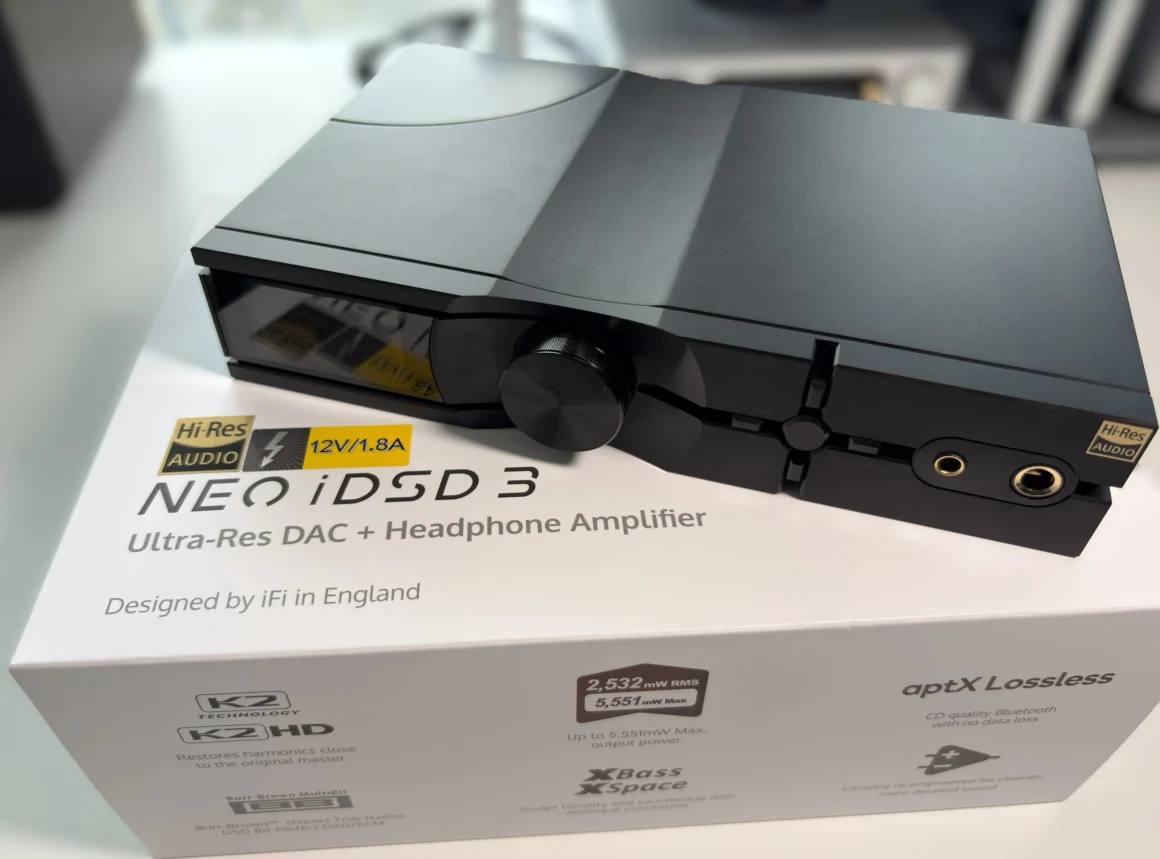
Disclosure: I’d like to thank Karina at iFi for arranging the loaner unit of the Neo iDSD 3 for this review. All thoughts and opinions are my own, and iFi had no say or input on the contents of this review.
The iFi Neo iDSD 3 is the kind of desktop DAC/amp that feels purpose-built for listeners who want one serious hub on their desk or home listening system without going down the rabbit hole of stacking multiple devices. It combines a DAC, preamp, and headphone amp duties into a single chassis, while also bringing in a pretty modern feature set for the price, including Bluetooth 5.4 with modern codec support, RCA line-in, balanced XLR outputs, and support for PCM up to 768kHz and DSD512. At $999 USD, it is clearly aiming at enthusiasts who want real flexibility, but also do not want to compromise on power, sound quality, or format support.
What makes the Neo iDSD 3 immediately interesting is that iFi did not treat this as a minor refresh. The company says it reworked the internal circuitry with lower-distortion op-amps, upgraded polymer capacitors, and WIMA MKS2 capacitors, while also adding JVCKENWOOD’s K2 and K2HD processing. On paper, that gives the Neo iDSD 3 a very clear identity: a feature-rich desktop unit that is trying to balance technical performance, wireless convenience, and iFi’s usual emphasis on musicality rather than leaning too much into clinical precision.
Does this desktop DAC/Amp actually deliver the studio-quality sound it promises, and more importantly, does it justify its price point in an increasingly competitive market? Let’s get into the review and see what to make of the iFi Neo iDSD 3.
Key Specifications
- Product Page: https://ifi-audio.com/products/neo-idsd-3
- MSRP: $999 USD / £999 / €999
- Core Processor: XMOS 16-Core chip
- DAC/Amp Components: Custom DAC stage built around a Burr-Brown chipset, same amplification stage as the iDSD Diablo 2
- Wired Connectivity:
- Unbalanced output: 6.35mm, ≥8.4V/2,244mW @ 32Ω (RMS)
- Balanced output: 4.4mm, ≥12.7V/2,532mW @ 64Ω (RMS)
- Balanced XLR output
- Single-ended RCA output
- Single-ended RCA input
- Clock Sync input
- S/PDIF Coxial Digital Input
- S/PDIF Optical Digital Input
- USB-B 3.0 input (data)
- Bluetooth: 5.4 (SBC, AAC, aptX, aptX Adaptive, aptX Lossless, LDAC, LHDC/HWA codecs supported)
- Supported Sample Rates and Formats:
- Up to 32bit 768kHz PCM
- DSD512
- Features:
- iEMatch + three additional gain settings
- JVCKENWOOD’s K2 and K2HD technology
- XSpace and XBass II modes
- Power
- DC 9V/1.5A, 12V/1.2A, or 15V/0.9A
- Case and Dimensions:
- 214x158x41mm (8.4″x6.2″x1.6″)
- Weight: 916 grams (2.0 lbs)
In the Box
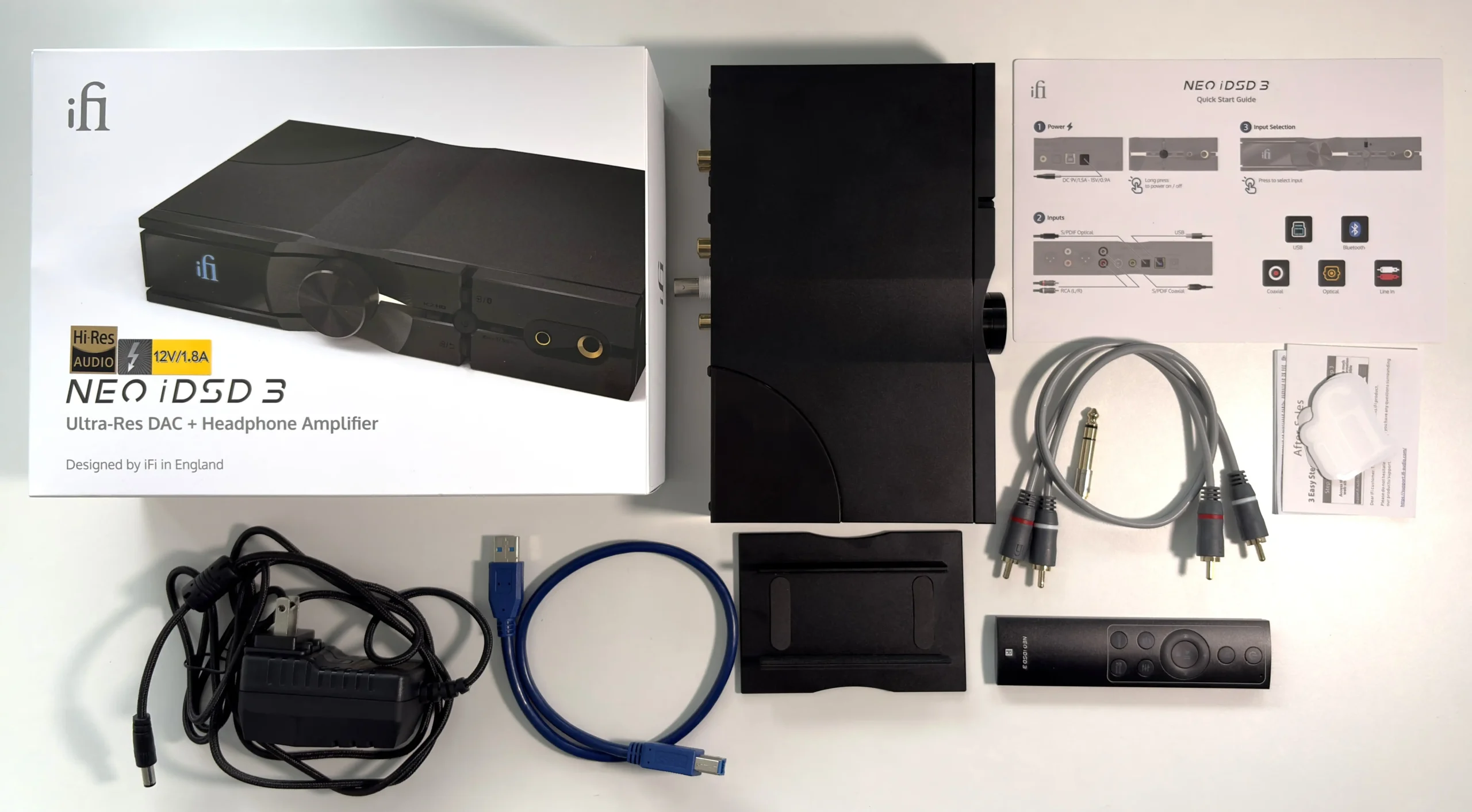
- iFi Neo iDSD 3
- iPower 2
- RCA cable
- USB-B to USB-A 3.0 cable
- Vertical stand
- Aluminum remote with battery
- 6.35mm to 3.5mm adapter
- Manual
Design & Build Quality
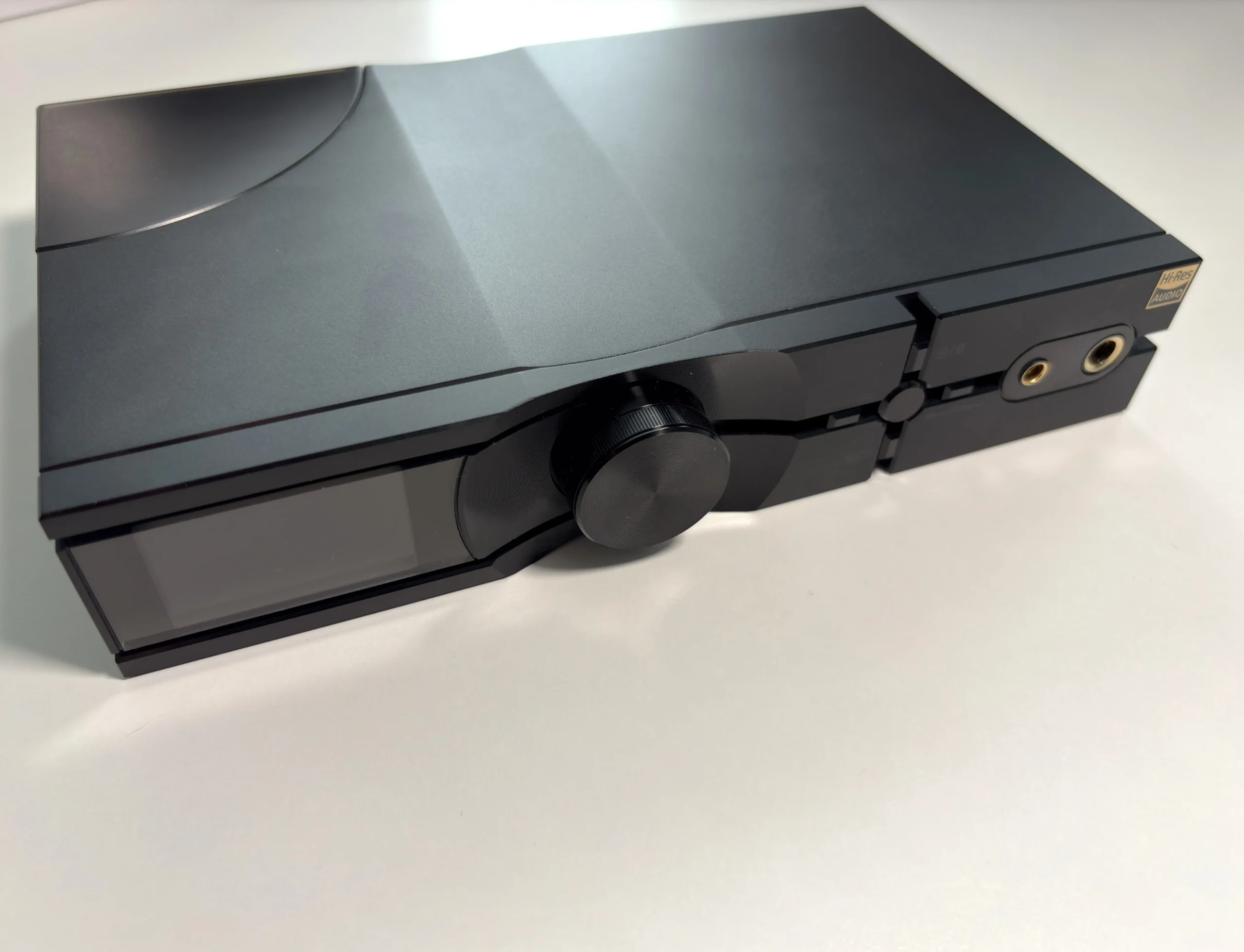
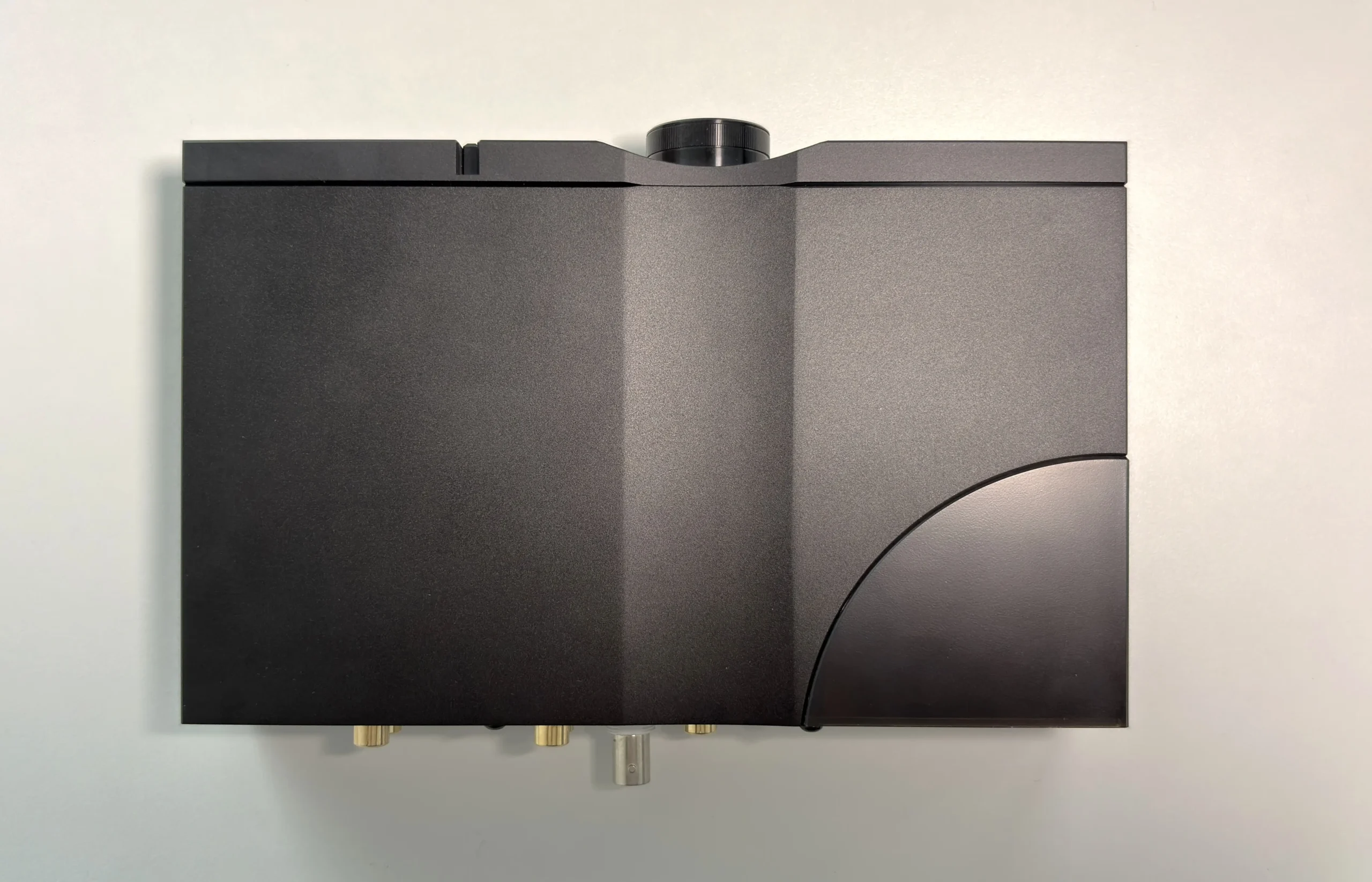
The iFi Neo iDSD 3 looks extremely similar to its predecessor, the Neo iDSD 2, but is easily distinguishable by its matte black colorway that iFi calls “Obsidian Black”. This color gives the Neo iDSD 3 a more serious and mature presence, and personally, I really like it. The chassis is a bit of a fingerprint magnet, so you’ll need a cloth handy if you handle it a lot.
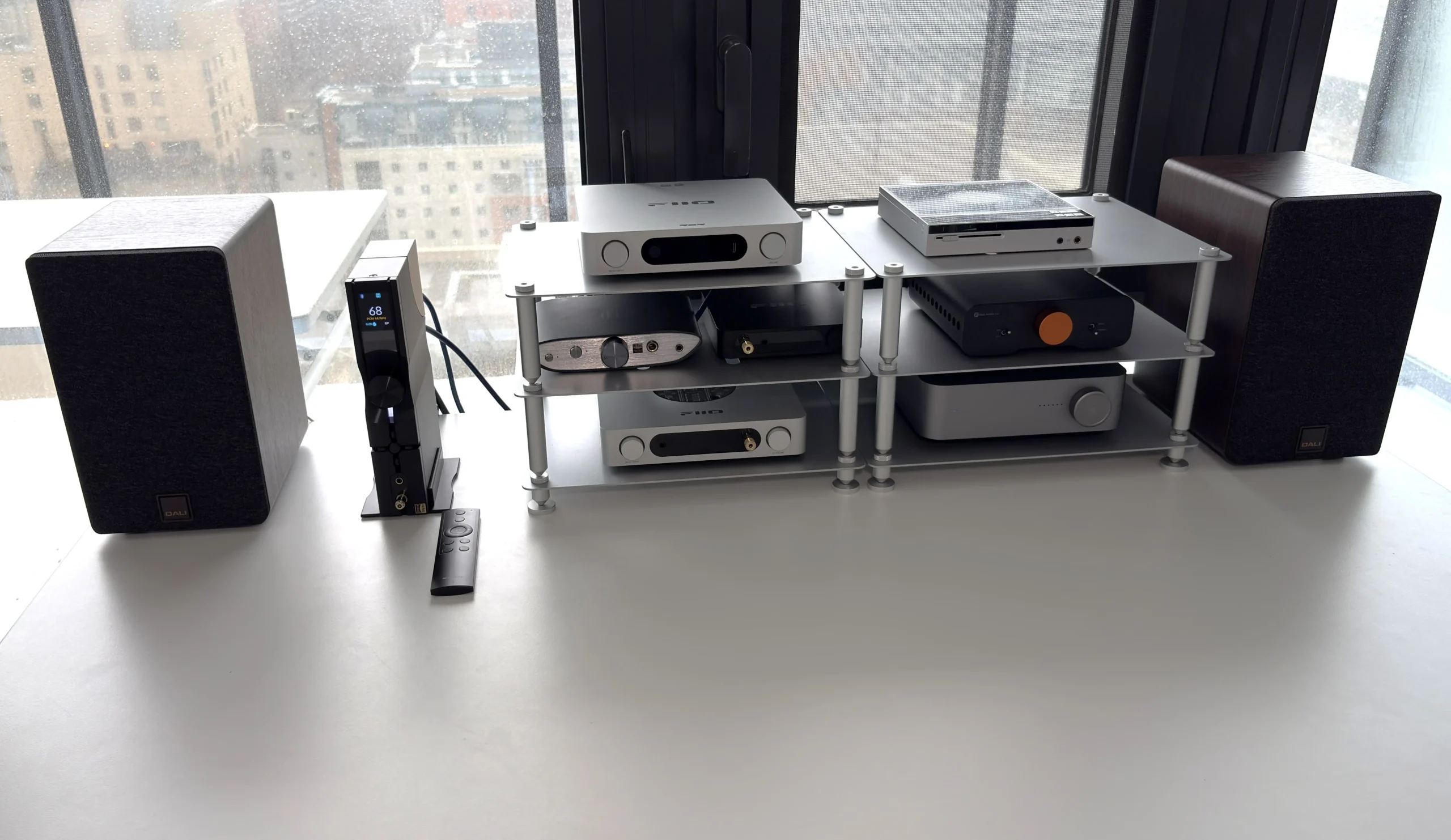
The aluminum chassis feels solid and durable. There are no loose buttons or connectors, and every component has a quality feel to it. The dual-orientation design returns, so you can lay it horizontally like a traditional DAC/Amp or stand it vertically using the included aluminum stand, which is genuinely useful if desk space is at a premium. This is the orientation I mainly used. The 2-inch color TFT display detects which orientation you are in automatically as well.
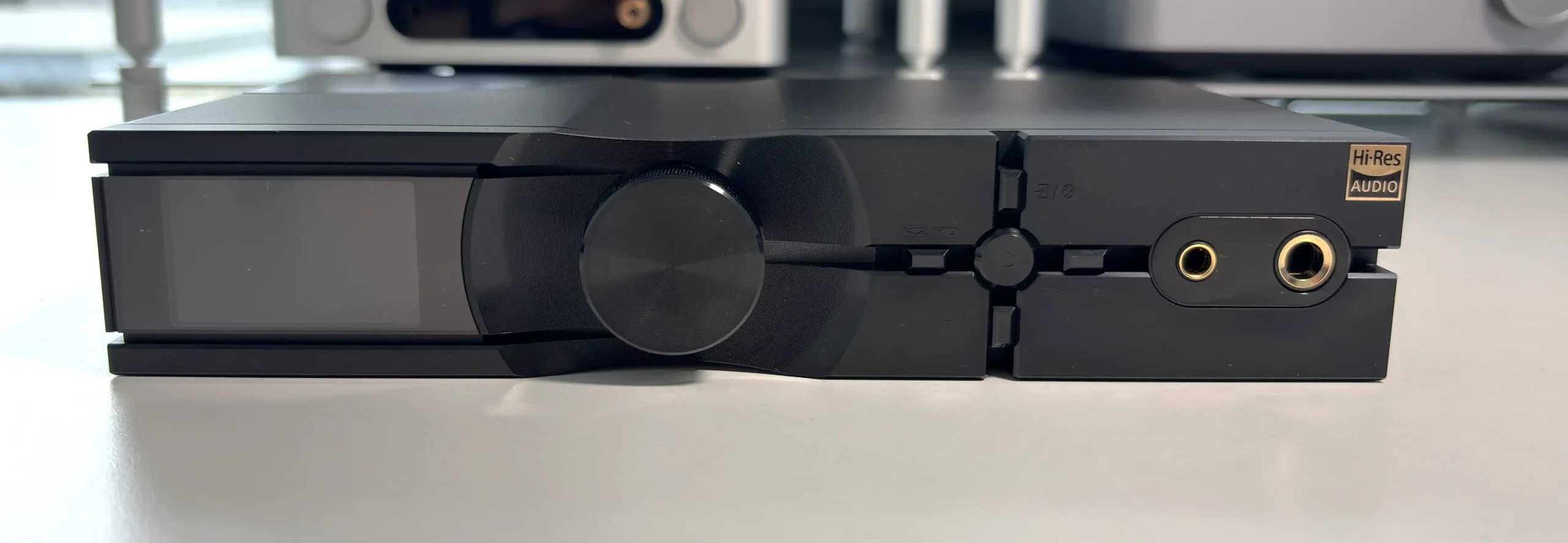
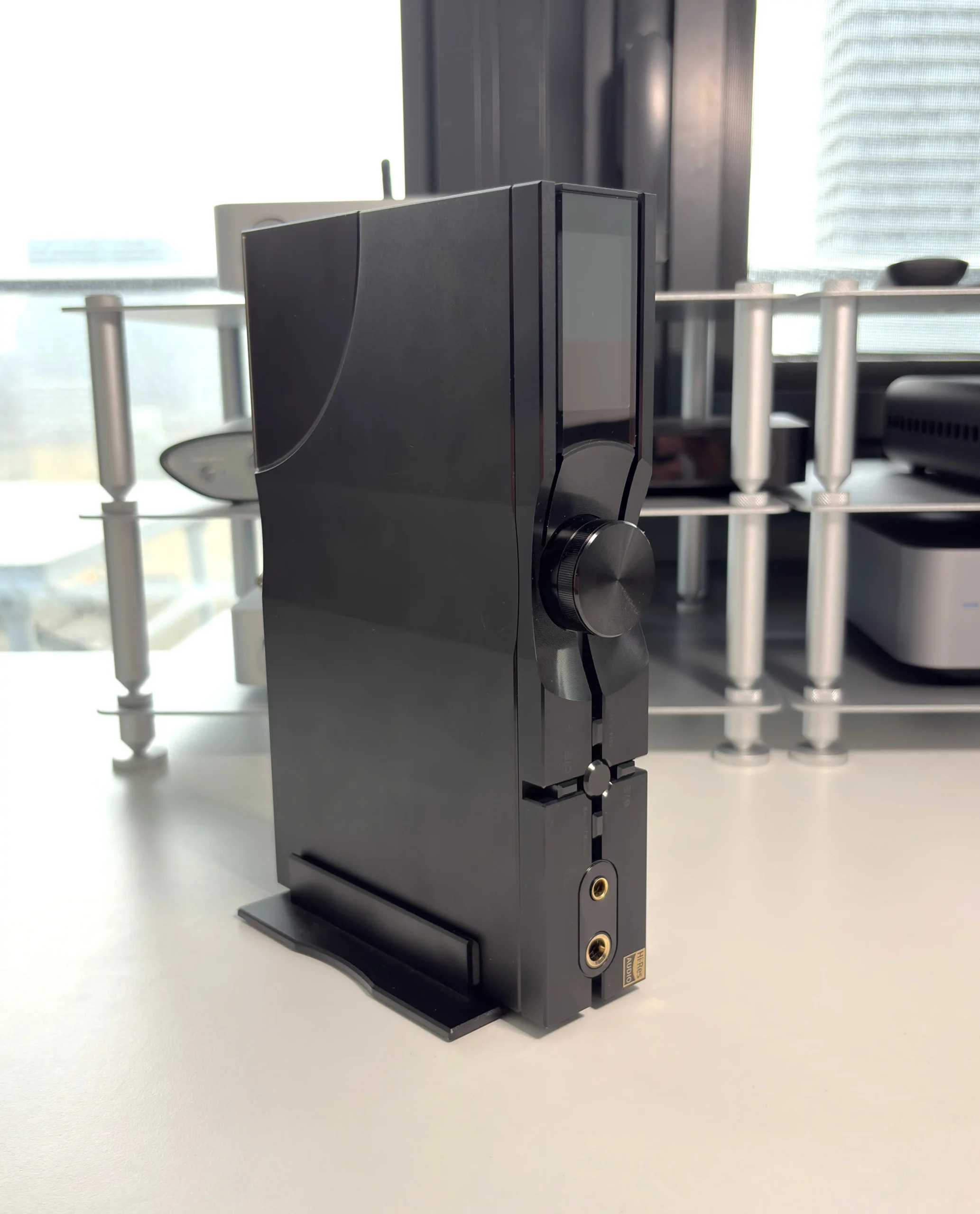
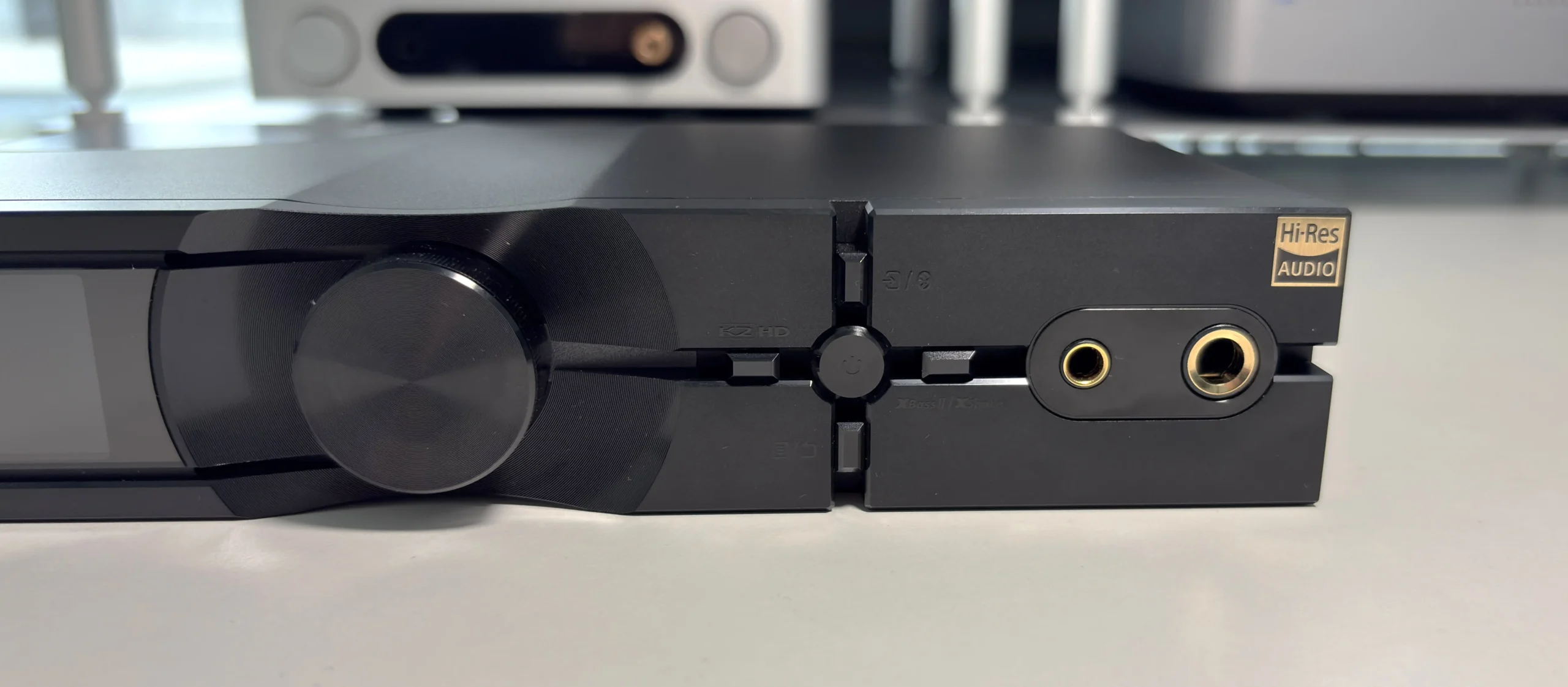
There is a circular depression around the volume knob, which makes it easier to turn it. It’s also etched with tiny grooves that catch the light in interesting but subtle ways. It’s a small touch, but it shows attention to detail. The front panel layout makes sense too, with the display housed in a black section on the left (or top, depending on the orientation), the volume knob next to it, and then buttons with clear functional divisions created by grooves, and lastly the 6.35mm SE and 4.4mm balanced headphone outputs.
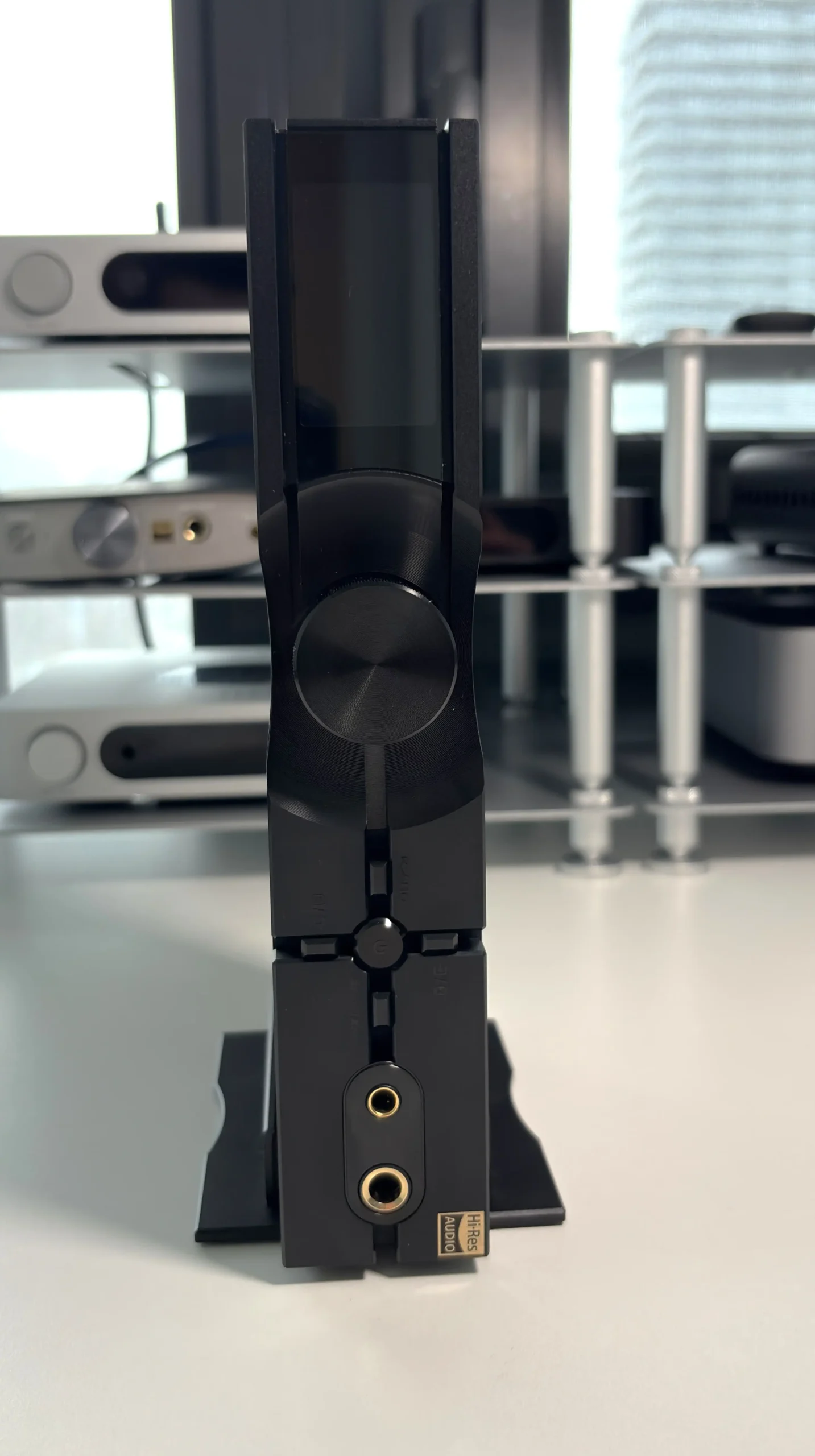
The TFT screen displays everything you need: input type, sampling rate, volume level, and source selection. It has decent clarity and brightness, and overall, I have no real complaints about it.
The volume knob is not your traditional potentiometer, as it spins endlessly with discrete clicks at each level. This makes rapid volume changes easier, and the grooves around the knob provide good grip. Beside it, a white LED strip indicates power status, and thankfully, the brightness is adjustable.
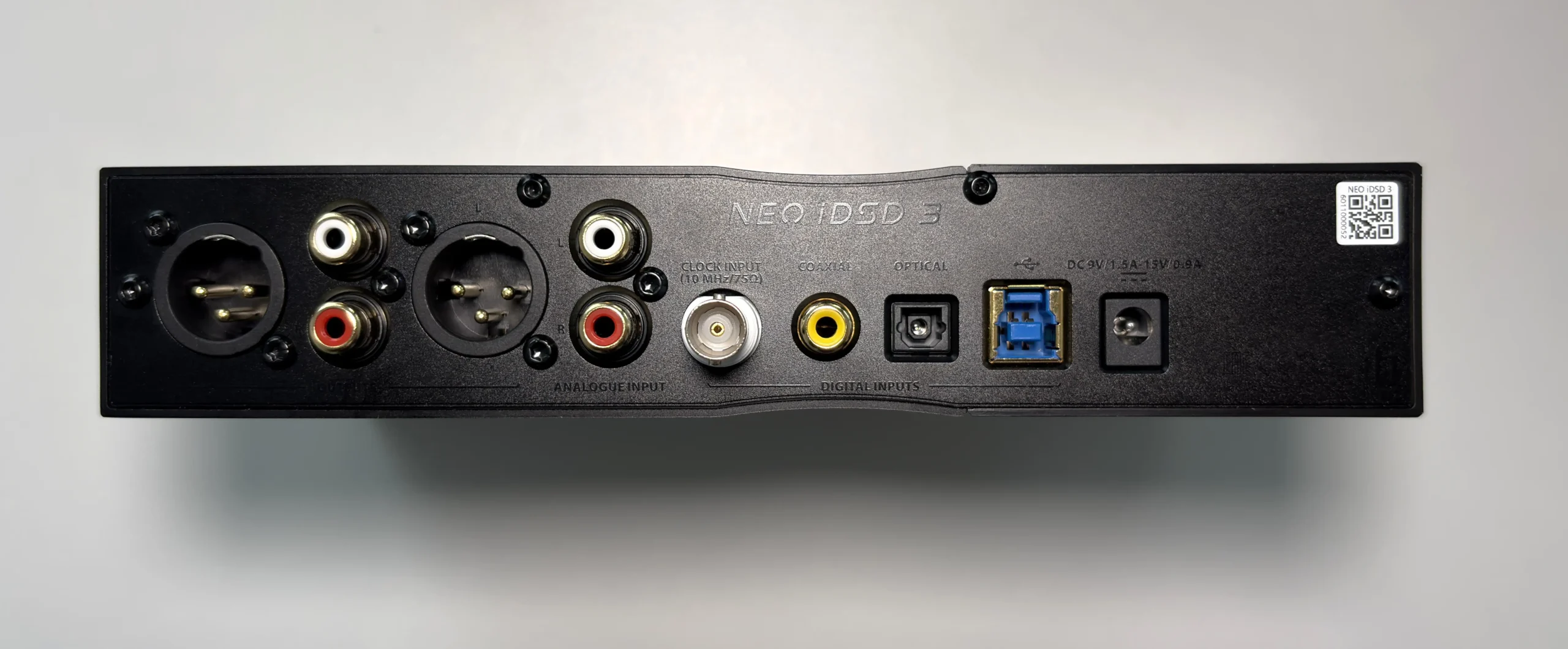
The back panel layout is logical and well-labeled (which is something I noticed I can always count on from iFi). From left to right: balanced XLR line outputs, RCA single-ended line output, RCA single-ended line input, clock sync input, S/PDIF coaxial digital input, S/PDIF optical digital input, USB-B 3.0 input, and the DC power supply connection. Everything is clearly marked, making setup straightforward.
One limitation I discovered during testing is that you cannot manually switch between headphone and line outputs. If the device detects that one of the headphone outputs on the front is connected, the Line Out connections on the back do not work. I like to leave the 6.35mm to 3.5mm adapter inserted for ease of connecting IEMs and headphones, but doing so prevents the Line Outs on the back from being used. So, if I want to send audio to my Fosi Audio ZA3 so I can listen using my DALI KUPID speakers, I have to take out the 6.35mm to 3.5mm adapter. A small inconvenience, but worth noting. Personally, I would prefer to manually choose the active output.
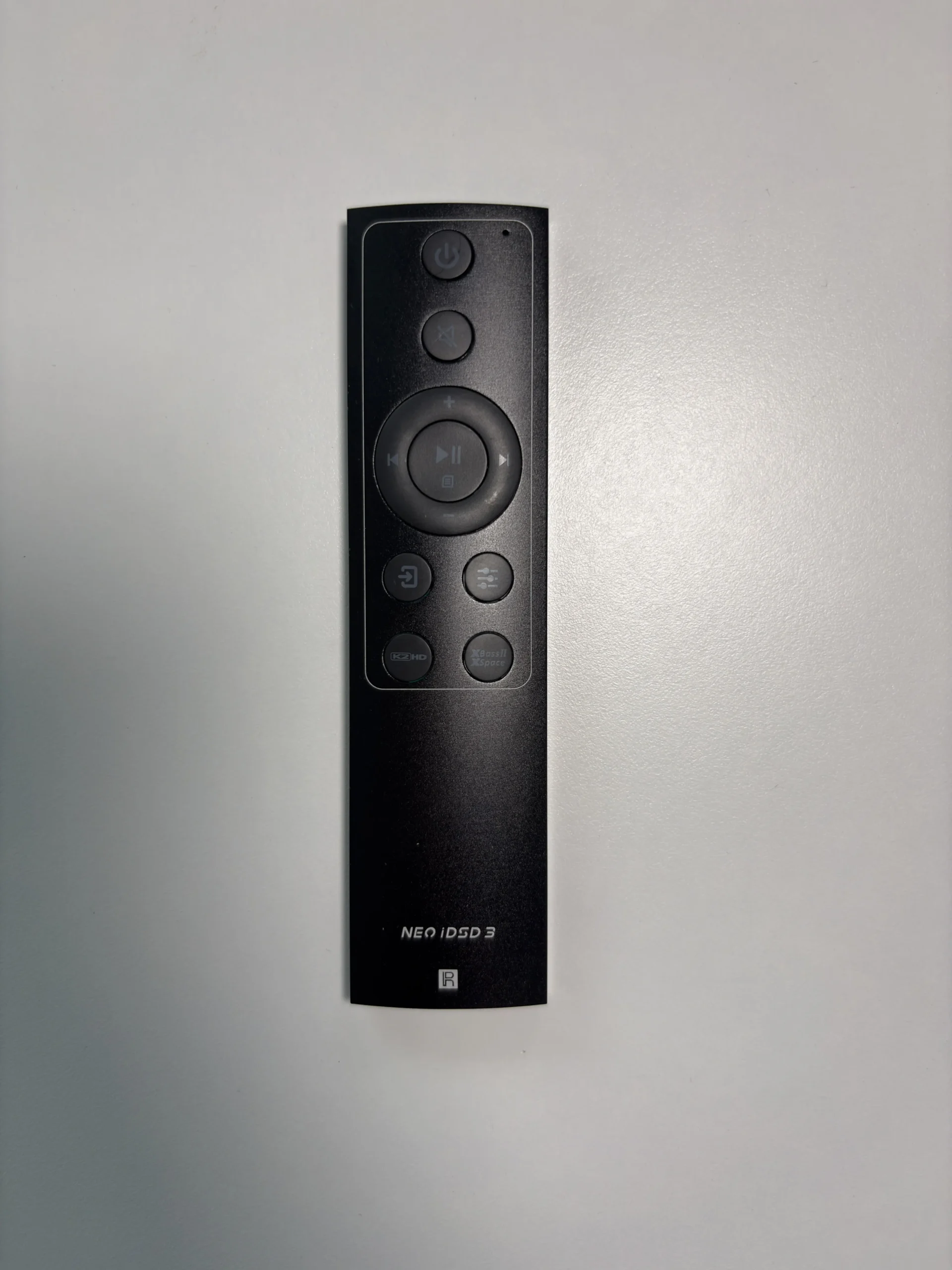
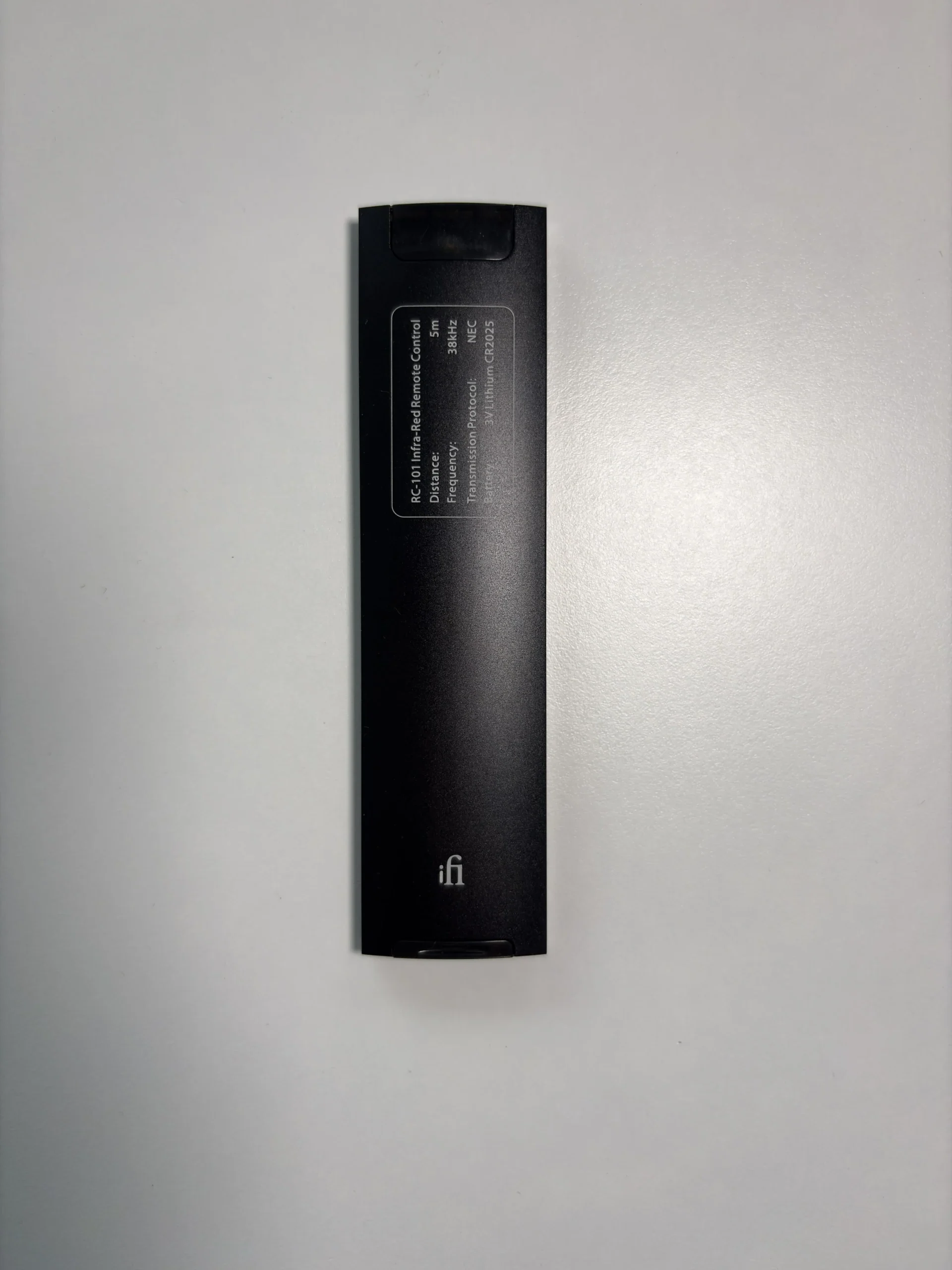


iFi includes an aluminum remote that handles volume, input switching, screen brightness, and mute functions. It can also power on and power off the Neo iDSD 3. The remote uses a standard cell battery, which is included.
Bluetooth Performance
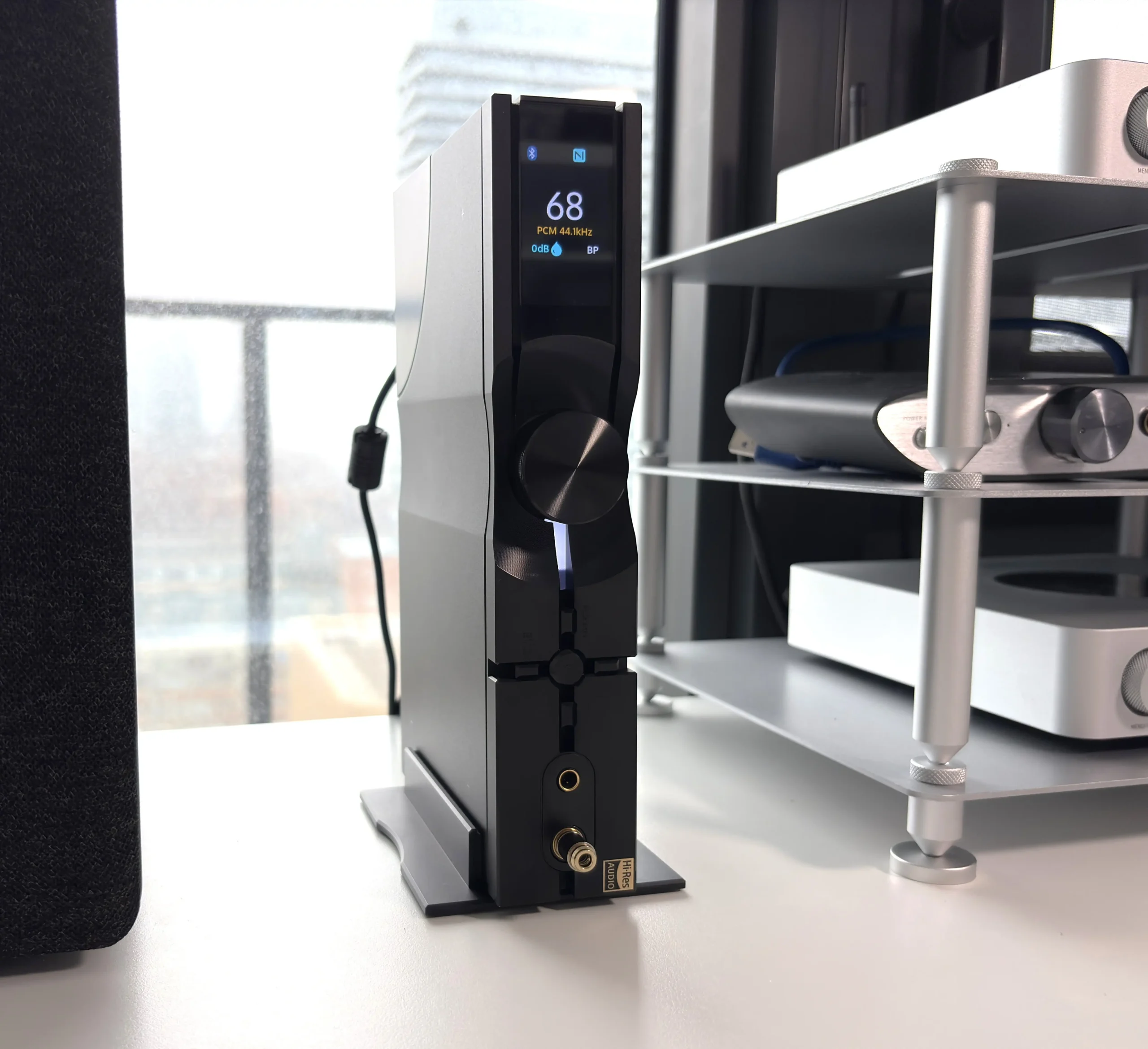
Bluetooth is a genuine selling point here, not just an afterthought. The Neo iDSD 3 supports the SBC, AAC, aptX, aptX Adaptive, aptX Lossless, LDAC, and LHDC/HWA codecs over Bluetooth 5.4, which is about as complete a Bluetooth codec package as you can get. That means it is set up to work just as comfortably with Android phones, laptops, and other Bluetooth sources as it is with a wired USB or S/PDIF source.
These are the various Bluetooth sources and codecs I used during my testing:
- Apple MacBook Pro (AAC)
- FiiO Air Link (aptX Adaptive, aptX Lossless, LDAC)
- FiiO M21 (LDAC, LHDC)
- Microsoft Surface Laptop 7 (aptX, LDAC)
- Samsung Galaxy Fold 7 (aptX, LDAC)
- Sennheiser BTD 700 (aptX Adaptive, aptX Lossless)
Regardless of the source or codec used, the experience was flawless. I encountered no stuttering or dropouts, even when 5-10 meters away. The connection is rock solid. I tested all three LDAC audio quality modes (990kbps/660kbps/330kbps), and all three performed perfectly. I’m always a little leery of the 990kbps mode, as it tends to be the one most affected by interference and distance, but it was flawless for me across multiple sources.
aptX Lossless also has the same story. Typically, high-bitrate codecs are heavily influenced by outside interference, but in my apartment, I had no issues at all. I did end up slightly preferring the aptX Lossless codec over the highest bitrate LDAC mode, as to my ears, it sounded as if it had a bit more dynamic range, but it is not something I can measure or quantify, so take that with a grain of salt.
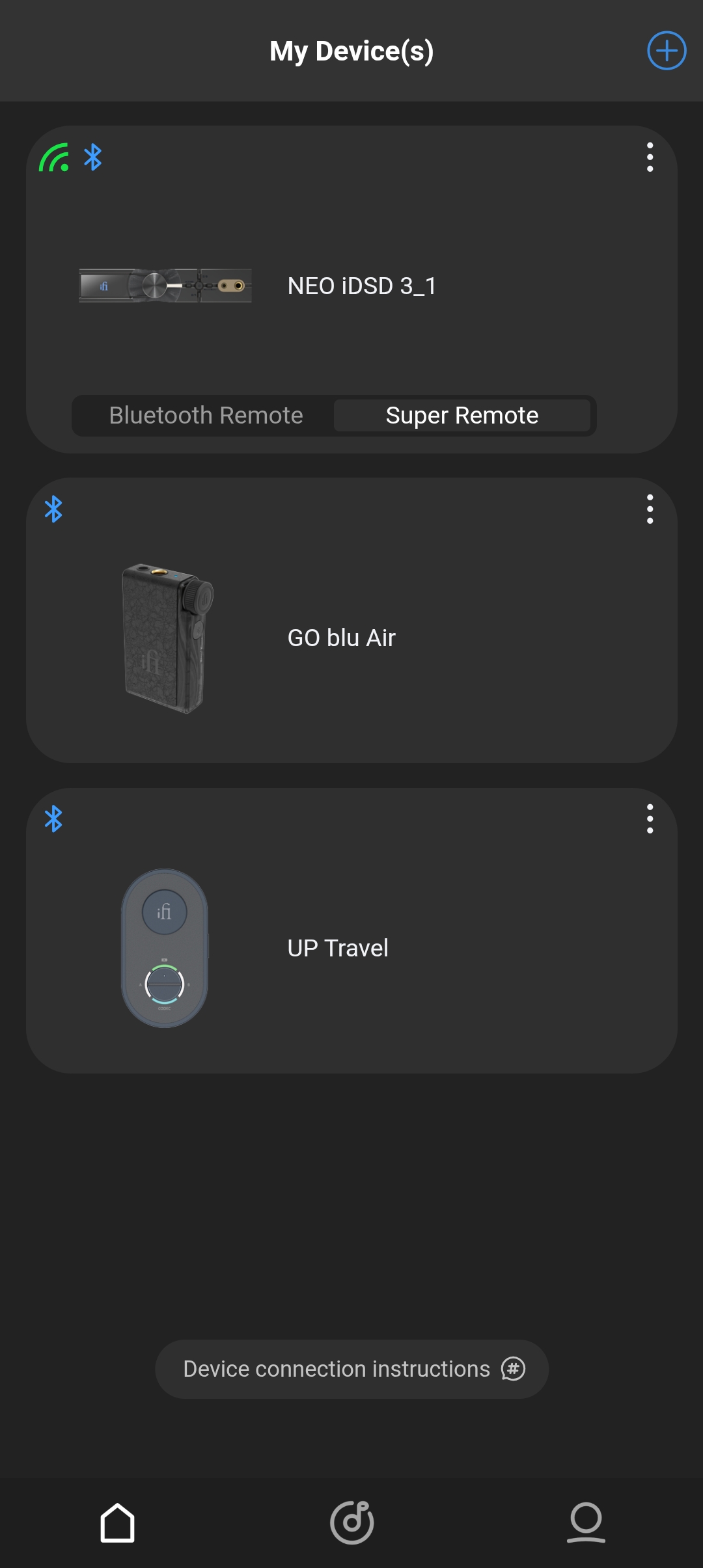
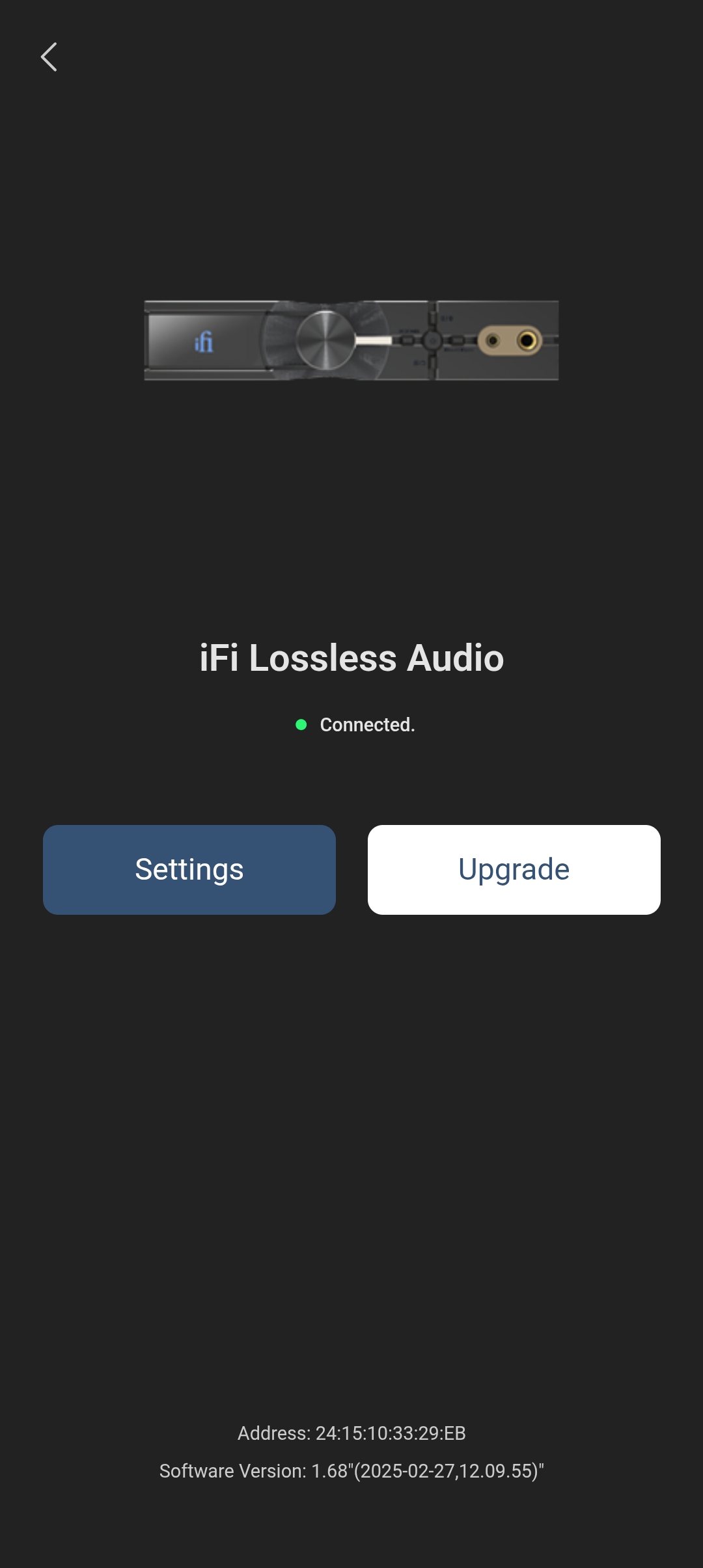

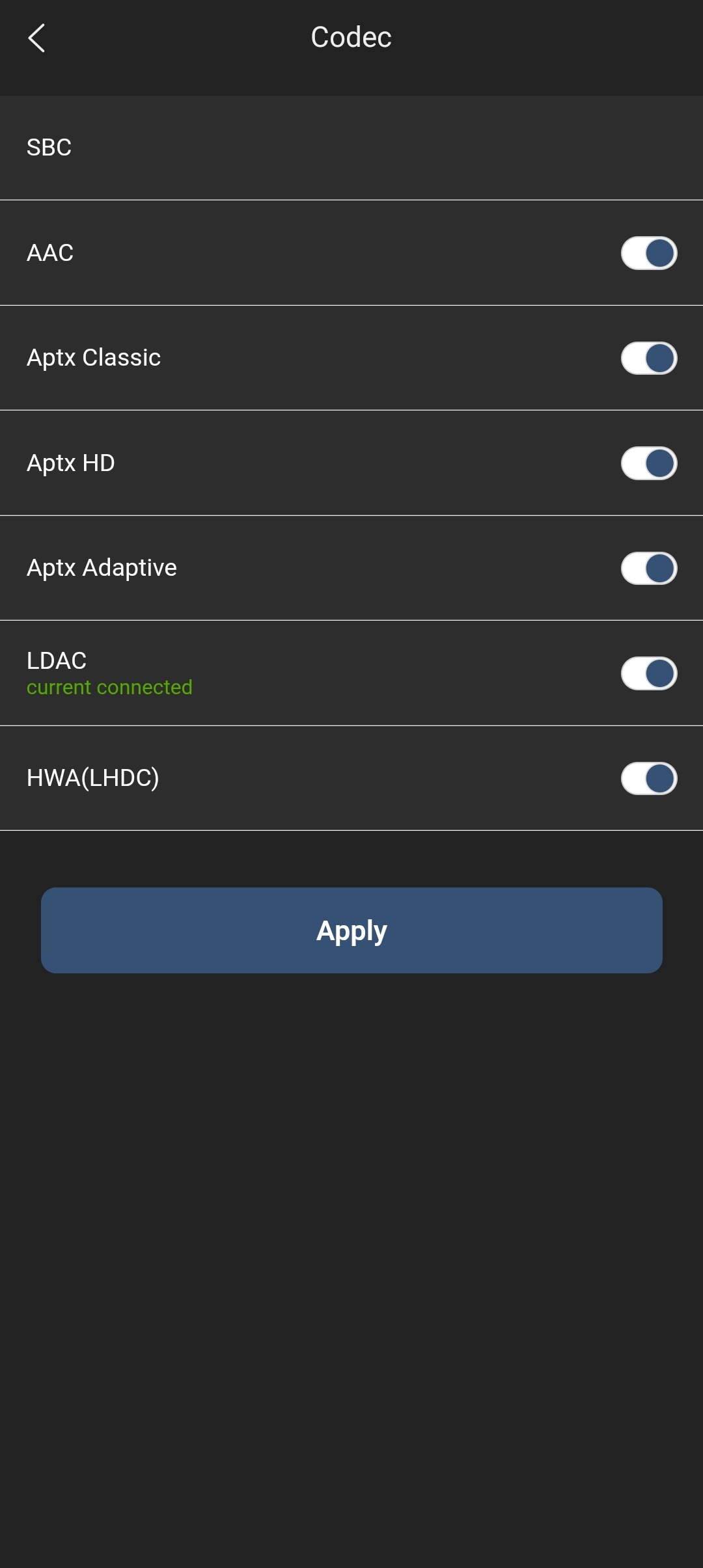



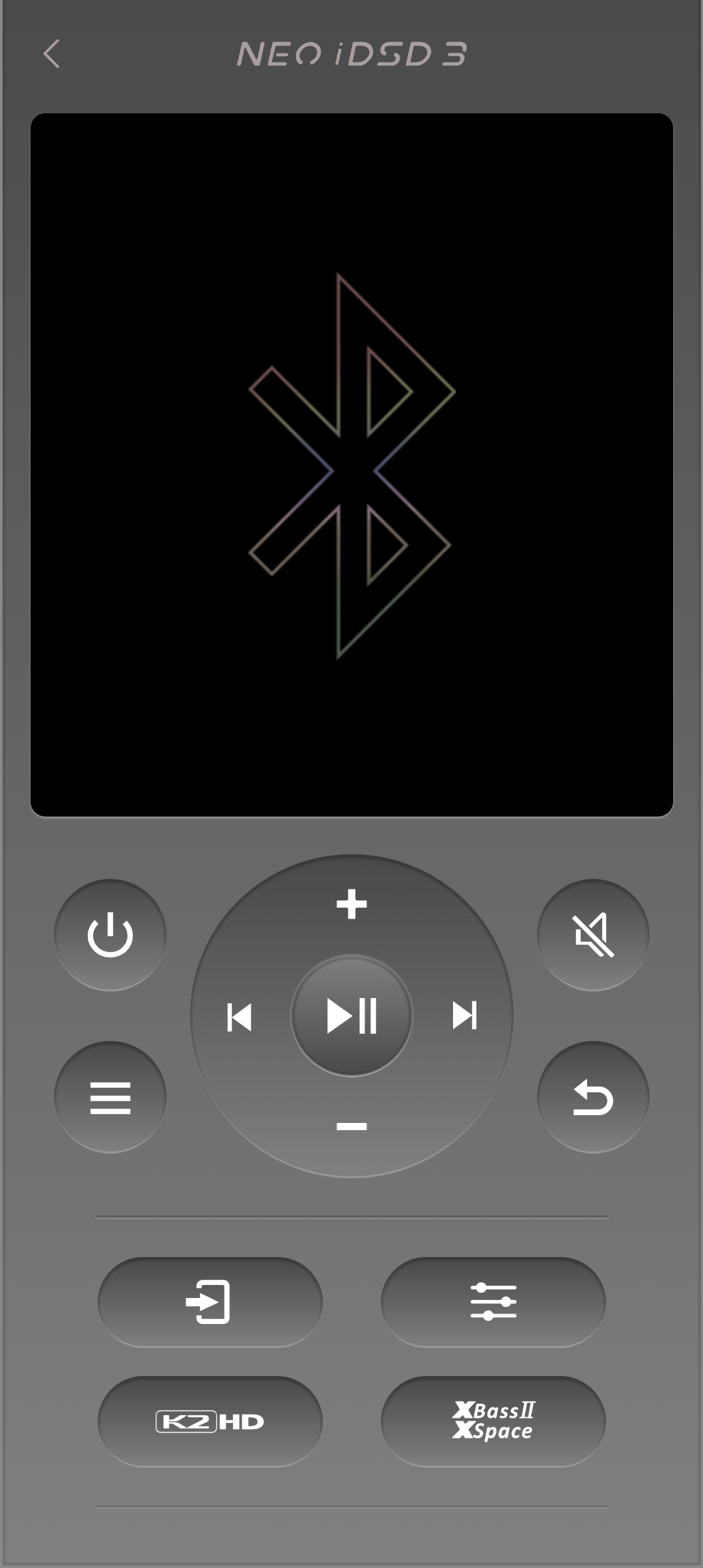


iFi’s Nexis app also uses Bluetooth to provide firmware updates and remote device control. Pairing it with the Neo iDSD 3 is easy, and you also have a couple of options. If you straight up pair it as a Bluetooth device in the app (by selecting Add device, Bluetooth Connection)
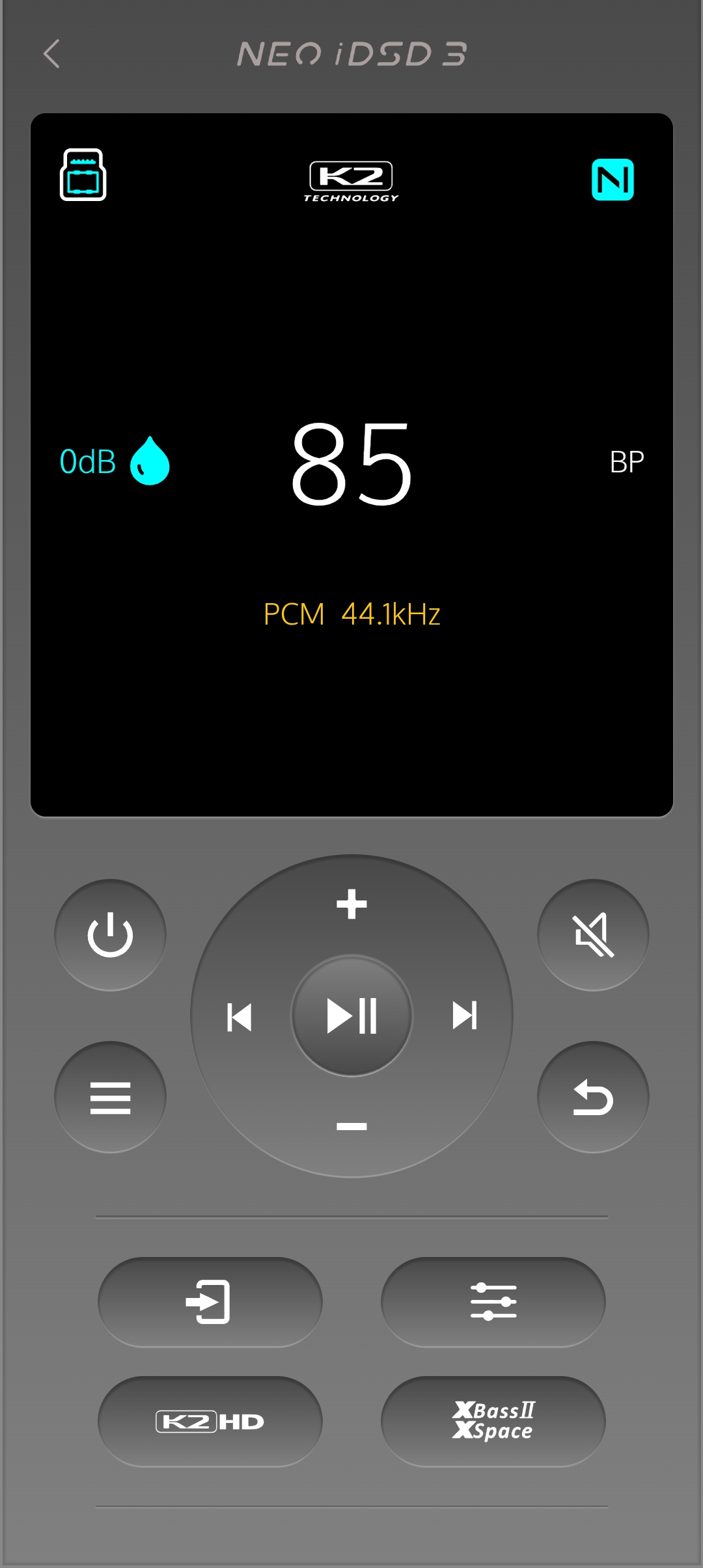
Otherwise, you can add it as an IoT Connection, which gives you the ability to add it to your home WiFi network (it connects via a 2.4GHz WiFi 4 connection). This is where you can use the “Super Remote’ ability, which mirrors the controls and the Neo iDSD 3’s display on your phone. It’s very handy if you don’t want to be up close to the device but still want to change some settings.
Features
K2 and K2HD
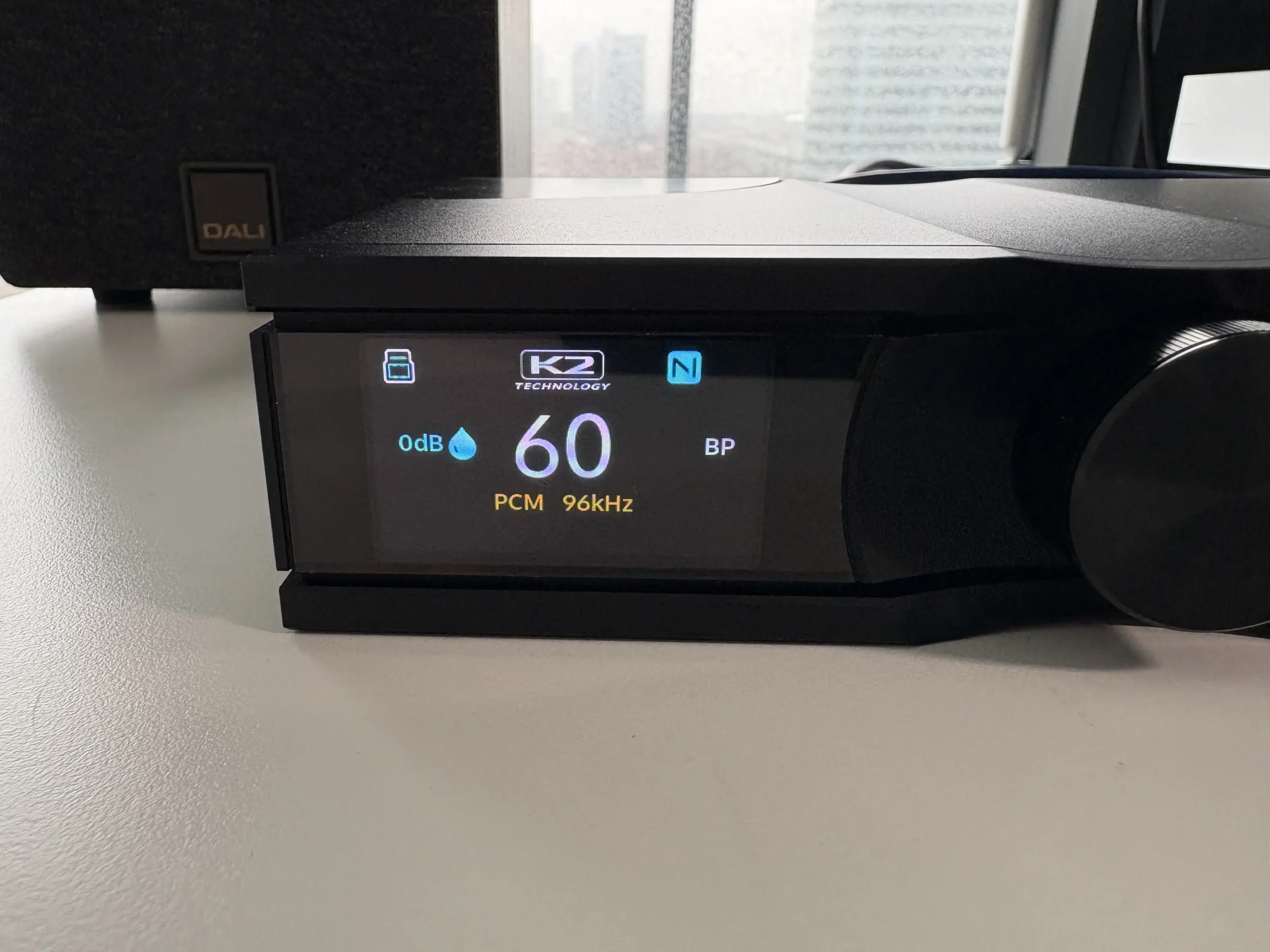
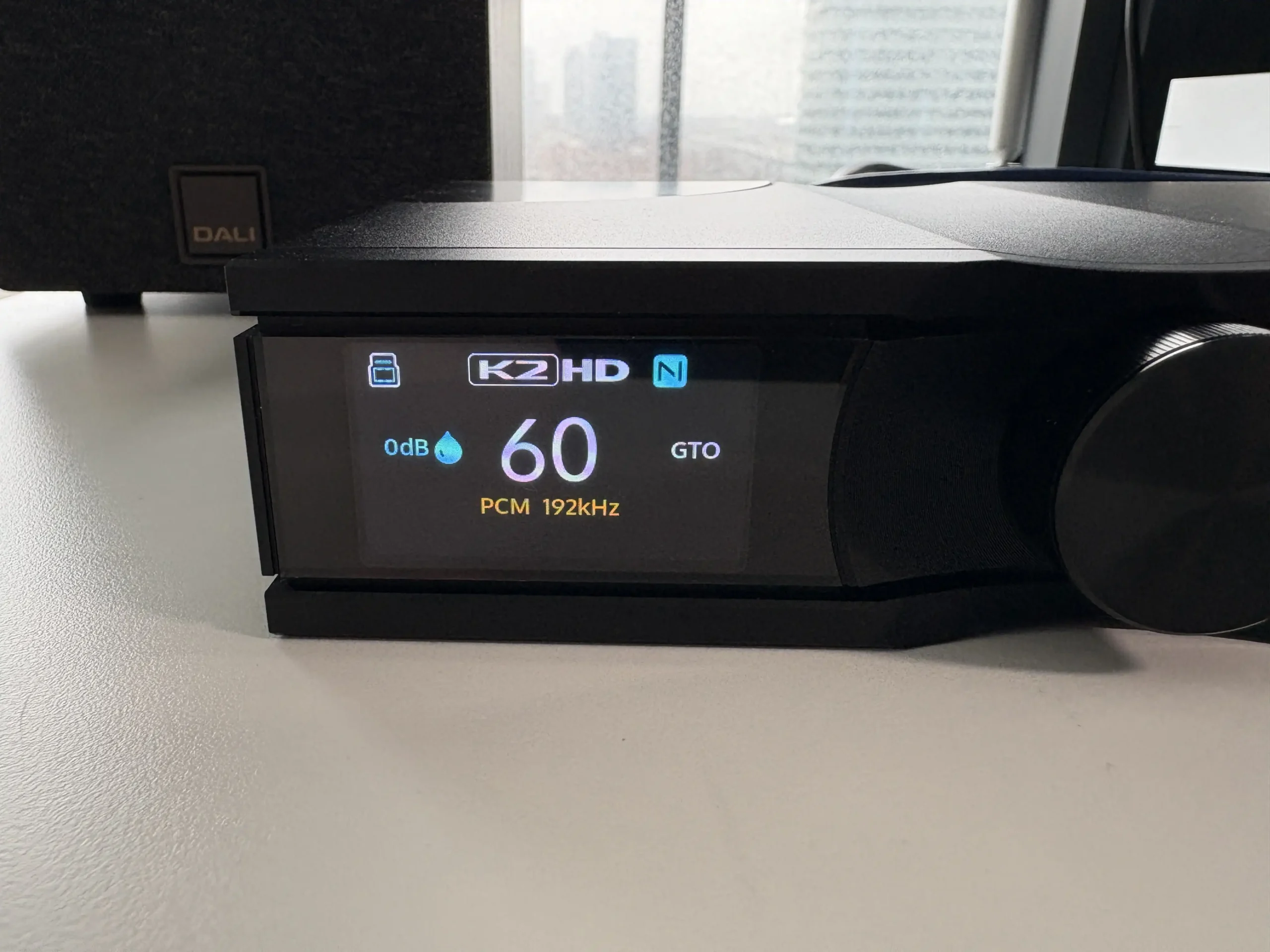


One of the more interesting additions is JVCKENWOOD’s K2HD technology. K2 is JVC’s long-running digital audio technology aimed at keeping reproduced music closer to the original studio master. K2HD is the version of that technology focused on improving lower-resolution digital audio by restoring some of the detail, harmonics, and spatial cues that can be lost when music is converted down to CD-quality formats. The idea is to make digital playback sound more natural, open, and lifelike rather than simply sharper or brighter. At least, this is how I understand it to work based on the available documents from iFi and JVCKENWOOD.
Essentially, you have two modes to choose from: K2 and KHD. The K2 mode supports PCM audio of any sample rate between 44.1KHz and 96kHz. If you play a 192KHz file, it switches to K2HD automatically. So what’s the difference between the two modes? K2 “restores” the audio closer to the original master. K2HD does this as well, but also upsamples the file, utilizing GTO upsampling to achieve a higher sample rate (this is similar to Sony’s DSEE technology, at least as I understand it).
This impressive engineering and promising marketing don’t really matter, though, if there isn’t any positive effect on the listening experience. During my testing, the K2 mode’s effectiveness varied significantly depending on the source material, which has been the case in every iFi product I’ve tried that includes this tech. With older recordings, like those of Paul Robeson or B.B. King, I noticed a subtle but noticeable improvement in instrument timbre and overall musicality. Modern digital recordings showed less obvious benefits, though. With K2HD, I mainly used it with MP3 files that were encoded at 256 kbps and 320 kbps. In many cases, including modern albums (I’m mostly talking about music from 1995 and newer), there was a noticeable improvement in soundstage and overall musicality. Where I really noticed a difference is in live recordings, especially poorly recorded ones. Vocals sounded smoother, and instrument separation improved. Overall, the K2 and K2HD modes are nice features to have, though I found myself leaving it off for most of my listening sessions.
XBass II, XSpace, Presence, and Digital Filters
iFi includes their XBass II and XSpace processing, both operating purely in the analog domain to preserve digital signal integrity. XBass II either reinforces low-end warmth (XBass) or boosts the presence region for more immediate vocals (Presence). They can also be combined to have both effects applied. XSpace opens the listening experience naturally without sacrificing soundstage accuracy, approximating speaker-like presentation.
I tested these features extensively with various headphones and IEMs. XBass II proved useful with headphones that lean thin in the bass region, adding warmth without creating bloom or muddiness. The Sennheiser HD 660S2 was a good candidate for this, as it’s an open-back headphone where I sometimes do find the bass impact lacking.
XSpace is more subtle in its effect, though with closed-back headphones, it did create a more open presentation. These aren’t features I’d use constantly, but they’re well-implemented when you need them. I see all of these modes as tools in a toolkit, giving you many options to try to improve your listening experience depending on the mood you have and the gear you’re using.
There are also four digital filters to choose from:
- Standard: Modest filtering, modest pre and post-ringing
- Bit-Perfect: No digital filtering, no pre or post-ringing
- GTO (Gibbs Transient-Optimised): Upsampled to 352.8/384kHz, minimum filtering, no preringing, minimum post-ringing
- Minimum: Minimum phase, slow roll-off, minimum pre and postringing
Output Power
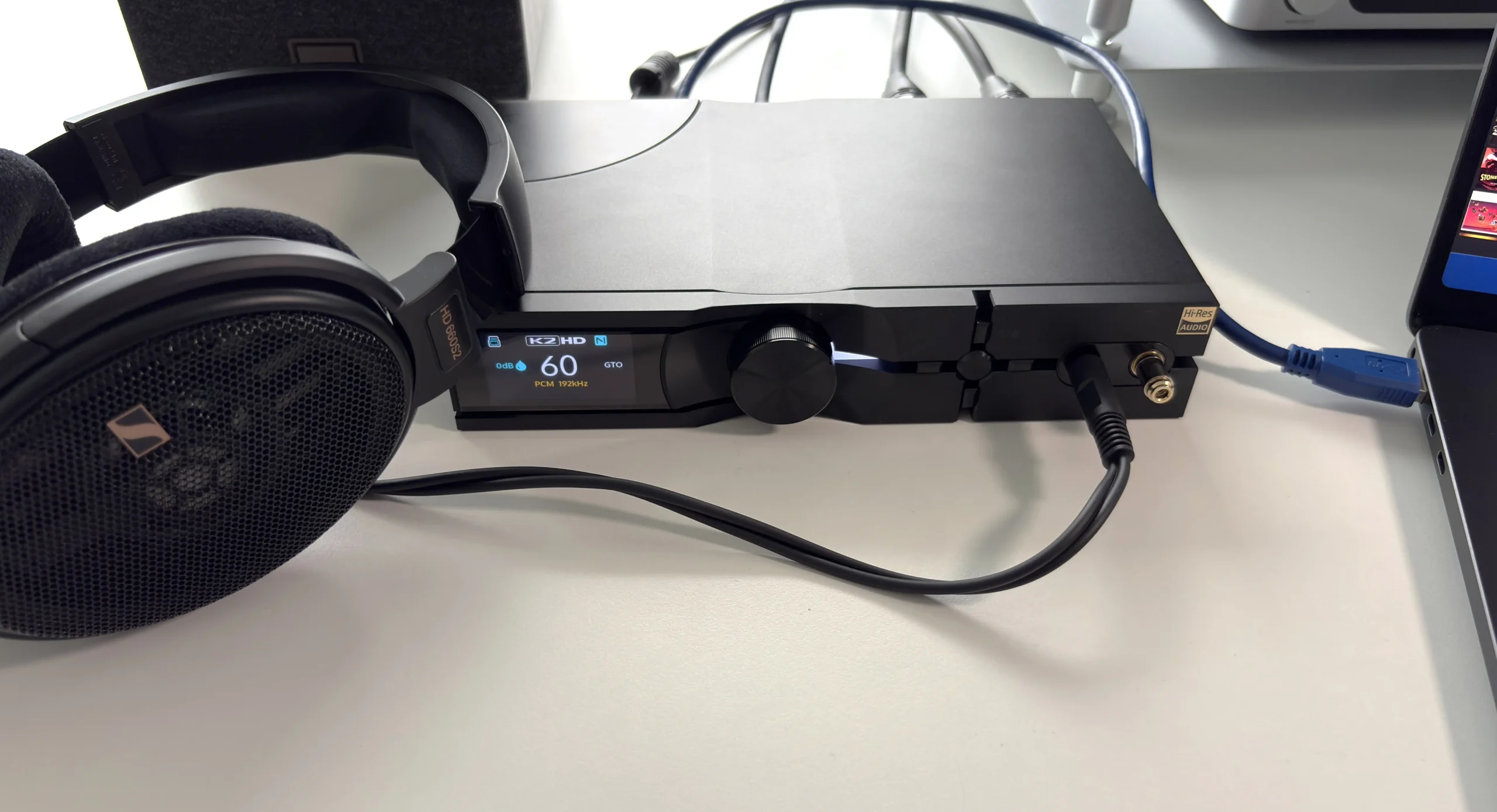
Output power is one of the Neo iDSD 3’s biggest strengths. Officially, it delivers at least 2,532mW RMS from the balanced 4.4mm output at 64 ohms, with peak output rated above 5,551mW. The 6.35mm single-ended output is rated at 2,244mW RMS at 32 ohms. iFi also says the amp stage draws from the design of the Diablo 2, which helps explain why power is such a major focus here.
If you pair that with the four different gain levels (-12dB, 0dB, +8dB, +16dB), then that kind of output should make the Neo iDSD 3 viable for a very broad range of gear, from sensitive IEMs all the way up to more demanding over-ears and plenty of planar headphones. The low output impedance, plus the inclusion of iEMatch, suggests that iFi was trying to make this feel versatile rather than just brute-force powerful.
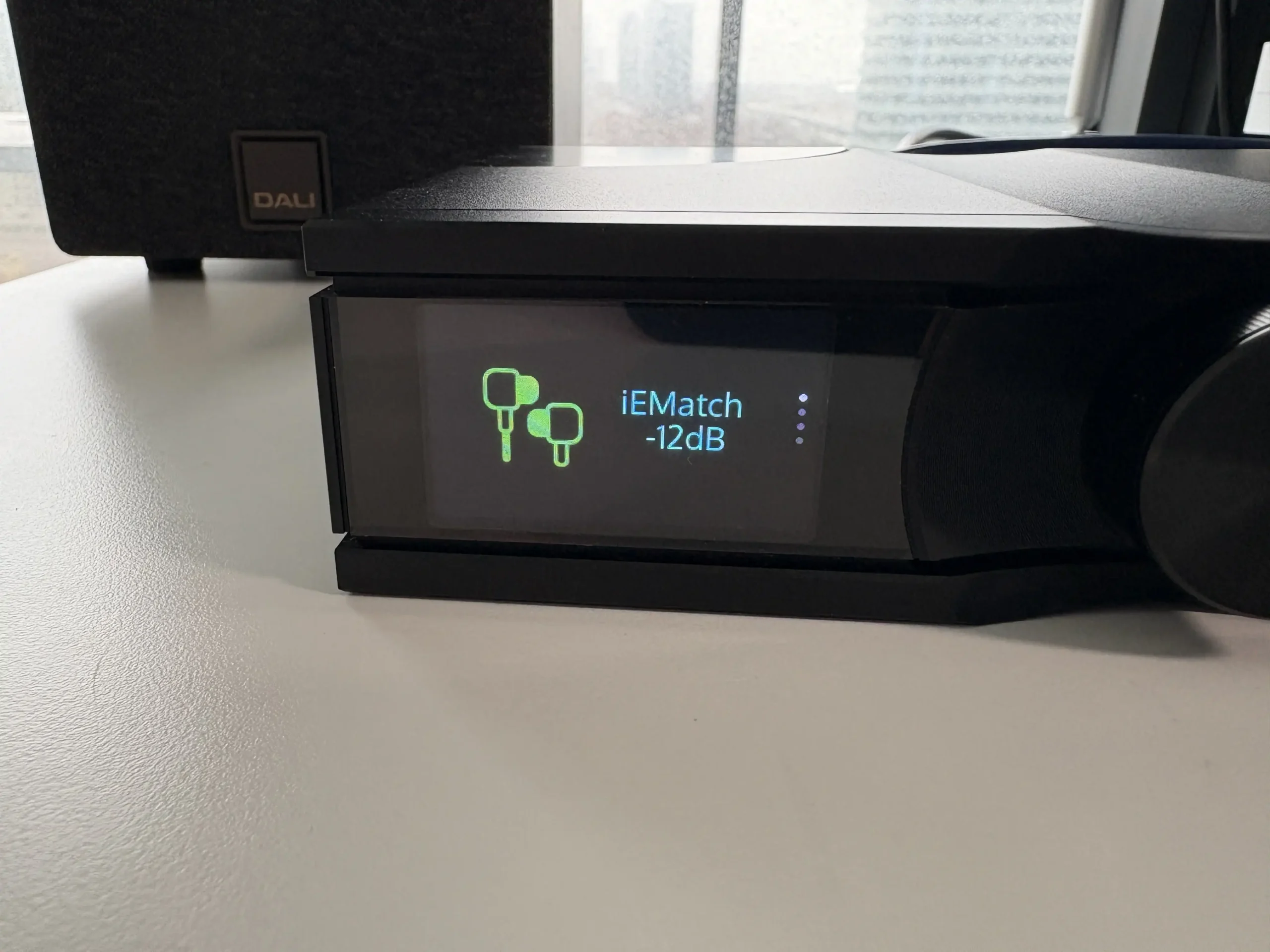
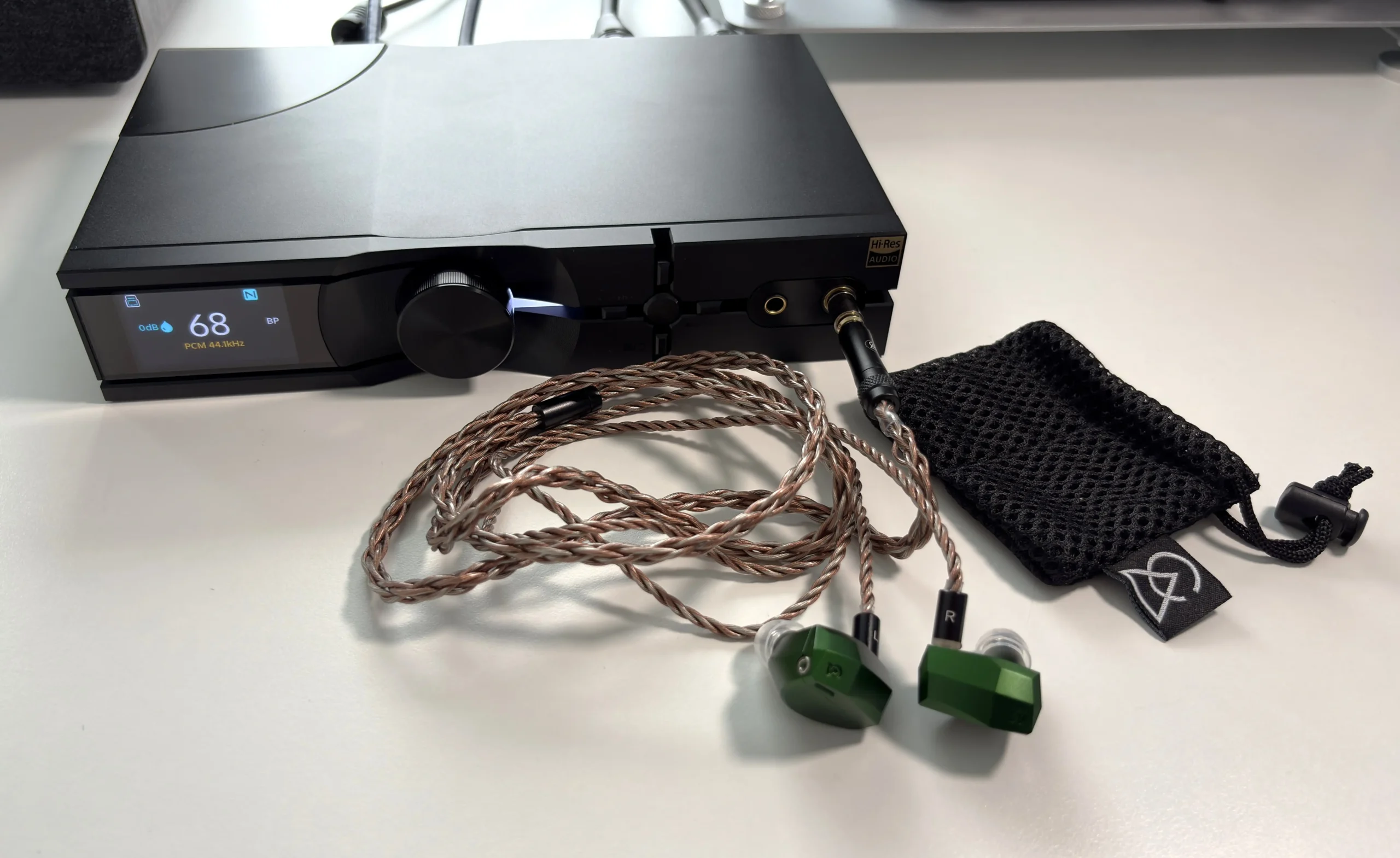
When using more sensitive IEMs, such as the 64 Audio Solo, Campfire Audio Andromeda 10, and the Simgot EA1000, I detected absolutely no background hiss or noise. The background is absolutely silent, which is exactly what you want to hear when listening with IEMs like these.
On the other side of the spectrum, the Neo iDSD 3 handled every headphone I threw at it. Admittedly, I don’t have anything particularly hard to drive, but some of them do benefit from higher-powered outputs to help with dynamics and soundstage. The Audee LCD-2 and Sennheiser HD 660S2 are two headphones that I have noticed are more affected by this, but thankfully, both are easily driven by the Neo iDSD 3’s 6.35mm headphone output.
The HIFIMAN Sundara and Edition XV both sounded just like they should using the 6.35mm output. I did test the balanced output with all of these headphones, and as I expected, they all sounded like I expected them to, which is a good thing.
Wired Connections
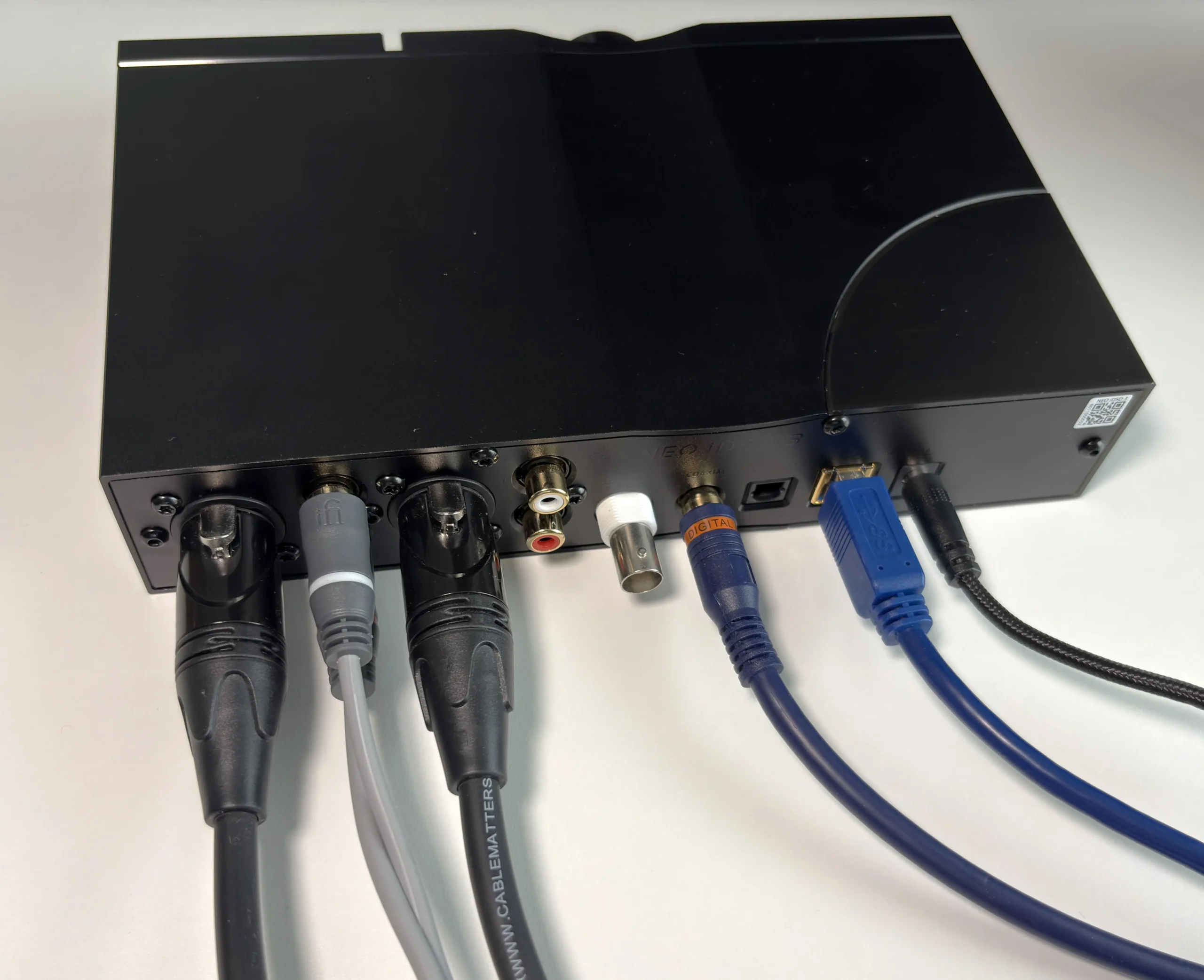
Besides the 6.35mm single-ended and 4.4mm balanced headphone outputs on the front of the Neo iDSD 3, there are numerous inputs and outputs located on the back, which I briefly touched on earlier.
For most users, the main input you’ll be using is the USB-B 3.0 connection. USB audio gives the most flexibility, as it allows you to connect your desktop PC, laptop, tablet, smartphone, and even digital audio player to the Neo iDSD 3. I tested the USB connection with my Surface Laptop 7, MacBook Pro M5 Pro, Samsung Galaxy Fold 7, and the FiiO M21. All of these devices worked perfectly, and I did not need to do anything special to get them to work, other than use a USB-A to USB-C adapter (why isn’t the USB connection USB-C in the first place?). I’d also like to add that the USB cable iFi includes is embarrassingly short, to the point where you are better off investing in a longer one for flexibility.
I also used S/PDIF Coaxial input to connect my Shanling EC Zero AKM CD player, so I could listen to CDs through it. This also worked perfectly, and there was no noise or interference on the connection that I could hear.
For outputs, I was mainly using the balanced XLR output connected to my Fosi Audio ZA3 amplifier, which outputs to my DALU KUPID bookshelf speakers. I also tested the RCA line out with my ZA3 as well. Both connections performed perfectly fine and sounded clean with no electrical interference.
Sound Quality
Main sources used for this review:
- Apple MacBook Pro M5 Pro
- FiiO M21
- Microsoft Surface Laptop 7
- Shanling EC Zero AKM
Main output devices, headphones, and IEMs used for this review:
- 64 Audio Solo (3.5mm)
- Audeze LCD-2 (3.5mm)
- Campfire Audio Andromeda 10 (3.5mm)
- Fosi Audio ZA3 (Balanced XLR, RCA single-ended)
- HIFIMAN Edition XV (3.5mm)
- HIFIMAN Sundara (3.5mm, 4.4mm)
- Sennheiser HD 660S2 (3.5mm, 4.4mm)
- Simgot EA1000 (3.5mm)
Links to my music playlist used for the majority of testing:
Spotify: https://open.spotify.com/playlist/6QSIhuCBDAUyoWGcyxPeN8?si=c0a4eb6bd3e3421e
Apple Music: https://music.apple.com/ca/playlist/hifi-oasis-audio-testing/pl.u-lKWlcjy04xp
Qobuz: https://open.qobuz.com/playlist/39521747
Tidal: https://tidal.com/playlist/503485c7-7f3d-43f0-b904-4b9a89c33875
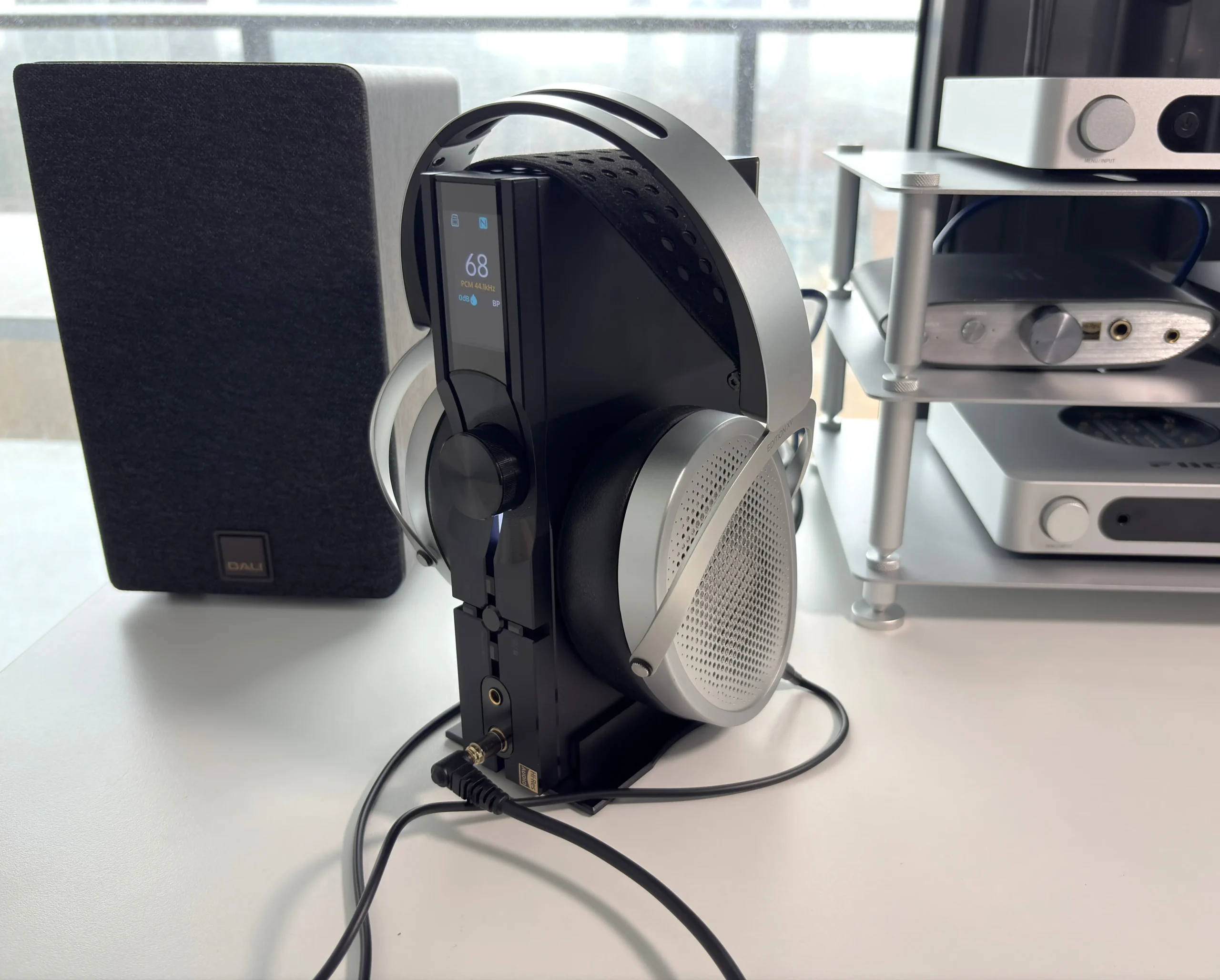
The way I would frame the iFi Neo iDSD 3’s sound is that it appears to be chasing a balance between precision and musicality rather than going for a cold, hyper-analytical presentation. iFi is using a custom Burr-Brown DAC stage with separate PCM and DSD paths, and it is pairing that with revised internal circuitry, lower-distortion op-amps, upgraded polymer capacitors, and WIMA MKS2 capacitors. Taken together, those points to a unit designed to sound clean, dynamic, and technically capable, while still keeping some weight and naturalness in the presentation instead of sounding overly clinical. That seems very much in line with what many people already expect from iFi gear.
The Neo iDSD 3’s sonic signature prioritizes transparency and accuracy over any particular coloration, and it delivers that transparency without the clinical coldness that often plagues neutral-tuned gear. Note weight sits in the middle ground, neither thick nor thin. This uncolored approach means your headphone’s characteristics come through faithfully, which I found particularly evident when switching between different headphones. The genuinely black background allows micro-details to emerge without strain.
Bass response stays tight, clean, and quick. There’s no bloom, mud, or bleed into the midrange. When listening to bass-heavy tracks, the Neo iDSD 3 reproduces everything accurately without adding any artificial weight or warmth.
The midrange exhibits good timbre despite not being particularly thick in tonality. Voices sound neutral rather than rich or emotionally weighted. I noticed this especially with male vocals, which maintained clarity but didn’t have a lush, forward presentation that some may prefer.
Treble performance stands out as one of the Neo iDSD 3’s strengths. Highs deliver excellent resolution, transparency, and detail. The presentation leans slightly bright, though the controlled nature prevents harshness under normal conditions.
Staging provides good width and depth without being the most expansive I’ve tested. Separation and imaging capabilities excel as well. Height, width, and depth are all accurately based on the recording and the headphones or IEMs you’re listening with.
Final Thoughts
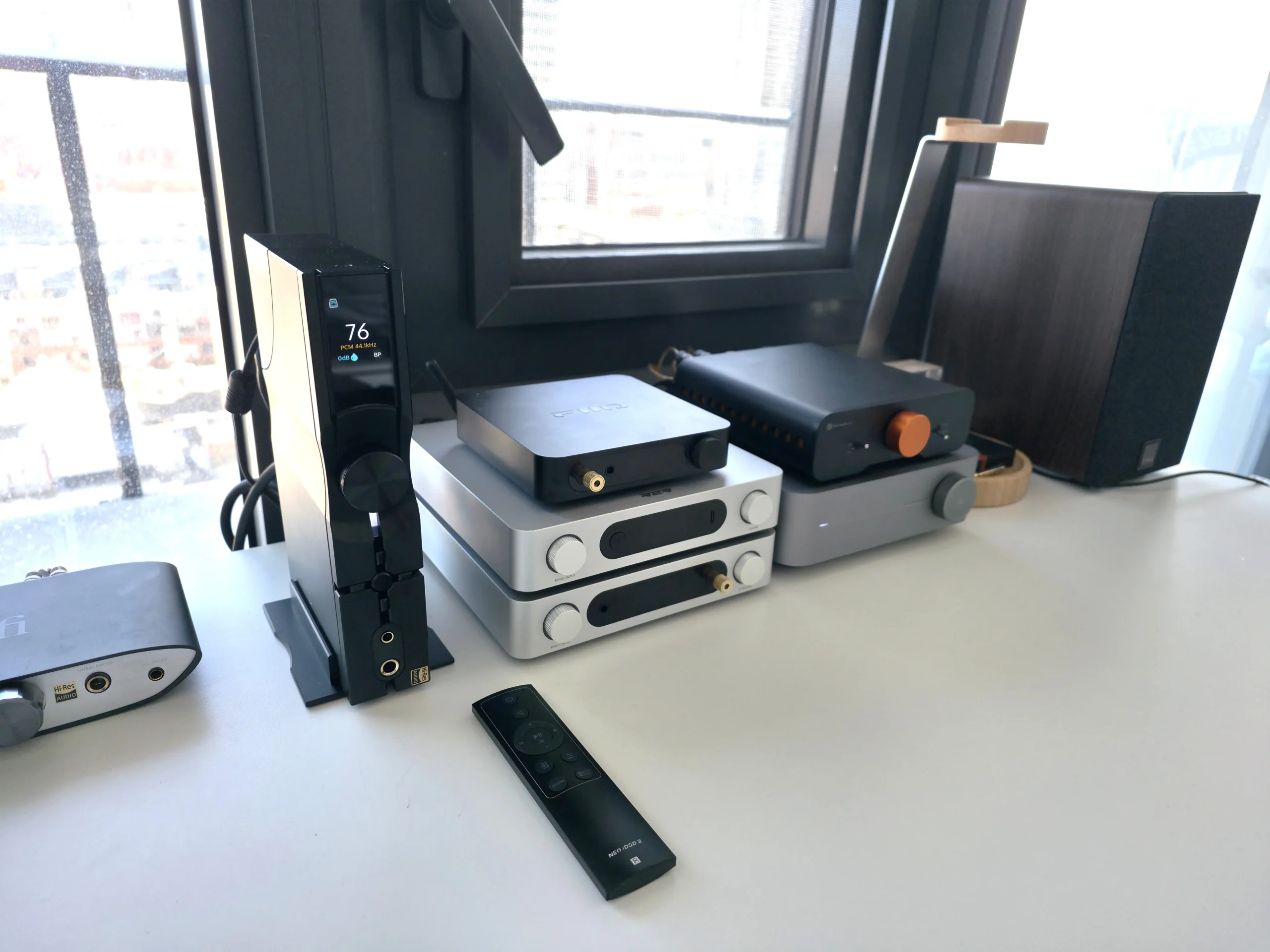
The iFi Neo iDSD 3 is a very compelling desktop DAC/Amp for anyone who wants one premium box that can handle headphones, IEMs, powered speakers, traditional hi-fi sources, and modern Bluetooth without feeling compromised in any one area. The power output is strong, the Bluetooth implementation is legitimately high-end, the connectivity is excellent, and the feature set is deep without becoming overwhelming. To me, this is the perfect upgrade if you’re coming from something like the ZEN DAC series, where you would want more features, stronger output power, and the ability to use sensitive IEMs.
The faults are far and few between. I do wish you could manually switch between outputs instead of only being able to manually switch the inputs. It would also be nice of iFi to fully embrace USB-C instead of holding onto USB-B connections (and give us a longer cable while you’re at it).
What stands out most is that iFi seems to understand the audience for a product like this. The Neo iDSD 3 is not just about chasing specs for the sake of it. It is about building a compact desktop component that feels practical, adaptable, and enthusiast-focused at the same time. If the final listening experience lives up to the platform iFi has built around it, the Neo iDSD 3 has the makings of one of the more well-rounded desktop DAC/amps in its price range.
At $999 USD, the Neo iDSD 3 offers excellent value if you need its specific combination of features and versatility.

Buy from Amazon: https://amzn.to/4dJOyVZ
Buy directly from iFi: https://ifi-audio.com/products/neo-idsd-3?sca_ref=10038705.SMFuTWdbKbl87zK7
Check Online Price for other stores: https://geni.us/753BK8
The above links may be affiliate links. All commission earned through them goes directly to maintaining this site and bringing you more audio reviews.
I’m not always able to cover all the details of a product, both hardware and software, in our reviews. If you have any specific questions about this product, please feel free to leave a comment or contact me directly.
Be sure to check out our excellent Buyer’s Guides, as well as our other Reviews.
HiFi Oasis Verdict
HiFi Oasis Verdict-
Design & Build Quality8/10 Very good
-
Sound9/10 Amazing
-
Features/Accessories9/10 Amazing
-
Value8/10 Very good
Pros
- Excellent all-in-one versatility
- Dead-silent background
- Balanced, natural sound tuning
- Strong treble resolution and detail retrieval
- Powerful amplification
- Great connectivity options
- Solid build quality with premium feel
- Dual-orientation design (vertical/horizontal)
- Useful sound-shaping tool
- Clean, well-organized UI and informative display
Cons
- No manual output switching
- USB input is USB-B instead of USB-C
- Included USB cable is extremely short
- K2 and K2HD tech more of a subtle benefit rather than a must have