

Disclosure: I’d like to thank SteelSeries for providing me with the Nova Pro Omni for this review. All thoughts and opinions are my own, and SteelSeries had no say or input on the contents of this review.
When I reviewed the SteelSeries Arctis Nova Elite, I described it as a headset that blurred the line between a gaming headset, ANC headphone, and audiophile-style wireless headphone. The new SteelSeries Arctis Nova Pro Omni feels like SteelSeries taking many of those same ideas and bringing them into a slightly more attainable package.
The big difference between this and the Nova Elite is that the Nova Pro Omni is not positioned as the absolute luxury flagship. It does not use the same carbon fibre drivers or the same ultra-premium material approach as the Elite. Instead, it feels more like the true successor to the Nova Pro Wireless, but upgraded with many of the features that made the Nova Elite so compelling. The Omni also features a brand new microphone that SteelSeries calls ClearCast Pro, which is supposed to have a more studio-like sound. Honestly, all this might make the Omni the more practical headset for most gamers.
At $399.99 USD, the Nova Pro Omni is still undeniably expensive, but it is also trying to solve a very real problem for people who game across several systems. If you use a PC, PlayStation, Xbox, Switch, and smartphone, the usual solution is either constant cable swapping, multiple headsets, or accepting a clunky workflow. The Nova Pro Omni is built around the idea that you should be able to connect everything, mix multiple sources at once, and control the whole experience without needing to leave your game. Just like the Elite, there is no platform-specific version of the headset. It works with everything, even Xbox consoles.
So, do these features justify the cost for those looking to upgrade from an older headset, or for those wanting an all-in-one gaming headset? Let’s get into it and find out.
If you prefer video reviews, I have one of the Omni here:
Key Specifications
- Product Page: https://steelseries.com/gaming-headsets/arctis-nova-pro-omni
- MSRP: $399.99 USD, £349.99, €399.99
- Battery Life: Up to 30 hours per battery (two hot swappable batteries included)
- Battery Capacity: Two swappable 700 mAh batteries
- Type: Over-ear, closed-back
- Driver Type: 40mm Custom Designed Neodymium Magnetic Drivers
- Impedance: 38 Ohms
- Sensitivity: 98 dBSPL @ 1kHz/1mW
- Weight: 339 grams
- Connections: 2.4GHz wireless with base station, Bluetooth 5.3
- Audio Format Support: Up to 24-bit/96kHz (when using the 2.4GHz wireless connection)
- Bluetooth Codec support: SBC, LC3, LC3+
- Microphone: Yes, retractable boom mic (ClearCast Pro)
- Active Noise Cancellation (ANC): Yes
- Charging Method: USB-C, base station
- Weather/Dust Resistance: No
In the Box
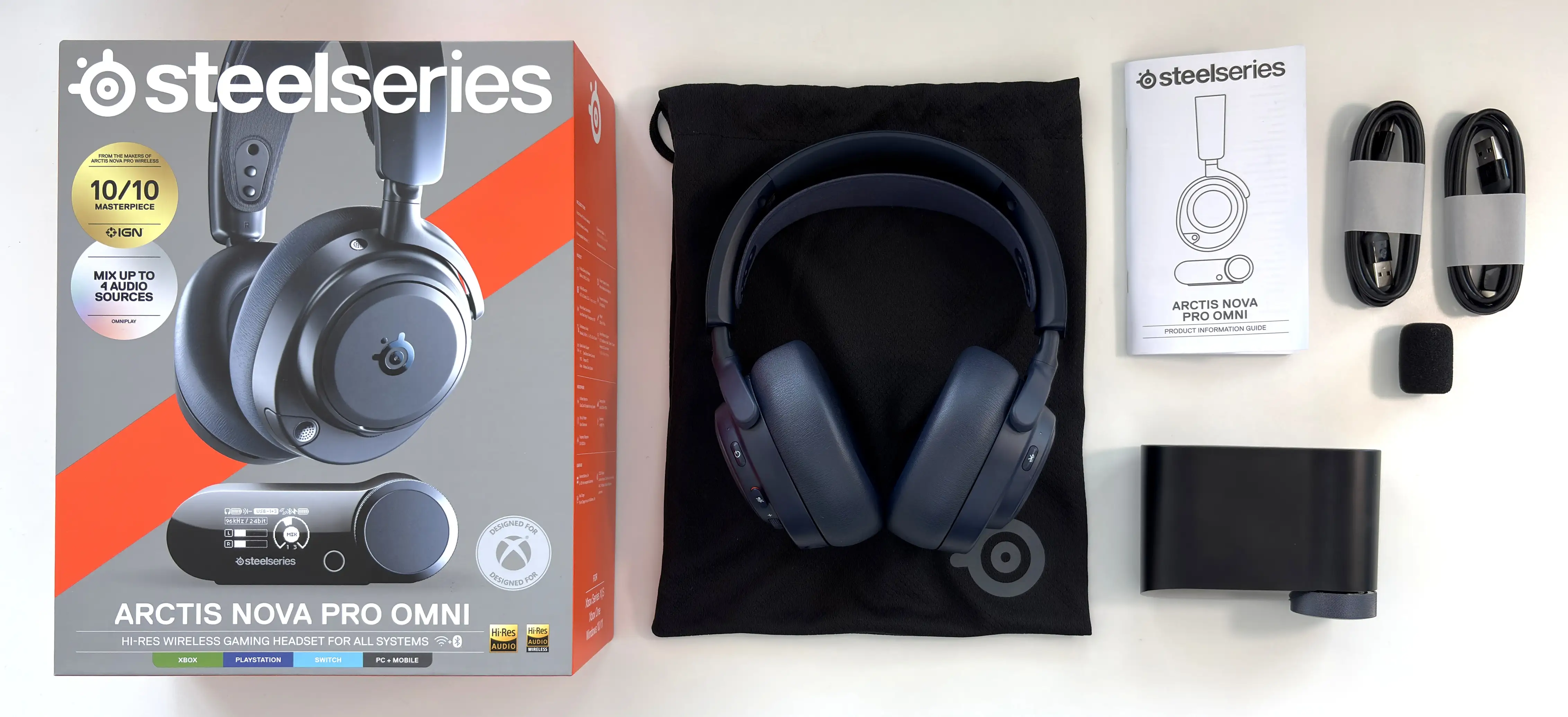
- Arctis Nova Pro Omni
- GameHub
- 2x hot swappable batteries
- 2x USB-C to USB-A cables (1.5m/5 ft)
- Microphone pop filter
- Manual
The Arctis Nova Pro Omni follows the same general package philosophy as other SteelSeries premium headsets. You get the headset itself, the wireless GameHub, the swappable battery system, and the cables needed to connect the GameHub to your various systems.
An important note here is that you no longer get a 3.5mm aux cable included, so if you want to use an analog connection with the Omni, you’ll need to supply your own cable.
Design & Comfort
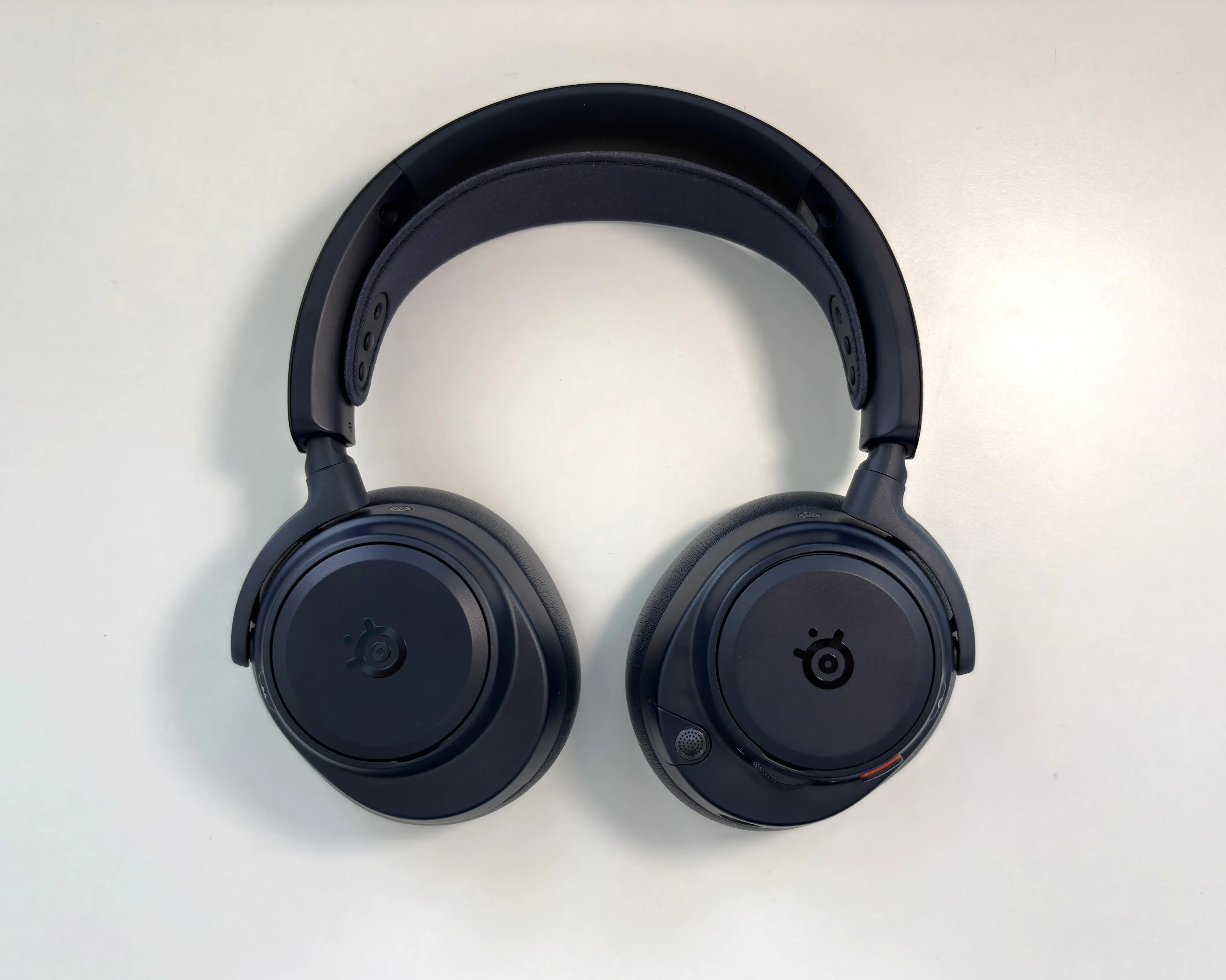
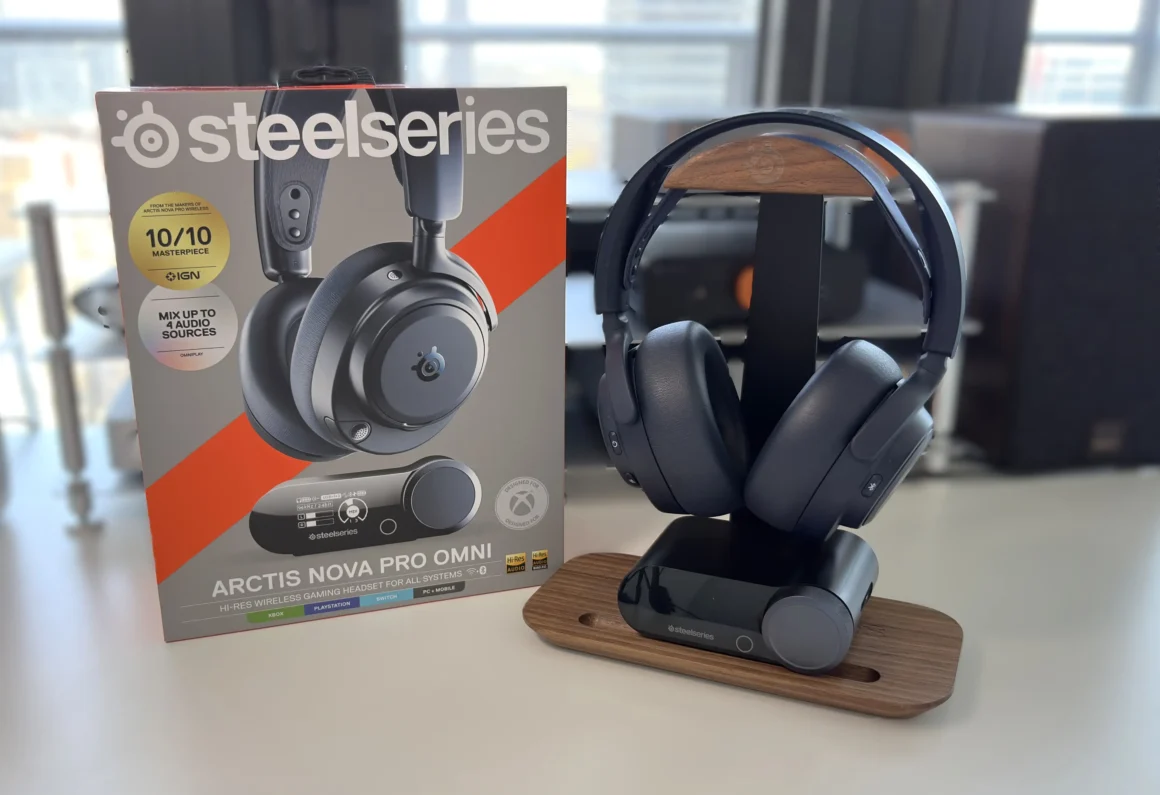
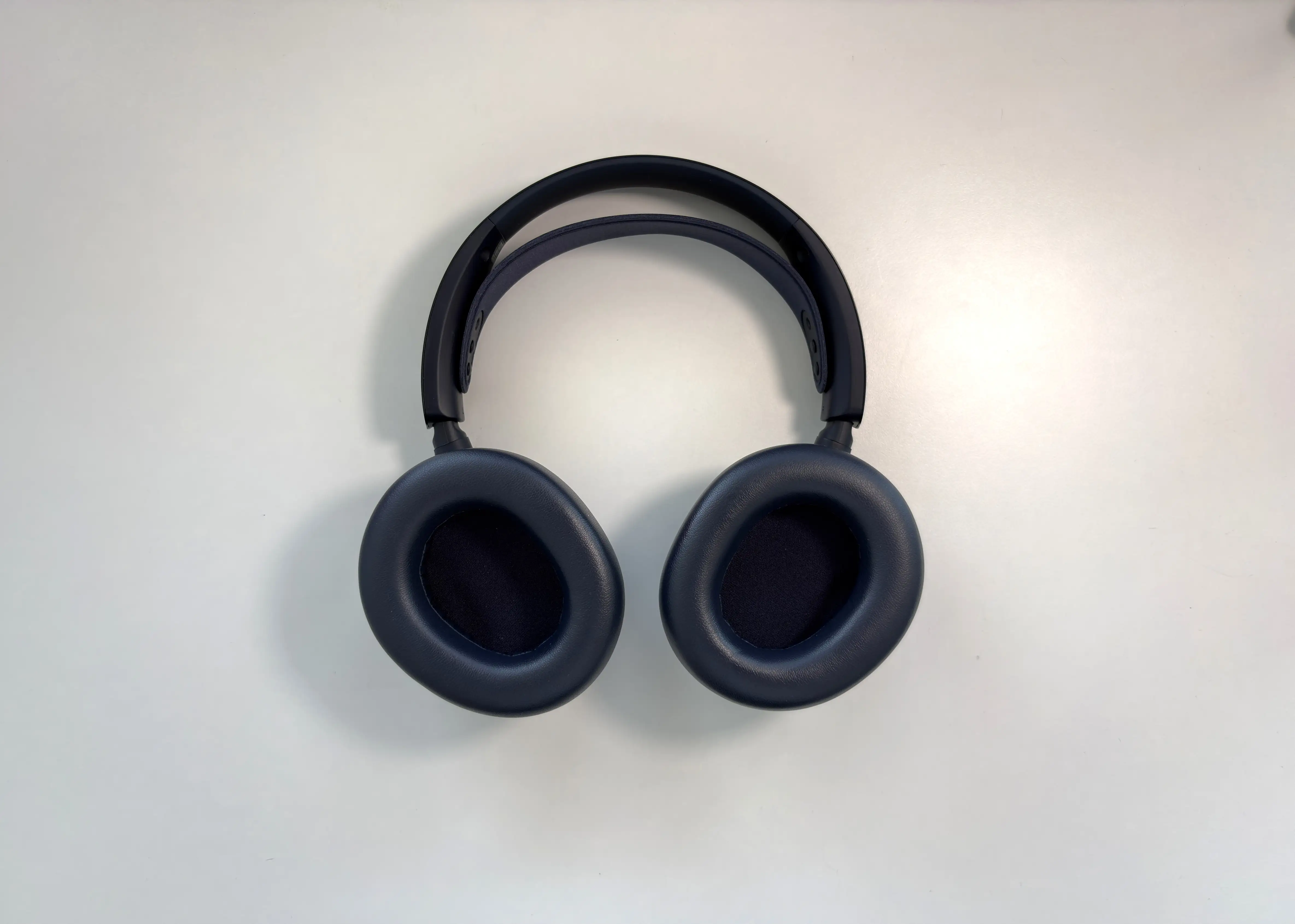
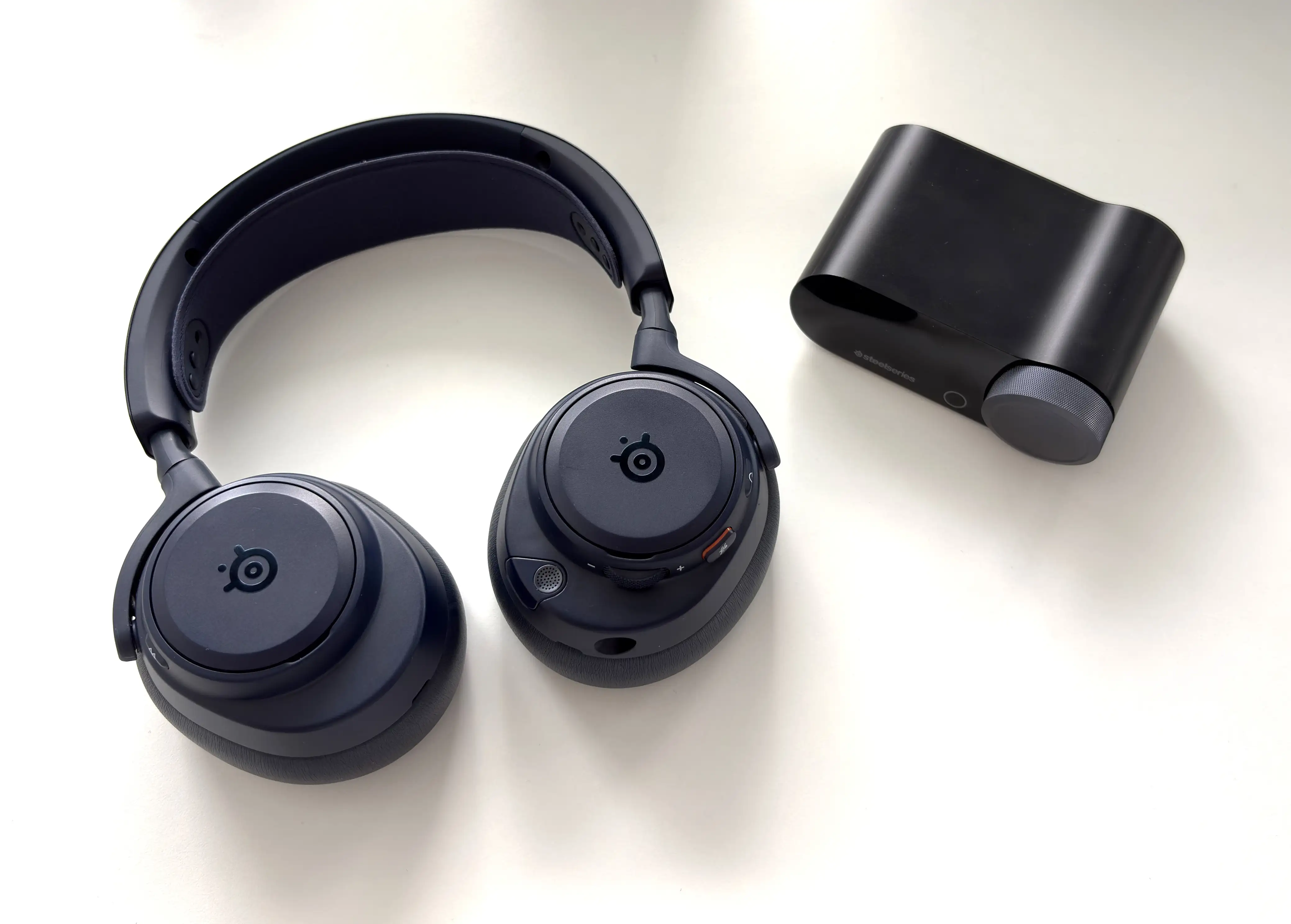
The Arctis Nova Pro Omni continues with the familiar SteelSeries Nova design language, so anyone who has used the Nova Pro Wireless or Nova Elite will immediately understand what SteelSeries is doing here. It has the floating ski-goggle-style headband, large over-ear cups, removable magnetic speaker plates, and a generally clean look that avoids the overly aggressive gamer aesthetic.
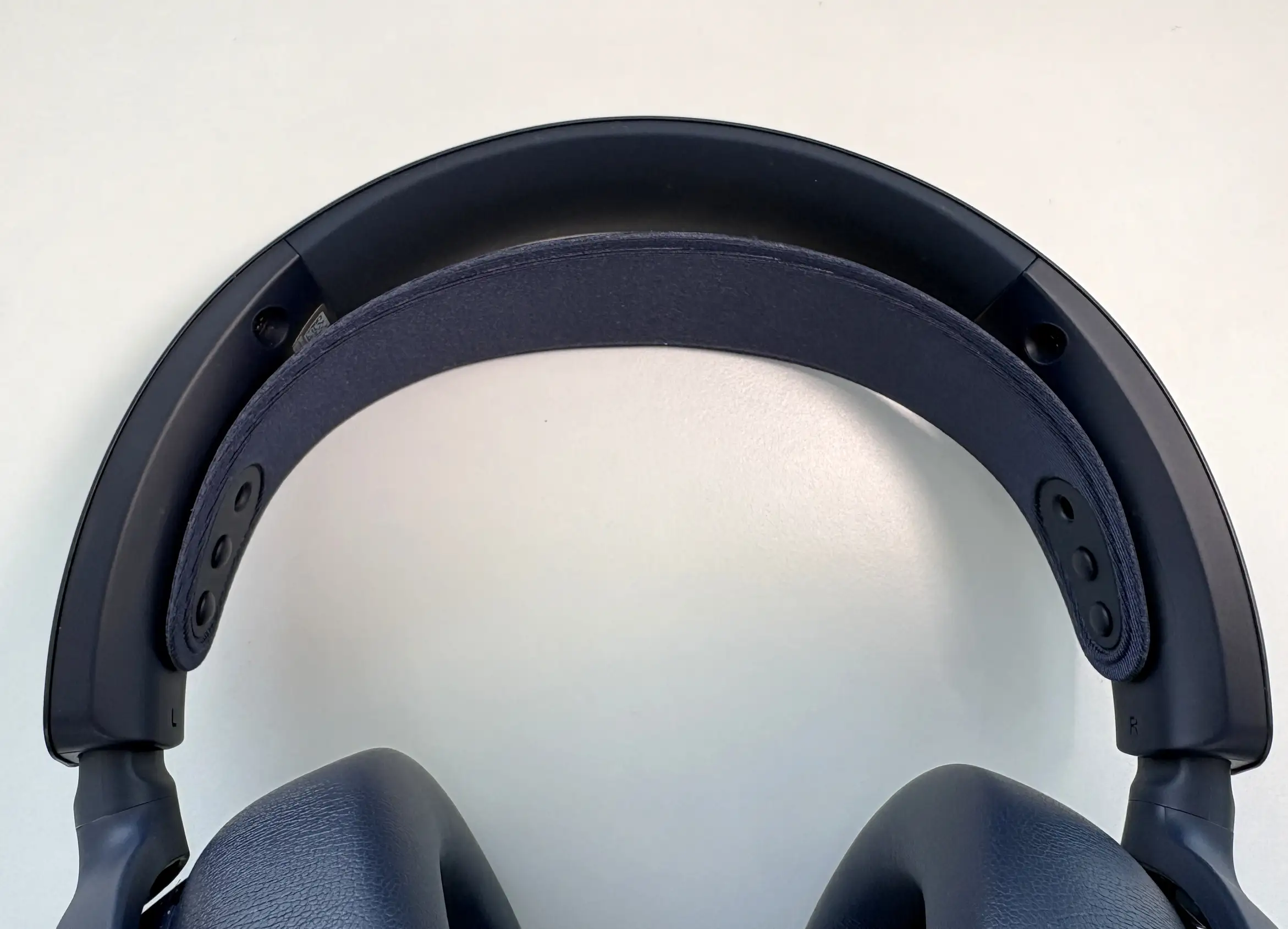
The colour options are well done here (SteelSeries has been nailing the colorway options lately, in my opinion). The Midnight Blue version is the one I have for this review, and it’s also the one that stands out the most to me. It gives the headset a slightly more premium and lifestyle-oriented look without being as flashy as some gaming-focused designs, and is also set apart from the standard black option.
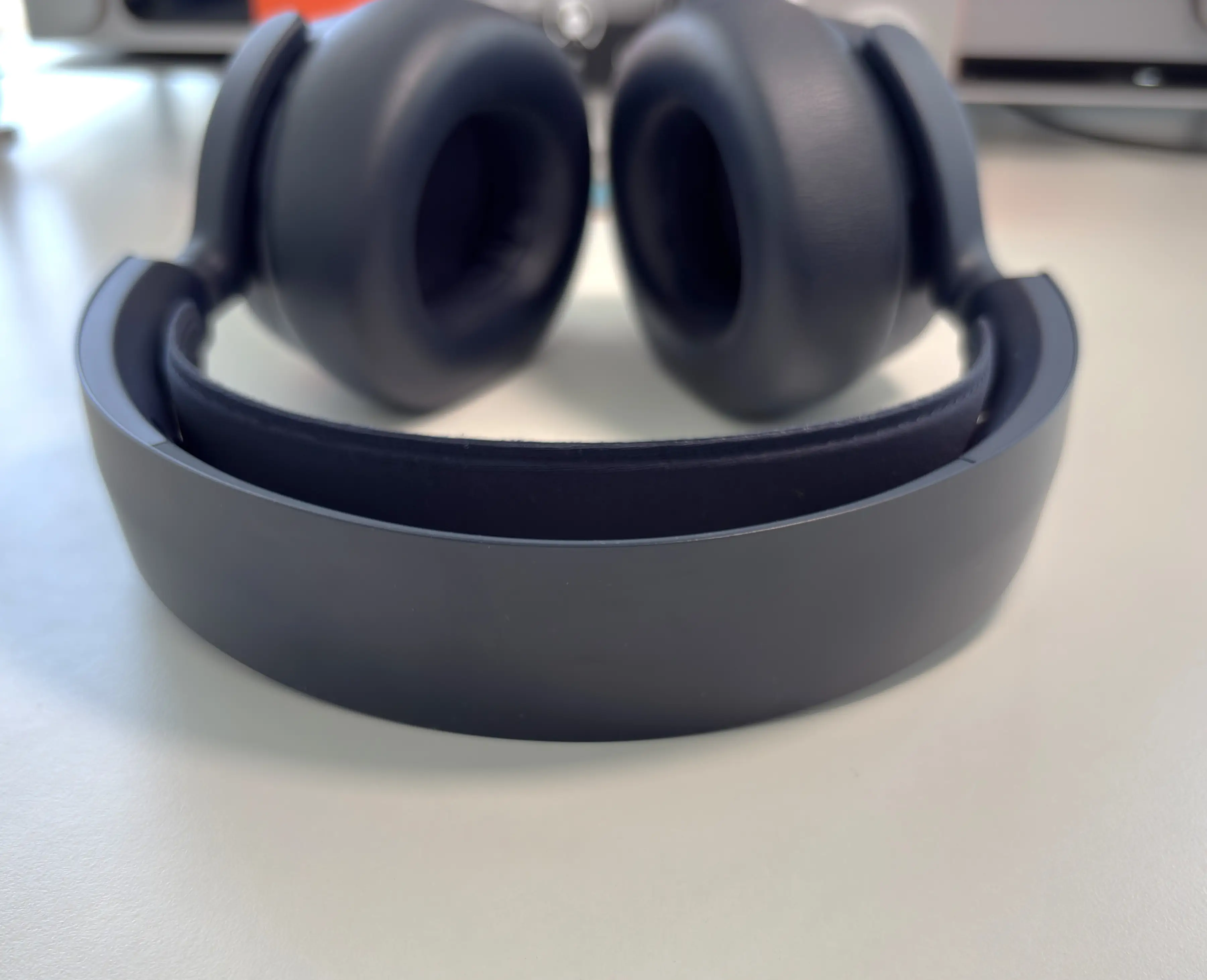
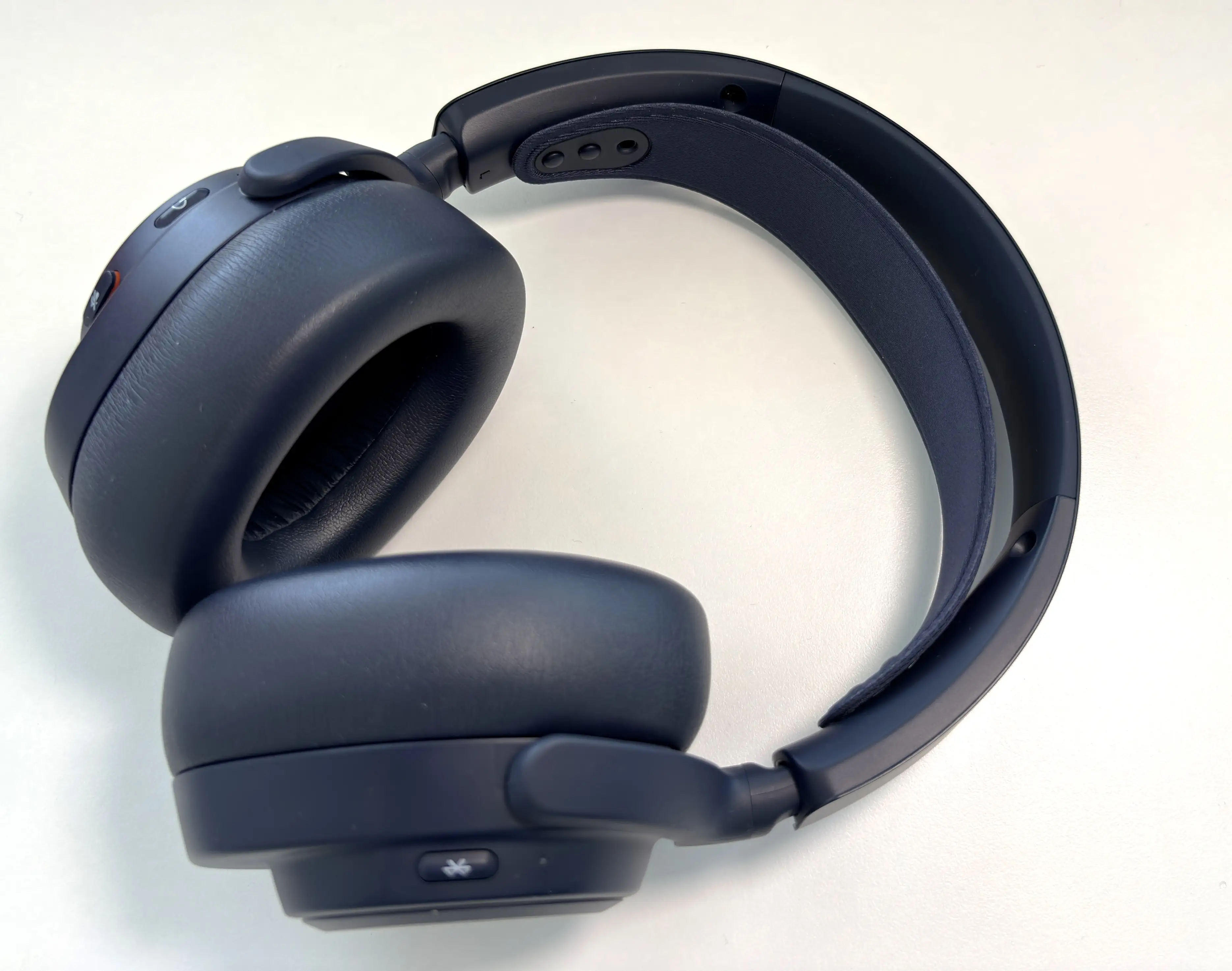


At 339 grams, the Nova Pro Omni is lighter than the Nova Elite and many other premium gaming headsets. This is important because this is the kind of headset you are likely to wear for long sessions. Between gaming, Discord, YouTube, music, and work calls, it’s refreshingly comfortable to use and wear for several hours at a time. I didn’t experience any discomfort or fatigue from the weight.
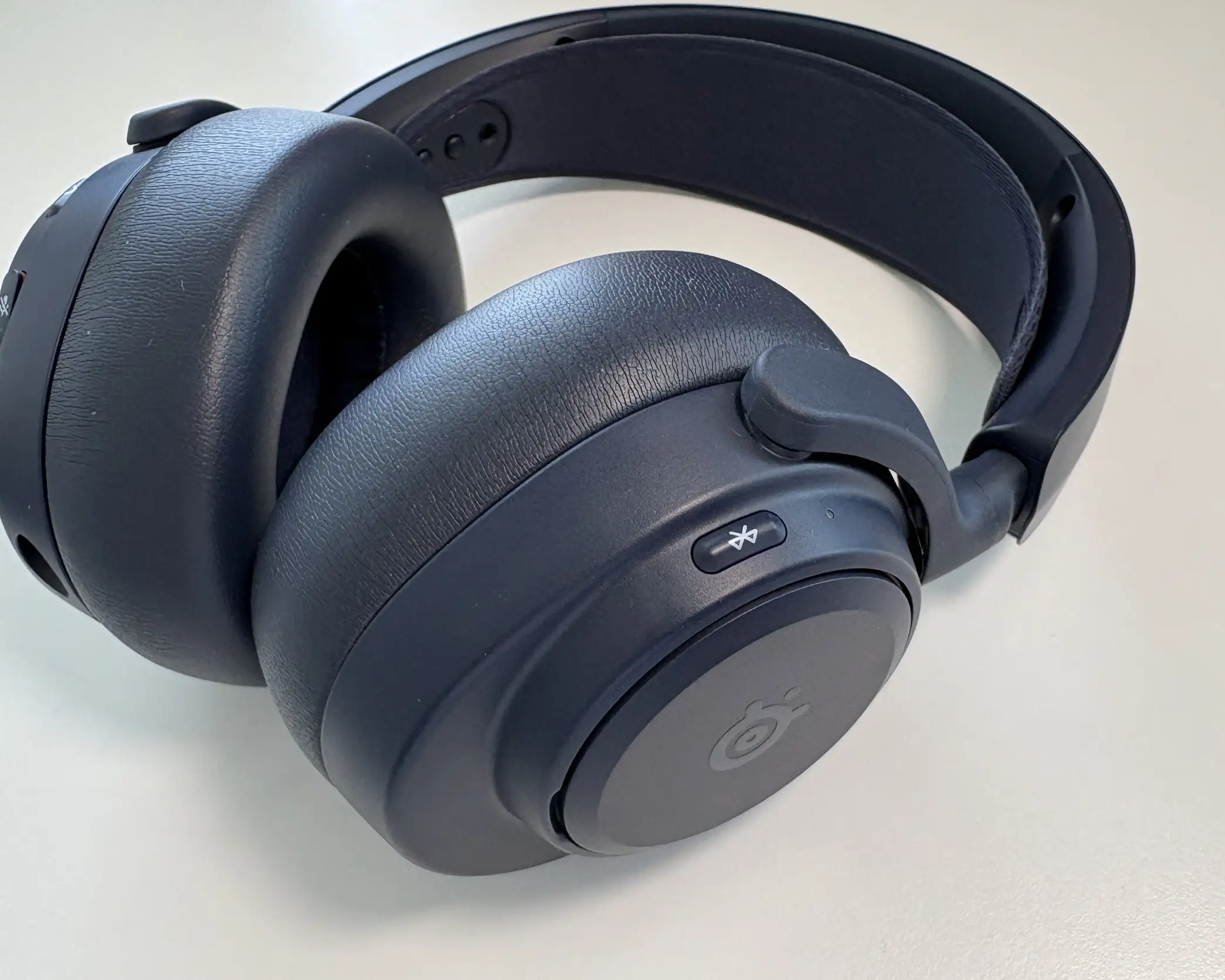
The Omni uses plastic materials for its build, just like the Nova Pro Wireless. All of the controls are also where you would expect them. The button for Bluetooth is on the side of the right earcup, and within the speaker plate is still the same swappable battery system that we’ve seen in other SteelSeries headsets.
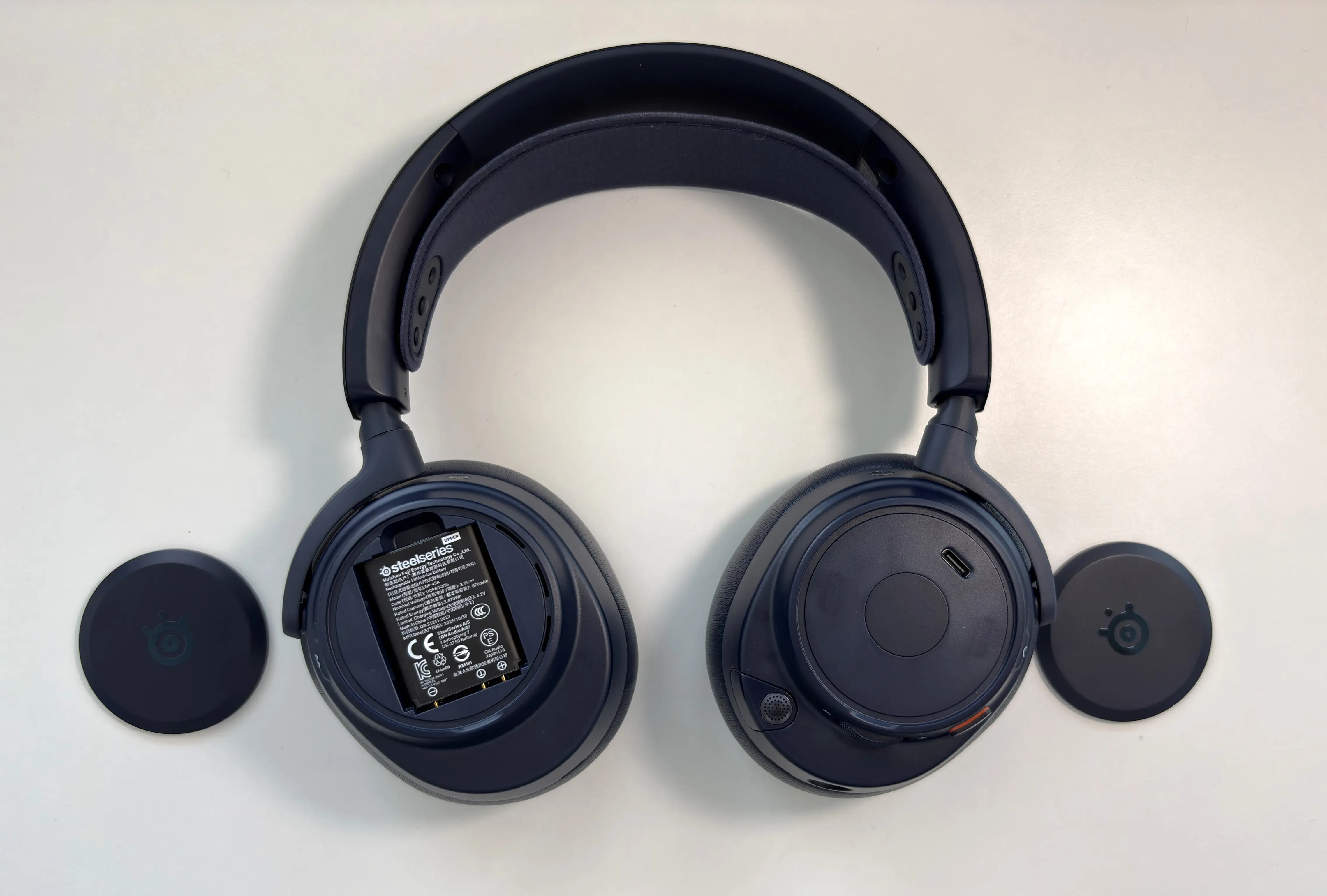
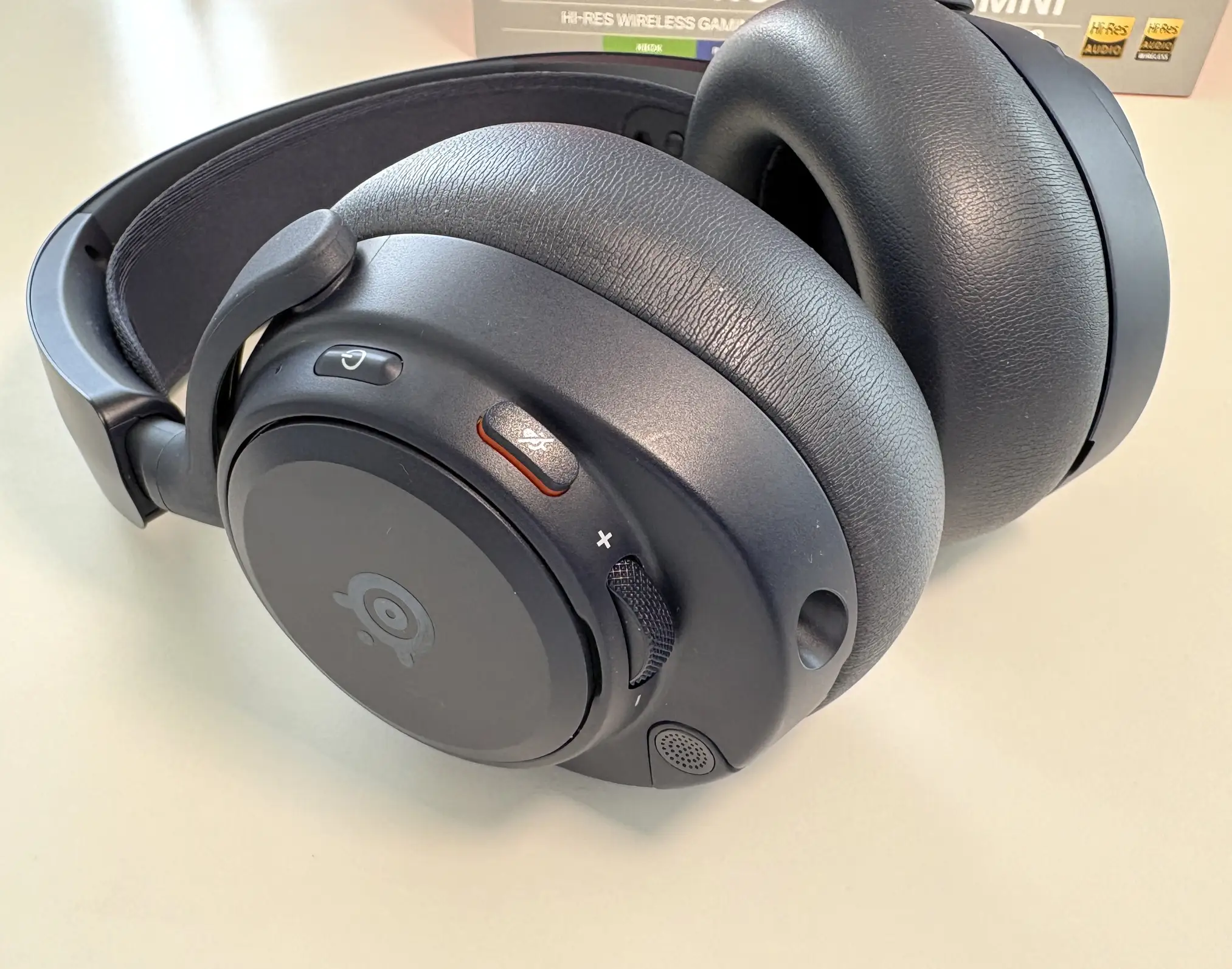

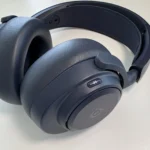
The left earcup contains the power button, mute switch, volume wheel (which is now aluminum), a 3.5mm aux connection, and the retractable boom microphone. Underneath the speaker plate is a USB-C port for charging only, so that you are not limited to using only the GameHub for battery charging.
The earpads are slightly deeper and plushier than the Nova Pro Wireless and are spacious enough for long-term comfort. The overall fit should also be familiar to anyone who liked the Nova Pro Wireless. I still think SteelSeries has one of the better comfort systems in gaming audio, especially because the headband distributes pressure well across the top of the head. The clamping force may be the one area of contention, though. Out of the box, the clamping force felt just a little tight, but after several weeks of using the Nova Pro Omni, the clamping force did lessen and became much more comfortable. The clamping force is there to make sure you get a good seal around your ears for passive noise isolation, but just be aware that it’s not going to open up significantly more than it is.
GameHub
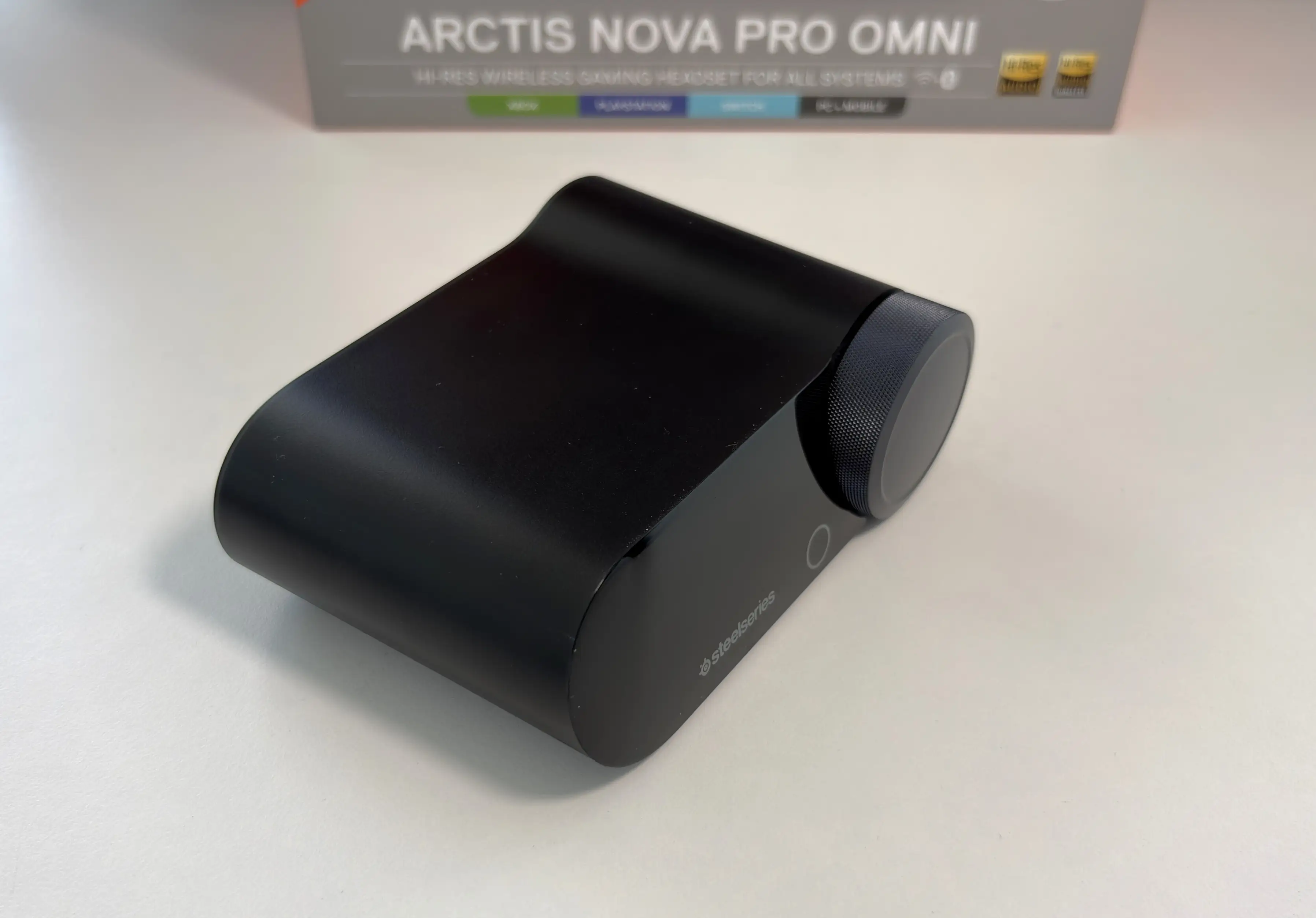
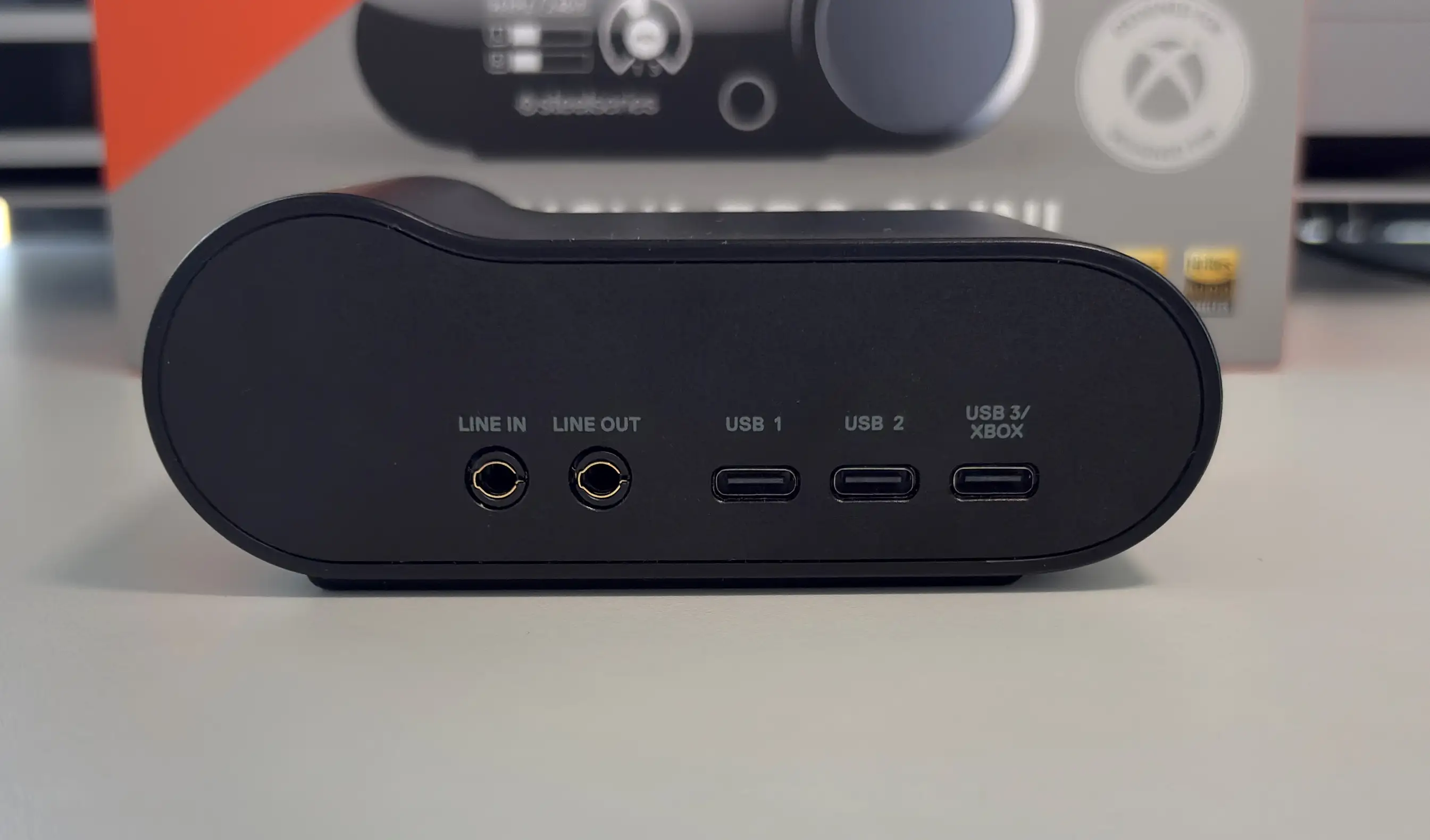
The GameHub is the heart of the Nova Pro Omni experience. Physically, it follows the same general design as the Nova Pro Wireless and Nova Elite GameHub. You get a compact desktop unit with an OLED display, a control wheel, a capacitive button, and a battery charging slot built into the side. Around the back are three USB-C inputs, a line-in connection, and a line-out connection. This means you can connect multiple systems at once and avoid constantly unplugging and reconnecting cables. For example, you could have a PC, PS5, Xbox, and smartphone all involved in your setup, with the GameHub acting as the central hub for everything.
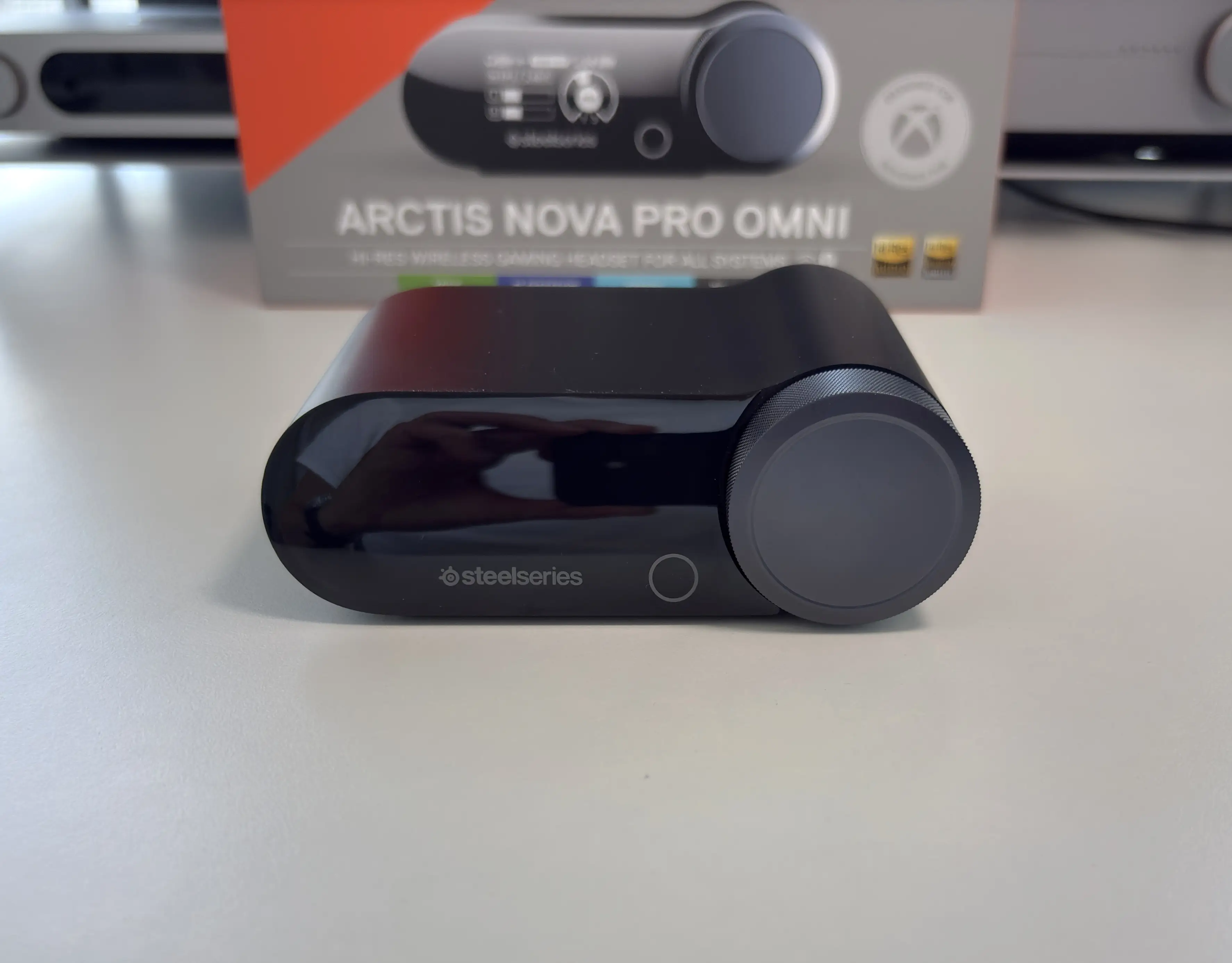
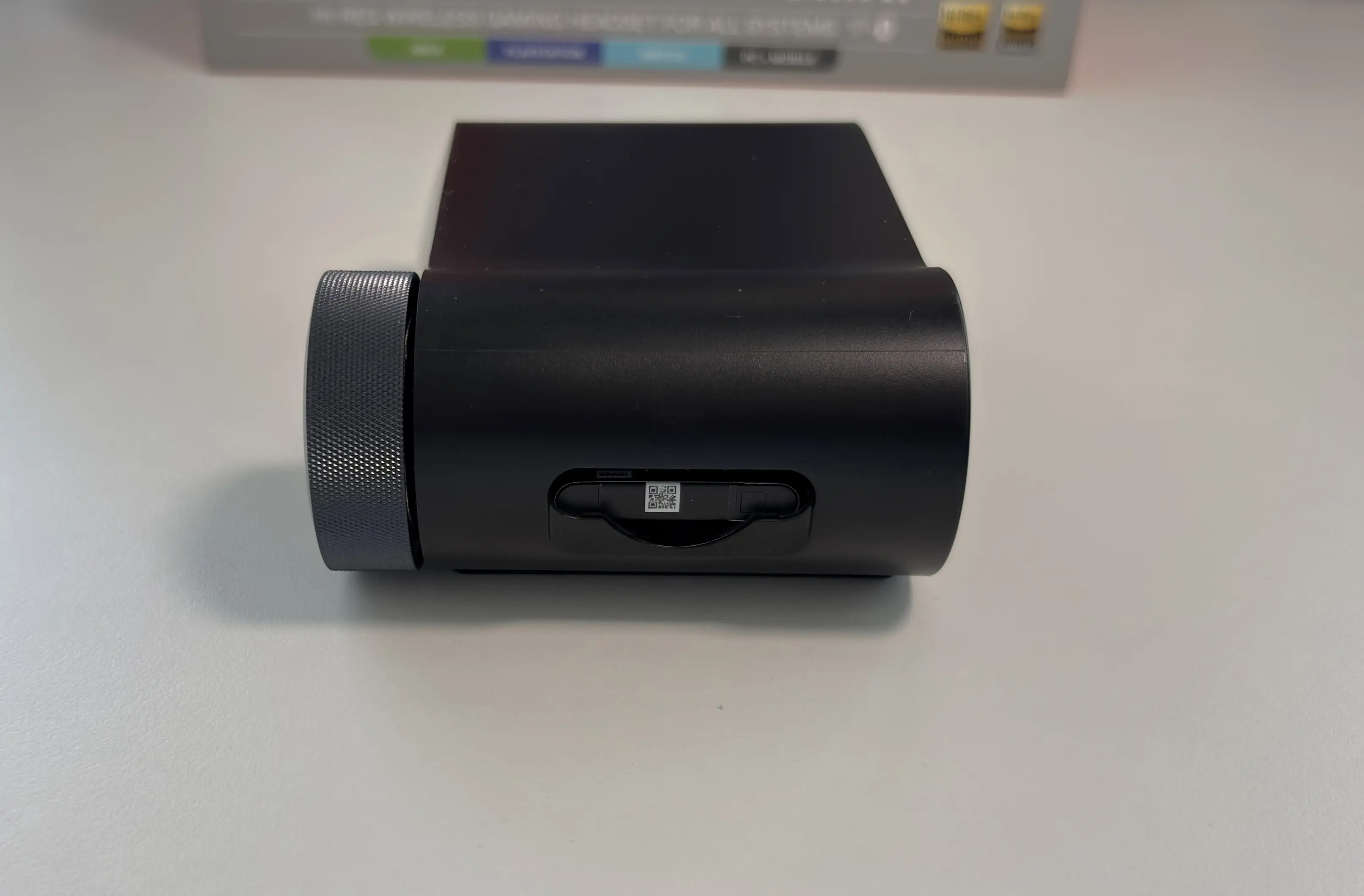
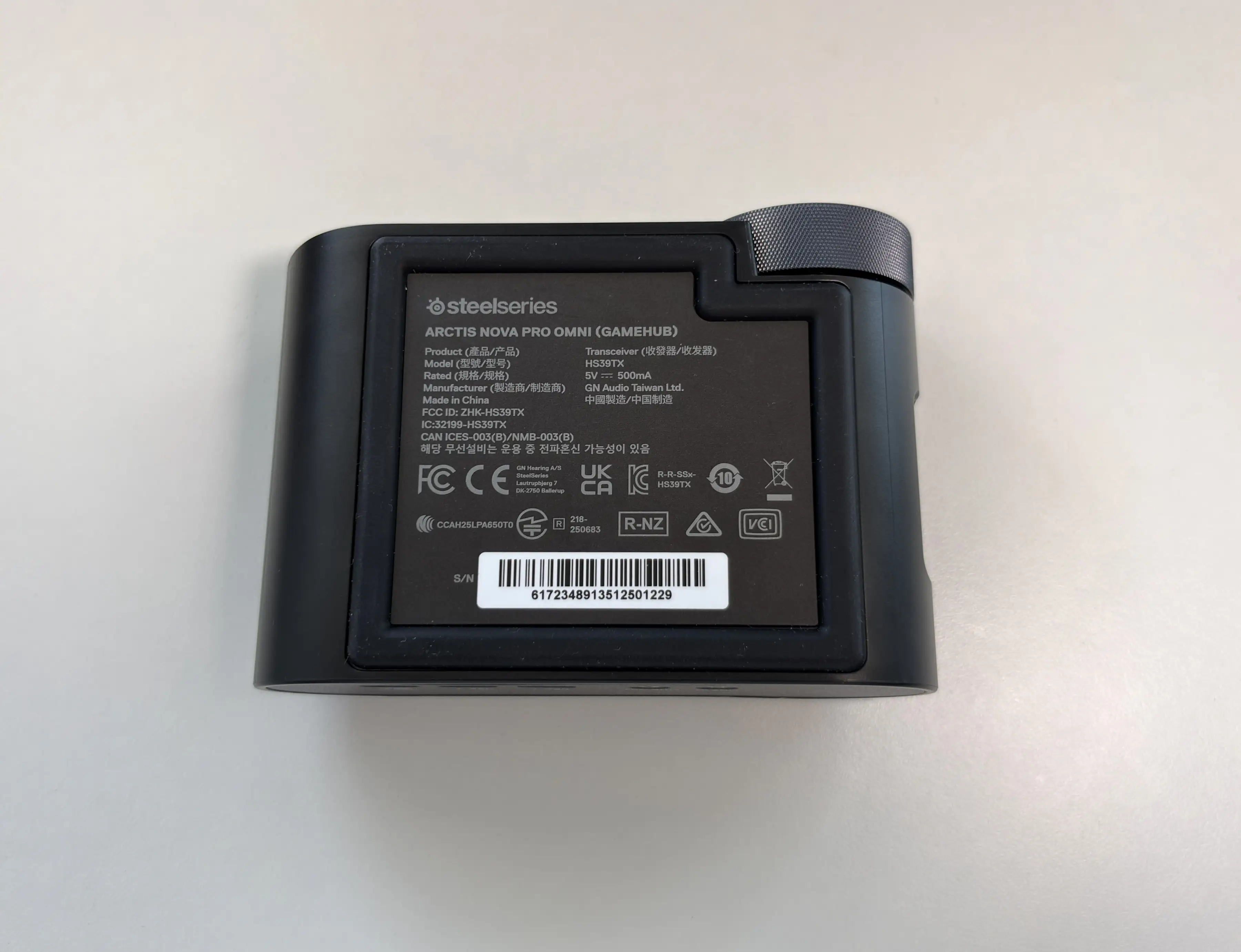


The OLED display and command wheel also make quick adjustments easy. You can control volume, source levels, microphone settings, EQ options, and other features without needing to dive into software every time. This is one of the things SteelSeries generally does better than most gaming audio brands. Hardware-level controls matter, especially for console users who do not always have access to the same kind of software flexibility that PC users do.
ANC and Transparency Modes
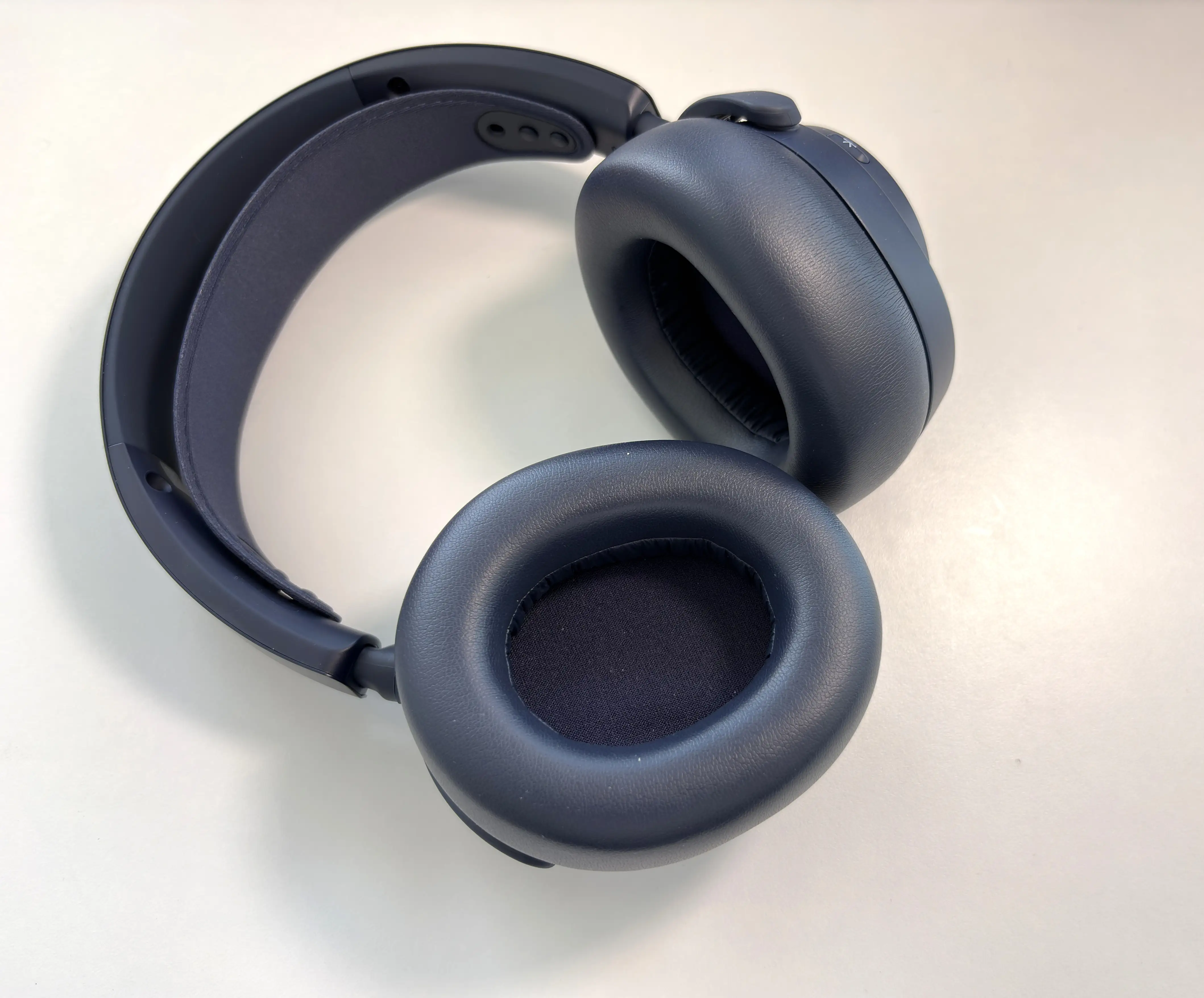
Active noise cancellation is still not something I expect to see on every gaming headset, but on a premium headset like this, it makes complete sense. The Nova Pro Omni uses the same 4-mic hybrid ANC system as the Elite, with performance feeling about the same.
This means that sounds like PC fans, keyboard noise, street noise, air conditioning, and general household distractions that can all pull you out of a game are drastically reduced. ANC helps the headset feel more closed-in and focused, especially during competitive multiplayer matches where environmental awareness matters.
I live in an apartment downtown, and I usually have the window open in my office for airflow, which usually means I get to hear car honking, construction sounds,
It is clearly not trying to replace something like a Sony WH-1000XM6, Bose QuietComfort Ultra, or AirPods Max as a pure travel-focused ANC headphone, but it does a great job reducing the noises that usually get in the way while gaming.
The hear-through mode is also useful. I like transparency modes on gaming headsets because they make voice calls and long sessions feel more natural. Being able to hear your own voice slightly while talking prevents that plugged-up feeling that some closed-back headsets create. It also helps if someone in the room is trying to get your attention or if you want to stay aware of your surroundings without fully removing the headset.
Connectivity Options
The Nova Pro Omni is one of the most flexible gaming headsets I have used when it comes to connectivity. You can connect using the 2.4GHz wireless via the GameHub, Bluetooth 5.3 with Bluetooth LE Audio / LC3+, and there’s also a 3.5mm analog connection.
The 2.4GHz wireless connection is the main way most people will use the headset, and this is where the Nova Pro Omni feels most impressive. SteelSeries is supporting up to 24-bit/96kHz wireless audio, which is still rare in gaming headsets. That does not automatically make a headset sound good, of course, but it does mean the wireless connection is not the obvious bottleneck it can be on cheaper gaming headsets. In fact, when you first connect the GameHub to your PC, I’d recommend going to the Windows Sound settings and verifying that the highest sample rate is selected.
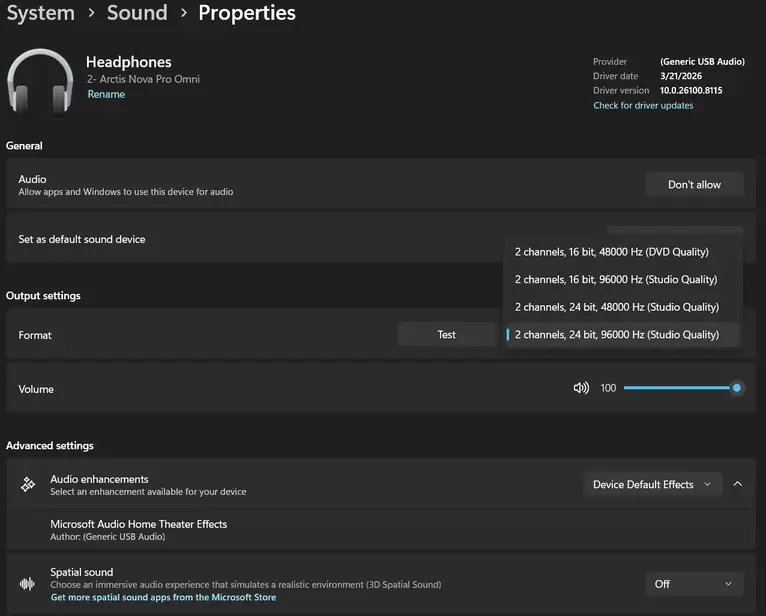
Latency is excellent over 2.4GHz. For gaming, this is the connection to use. Audio stays tightly synced, and there is no obvious delay when playing fast-paced games or even watching movies. Range is also excellent. I’m able to walk from my home office to my kitchen (about 15 meters and two walls) without any audio dropouts or stuttering, which is honestly impressive.
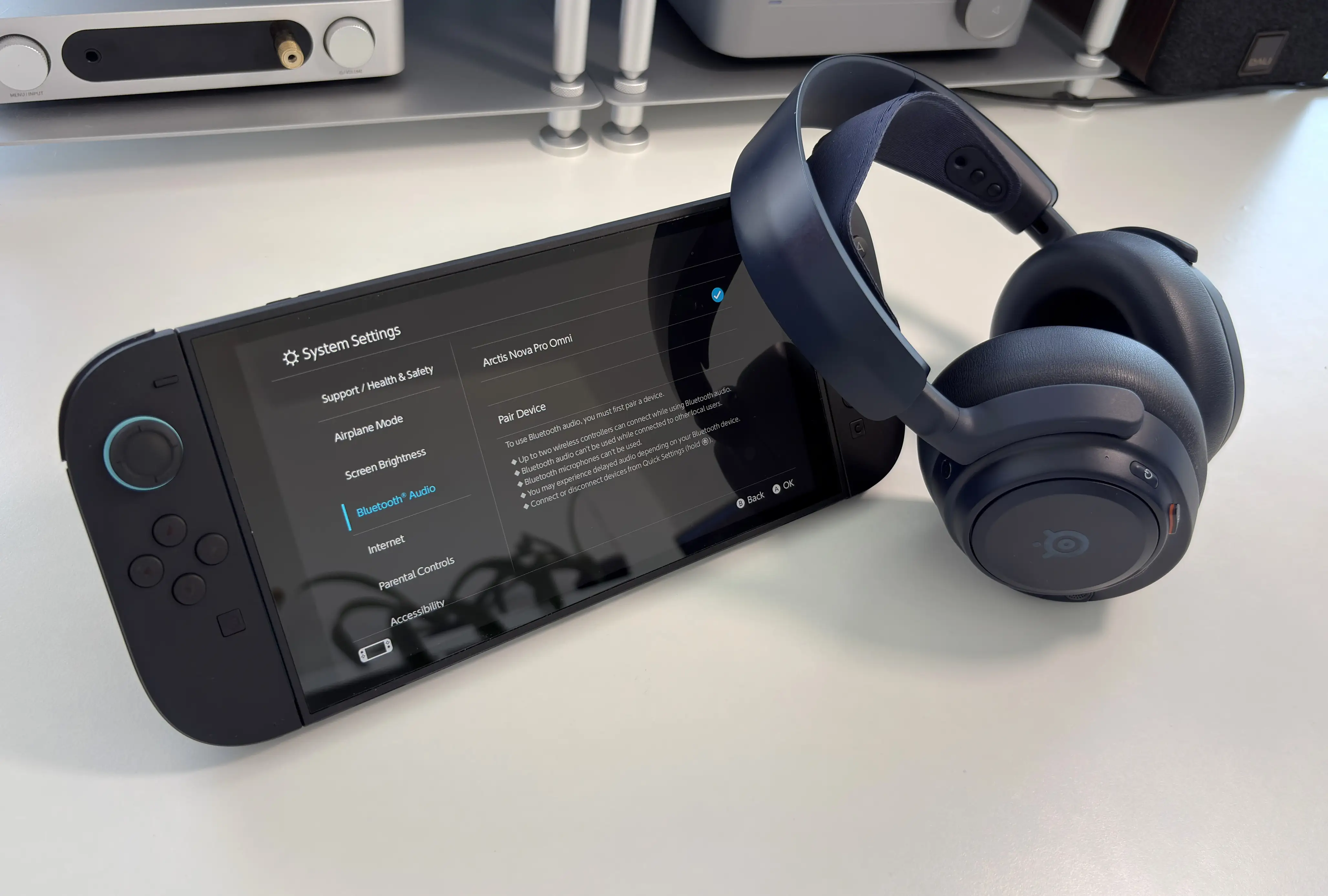
Bluetooth support is another major part of the experience. The Nova Pro Omni supports Bluetooth LE Audio (LC3 and LC3+), which is a nice step forward compared with SBC. I still wish SteelSeries would include broader codec support, such as aptX Adaptive for music-focused listeners, but LC3 and LC3+ are much better suited to the gaming/lifestyle hybrid direction SteelSeries is moving toward.
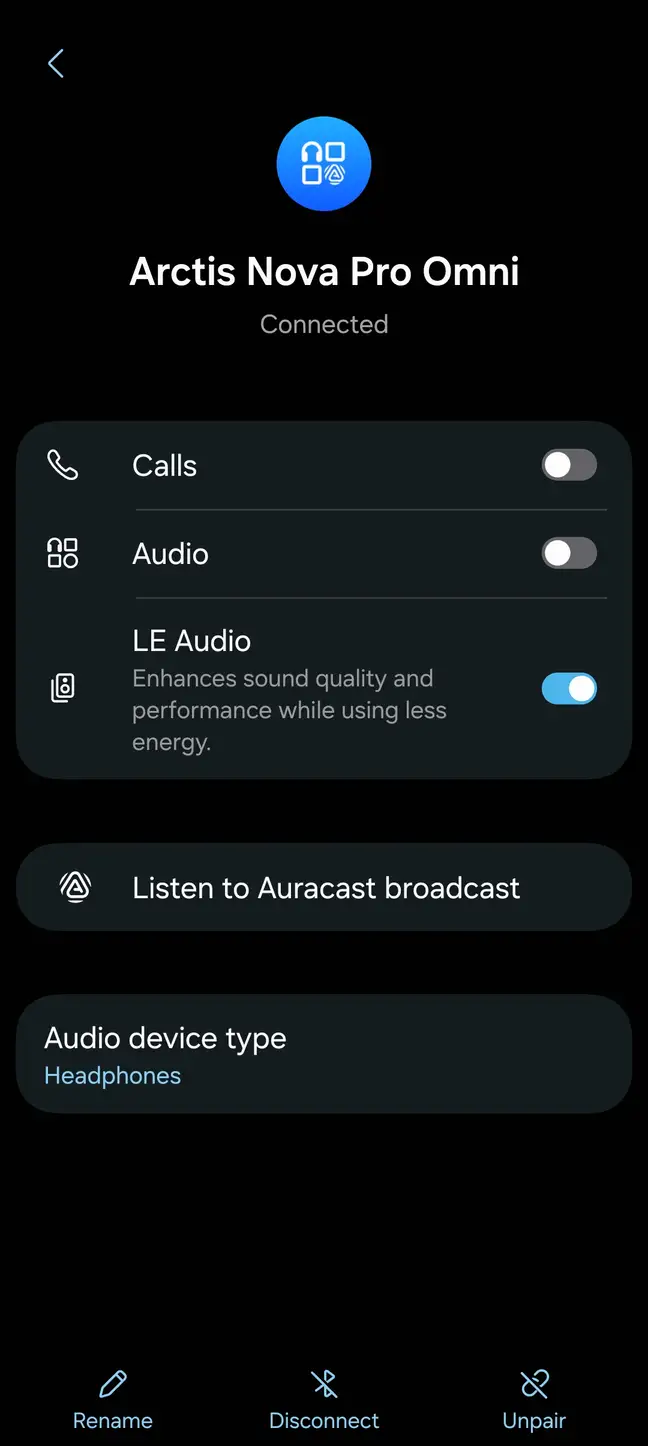
LC3+ is very hard to test as almost nothing currently supports it, but LC3 is finding its way into more and more products. LC3 has a maximum bitrate of 345kbps, which can be variable depending on the conditions. The compression is also highly efficient, so despite the low bitrate compared to the likes of aptX Adaptive and LDAC, it does sound very good for what it is. More importantly, though, is the latency performance. Audio/video delay is essentially imperceptible as the latency ranges between 20ms and 30ms (LC3+ will lower this to around 10ms), and I had no issues even gaming with it. The performance is that good.
The 3.5mm connection is there, and while you don’t get an aux cable included anymore, you can use your own. In this mode, though, the headset will only work in passive mode, which means no ANC or EQ profile support. I suspect most gamers will never use the headset in this way, so I guess I can forgive the limitations being imposed here, though it would be nice to at least have ANC on when using the wired connection (I had the same complaint with the Elite).
OmniPlay
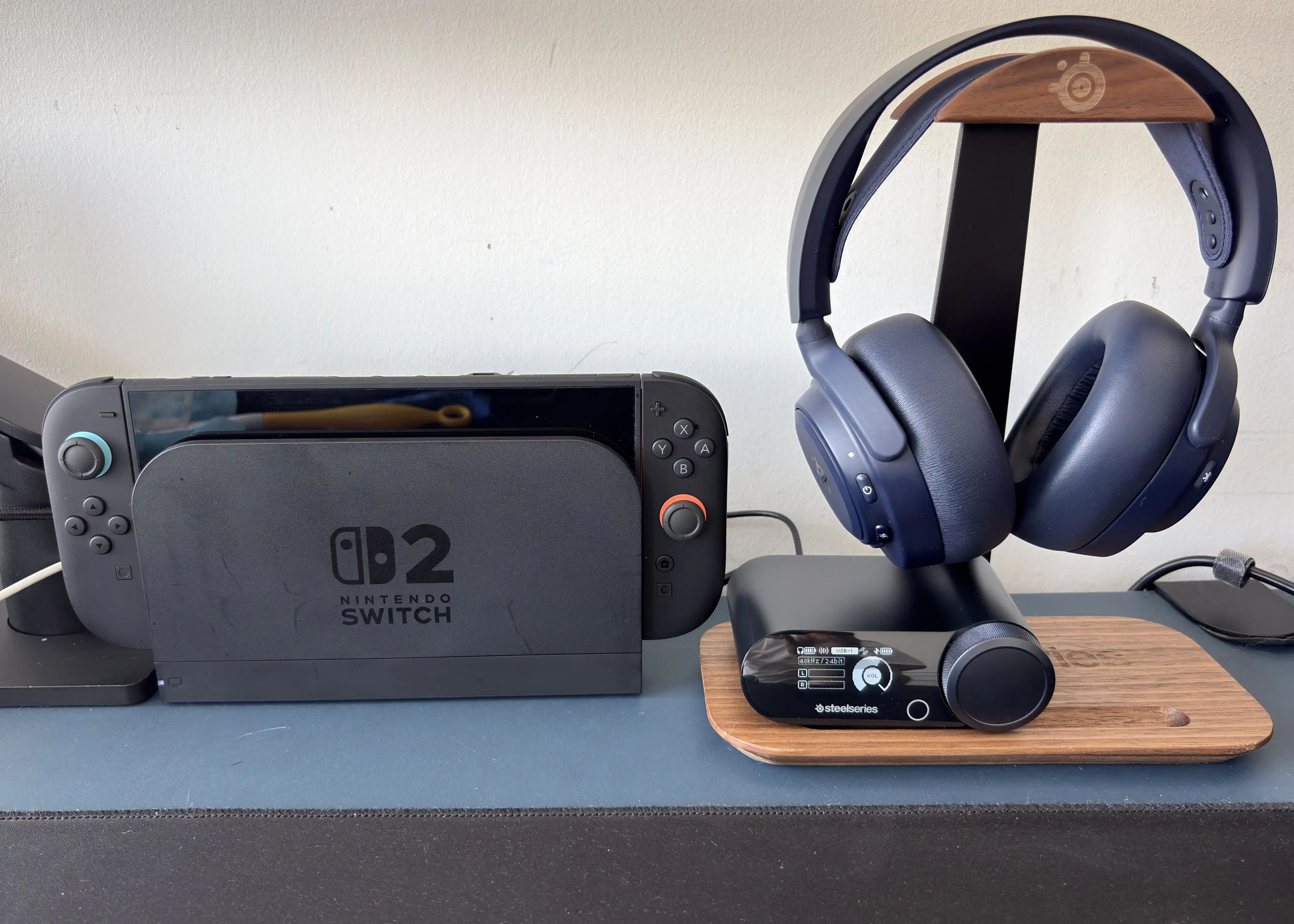
OmniPlay is one of the main reasons to buy the Arctis Nova Pro Omni over a more conventional gaming headset.
With the GameHub, you can connect multiple systems and mix several audio sources at once. SteelSeries describes the full setup as being able to mix up to four sources: two USB-C sources, Bluetooth, and line-in. In a real setup, that means you could have your PC connected and a console connected via USB-C, your phone connected over Bluetooth, and another source, like a digital audio player, connected through line-in. That sounds slightly ridiculous on paper, but in use, it is incredibly practical.
Instead of spouting hypothetical setups, I’ll tell you mine. I have my PC and Switch 2 connected via USB-C, my Samsung Galaxy Fold 7 paired via Bluetooth (using the LC3 codec), and my FiiO M21 DAP connected via the third USB-C port. This allows me to easily switch between using my PC and Switch 2. Many times, I will have a group audio chat in Discord open on my PC while I’m playing my Switch 2, and using the mixer, I can emphasize the PC audio so I can hear my friends clearly but still have the Switch 2’s game audio loud enough to hear audio cues. If I get a call or a notification from my phone, I can hear it and action it if needed. I know this sounds complicated, but once it’s set up, it’s incredibly simple, and now I can’t imagine going back to a single-source headset. Where the M21 comes in is when I’m in a game on my PC and want to listen to music in the background. This allows me to not require a music player running in the background on my PC, taking up resources, but instead a physical device that I can easily control the mix with via the GameHub.
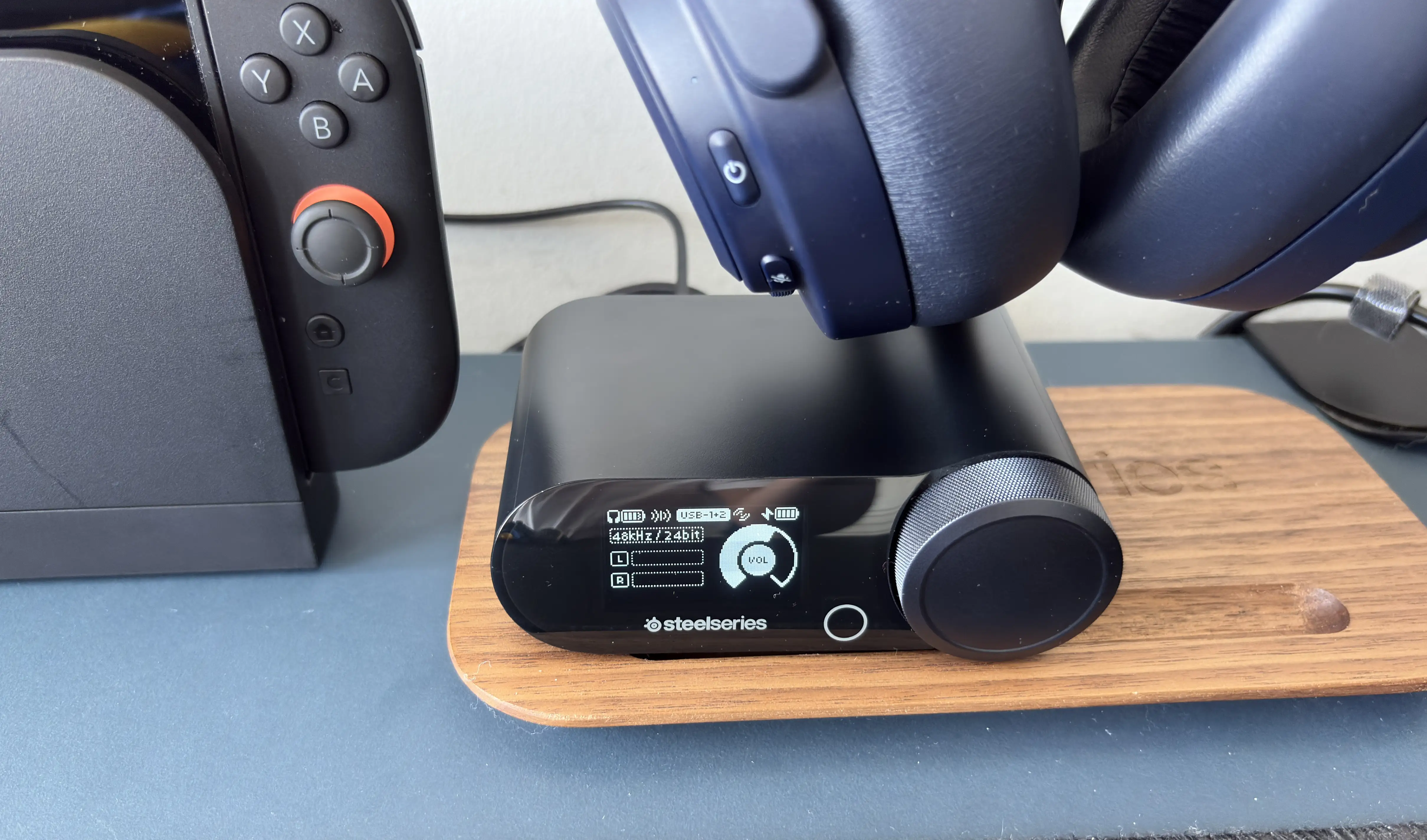
These types of use cases are where SteelSeries continues to separate itself from others. Yes, other headsets can do simultaneous Bluetooth. Some can switch between sources. I don’t know of any other headsets that can do both without needing to swap cables or dongles. The Nova Pro Omni feels more like a proper audio hub for your entire gaming setup.
SteelSeries GG, Sonar, and Arctis app
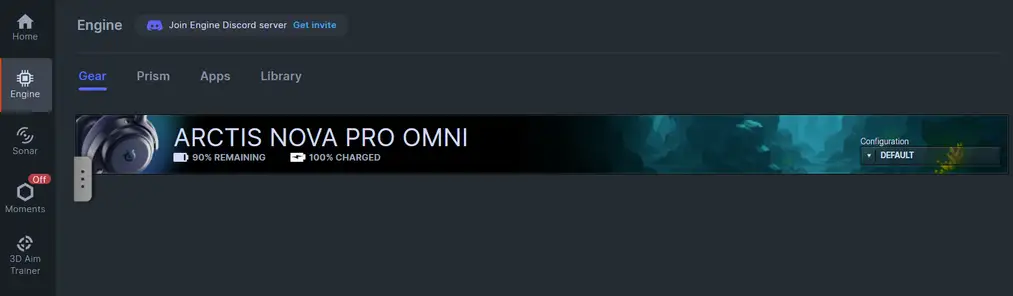
The SteelSeries GG software remains one of the strongest reasons to buy into its premium headsets.
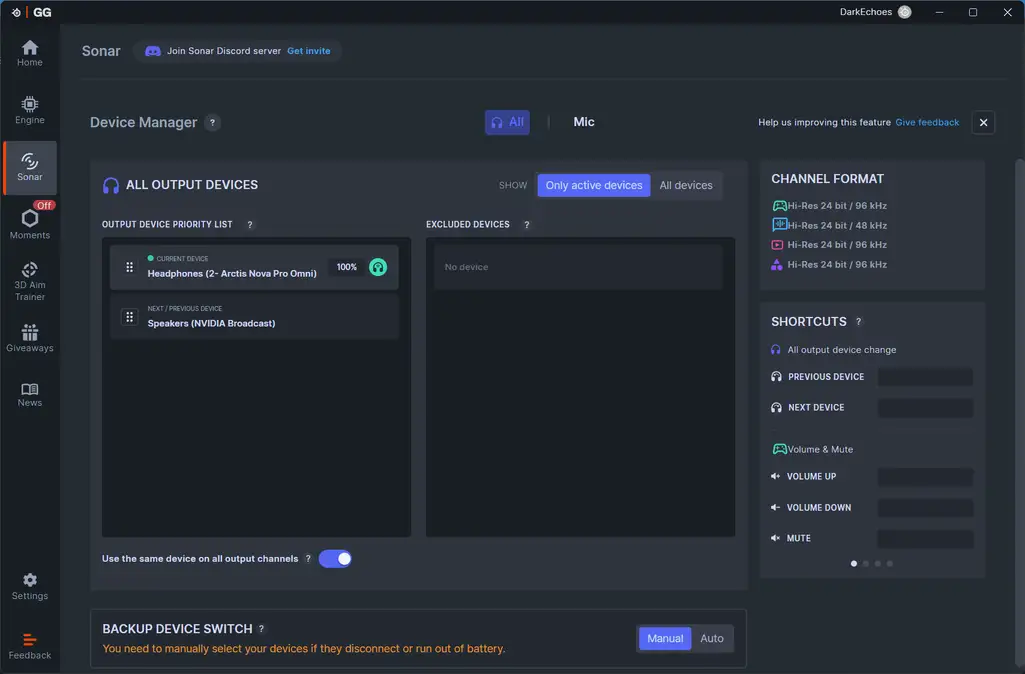
On PC, Sonar gives you a lot of control over the sound. You can adjust EQ using the Parametric Equalizer, set up different audio channels, route apps into different mixes, apply spatial audio, tune the microphone, and customize the overall experience you want to have. If you choose not to use Sonar, there is still the Engine aspect within SteelSeries GG, where you can use the PEQ for the 2.4GHz connection and a 10-band graphic EQ for Bluetooth. You also get access to a bunch of settings related to Noise Cancellation, power options, etc.
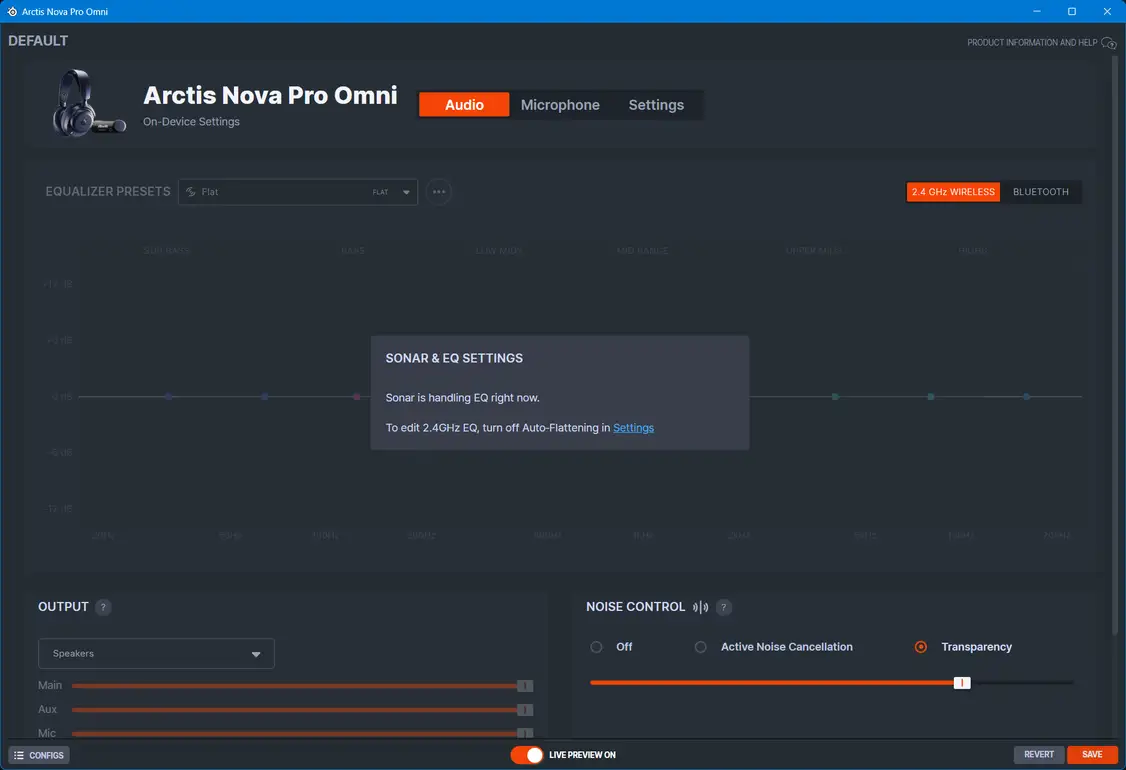
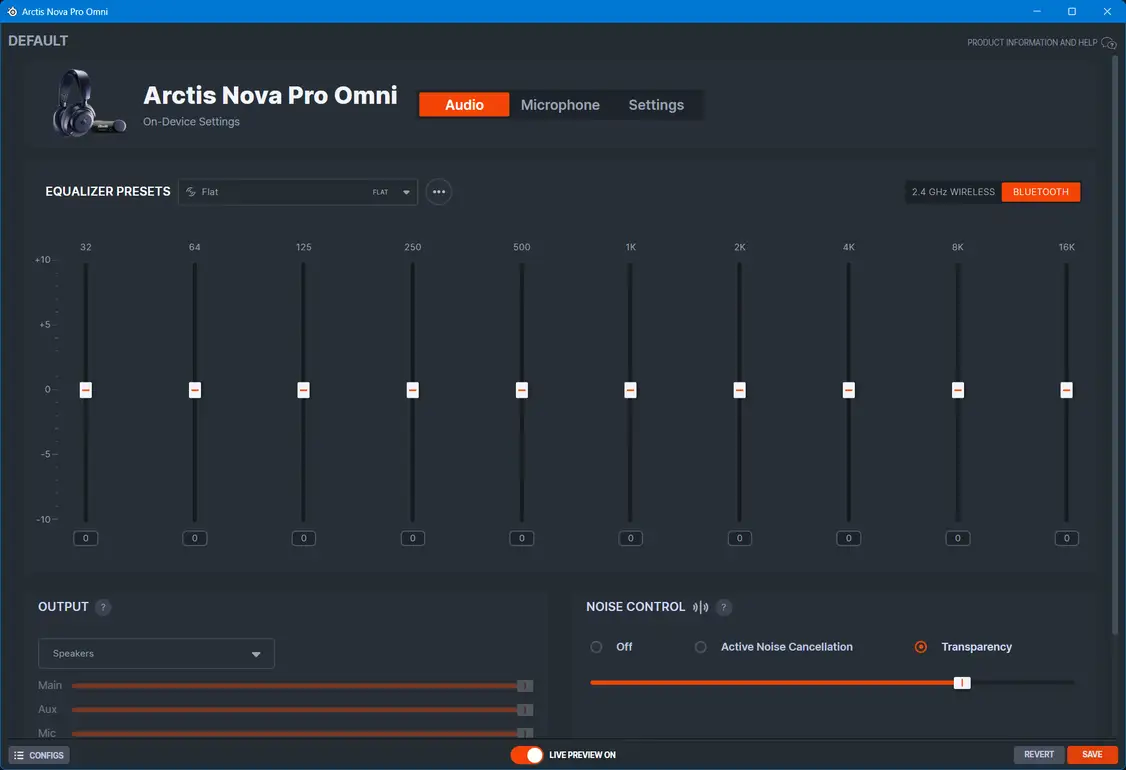


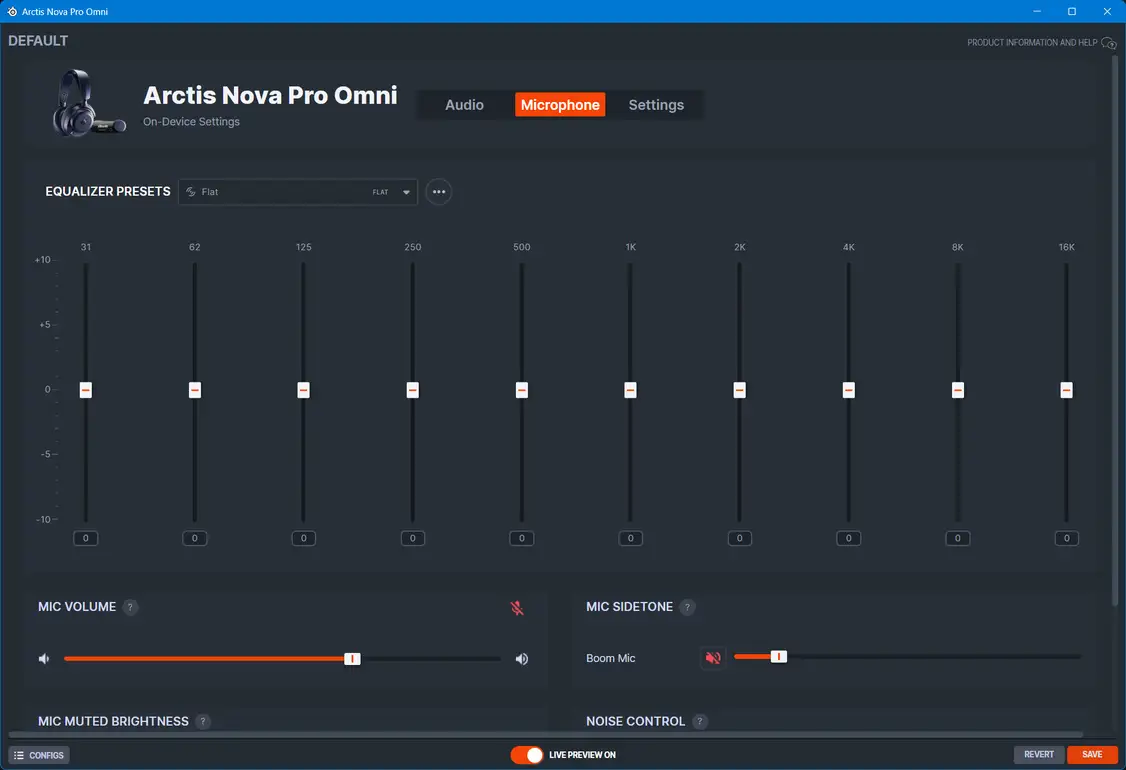
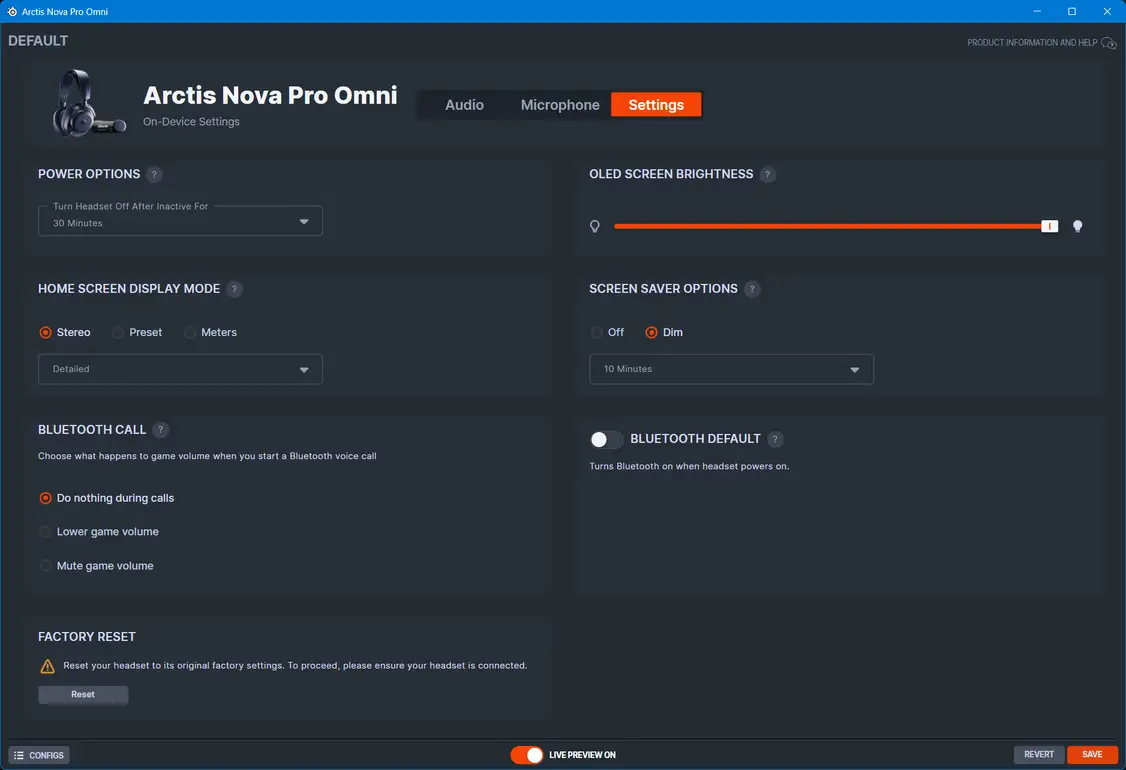


Sonar can still be a little overwhelming if you are new to it. There are virtual audio devices, multiple channel types, PEQ, microphone settings, game presets, and routing options. It takes some time to understand. But once you do, it becomes incredibly powerful. I won’t go into it in detail here, but stay tuned for a video about Sonar since it is easier to show than to write about.
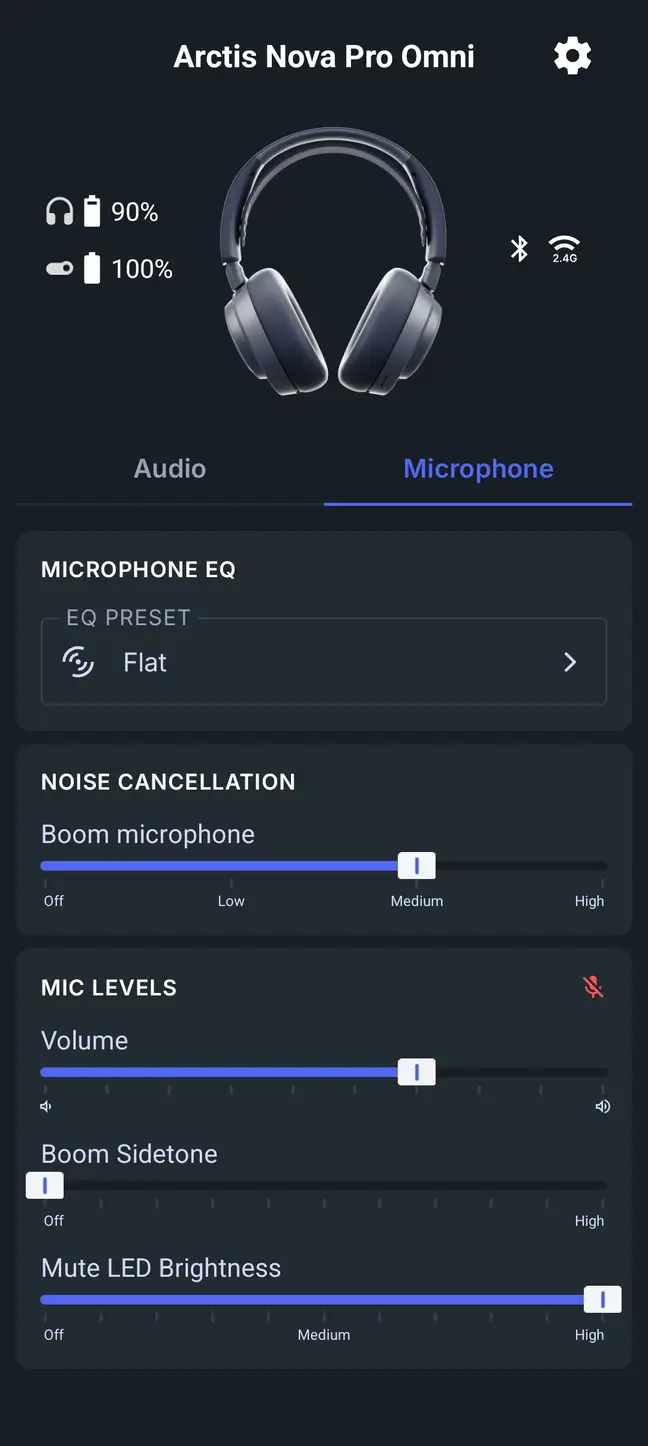
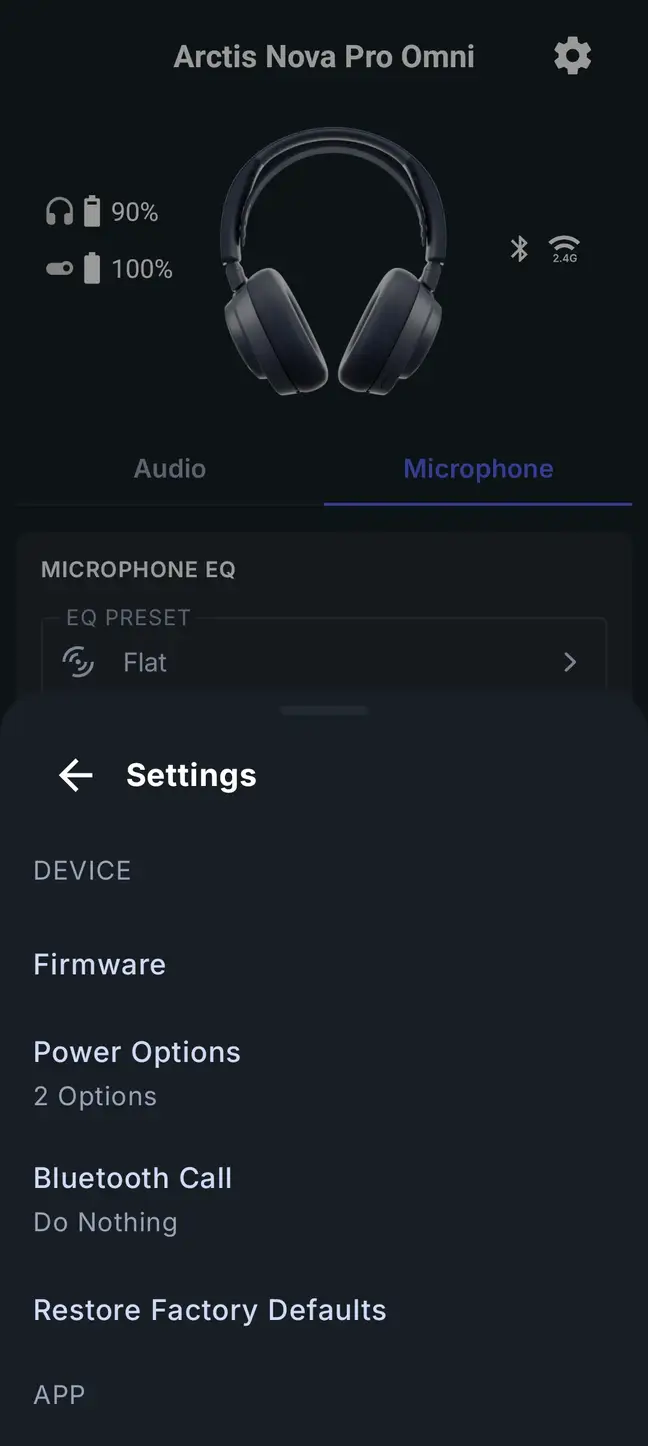
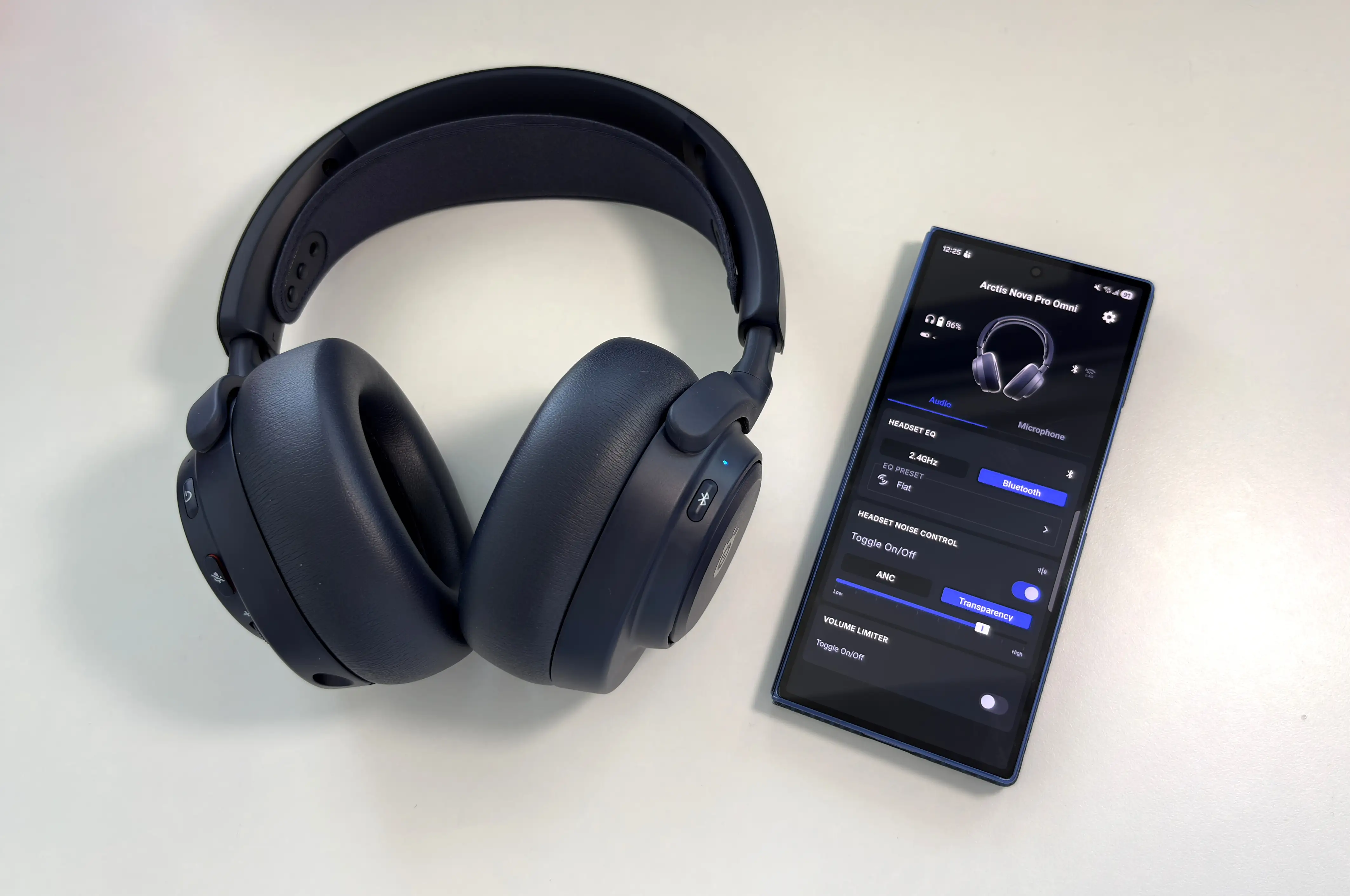
The Arctis mobile app might be even more important for the Nova Pro Omni, especially for console users. SteelSeries says there are over 200 game-specific audio presets, and the app lets you adjust game audio, Bluetooth audio, and microphone EQ in real time. That means you can be playing on PS5 or Xbox and still adjust your audio from your phone without disconnecting the headset and moving everything to a PC. There still isn’t the ability to create your own EQ profiles within the app, which is a huge let-down in my opinion, as it means you NEED a Windows PC to do that (macOS only has basic Engine support, and even then, it looks like it may be discontinued with Rosetta emulation going away potentially soon, but I digress).
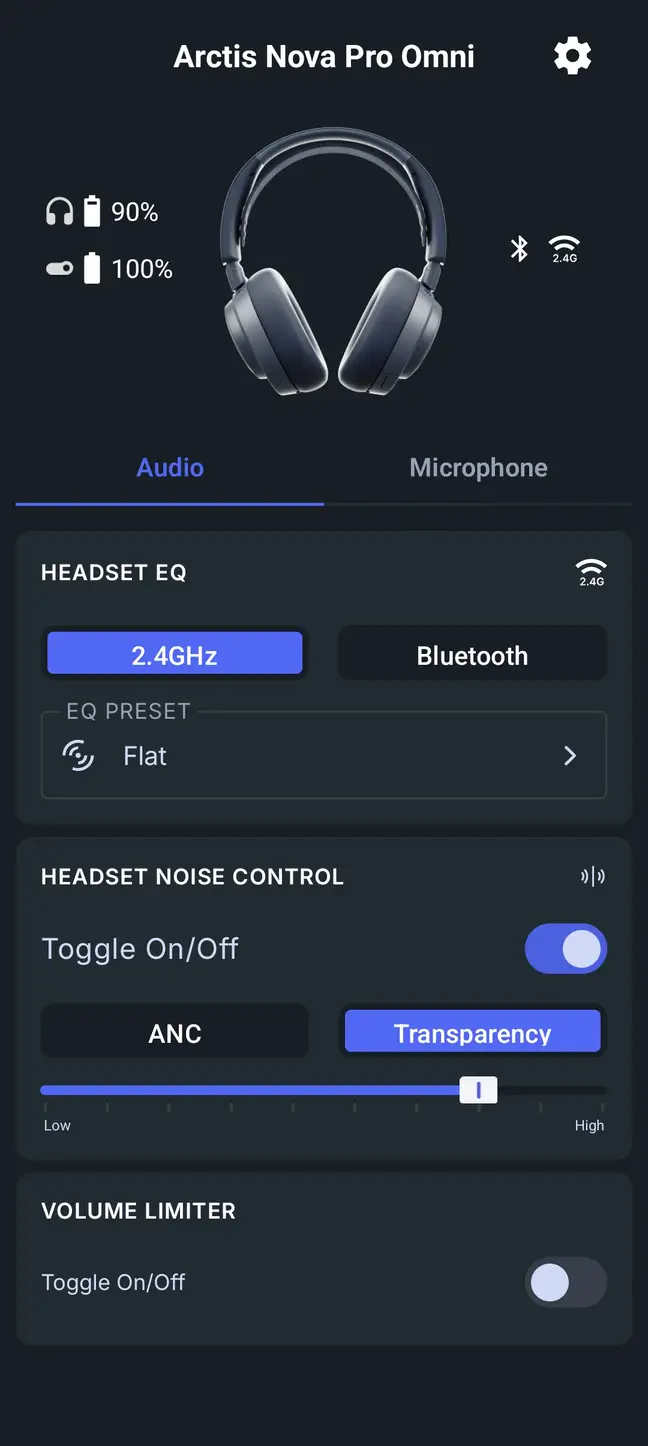


For years, one of the annoying parts of using advanced gaming headsets on consoles was that all the best tuning features usually required a PC. The Nova Pro Omni fixes a lot of that. You can connect the headset to your console, pair your phone over Bluetooth, open the Arctis app, and adjust your audio while still listening to the game. That is exactly how this should work in 2026.
Battery Performance
Battery life is handled through the “Infinite Power System”. The Nova Pro Omni includes two swappable batteries, each rated for up to 30 hours of use. One battery sits inside the headset while the other charges in the GameHub, so in normal use, battery anxiety is basically removed from the equation.
This is still one of the best battery systems in gaming audio. A lot of wireless headsets have good battery life now, but most still require you to plug the headset in eventually. With the SteelSeries system, you can keep playing indefinitely as long as you remember to swap the batteries.
In my testing, the 30 hours per battery is fairly accurate. I was getting about 28 hours, but I also had either ANC or transparency enabled all the time, which I’m sure does affect battery life.
Fast charging is also supported, with SteelSeries claiming up to four hours of battery life from a 15-minute charge, and in my testing, this is accurate. That is useful if you somehow drain both batteries or forget to charge one, but for most people, the swappable system will be the bigger advantage.
Usability
The Arctis Nova Pro Omni is one of those products where the feature list is long, but the real value is how those features come together.
Powering on the headset and connecting to the GameHub is quick and simple. The headset controls are familiar if you have used any recent SteelSeries Nova headset, and the GameHub menu system is easy enough to navigate once you understand the basic layout. When powering the headset on or off, switching Noise Control modes, or connecting via the GameHub or Bluetooth, various prompts and tones are played to indicate what is happening. Personally, I find them to be a little loud, which is surprising as the Elite had them at a perfect volume. The only way to lower the volume of the tones is to lower the gain level, which limits the overall volume as well. This seems like it should be an easy fix via a firmware update.
The OmniPlay system is the standout, though. I cannot overstate how useful it is if you are someone who uses multiple systems or sources. As I mentioned before, in my setup, I use my PC as the main source, a Switch 2 as the second USB source, my smartphone over Bluetooth for calls, music, notifications, and occasionally I’ll plug my FiiO M21 DAP into the third USB-C port for being able to listen to high-res audio. The microphone can also work across platforms, which just adds to the convenience as no manual switching is required.
One thing to note is that the USB-1 port is the only one that supports the SteelSeries GG software, so that’s the one you’ll need to plug into your PC. The USB-1 port also mixes with either USB-2 or USB-3, and this option can be changed on the GameHub itself in the menu system. The USB-3 port is also the only port that supports Xbox consoles, but if you don’t have an Xbox, you can set it to USB mode instead of Xbox mode so that you can use it with any other source.
The biggest strength of all this is that it removes friction. You do not have to constantly change headsets, change cables, re-pair Bluetooth, or rethink your audio setup depending on what you are playing. Everything can stay connected, and the GameHub becomes the one place where you manage it all.
Gaming is no longer isolated to one box under the TV. A lot of us are playing on PC, chatting on Discord, checking guides on YouTube, listening to music, taking phone calls, and switching between consoles or handhelds. The Nova Pro Omni feels built for this reality.
Sound Quality
Devices and sources used for this review:
- Apple iPhone 16 (Bluetooth)
- FiiO M21 (USB-C via GameHub)
- Nintendo Switch 2 (USB-C via GameHub, Bluetooth)
- PlayStation 5 (USB-C via GameHub)
- Samsung Galaxy Fold 7 (Bluetooth)
- Windows 11 desktop PC (USB-C via GameHub)
Links to my music playlist used for the majority of testing:
The Nova Pro Omni uses custom-designed 40mm Hi-Res Neodymium Magnetic drivers, and the overall sound presentation is clean, detailed, and controlled. It does not quite have the same ultra-refined character that made the Nova Elite stand out, but it also costs considerably less and still sounds very strong for a wireless gaming headset.
The default tuning leans toward clarity and balance rather than heavy bass. That is the right choice, in my opinion, because it gives the headset a strong foundation for both gaming and music. If you want a more cinematic or bass-heavy sound, the EQ options are there, but the stock tuning does not feel overly bloated or muddy.
Gaming Performance
For gaming, the Nova Pro Omni is excellent. The default tuning gives you a good balance between immersion and clarity. Explosions, engines, and cinematic moments have enough weight to feel engaging, while footsteps, reloads, and environmental cues remain easy to pick out.
This is where Sonar and the Arctis app become especially useful. The headset already sounds good in its flat or default state, but the game-specific presets let you tailor the sound depending on what you are playing. Competitive shooters benefit from presets that highlight footsteps and directional cues, while more cinematic games can benefit from a fuller, more immersive EQ.
In competitive games, directional accuracy matters, and the Nova Pro Omni does a good job of presenting left-right movement, distance, and verticality.
For single-player games, the headset has enough width and depth in the soundstage to create a convincing sense of space. Big open-world games and cinematic action titles all benefit from the combination of a clean and balanced sound, great ANC performance keeping the bass in line, and excellent detail retrieval.
Music Performance
For music, the bass has good punch and enough sub-bass presence to give electronic music, hip-hop, and game soundtracks a satisfying foundation. It is not a basshead headset by default, though. The low end is more controlled than exaggerated, which helps keep the sound from becoming muddy.
The midrange is clean and fairly forward. Vocals come through clearly, guitars have good texture, and dialogue-heavy content sounds natural. This is important because a lot of gaming headsets scoop out the mids too much in an attempt to sound more exciting. The Nova Pro Omni avoids that for the most part.
Treble is crisp and detailed without becoming too sharp. There is enough energy here to bring out small details in music and environmental effects in games, but it does not come across as harsh or fatiguing in normal listening.
From an audiophile perspective, this is still a closed-back wireless gaming headset, so I would not expect it to replace a dedicated wired headphone and DAC/amp setup. But within the gaming headset category, the Nova Pro Omni sounds very good. It is clean, balanced, and responds well to EQ, which gives it a lot of flexibility.
Imaging and Soundstage
The imaging performance is very accurate, especially for a closed-back wireless headset. Left and right placement is easy to follow, and movement across the stereo field is smooth enough that you can track audio cues naturally.
The soundstage is not enormous, but it is open enough to avoid feeling boxed in. Closed-back headsets often struggle here, but the Nova Pro Omni does a good job creating a sense of width. It is not going to sound like an open-back audiophile headphone, but for gaming, the presentation works very well.
Depth is also solid. Sounds do not feel like they are pressed right against your ears, and that extra bit of space helps with both immersion and positional awareness.
Sonar does have its own Spatial Audio feature that can help expand the perceived space, but I would still recommend experimenting with both stereo and spatial modes depending on the game. In games that support Dolby Atmos for Headphones, such as Battlefield 6 and Call of Duty, the Omni performs extremely well.
For competitive games, stereo does remain the most reliable option, especially when paired with a good preset. For cinematic games, spatial audio can make the presentation more immersive and enveloping.
Overall, the Omni’s sound feels like an upgrade over the Nova Pro Wireless, with a bit better overall fidelity. Bass, for example, has a slightly better texture, sounds more nuanced, and is less muddy. Part of the reason for this, I think, is due to the improved active noise cancellation helping keep the bass response controlled, but SteelSeries obviously made some tuning changes in a positive way. Probably the biggest improvement is overall sound clarity, almost putting it in the same league as the Elite (though the Elite still sounds much better, in my opinion).
Microphone Performance
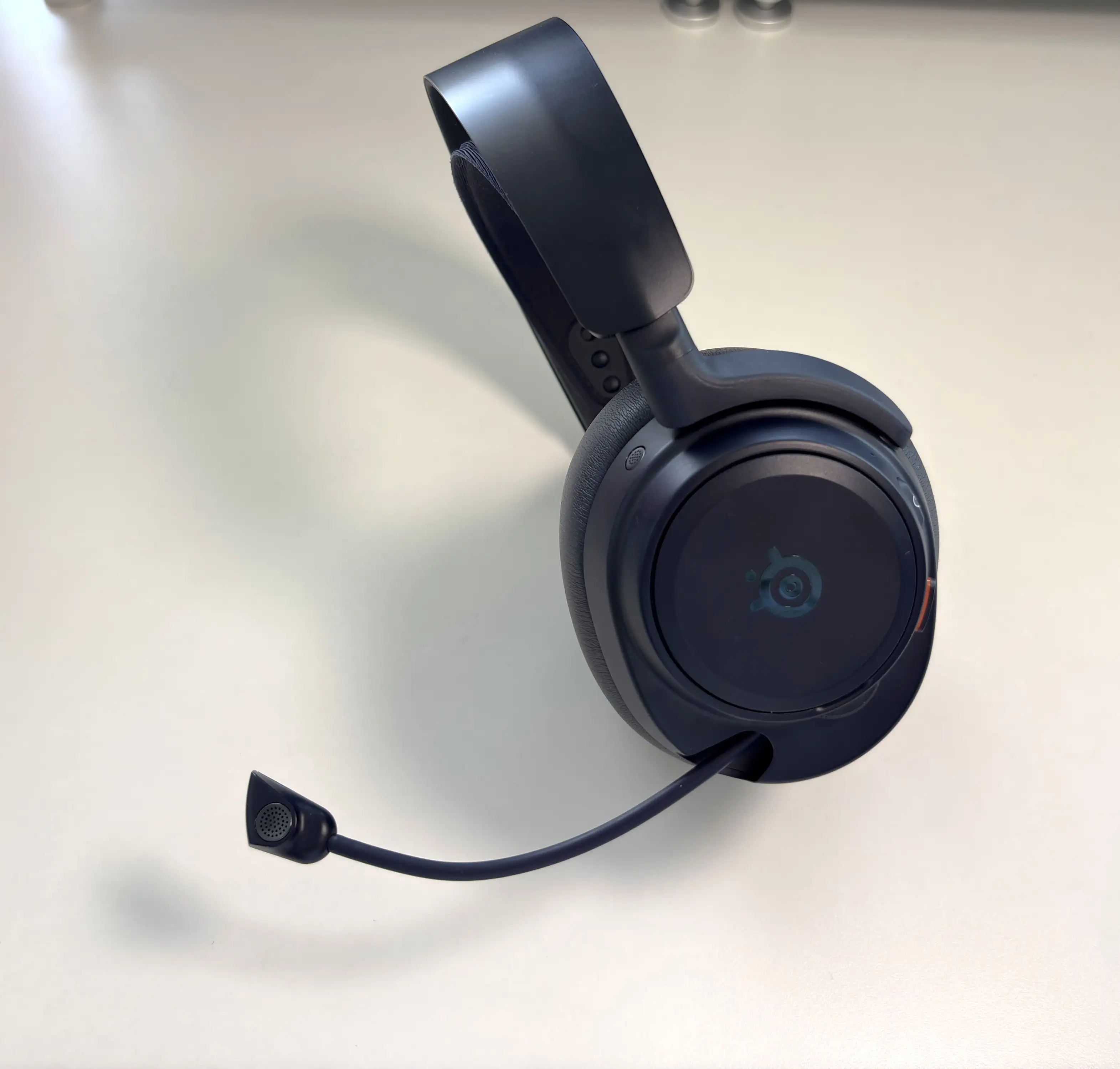
The microphone is one of, if not the biggest, upgrades on the Nova Pro Omni. SteelSeries uses a new ClearCast Pro omnidirectional microphone with onboard AI noise rejection. The key part is that the noise rejection is built into the headset, so it works across PC, console, and mobile without requiring any software. The level of noise cancellation can be controlled either through SteelSeries GG or the Arctis app.
SteelSeries claims the microphone can reduce up to 96-97% of background noise, which is a very bold claim, but it honestly does a very good job. A lot of PC users can already rely on software like Nvidia Broadcast, but console users have fewer options. Having strong noise rejection built into the microphone itself is a major advantage.
For gaming, the goal is not necessarily a studio-quality vocal recording. The goal is clarity, consistency, and background noise reduction. If the Nova Pro Omni can keep keyboard clicks, controller noise, fans, and room chatter under control while keeping your voice natural, that makes it a much better headset for group chats, streaming, and video calls. I’ll leave a link to a voice clip below, and you can tell me whether it sounds good to you or not.
SteelSeries Arctis Nova Pro Omni microphone
SteelSeries Arctis Nova Elite microphone
Final Thoughts
The SteelSeries Arctis Nova Pro Omni feels like the headset SteelSeries needed to make after the Nova Elite. The Nova Elite is the luxury flagship, but the Nova Pro Omni is the more practical choice for a lot of gamers, in my opinion.
It keeps the most important parts of the SteelSeries premium headset experience: the GameHub, ANC, the Arctis mobile app, multi-platform support (OmniPlay), and Hi-Res Wireless audio. It also adds a much improved microphone with the ClearCast Pro mic, making it one of the best sounding microphones on a gaming headset, and definitely one of the best sounding mics of any SteelSeries headset.
At $399 USD, it is still expensive, but the value argument is stronger than it is with the Nova Elite. You are not just paying for sound quality, you are paying for convenience, control, flexibility, and a headset that can realistically replace several pieces of audio gear in a gaming setup.
The biggest question is whether you need what it offers. If you only play on one platform and just want a simple wireless headset, the Nova Pro Omni is probably overkill for you. But if you are the kind of person who has multiple consoles or sources, this headset feels purpose-built for that kind of modern gaming life.
For multi-platform gamers, this is one of the easiest premium gaming headset recommendations I can make.


Amazon: https://amzn.to/4tgYWIC
Best Buy USA: https://bestbuycreators.7tiv.net/DWkXKq
Best Buy Canada: https://bestbuyca.o93x.net/5k7JJ2
Buy directly from SteelSeries: https://steelseries.com/gaming-headsets/arctis-nova-pro-omni
The above links may be affiliate links. All commission earned through them goes directly to maintaining this site and bringing you more audio reviews.
I’m not always able to cover all the details of a product, both hardware and software, in our reviews. If you have any specific questions about this product, please feel free to leave a comment or contact me directly.
Be sure to check out our excellent Buyer’s Guides, as well as our other Reviews.
HiFi Oasis Verdict
HiFi Oasis Verdict-
Design & Comfort8/10 Very good
-
Sound9/10 Amazing
-
Features/Accessories9/10 Amazing
-
Value8/10 Very good
Pros
- Clean, balanced sound with good clarity and strong gaming performance
- Excellent multi-platform connectivity with OmniPlay and the GameHub
- ClearCast Pro microphone is a major upgrade with strong onboard noise rejection
- Can mix multiple sources at once, including PC, console, Bluetooth, and line-in
- 24bit/9kHz high-resolution wireless support
- Bluetooth gains LC3 and LC3+ codec support
- Strong 2.4GHz wireless performance with low latency and great range
- Effective ANC and useful transparency mode
- Comfortable design for long gaming sessions
- Swappable battery system removes most battery anxiety
Cons
- High entry cost at $399 USD
- Overkill for gamers who only use one platform or source
- Wired mode is passive only, with no ANC or EQ support
- Broader Bluetooth codec support, like aptX Adaptive or LDAC, would have been nice
- Voice prompts and tones are a little on the loud side
- Lacks premium build materials for this price range