




Disclosure: I’d like to thank Sennheiser for providing me with the BTD 700 for this review. All thoughts and opinions are my own, and Sennheiser had no say or input on the contents of this review.
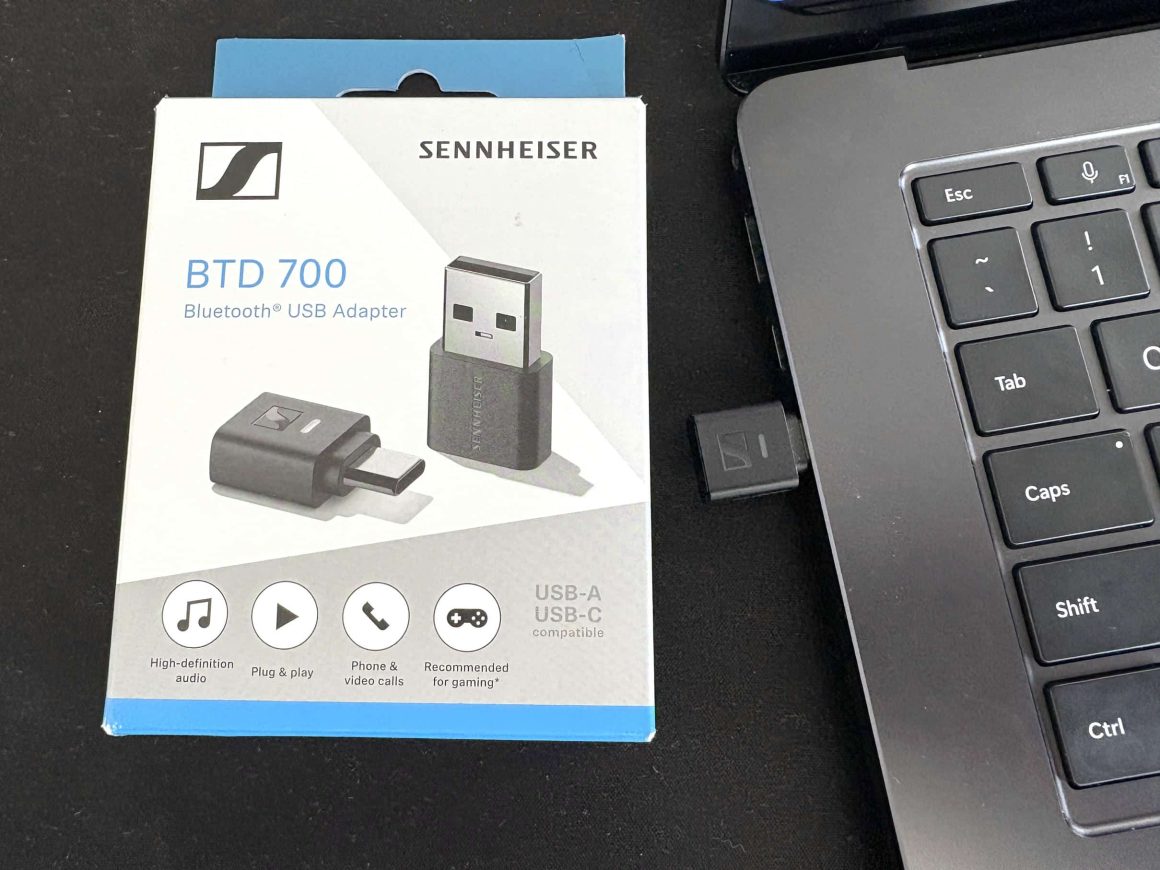
The Sennheiser BTD 700 is a USB Bluetooth dongle with support for all major aptX codecs, enabling you to connect Bluetooth headphones, speakers, and TWS earbuds to virtually any device with a USB port. The name BTD cleverly means Bluetooth Dongle, and is an improvement over the BTD 600 as it offers the much-coveted aptX Lossless codec, which gives you playback support for 16-bit/44.1kHz files at a 1.2mbps bitrate. On top of that, Sennheiser includes a custom Game Mode option with 30ms of latency, removing the audio/video sync issues when watching videos or playing games. How well does this dongle work, and is it worth using over your device’s built-in Bluetooth? Let’s get into it and find out.
Key Specifications
- Product Page: https://www.sennheiser-hearing.com/en-us/p/btd-700/
- MSRP: $59.95 USD
- Product Type: USB Bluetooth Dongle
- Bluetooth: 5.4
- Codecs Supported: SBC, LC3, aptX, aptX Adaptive, aptX Lossless,
- Connection: USB-C, USB-A with included adapter
- Features:
- No driver install required
- Custom Game Mode (30ms latency)
- Auracast support
- Supported Platforms:
- All USB class-compliant devices
- Dimensions:
- 23.8 x 15.2 x 7.6mm
- Weight: 2.2g
In the Box

- Sennheiser BTD 700
- USB-C to USB-A adapter
- Manual
Design & Build Quality

The Sennheiser BTD 700 is very small as far as dongles go. It’s fairly flat and, when plugged into a device, sticks out at a mere 7.6mm. On one end, you have a USB-C connection, and on the other is a pairing button that is nice and clicky. An LED light is situated in the middle and can be seen from both sides, which is nice since it means you don’t need to plug the dongle into a USB port in a specific way.


A USB-C to USB-A adapter is included so that you can use it with devices that don’t have a USB-C port, or if your only available connection is a USB-A port. With the dongle plugged into the adapter, the amount it sticks out is increased to mm, which is still pretty acceptable in my opinion.


Usability and Features

The BTD 700 is very straightforward to use. Simply plug it into a device (laptop, PC, game console, smartphone, Digital Audio Player, etc.), it will then enter pairing mode by flashing white and red on the LED. If it doesn’t, you can manually enter pairing mode by pressing and holding the button on the end of the dongle for 3 seconds. Then, put your Bluetooth headphones or TWS earbuds into pairing mode. After a few seconds, the dongle will flash white 3 times to indicate successful pairing. Every product I’ve tried pairing with the BTD 700 has worked perfectly and had no issues pairing, which is more than I can say for something like the FiiO BT11, which failed to pair or keep a connection with some of my TWS earbuds.
With your headphones or earbuds paired, you’re now good to go to listen to audio. When audio is playing, the dongle will display an LED light based on the currently used codec. The chart below is from the manual and shows what each color means:

If you have a device that supports LE audio using the LC3 codec, pressing the button on the dongle once will switch the dongle’s Bluetooth mode from Classic to LC3, which is indicated by a blue LED light.
Practically speaking, I found the BTD 700 to be a no-nonsense device. Once you pair something to it, it will stay paired unless one of them gets powered off. On Windows and macOS, there is a companion app that is used to update the firmware of the BTD 700, as well as choose which codec to use. It’s extremely easy to use, and once I selected the codec, whether it be aptX Lossless or aptX Adaptive, it kept the settings and allowed me to listen worry-free. The Sennheiser Dongle Control app can be downloaded from Sennheiser’s website.
On my M1 Mac Mini, Windows 11 PC, and Surface Laptop 7 (with a Snapdragon X Elite ARM CPU), the app worked perfectly every time. It’s a portable app, so it doesn’t require installation. When you have the app open and are playing audio, it will show you the state of the dongle (Bluetooth device connected, Audio Streaming, etc), the codec in use, and the sample rate. While the LED light on the dongle is nice to see that the codec is used, the app also serves as a nice way to verify it.


On Windows, unless the application you are using supports WASAPI Exclusive mode, you will need to set the sample rate and bit depth correctly according to the codec you are using. For example, for aptX Lossless, you should set the BTD 700 to 16-bit/44.1kHz in the Windows sound settings. For aptX Adaptive, set it to 24-bit/96kHz. This will prevent any downsampling or up-sampling done by Windows.


When using the BTD 700 with various digital audio players and smartphones, I had mixed results in regards to it properly selecting the appropriate bitrate. For example, on my Sony NW-ZX707, using the built-in Music app, FLAC files that are 16-bit/44.1kHz played fine for aptX Lossless, and the dongle lights up purple to indicate this. Playing a 24-bit/96kHz or 192kHz FLAC file, though, will sometimes force the dongle to aptX Adaptive mode as it lights up pink. This might just be a bug with the LED, as I don’t hear my headphones indicate that codecs are changing. The Tidal app worked fine, and the LED behaviour was consistent, meaning it was blue (indicating aptX Lossless) even when 24-bit/96kHz files were being played. The experience is the same with the Apple Music app.

Using my iPhone 16, Apple Music and Tidal both will change the LED based on the sample rate, so again, not sure if this is a bug, or if the apps/device are really controlling the sample rate to force the dongle into a specific codec.
Game Mode

The BTD 700 has a custom game mode implementation designed by Sennheiser, which promises 30ms latency. I don’t have tools to measure the exact latency performance, but it is by far one of the best low-latency modes I have ever used. It can be used with every codec, except for aptX Lossless. Which is fine, as the intention here is not audio quality but syncing the video and audio streams. I tried very hard to detect any noticeable latency or syncing issues when watching YouTube videos, movies, and playing games. I didn’t notice any at all. It’s really that good. I spent over an hour playing The Elder Scrolls Oblivion: Remastered because it was so enjoyable to use it with the iFi GO pod Max and Simgot EA1000 IEMs. To enable the “Gaming” mode, either select it in the Sennheiser Dongle Control app or press the button on the dongle three times and watch the LED light go green.
Voice and Telecommunications Performance
The Sennheiser BTD 700 allows you to use the microphone in your TWS earbuds or Bluetooth headphones, which is extremely convenient for video conferencing apps such as Microsoft Teams and Zoom. I tried both and it worked extremely well, and I was told I sounded clear with no interference.
Game Console Support
If you were hoping to unlock aptX Lossless or Adaptive support with your Sony PS5 or Nintendo Switch, you will be disappointed. Testing on both forces you to the SBC codec due to the way both platforms have locked down their USB ports.
Also, note that this only gives you access to audio output. If you want to be able to use voice chat with it, you need to press the dongle’s button 4 times to switch to the HFP (hands-free profile), which results in very poor audio quality. Not Sennheiser’s fault, but maybe one day manufacturers will stop locking down their platforms so heavily.
Sound Quality and Bluetooth Performance
Device sources used for this review:
- Windows 11 PC
- Microsoft Surface Laptop 7 (Snapdragon X Elite model)
- HiBy R3Pro II
- HiBy R4
- Samsung Galaxy Fold 7
- Apple iPhone 16
- Sony NW-A306
- Sony NW-ZX707
Headphones and earbuds used for this review:
- DALI IO-8 (aptX Adaptive)
- EarFun Air Pro 4 (aptX Lossless, LC3)
- iFi GO pod Max (aptX Lossless)
- Sennheiser Momentum 4 (aptX Adaptive)
- Sennheiser Momentum True Wireless 4 (aptX Lossless)
- Sonos Ace (aptX Lossless)
Links to my music playlist used for the majority of testing:
Spotify: https://open.spotify.com/playlist/6QSIhuCBDAUyoWGcyxPeN8?si=c0a4eb6bd3e3421e
Apple Music: https://music.apple.com/ca/playlist/hifi-oasis-audio-testing/pl.u-lKWlcjy04xp
Tidal: https://tidal.com/playlist/503485c7-7f3d-43f0-b904-4b9a89c33875

The overall sound quality is excellent. When testing the aptX Lossless codec, I found it to sound comparable to LDAC’s 990kbps mode in that I didn’t notice any compromises in the sound quality. Typically, with lossy Bluetooth codecs, I notice the soundstage can sound compressed, and instrument layering on complex tracks becomes muddy. This is why I have always appreciated LDAC’s optimized audio mode. To me, there has always been an appreciable difference in sound quality. With aptX Lossless, I find it performs very much the same as LDAC in this regard, allowing you to “hear more” if you’re keen to listen for the subtleties.
Using the Sennheiser Momentum True Wireless 4, EarFun Air Pro 4, iFi GO pods Max, and Sonos Ace with the BTD 700 connected via aptX Lossless was a flawless experience for me. The connection is extremely reliable with no stuttering, and I am able to walk a couple of meters away from the dongle before

aptX Adaptive works and sounds very good as well. This codec also allows you to walk further away from the dongle without interrupting audio with stutters or with noise occurring. Sennheiser’s Momentum 4 headphones pair extremely well with the BTD 700, not because they are both from Sennheiser, but because the Momentum 4 sounds great in general, and the aptX Adaptive codec helps get the most out of them since, when using these headphones with most smartphones, you’re limited to just the aptX classic codec. The same goes for the DALI IO-8, which is one of my favorite Bluetooth headphones to use.
Final Thoughts

Overall, I found the Sennheiser BTD 700 to do exactly what it is supposed to do, which is to give you access to the aptX Adaptive and Lossless codecs with devices that don’t have those capabilities. Due to the variation in many devices and apps, it doesn’t always work exactly as you hope, given that some devices seem to change the LED color based on the playback file. Usually, with Bluetooth devices and adapters, the biggest issue is connection stability and reliability, so considering that hasn’t even been an issue for me, I would say that is a massive win by itself.
FiiO’s BT11 was released last year, which not only has aptX Lossless but also LDAC support. Unfortunately, that device is incredibly unreliable, especially if you want to switch between multiple Bluetooth devices. I feel it actually got worse after they updated the firmware, too. On top of that, FiiO’s Control app is extremely temperamental, whereas Sennheiser’s Dongle Control app works perfectly. All it needs now is mobile app support to really be perfect.
So, if you don’t need LDAC and want a Bluetooth dongle to give you access to the latest aptX codecs, I think for $59 USD, the Sennheiser BTD 700 is an absolute steal. I highly recommend it.


Buy from Amazon: https://amzn.to/4lr64hK
Buy from Other Online Stores: https://geni.us/gH9CA
The above links may be affiliate links. All commission earned through them goes directly to maintaining this site and bringing you more audio reviews.
I’m not always able to cover all the details of a product, both hardware and software, in our reviews. If you have any specific questions about this product, please feel free to leave a comment or contact me directly.
Be sure to check out our excellent Buyer’s Guides, as well as our other Reviews.
HiFi Oasis Verdict
HiFi Oasis Verdict-
Design & Build Quality9/10 Amazing
-
Sound9/10 Amazing
-
Features/Accessories8/10 Very good
-
Value9/10 Amazing
Pros
- Extremely small form factor allows it to fit almost anywhere
- Excellent aptX Lossless performance
- Overall fantastic Bluetooth performance and connection stability
- Low latency Game Mode is the best I've ever used
- Compatible with both USB-C and USB-A devices
- Windows/macOS app works well
Cons
- Sometimes inconsistent LED status, depending on the device and app output used
- No mobile app
- No LDAC support


Great writeup. I’ve had the 600 for a while and just got the 700 for my Sonos Ace’s which support aptX Lossless. For now I’m using the 600 with my Momentum 4’s for their 24/96 glory and the Ace’s for the 16/44.1 lossless (but only 24/48 limit for Adaptive). I’ve had issues with both Amazon Music and Apple Music freezing (plugged into my M1 MBP) and cutting out on the 700’s Lossless codec. Hoping a future Sennheiser firmware update can make it more stable so Lossless is actually usable. I love both the Ace’s and the MM4’s so I’m happy to switch between them.
Thank you! After some additional use and testing, I have had the occasional issue with my M1 Mac Mini, once where it just stopped working until I unplugged and then plugged it back in. No isses on the Windows side so far, so I’m wondering if macOS is doing something strange.
Can you share again the experience with samsung phone. I used: S25 ultra + Apple Music + BTD700 + MTW4.
The sound is really bad and no change, the LED is still purple but no improvement, even volume is very weak.
I just did some extensive testing, and everything is good with the BTD700 + MTW4 + Apple Music on both my Galaxy Fold 7 and Pixel 6. The sound is as I expect it, and I don’t notice any issues. I also had more than enough volume (remember that the volume control is two-sided: on the earbuds themselves and the dongle via your smartphone).
Can you try other audio apps on your S25 Ultra, like a song from YouTube? Is your MTW4 connected to multiple devices at the same time (such as the BTD700 and your S25 Ultra)? If so, does SmartControlPlus show that the codec is correct and that the sound setting is set to the default one?
If not, try factory resetting both the BTD700 and MTW4.
Hello
Can you share the experience with Sony NW-A306? Thanks for your outstanding expertise. Dan
Hi there. The dongle works very well with my A306. I mainly use it with the built-in Music app, but it also works well with Apple Music and Qobuz. It’s a great little portable solution IMHO.