




Disclosure: I’d like to thank SteelSeries for providing me with the Arctis Nova 7 Gen 2 for this review. All thoughts and opinions are my own, and SteelSeries had no say or input on the contents of this review.
SteelSeries has been busy lately. Two weeks ago, they announced and released the Arctis Nova Elite “luxury audiophile gaming” headset (read my review to see why I call it that, if you haven’t already), and now we have another release, the Arctis Nova 7 Gen 2 wireless headset. This is an update to the much-coveted Nova 7 Wireless, which has been a staple among gamers since its release 3 years ago. Priced at $199 USD, there is no price change over the original Nova 7; however, there are some changes and upgrades, so it’s nice to see the price doesn’t change.
Like the previous generation, there are three versions to choose from: 7, 7X, and 7P, with the letters to denote the Xbox or PlayStation models. As before, the Xbox model will not work on the PS4 or PS5, and vice versa, so you need to know what your use case is. As well, the regular 7 version has the ChatMix dial on the right earcup instead of the sidetone dial. The Nova 7 Gen 2 also comes in three colors: Black, White, and Magenta (nice to see a unique color as a new addition). So, does the Arctis Nova 7 Gen 2 Wireless remain a great gaming headset, even expand a little beyond gaming? Let’s get into things and find out.
Key Specifications
- Product Page: https://steelseries.com/gaming-headsets/arctis-nova-7-gen-2
- MSRP: $199 USD, €199
- Battery Life: Up to 54 hours of audio playback
- Type: Over-ear, closed-back
- Driver Type: 40mm Neodymium Magnetic Speaker Drivers
- Impedance: 36 Ohms
- Sensitivity: 105 dBSPL
- Weight: 326g
- Connections: 2.4GHz wireless with base station, Bluetooth 5.0, 3.5mm connection, USB-C port (charging only)
- Audio Format Support: Up to 24-bit/48kHz (when using the 2.4GHz wireless connection)
- Bluetooth Codec support: SBC
- Microphone: Yes, retractable boom mic
- Active Noise Cancellation (ANC): No
- Charging Method: USB-C
- Weather/Dust Resistance: None
In the Box

- Arctis Nova 7 Gen 2
- USB-C wireless dongle
- USB-C to USB-A cable (1.5m length)
- USB-C to USB-A cable extension cable (1.5m length)
- 3.5mm 5 pole to 3.5mm 4 pole cable (1.2m length)
- Manual
Design & Comfort

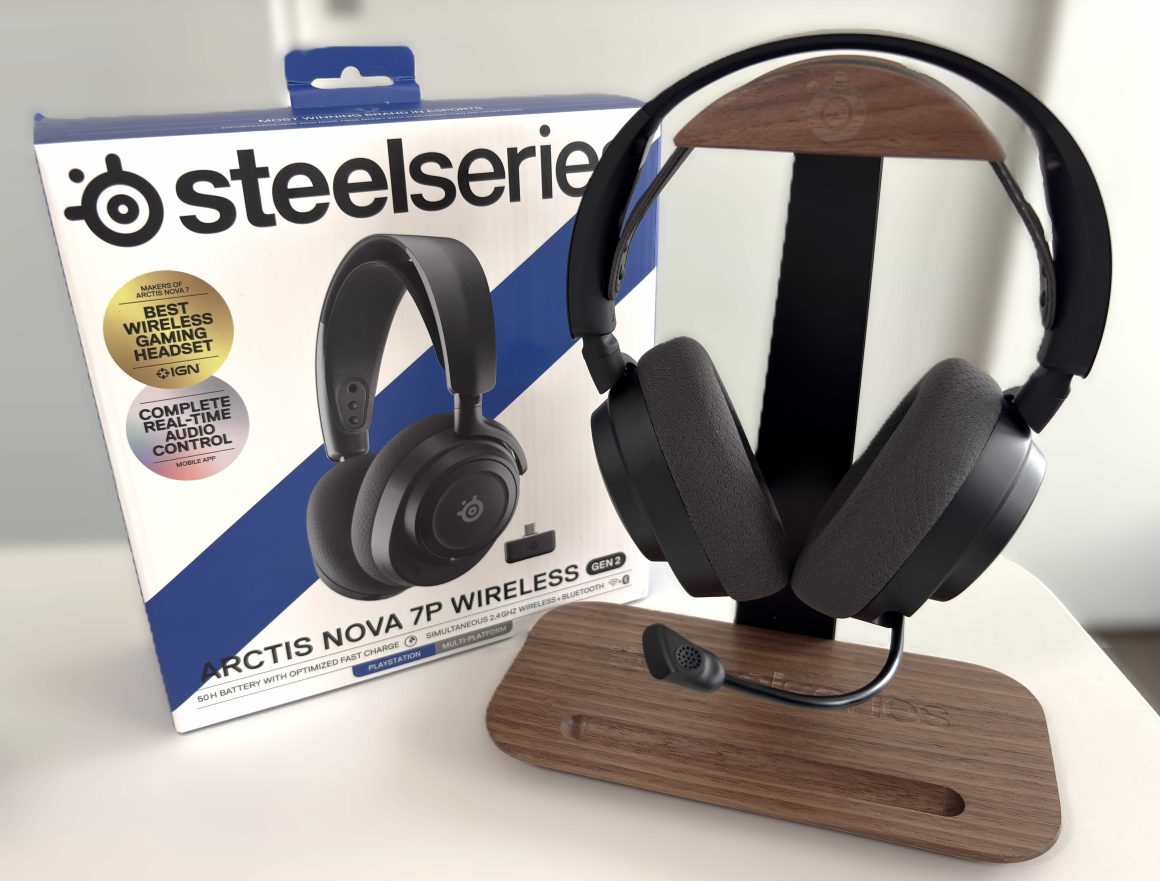
Physically, the design of the Nova 7 Gen 2 remains consistent with the rest of the Nova lineup, including its predecessor, the Nova 7. It features the same ComfortMAX system with adjustable and rotating earcups, AirWeave earpads, and a stretchy overhead band. The band has been slightly redesigned and is now smooth instead of featuring a textured look. It looks and feels the same as the one used on the Nova Elite. At 326 grams, the Nova 7 Gen 2 is very lightweight for a wireless headset, and once you’re wearing it feels comfortable and breathable.

The headband does a great job at distributing pressure so there are no pressure points on the top of your head, and the earcups are deep and round enough so that your ears do not touch anything. The earpads also come off in the same way as the other Nova headsets, meaning they can be replaced if needed.

The outside of the headband is metal, and the black version I have looks incredibly premium and classy. It looks like SteelSeries has decided to match the headband color to the colorway of the headset now, which makes it more usable in everyday life, in my opinion. The all-black headset now looks incredibly slick and mature. The matte black body of the earcups is still ABS plastic, but feels solid and very well built.

The controls and buttons are split between both earcups. On the right earcup, we have the Bluetooth and power buttons (each with its own LED to indicate their status) and the sidetone volume wheel. On the bottom of the earcups is the USB-C connection for charging.

On the left earcup, we have the mute button, volume wheel, retractable microphone, and on the bottom is the 3.5mm audio jack. The faceplates are still removable and held on magnetically, but there is nothing underneath them

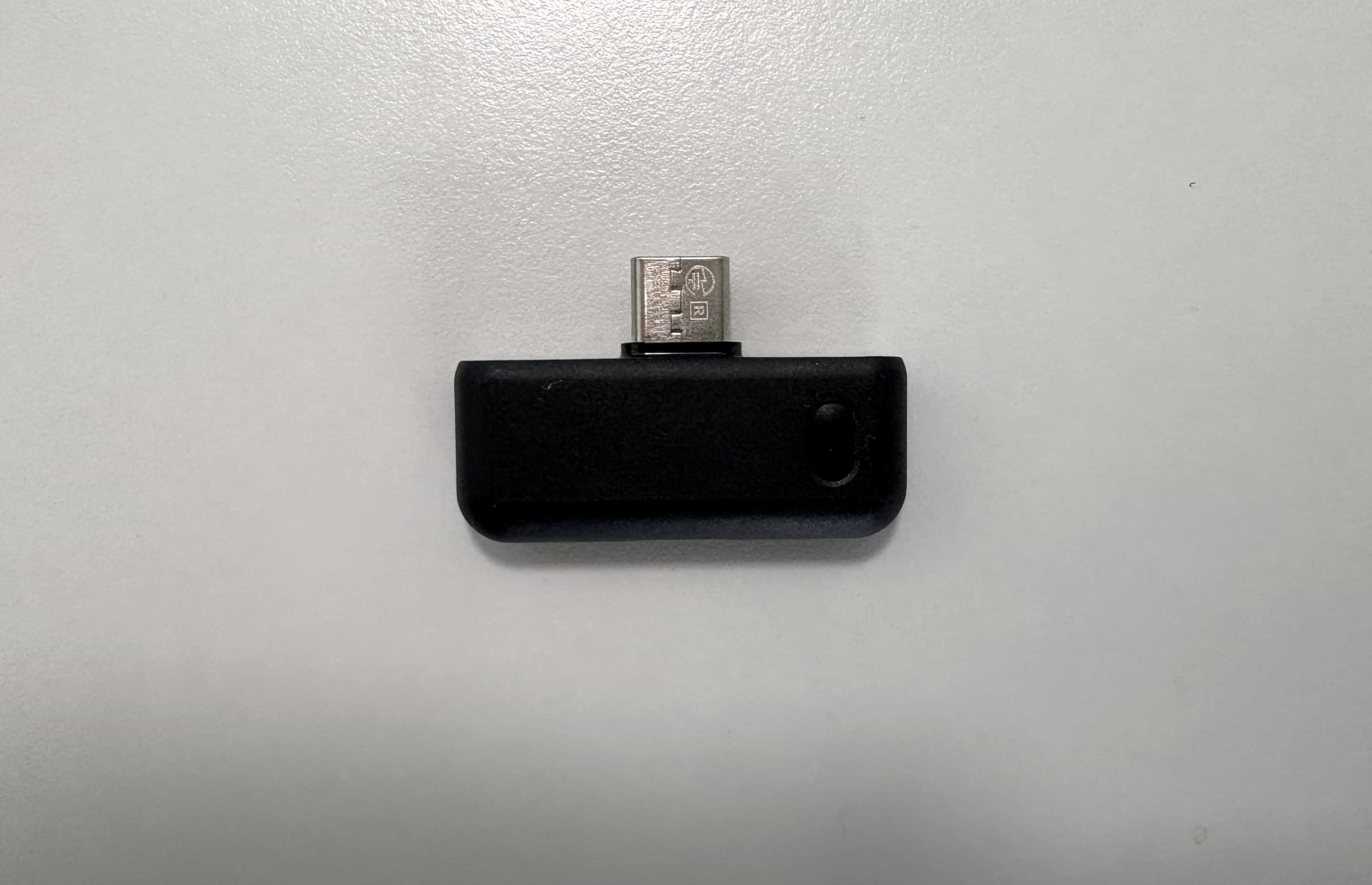
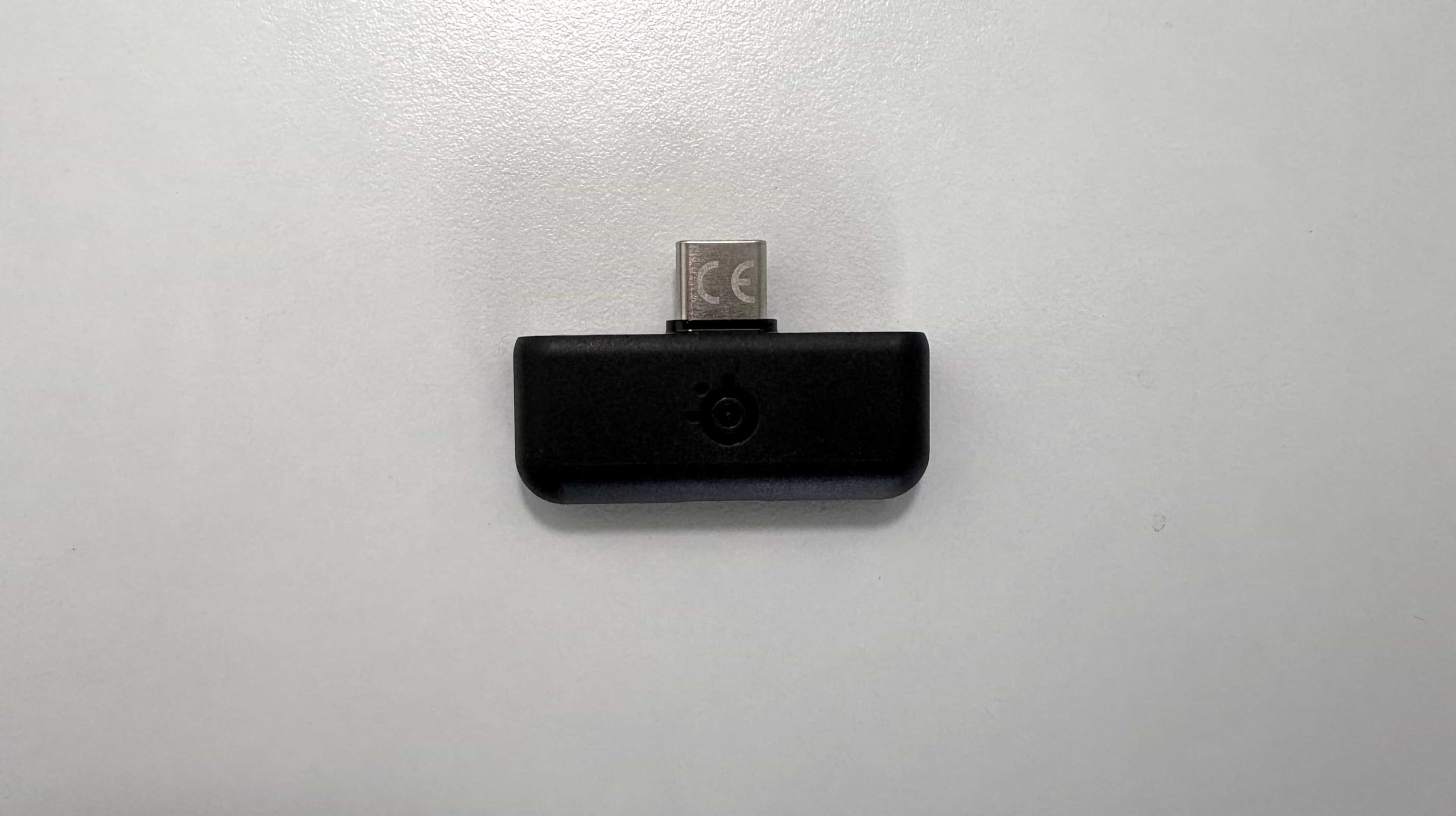
Lastly, there is the USB-C wireless dongle. It has a pairing button and an LED light to indicate the current status.
Connectivity Options
The SteelSeries Arctis Nova 7 Gen 2 has three ways to connect to your devices.:
- Wirelessly via the USB-C dongle
- Bluetooth (SBC)
- 3.5mm single-ended cable
The wireless dongle uses a 2.4GHz wireless connection to the headset, and it works supremely well. The connection after powering on the Nova 7 Gen 2 is instant, and there is no perceptible latency or audio delay. You can plug it into essentially any USB-C device to play audio to the headset, and it supports sampling rates up to 24-bit/48kHz, which is more than enough for the casual audiophile. The 2.4GHz connection was extremely stable in my testing, and allowed me complete freedom to walk around my apartment while wearing my headset.

The Nova 7 Gen 2’s Bluetooth connection only supports the SBC codec, which will be fine for most people. From an audiophile perspective, even if you are only a casual observer in the hobby, it feels disappointing to only have SBC to choose from. The Nova Elite was able to get LC3 and LC3+, so it would have been nice to see that come to the Nova 7 Gen 2. My disappointment aside, the connection is solid when paired with a smartphone or any Bluetooth device, really. This connection allows you to do 2 things: play audio via Bluetooth to your headset while simultaneously listening with the wireless connection, and it allows you to control EQ presets and certain settings through the Arctis app on iOS and Android. More on this in the Usability section.
Lastly, the wired 3.5mm connection works exactly as you would expect, with even support for the microphone when used with the included cable (or any TRSS cable). The one downside with this connection is that you cannot turn the headset on, so you are denied EQ profile support with it. It’s not a deal breaker by any means, but it would have been nice to have this use case supported.
Battery Performance
The Arctis Nova 7 Gen 2 features a staggering 40% more battery life over the previous Nova 7. SteelSeries lists it at 54 hours, with 15 minutes of charging giving you 6 hours of audio playback. In my testing, I was reaching just over 53 hours, meaning I went for a whole work week of using the headset for about 8 hours a day, which included using the microphone, and I still had enough battery leftover to play Battlefield 6 during the weekend. I never had to charge it once in that time. I don’t know how SteelSeries did it, but it’s quite impressive.
When using Bluetooth simultaneously, you will lose some of that playback time, reaching 38 hours, and Bluetooth playback by itself will give you about 42 hours of playback (I lost track after 20 hours, so yes, it will last a while to be sure).
SteelSeries GG, Sonar, and Arctis app
One of the reasons many gamers choose SteelSeries headsets is the integration with SteelSeries GG and Sonar. And it is no different here with the Arctis Nova 7 Gen 2. SteelSeries GG is available for Windows 10 (EOL soon, though!), Windows 11, and macOS. I used it mainly with Windows 11, but I did try it on my M1 Mac Mini, and it worked just fine.
For my review, I’ll be focusing on the Engine and Sonar sections of GG as these sections are the most relevant here.
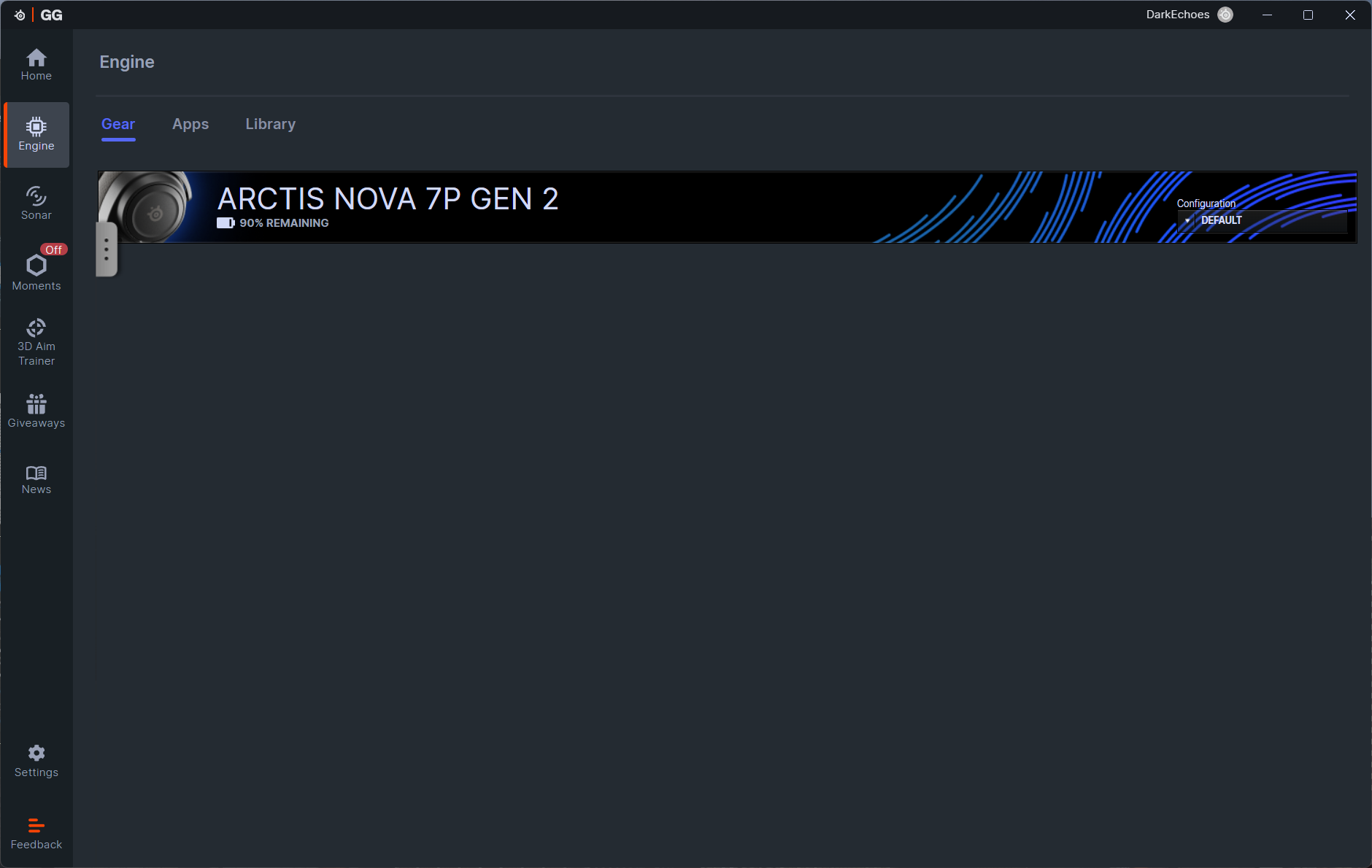
The Engine tab shows the Arctis Nova 7 Gen 2, with the current battery level of the headset displayed. All firmware updates are done from within this section as well, and you will be prompted when one is available. Clicking on the Nova 7 Gen 2 brings us to a screen where we can change audio options for both the wireless and Bluetooth connections, microphone EQ and volume options, and various settings to suit your workflow. All settings, such as the EQ presets, microphone presets, and volume settings, are stored on the headset itself, making it convenient to use the Nova 7 Gen 2 in Bluetooth mode and have your EQ preset already applied, or connecting the wireless dongle to a game console, knowing your EQ presets will already be there.
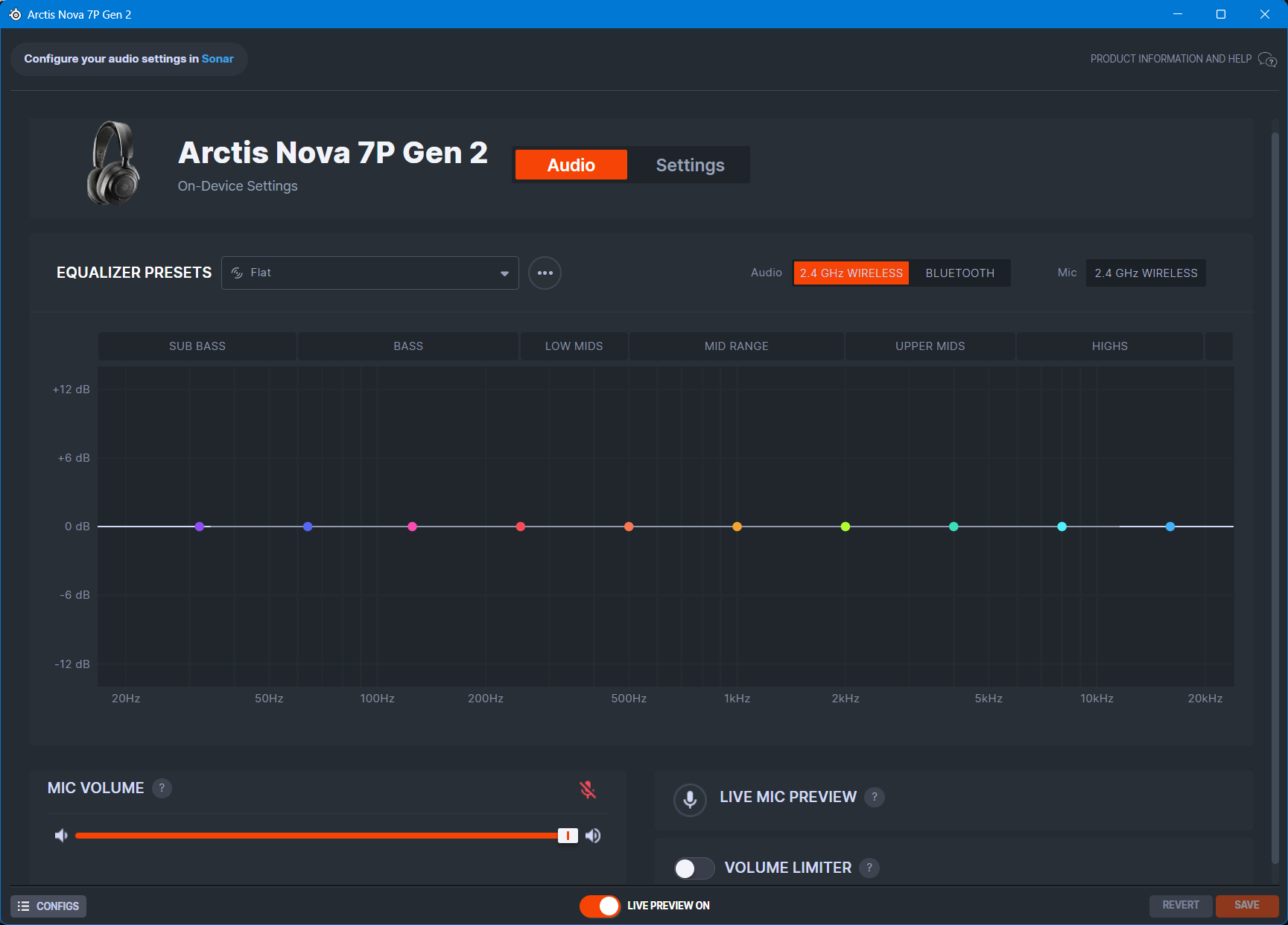
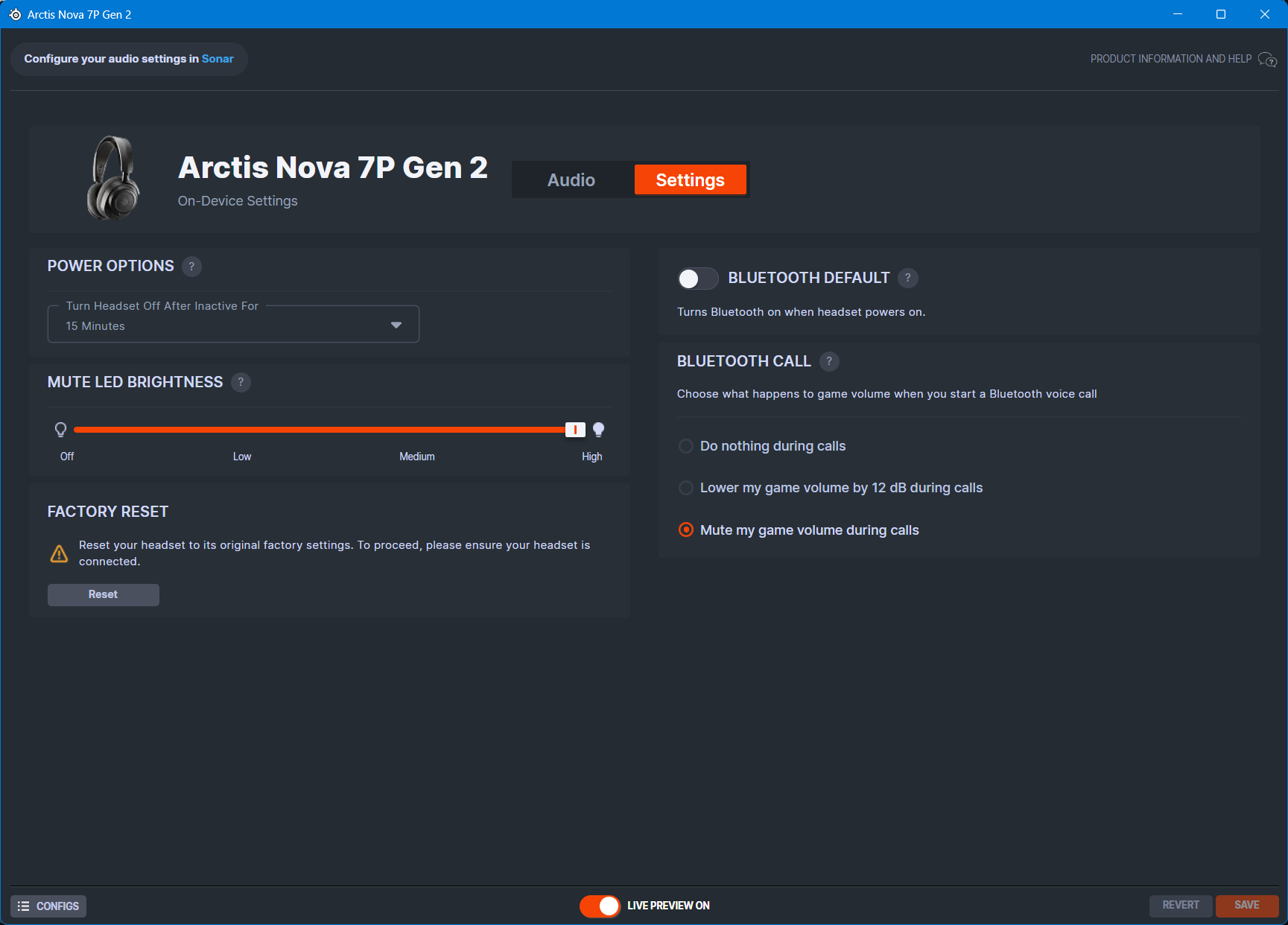
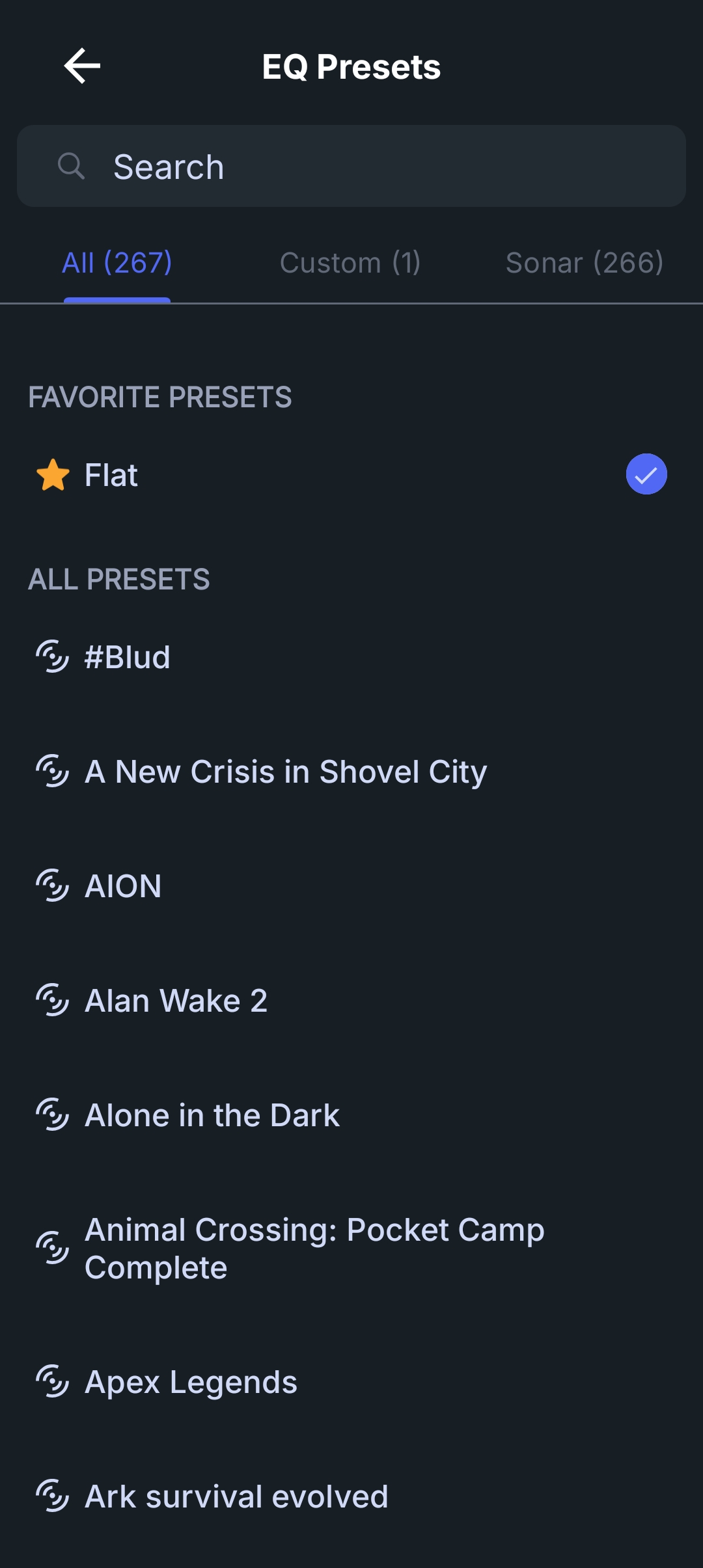
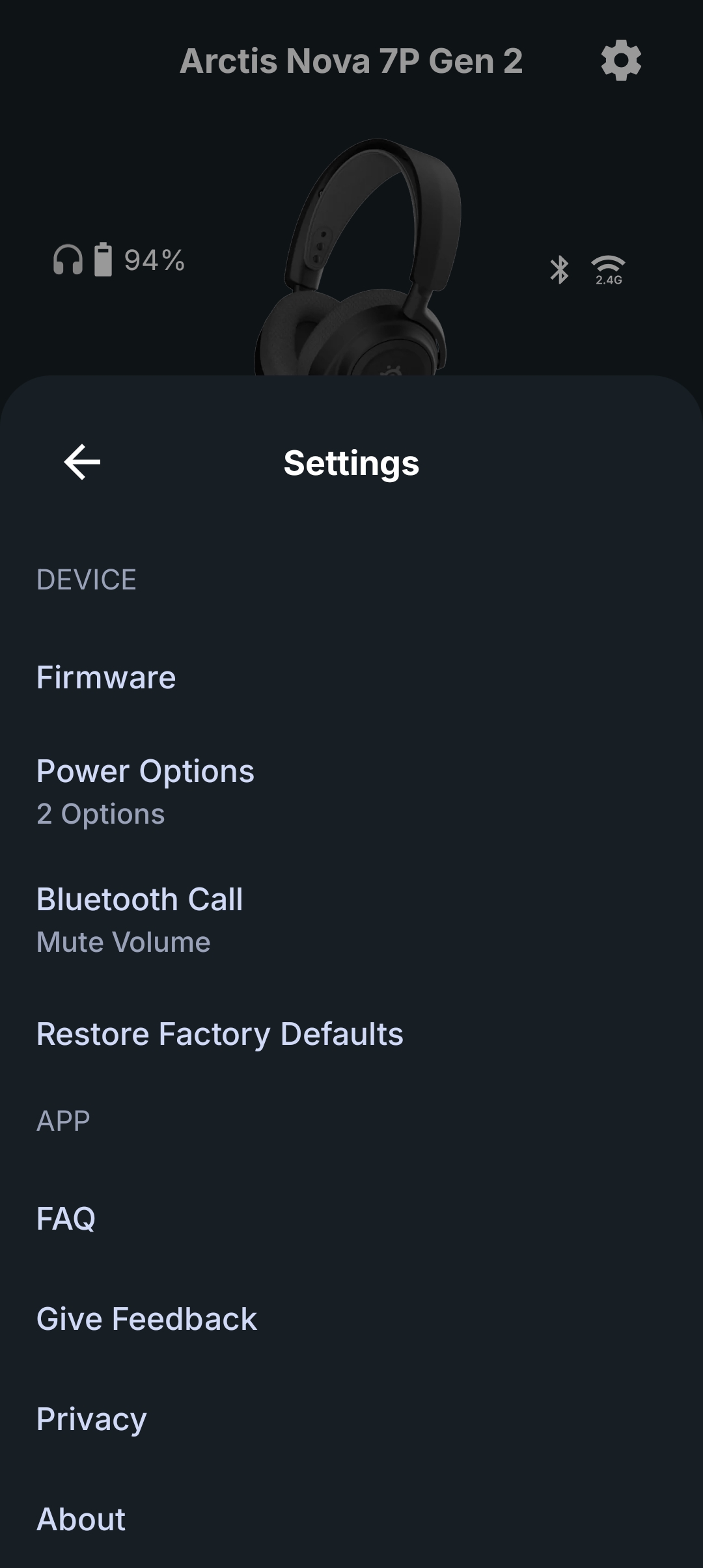
All of these settings can also be changed in the Arctis App for Android and iOS, which is extremely convenient when you’re using the headset with game consoles or a smartphone, as you can select your EQ presets on a per-game basis, as long as you have already added them using SteelSeries GG. This is a huge upgrade over the original Nova 7, which had Bluetooth support but was not supported in the Arctis app. Being able to change EQ settings on the go or away from a computer is simply a necessity in 2025, and I’m glad to see SteelSeries embrace this.


Looking at Sonar within the StelSeries GG software, this is where all the magic happens. Once you connect the USB-C dongle to your computer, I would urge you to go into the audio settings, find Headphones (Arctis Nova 7 Gen 2), and make sure the Format is set to 24-bit/48KHz. This will ensure you are getting the highest audio quality possible.
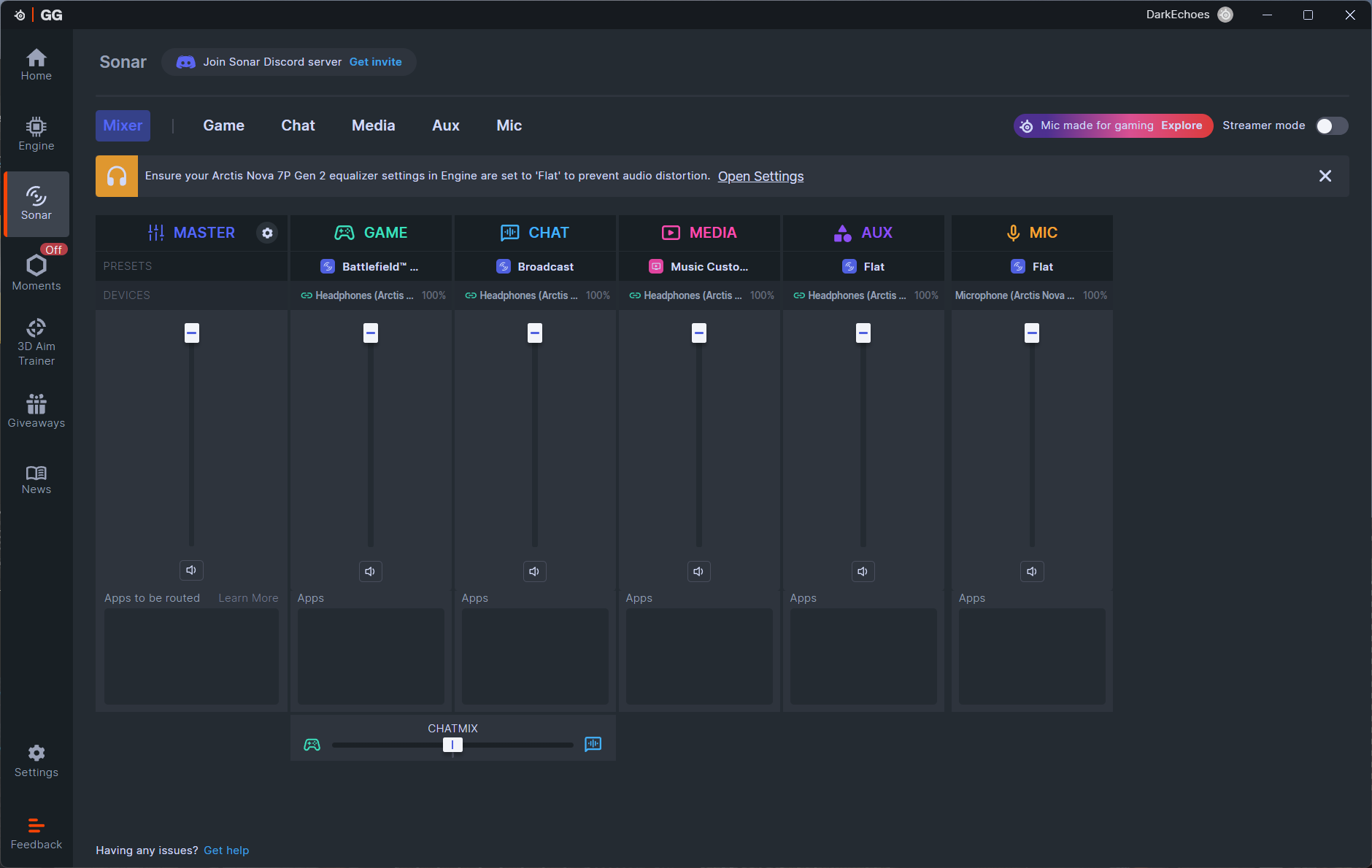
Once that is done, and once you have enabled Sonar in SteelSeries GG, it will create various virtual audio devices. If you’ve never used GG before and this is all new to you, it can be a little overwhelming, and you may need to change up your workflow a bit to accommodate how Sonar works. But trust me, it is worth the growing pains to learn it.
Sonar gives you various audio channels: Game, Chat, Media, Aux, and Mic. It allows you to route various apps to each channel depending on the experience you want to have. Going through this in detail could be a whole article unto itself with the amount of features and capabilities that are available here, so if that’s something you’d want to see, please let me know in the comments at the end of the review.
Usability and Experience
As a gaming headset, the Arctis Nova 7 Gen 2 works phenomenally well. Plug in the dongle, power on the headset, and you’re good to go. It’s literally plug and play. During my review process, Battlefield 6 was released, which was a great way to test the headset and see how it performed. While playing, I connected the headset to my laptop via Bluetooth so I could watch some class and gun guides in between matches, or while waiting to even get through the login queue to play the game. It’s funny how much you think you don’t need a feature until you actually use it.
Everything about the headset is designed to be convenient. The volume dial feels great to use and isn’t too sensitive, meaning you won’t accidentally turn it up too loud too fast and hurt your ears. The mute button is ideally placed, in my opinion, and feels natural to use. The retractable microphone is easy to take out and put it, and the red LED is easy to see, so you can tell if you are muted or not just by looking at it.
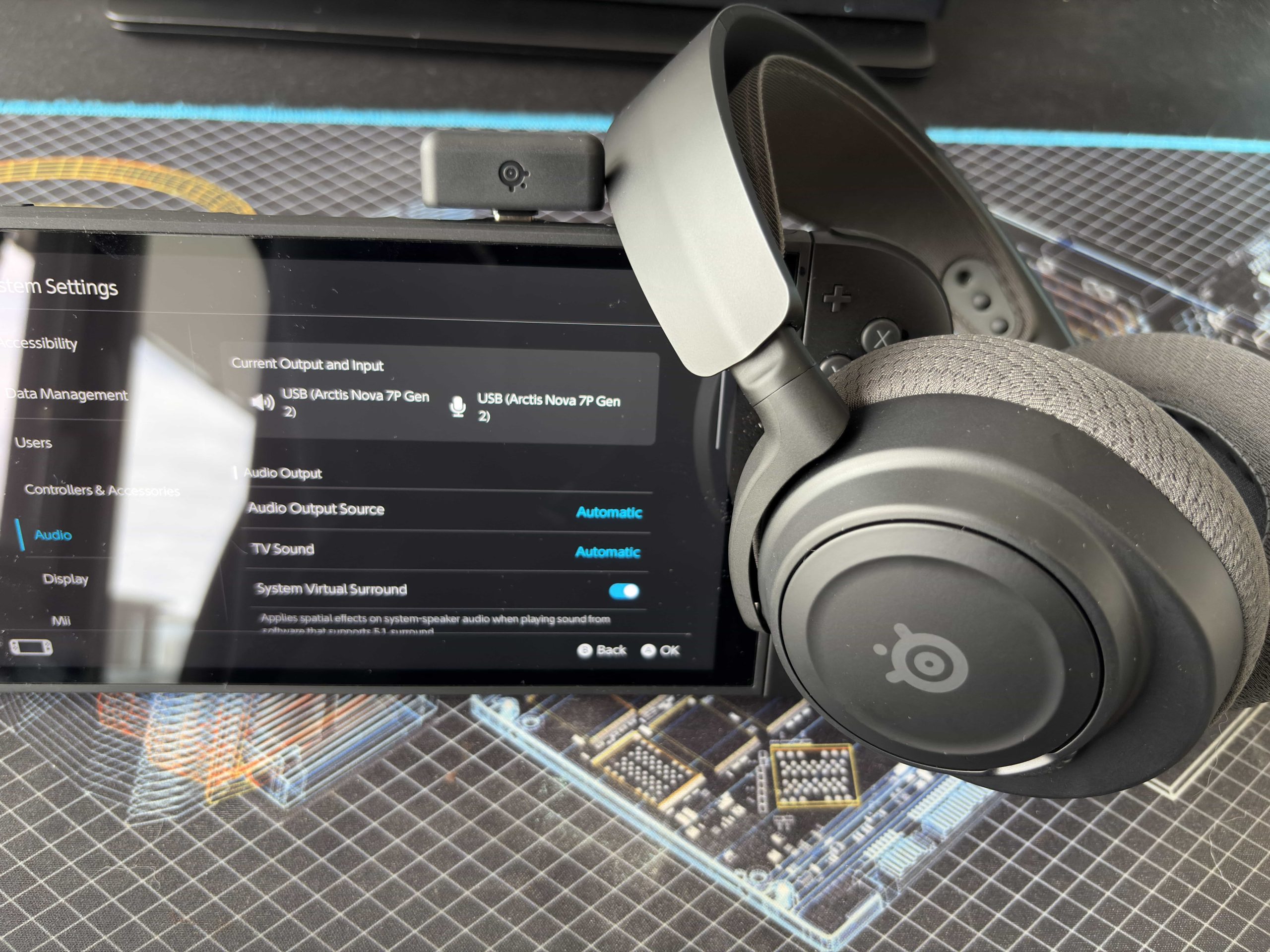
The USB-C dongle worked perfectly with my gaming PC, laptop, Nintendo Switch 2, PlayStation 5, and even my FiiO M21 DAP (Digital Audio Player). Being able to change the EQ presets via the Arctis app when playing on the PS5 or Switch 2 is seriously convenient. It allows you to create any number of custom presets depending on which game you are playing. The same goes for when you are listening to music on your smartphone. Both the 2.4Ghz and Bluetooth connections support the 10-band PEQ, and this really gives you a lot of versatility. It’s funny to think you don’t even get this much control with various wireless headphones from even the top audiophile brands like Sony and Bose.
After previously using and reviewing the Arctis Nova Elite, it’s clear that SteelSeries brought a lot of the innovations and iterative upgrades from it to the Nova 7 Gen 2, which makes you forget that this is just a $200 USD headset.
Sound Quality
Sources used for this review:
- Windows 11 PC
- Nintendo Switch 2
- PlayStation 5
- FiiO M21
- Samsung Galaxy Fold 7 (Bluetooth)
- Apple iPhone 16 (Bluetooth)
Links to my music playlist used for the majority of testing:
Spotify: https://open.spotify.com/playlist/6QSIhuCBDAUyoWGcyxPeN8?si=c0a4eb6bd3e3421e
Apple Music: https://music.apple.com/ca/playlist/hifi-oasis-audio-testing/pl.u-lKWlcjy04xp
Tidal: https://tidal.com/playlist/503485c7-7f3d-43f0-b904-4b9a89c33875

The overall sound profile of the Arctis Nova 7 Gen 2 is neutral-leaning and reminds me a lot of the sound profile for the Arctis Nova Pro Wireless. This makes sense as it uses the same driver and overall technology, with the earpad material and lack of ANC being the main differences.
Music
The sub-bass features a good amount of rumble and extension without sounding muddy or thick. Mid-bass is more prominent but never feels overwhelming. There is decent slam and impact, and it provides good texture and note weight.
The midrange sounds fairly flat but detailed, with nothing overly emphasized until you get to the upper-midrange. Vocals sound good overall, though male vocals lack thickness and don’t sound full. Female vocals fare better and are very detailed and clear.
The treble does sound slightly bright, but it’s not sibilant. There is some emphasis here to bring out more detail, so if you are treble sensitive, this might be a little too much for you, at least without applying an EQ to tone it done a bit. Decreasing things around the 8K range will probably help.
If you plan on using the Nova 7 Gen 2 for listening to music, it does a good job and is very versatile out of the box, giving you a good compromise between being too neutral, detailed, or musical. This headset greatly benefits from EQ, but if you just want to leave it as is you are still getting a great sound.
Gaming
The Nova 7 Gen 2 is fantastic for gaming. It has great passive noise isolation to help with immersion, and the default sound profile is definitely geared to providing a great overall gaming experience.
When playing Battlefield 6, footsteps are easily distinguished from environmental sounds and gunshots. Enemy directions are also easy to identify and track, and the whole soundscape sounds well-layered and never too busy or clustered.
Even when moving to games like The Elder Scrolls 4: Oblivion Remastered, the atmospheric world sounds great, and the orchestral score is superbly rendered. It’s one of my favorite games of all time, and this headset performs extremely well at immersing you in the world.
Also of note is that all of the spatial technologies are supported here. Dolby Atmos on PC, Tempest 3D for the PS5, and virtual surround for the Switch 2 can all be enabled, and they do sound wonderful and are accurately played back.
Imaging and Soundstage
Imaging performance is excellent here, with accurate tracking along the horizontal plane. Directional cues are easy to identify, which helps in competitive multiplayer games. The soundstage is decently expensive for a closed-back headphone, though it does sound intimate at times. This can be helpful for immersion in some games, though. I never found myself wanting more soundstage for playing games, but for some music, such as live tracks, you will start to notice how enclosed it can be.
Microphone Performance
The SteelSeries Arctis Nova 7 Gen 2 features the same excellent microphone that SteelSeries has been known for. The ClearCast Gen 2 microphone has basic AI noise reduction built in, but becomes extremely powerful when used with Sonar’s AI Noise Cancellation. During my testing, I used the Nova 7 Gen 2 for many voice calls and meetings, and everyone said I was clear and understandable. It does a good job at clearing up background noise while retaining the clarity of your voice.
Final Thoughts
The SteelSeries Arctis Nova 7 Wireless Gen 2 is an excellent iterative upgrade over the original Nova 7 Wireless. Most of the upgrades are internal and not external, but they are still welcome. The much longer battery life, Arctis app support, and multi-platform compatibility make this an excellent package for $199 USD.
The Nova 7 Gen 2 is also very versatile, and I intentionally used it as I would any other audiophile headset in my collection. I used it to listen to music on my computer and digital audio players. I used it for single-player and multiplayer gaming. I also used it with my game consoles for both gaming and movie watching. It does an excellent job at being a great all-around headset, and with built-in PEQ support, it is hard to find anything else that brings that kind of value.
I do wish you could turn the headset on when using the 3.5mm audio connection to get access to the PEQ presets, and I do wish there was more than just the SBC codec for Bluetooth. Neither of these is a dealbreaker, though.
So, who is this headset for? Normally, I would say just for gamers, but I think it might also be for someone looking for a headset that can be used like a regular pair of headphones, to listen to music, watch movies, and play games. The fact that it’s wireless, with excellent battery life, is the icing on the cake, really. If you’re a gamer and you want a taste of the audiophile world, this is an excellent and inexpensive entry point.
If you were hoping I would get more into more of the technical details of the headset, don’t worry, I have a video coming soon comparing the Arctis Nova 7 Gen 2, Arctis Nova Pro Wireless, and Arctis Nova Elite, where I go through all the gritty details of all three headsets. Subscribe and keep an eye on my YouTube channel for it soon.


Buy from Amazon: https://amzn.to/4h98Ibn
Buy direct from SteelSeries: https://steelseries.com/gaming-headsets/arctis-nova-7-gen-2?color=black&primaryPlatform=ps5
The above links may be affiliate links. All commission earned through them goes directly to maintaining this site and bringing you more audio reviews.
I’m not always able to cover all the details of a product, both hardware and software, in our reviews. If you have any specific questions about this product, please feel free to leave a comment or contact me directly.
Be sure to check out our excellent Buyer’s Guides, as well as our other Reviews.
HiFi Oasis Verdict
HiFi Oasis Verdict-
Design & Comfort8/10 Very good
-
Sound8/10 Very good
-
Features/Accessories9/10 Amazing
-
Value9/10 Amazing
Pros
- Excellent overall sound quality that is suitable for both music listening and gaming
- Excellent wireless range and performance, no noticeable latency
- Very comfortable to wear for long periods of time
- USB-C wireless dongle is very compact and travel friendly
- Superb build quality
- Microphone quality and performance is amazing for this price range
- Longest battery life I've experienced in a wireless headset (54 hours)
- Dual wireless and Bluetooth connectivity is extremely useful
- Arctis app support a game changer for console gamers and mobile users
- Powerful integration with SteelSeries GG, powerful EQ support with Sonar
Cons
- The 3.5mm audio connection requires the headset to be off, which means no EQ support
- Bluetooth limited to the SBC codec


Thank you for this extensive review. I do agree on all the technical aspects, this headset truly delivers a fantastic audio experience, especially on Apex Legends, it truly is a game changer once Steelseries GG comes into action. Yet, let’s not forget that this application can sometimes seriously interfere with Windows.
OS update ? You need to manually go and select the output device in Steelseries GG. It does interfere as well when some games that do not have an audio output selection. When so, you have sound cuts at random moments, for several seconds, which totally destroy the immersion. When playing Onimusha Way of the Sword, I had to close GG altogether, then the interferences stopped.
Other negative point, a detail but it can be very annoying sometimes; when turning the headset on, it turns the bluetooth connection as well automatically together with the connection to the dongle. Yet, when turning the headset off, it cuts the connection to the dongle… But not to the bluetooth device you were connected to. Which can sometimes lead to nervewracking situations where you leave your desk, then listen to something on your phone 5 minutes later to realise that the headset’s bluetooth was on this whole time, which drains battery for nothing. Which leads to the following point.
The insufferable bipping noise now and then informing you that your headset has low battery. This is by far the worse sound design I could ever think of, and this cannot be disabled, you HAVE to hear it every 2 or 3 minutes.
Great headset, no doubt, but the user experience outside of its audio qualities were clearly overlooked.